Rich push notifications
UpdatedThere's a new version available!
These pages cover version 2 of our SDK, but a newer version is available. In general, we suggest that you update to the latest version to take advantage of new features and fixes.
- Are you new to our SDKs? Check out the latest docs.
- Otherwise, learn about updating to the latest version
With rich push, you can do more than just send a simple notification; you can send an image, open a deep link when someone taps your message, and more!
This page is part of a setup flow for the SDK. Before you continue, make sure you've implemented previous features—i.e. you can't receive in-app notifications before you identify people!
Set up rich push
Rich push is included with the messaging-push-fcm SDK. For now, our rich push feature only supports images and deep links. We’ll add additional features here as we continue to develop our SDKs.
Send a rich push
To send a rich push through Customer.io, you need to use our Custom Payload editor, which takes a JSON structure. In the editor, you’ll select the type of device you want to send your message to: you can have separate payloads for Android and iOS. In our case, you’ll click Android.
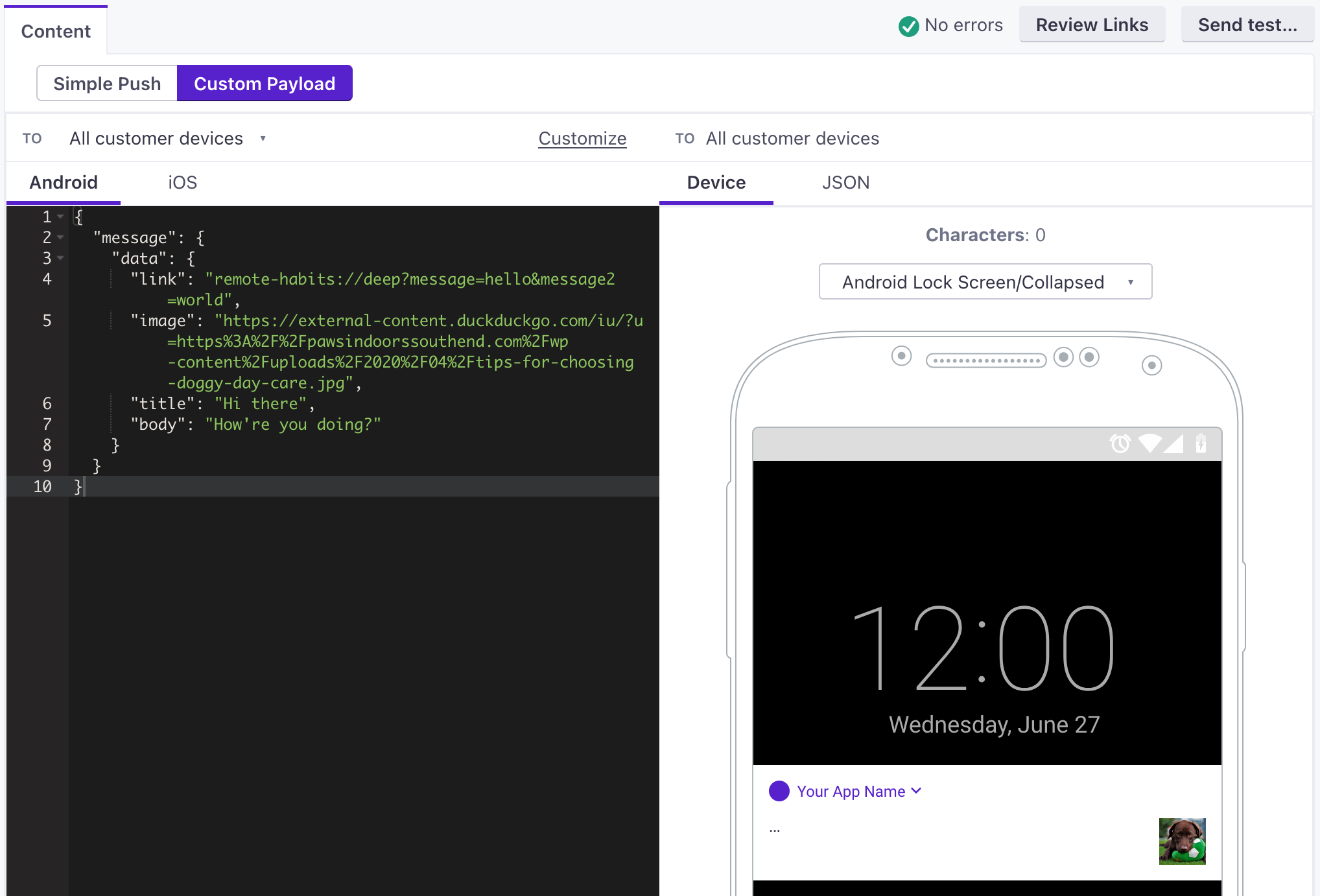
The following example shows a rich push with an image and a link. See the Deep links section below for help enabling deep links in your app.
{
  "message": {
    "notification": {
      "image": "https://thumbs.dreamstime.com/b/bee-flower-27533578.jpg",
      "title": "Hi there",
      "body": "How're you doing?"
    },
    "data": {
      "link": "remote-habits://deep?message=hello&message2=world"
    }
  }
}
- messageRequired The parent object for all push payloads.
-
Deep links
If you use CustomerIOUrlHandler, set your SDK target to 11
Android 12 changes the way apps handle deep links when the app is in the background or closed. Our next version (3.x) will include updates to the CustomerIOUrlHandler to handle deep links gracefully. In the meantime, you should set your SDK target in your Android manifest to version 11 to ensure that your deep links work properly.
Deep links provide a way to link to a screen in your app. There are two ways to set up deep links. If you use both methods, the CustomerIOUrlHandler takes precedence.
- Using
CustomerIOUrlHandler—a URL handler feature provided by the SDK. When configuring yourCustomerIOinstance, attach a listener using thesetCustomerIOUrlHandlermethod ofCustomerIO.Builder. You should do this in the entry point of the application, which is usually theApplicationclass.
class MainApplication : Application(), CustomerIOUrlHandler {

    override fun onCreate() {
        super.onCreate()
        val builder = CustomerIO.Builder(
            siteId = "YOUR-SITE-ID",
            apiKey = "YOUR-API-KEY",
            appContext = this
        )
        builder.setCustomerIOUrlHandler(this)
        builder.build()
    }
    override fun handleCustomerIOUrl(uri: Uri): Boolean {
        // return true if you plan to handle the deep link yourself
        // return false if you want CustomerIO SDK to do it for you
        TODO("Pass the link to your Deep link managers")
    }
}
When someone taps a push notification with a deep link, the SDK calls the urlHandler specified in your CustomerIO.Builder object first. If the handler is not set or returns false, the SDK will open the link in a browser.
Test Rich Push
After you set up rich push, you should test your implementation. Use the payloads below to send a push in the Customer.io web app with a Custom Payload.
In both of the test payloads below, you should:
- Set the
linkto the deep link URL that you want to open when your tester taps your notification. - Set the
imageto the URL of an image you want to show in your notification. It’s important that the image URL starts withhttps://and nothttp://or the image might not show up.
Rich Push Payloads
To send a rich push in Customer.io, you need to use our Custom Payload editor, which takes a JSON structure. In the editor, you’ll select the type of device you want to send your message to: you can have separate payloads for Android and iOS. In our case, you’ll click Android.
The part of your payload interpreted by the Android SDK is contained in the message.data object. This object can contain other custom data for your app, but you’ll need to do additional development to support keys beyond title, body, link, and image—all of which are handled by the SDK.
{
  "message": {
    "notification": {
      "title": "string", //(optional) The title of the notification.
      "body": "string", //The message you want to send.
      "image": "string" //https URL to an image you want to include in the notification
    },
    "data": {
      "link": "string", //Deep link in the format remote-habits://deep?message=hello&message2=world
    }
  }
}
- messageRequired The parent object for all push payloads.
-

