

Email suppression lists
Email service providers (ESP) keep suppression lists to ensure they don’t send messages from servers that rejected them before or from people who explicitly do not want messages from you.
- A message experiences a hard bounce. This means that either the recipient email address does not exist or the recipient email server blocked delivery.
- A person lodges a spam complaint against a message.
ESP suppression only prevents people from receiving emails. People with suppressed emails can still receive messages from other channels, start automations, and more.
If you want people with certain identifiers to never again receive messages or start workflows in your workspace, learn how to delete and suppress identifiers.
When a suppressed email can still receive emails
Email addresses suppressed based on message delivery can still receive emails from domains in your workspace not associated with the message delivery. For instance, if you send transactional messages with a different domain, this address could still receive order receipts.
Suppression through our ESP Suppression API applies to every sending domain in the workspace. This means that the suppressed address can’t receive emails from the workspace.
Suppression based on message delivery
Email addresses suppressed based on message delivery (not our API) won’t receive emails from workspaces that use the domain associated with the suppression. For example, if you’re sending from sketcher.io in both Workspace A and Workspace B, and a hard bounce occurs from a message in Workspace A, we won’t send emails from sketcher.io to that recipient in both Workspace A and B. But they could still receive emails from another domain in your workspaces.
Suppression based on API
If you use Customer.io as your email service provider (ESP), you can look up and manage ESP suppressions with our API. When you suppress an address with the API, the suppression applies to all of the sender domains in your workspace. That’s broader than message-delivery suppression, which only covers the domain that sent the message.
View suppressions
If you manage email deliveries through Customer.io, you can find your ESP suppression list in Workspace Settings > Email > Suppression List.
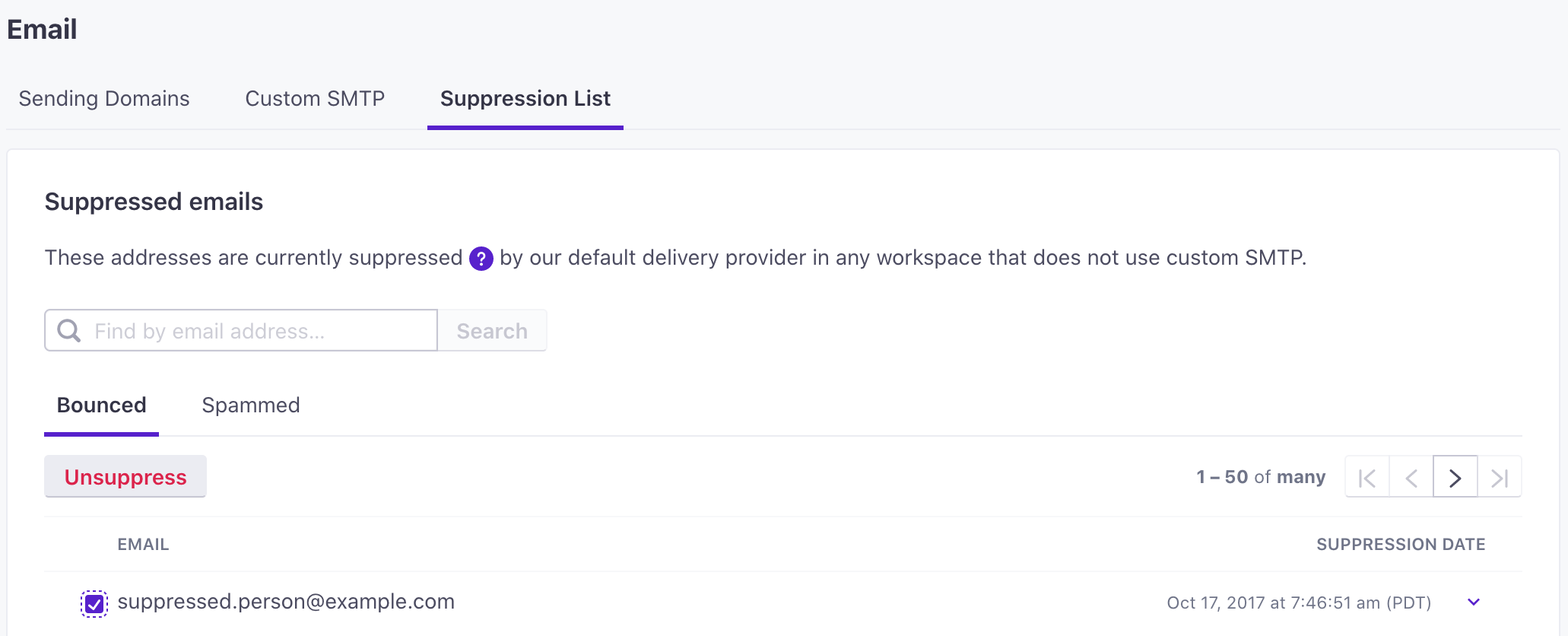
If you use a Custom SMTP server, you must manage your email provider’s suppression list directly through the ESP.
Remove emails from suppression list
To remove an email address suppressed by your ESP, follow these steps:
- Go to Workspace Settings > Email > Suppression List.
- Filter for and select the email.
- Click Unsuppress.
Manage ESP suppressions through the API
If you use Customer.io as your email service provider (ESP), you can manage your suppression list with the ESP Suppression API instead of the UI.
- Look up a single address to see whether the ESP suppressed it, and why.
- List every address suppressed for a given reason (
bounces,blocks,spam_reports, orinvalid_emails), or the bounces and spam complaints on one sending domain. Use the per-domain endpoint when you have a lot of suppressions: it pages with a cursor, which can work better for a large list than paging by offset. - Suppress an address at the ESP. This blocks email to the address. It doesn’t suppress the profile in Customer.io, which can still receive other kinds of messages.
- Remove an address from the ESP’s suppression list.
When you suppress or remove an address, we apply the change to every sending domain in the workspace. This is different from message-delivery suppression, which only covers the domain that sent the message.
Keep suppressions in sync across your sending domains
When you use Customer.io as your email service provider (ESP), a bounce or spam complaint suppresses the address on the domain where it occurred. If you send from more than one domain, your other domains can still email that address. For example, if you send order receipts from myorders.com and a loyalty program from myordersandrewards.com, an address that hard-bounces on myorders.com could still get sent a message from myordersandrewards.com which would probably bounce again.
The ESP Suppression API can help you keep suppressions in sync across your sending domains. When you suppress an address through the API, we apply it to every sending domain in the workspace.
To set a suppression from one domain on others:
- Get the suppressed addresses on each of your sending domains, once for
bouncesand once forspam_reports. - Suppress each of those addresses through the API. Each one then applies to all of your sending domains, not just the one it bounced on.
How Customer.io observes the suppression list
When a message experiences a hard bounce or a spam complaint, our email service provider (ESP) adds the email address to its suppression list. Customer.io observes this suppression list and does not send messages to addresses on the list. However, this does not mean that the person is deleted or otherwise modified in Customer.io. A person whose address is suppressed by the ESP still exists in Customer.io and is eligible to enter automations in Customer.io, etc. They just cannot receive emails through our ESP.
Suppressed messages and billing
For billing purposes, any message sent to our email service provider (ESP) counts towards billable messages. That includes messages that ultimately bounce, are suppressed, or are marked as spam.