What does the Fake BCC option do?
UpdatedOverview: BCC vs fake BCC
You can add a BCC address to your emails to keep certain teams in the loop while maintaining their privacy. BCC addresses won’t receive any replies to the email, and recipients won’t see the BCC addresses. Your message’s metrics reflect your primary and BCC recipients. For instance, your opened metrics include when a BCC address opens the email.
On the other hand, your metrics exclude messages sent to fake BCC addresses. Additionally, the subject line of emails sent to a fake BCC address includes the recipient’s email address, which can help you track sensitive refunds or other transactions for your customers.
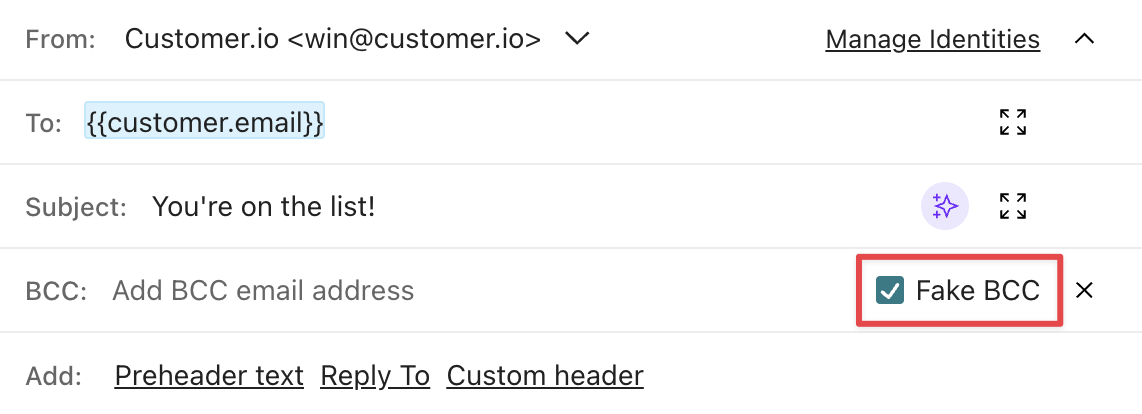
You should send to a fake BCC address when you don’t want to track opened, clicked, and other metrics for fake BCC recipients. However, emails sent to both regular and fake BCC addresses count towards bounced metrics.
It’s best practice to copy a shared inbox, not an individual, so staffing changes don’t affect your monitoring.
Learn more about use cases and best practices in our partner’s doc!
Send a regular BCC
If you want to send a regular BCC, select Fake BCC in the email envelope to remove the setting.
Sending to a CRM
If you’re sending data to your CRM, you’ll need to send a regular BCC instead of a fake BCC. Adjust the setting in your email envelope.
To learn more about how HubSpot tracks BCC addresses, go to their docs.

