Search for people
UpdatedTo locate specific people, you can filter for them from the People page. You can export the results to CSV.
Filter by email
To find a person by their email address, type the beginning of their email address or search by email domain:
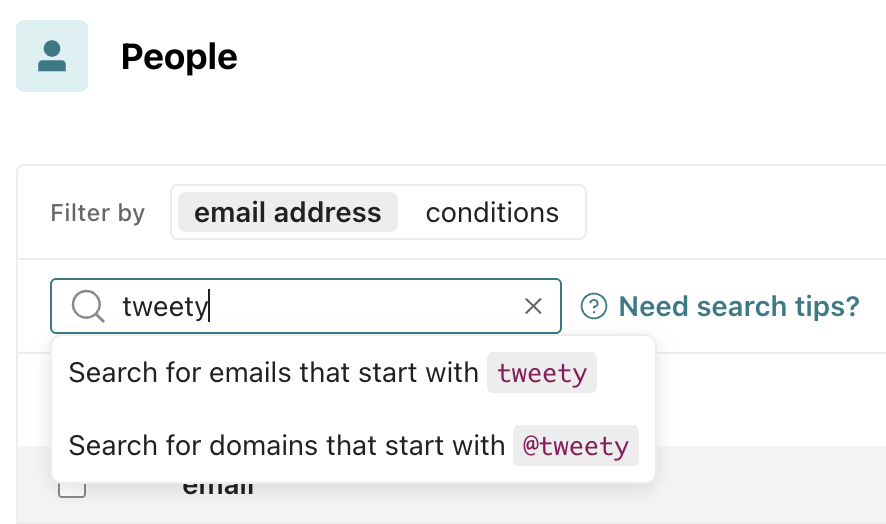
Then select which option applies to your search.
This does not return email addresses where your search term is somewhere in the middle of the string.
Filter by conditions
You can also add one or more conditions to search for people:
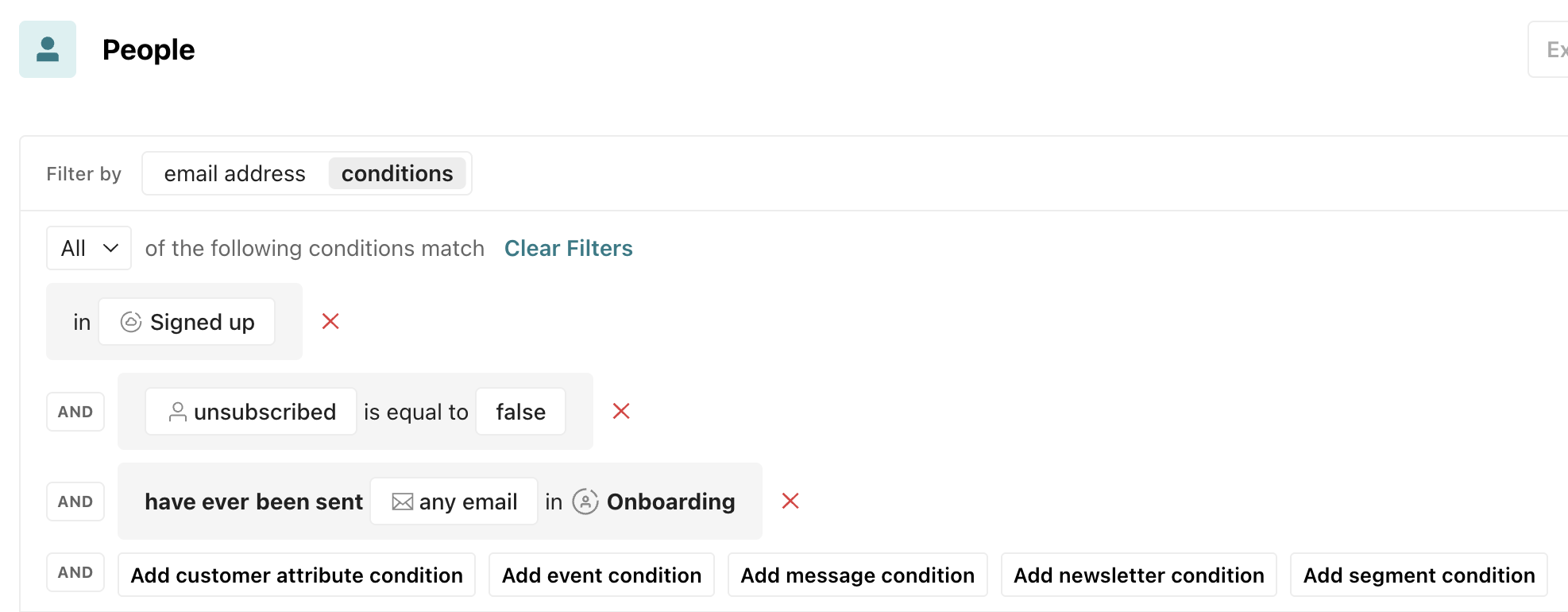
- Segment condition: Filter by segments people do or don’t belong to.
- Customer attribute condition: Filter by the existence of a person’s attribute or whether it matches a certain value.
- Newsletter condition: Filter by whether or not a person has received a particular newsletter.
- Message condition: Filter by whether specific messages by channel have or have not been delivered, opened, etc.
- Event condition: Filter by whether a specific event has or has not been performed.
- Device condition: Filter by whether a person’s mobile device matches certain criteria; these fields are based on data collected from our mobile SDKs, not other methods of identification.
- Opt out condition: If you send SMS, you can filter by whether someone has opted out of receiving messages from a particular sender number.
Export search results
If you’d like to export your results, you can click Export to CSV and choose the data you’d like to export. Learn more about export options.
Copied to clipboard!

