Geolocation and time zone data
UpdatedCustomer.io can gather geolocation and time zone data from your audience, helping you coordinate messages at times that are appropriate for them.
How it works
Customer.io determines a person’s location from two possible sources:
- IP-based geolocation: We infer location from IP addresses. This happens automatically when you identifyThe Customer.io operation that adds or updates a person. When you identify a person, Customer.io either adds a person if they don’t exist in your workspace, or updates them if they do. Before you identify someone (by their email address or an ID), you can track them anonymously. someone through our JavaScript client, mobile SDKs, or any integration that includes a
context.ipfield. - Mobile device-based geolocation: Our mobile SDKs (iOS, Android, Flutter, React Native, and Expo) can capture GPS coordinates directly from a person’s device. This is more accurate than web-based geolocation.
We store one canonical location per person. When both sources are available, device-based location takes precedence because it’s more precise. The cio_location_source attribute on a person’s profile tells you which source provided their current location—ip or device.
You can use geolocation data to segment your audience by location or time zone. You can also use time zone data to send messages at the right time for your audience with our recommended send time feature or our time zone match features.
IP-based geolocation
IP-based geolocation is the default source of geolocation data because more have more sources of IP address than we do for mobile device coordinates. When you enable Automatic Geolocation Data Collection and identifyThe Customer.io operation that adds or updates a person. When you identify a person, Customer.io either adds a person if they don’t exist in your workspace, or updates them if they do. Before you identify someone (by their email address or an ID), you can track them anonymously. someone with a context.ip field, we look up their approximate location using MaxMind’s GeoIP database. Our JavaScript client and mobile SDKs capture IP addresses automatically; you need to pass context.ip manually with server-side libraries and the Pipelines API.
Device-based geolocation (mobile SDKs)
Our mobile SDKs can provide GPS-level accuracy by capturing coordinates directly from a person’s device. This is more accurate than IP-based geolocation, which can only approximate location to a city or region.
Device-based location reaches a person’s profile through two pathways:
- Identify calls: When a mobile SDK sends an identify call with the Location module enabled, it includes GPS coordinates alongside the IP address. We check device coordinates first—if they’re present, we use them instead of the IP address.
- Location Update events: Mobile SDKs can send a
Location Updatetrack event with latitude and longitude. This updates the person’s geolocation attributes on their profile.
To set up device-based location tracking, see the location tracking guides for your platform:
Location precedence
We only store one set of location values per person. When we receive new location data, we compare it to the existing data and apply the following rules:
IP geolocation) E --> G C -->|Device GPS| F{Has the person
moved more than 1 km?} F -->|Yes| G F -.->|No| H(Keep existing location) D -->|No data| G(Update location) D -->|IP address| I(Device location takes precedence
over IP geolocation) I --> G D -->|Device GPS| J{Has the person
moved more than 1 km?} J -->|Yes| G J -.->|No| H
Device location is sticky
When valid device coordinates are present, we skip IP geolocation entirely—even if the device location wasn’t updated because the person hasn’t moved more than 1 km. The device source is preserved. This prevents less-accurate IP data from overwriting precise GPS coordinates.
When the source changes (for example, from ip to device), we rewrite all geolocation attributes to clear stale values from the previous source.
Enable or disable automatic geolocation data collection
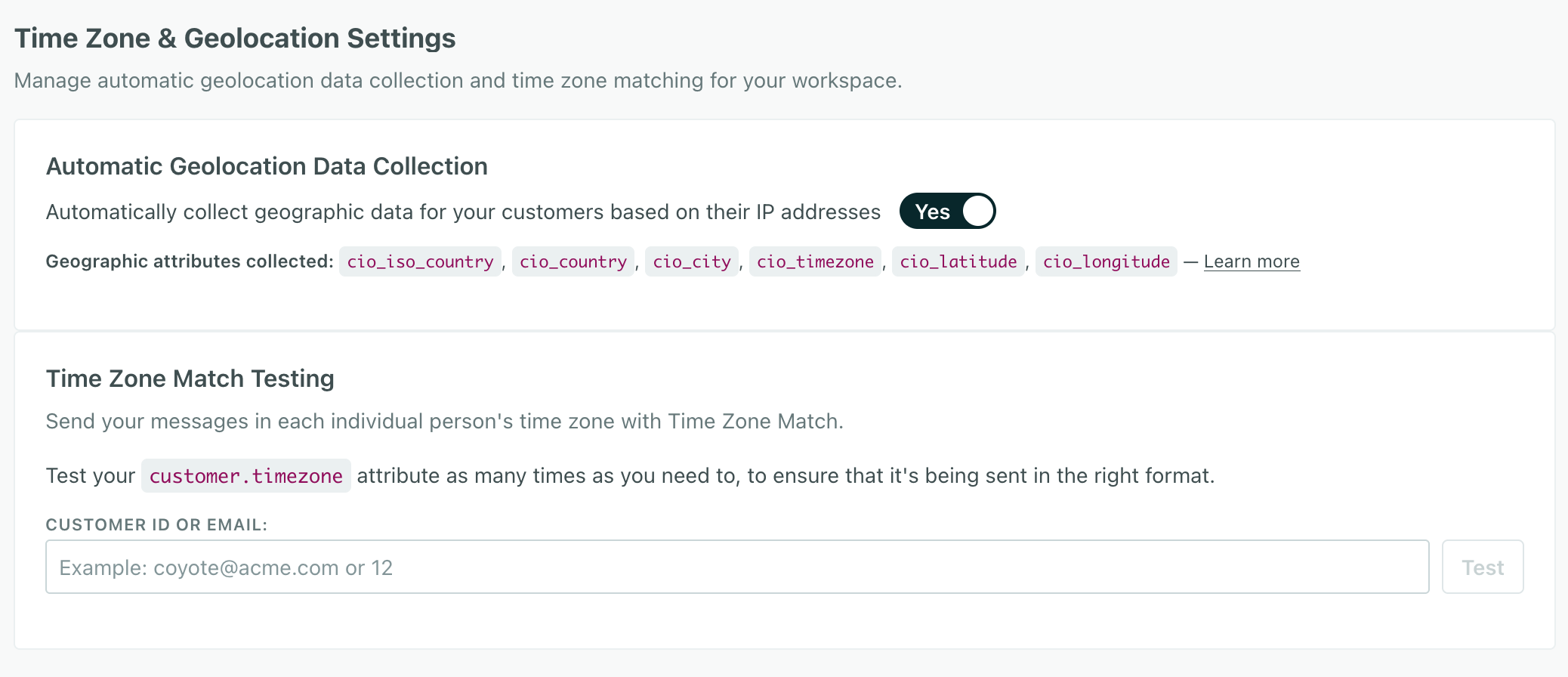
Enabling Automatic Geolocation Data Collection lets us gather and set location and time zone data for people you identify based on their IP addresses or device GPS coordinates. This setting is on by default in our US data center. If you’re in our EU data center, you’ll need to enable it manually.
- Go to Workspace Settings > Time Zone & Geolocation Settings.
- Enable or disable Automatic Geolocation Data Collection.
Note that turning this setting on doesn’t:
- Enable geolocation for server-side libraries. You’ll need to enable geolocation for server-side libraries manually.
- Backfill data for existing people. You’ll need to identify people from our JavaScript client or mobile SDKs to get their geolocation data.
Enable or disable geolocation for server-side libraries
To support geolocation for server-side libraries (like our Node.JS, Go, and Python libraries), you’ll need to enable geolocation services. Then you’ll need to capture your users’ IP addresses and set them in the context.ip field in your identify requests.
- Go to Data & Integrations > Integrations.
- Go to your server-side integration—Node.JS, Go, or Python—and click the Settings tab.
- Change the Enable Geolocation setting.
Make sure you capture your users’ IP addresses
context.ip in your requests, we won’t be able to capture geolocation data for your users. If our libraries infer the address as your server’s IP address, it’ll look like everyone is in the same location as your server.Capturing IP addresses for geolocation
Automatic geolocation is based on the context.ip field in identify requests. We automatically capture IP addresses from our mobile SDKs or JavaScript client.
If you use our backend libraries (like our Node.JS or Go SDKs) or our Pipelines API, you’ll have to capture the IP address yourself and pass it in the context.ip field in your identify requests. We’ve added some examples below showing the context.ip field in your identify requests to our backend SDKs.
| SDK/Integration | context.ip field |
|---|---|
| JavaScript client | Automatic |
| Mobile: iOS | Automatic |
| Mobile: Android | Automatic |
| Mobile: React Native | Automatic |
| Mobile: Flutter | Automatic |
| Mobile: Expo | Automatic |
| Node.JS SDK | Manual |
| Go SDK | Manual |
| Python SDK | Manual |
| Pipelines API | Manual |
Node.JS SDK
cioanalytics.identify({
  userId: '019mr8mf4r',
  traits: {
    name: 'Cool Person',
    email: 'cool.person@example.com',
    plan: 'Enterprise',
    friends: 42
  },
  context: {
    ip: '123.45.67.89'
  }
});What happens to data when you disable automatic geolocation data collection?
When you disable automatic geolocation data collection, we’ll stop gathering location and time zone data for people you identify. You can also choose to delete existing geolocation data for people you’ve already identified.
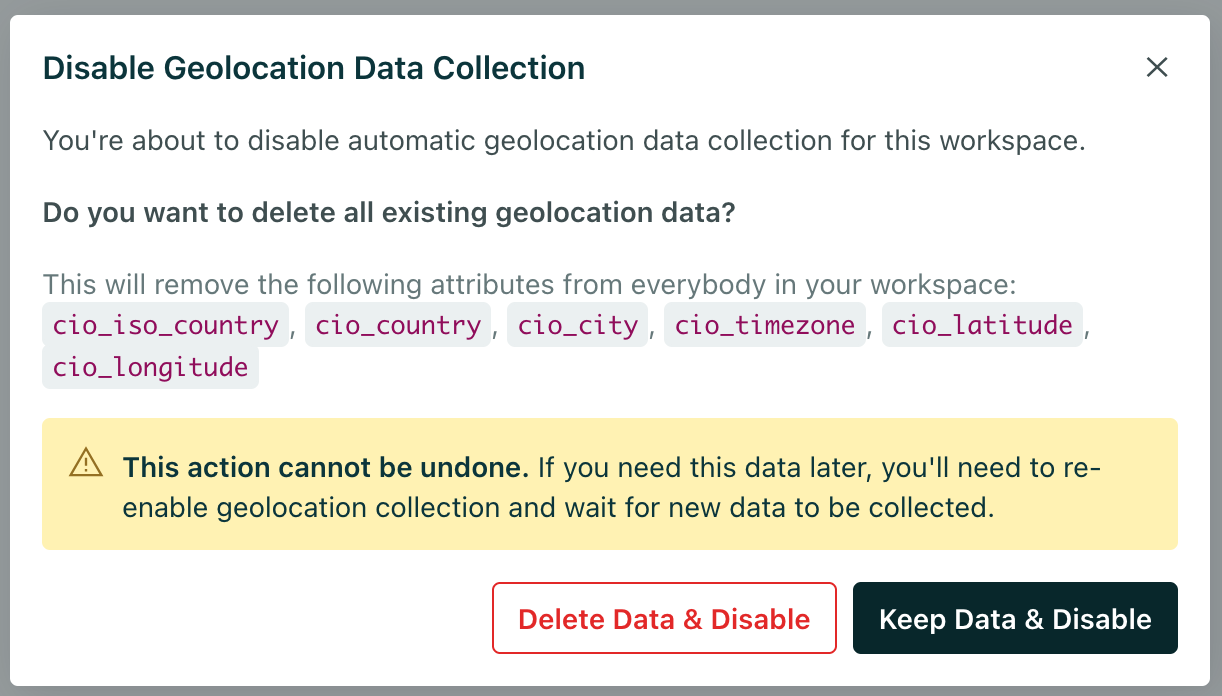
If you disable automatic geolocation data collection, there’s no harm in keeping this data around. But it might clutter profiles if you don’t use this data.
We geolocate people when you identify them
We don’t add or update geolocation data until you identifyThe Customer.io operation that adds or updates a person. When you identify a person, Customer.io either adds a person if they don’t exist in your workspace, or updates them if they do. Before you identify someone (by their email address or an ID), you can track them anonymously. someone with a context.ip field or device GPS coordinates in the same request. Remember, our mobile SDKs and JavaScript client automatically capture IP addresses for you, but you’ll need to capture the IP address yourself if you use our backend libraries (like our Node.JS or Go SDKs) or our Pipelines API directly.
Even if you’ve already identified someone, additional identify requests can update a person’s geolocation data.
include location data?} a--->|Yes|b(Update geolocation data) a-.->|No|c(Do not update geolocation data)
Identify people in new sessions to keep geolocation data up to date
Your website and mobile app might “remember” users across sessions. But, even if you don’t need to update any information about them, you should identify them again in a new session to keep their geolocation data up to date. This can help you keep up with people as they move around the world.
Automatic geolocation attributes
When you enable automatic geolocation data collection, we automatically capture the following attributes when you identifyThe Customer.io operation that adds or updates a person. When you identify a person, Customer.io either adds a person if they don’t exist in your workspace, or updates them if they do. Before you identify someone (by their email address or an ID), you can track them anonymously. someone.
You shouldn’t set these attributes yourself. If you do, it’s likely that we’ll overwrite your data with our own values whenever you identify a person.
| Attribute | Description |
|---|---|
cio_iso_country | The person’s ISO country code in alpha-2 format (like “US”). |
cio_country_name | The person’s country name in ISO 3166-1 format (like “United States”). |
cio_city | The person’s city name. |
cio_latitude | The latitude of the person’s location. For IP-based geolocation, this is the approximate latitude of the city. For device-based geolocation, this is the precise GPS latitude. |
cio_longitude | The longitude of the person’s location. For IP-based geolocation, this is the approximate longitude of the city. For device-based geolocation, this is the precise GPS longitude. |
cio_timezone | The person’s time zone. This is the value we use for recommended send times. |
cio_iso_continent | The person’s ISO continent code in alpha-2 format (like “NA” for North America). |
cio_continent | The person’s continent name (like “North America”). |
cio_iso_region | The person’s ISO region code (like “CA” for California). |
cio_region | The person’s region name (like “California”). This typically represents a state, province, or administrative division. |
cio_postal_code | The person’s postal code or ZIP code. Note that this is an approximation based on the geolocated IP address. It may not be exact. |
cio_location_source | The source of the person’s location data. Values are ip (from IP address lookup) or device (from mobile SDK GPS coordinates). |
Additional fields added November 17, 2025
cio_iso_continent, cio_continent, cio_iso_region, cio_region, or cio_postal_code. The next time you identify them with their IP address, we’ll automatically add the additional fields.The timezone attribute
You can set the timezone attribute (in a recognized format) to support our recommended send time feature or our time zone match features. This attribute takes precedence over our cio_timezone attribute. You should set it if:
- You don’t use automatic geolocation data collection and you want to support recommended send times or time zone match features.
- You have one or more integrations that don’t support automatic geolocation data collection—like our Node.JS or Go SDKs.
- You want to set a “home” time zone for people who frequently travel across multiple time zones.
When you send someone a message using a time zone-related feature, we’ll use the timezone attribute if it exists and conforms to our supported formats. If it doesn’t exist, we’ll use the cio_timezone attribute as a fallback.
If the timezone and cio_timezone attributes don’t exist, we’ll use the fallback time zone that you set for a message. This ensures that people who don’t have time zone data still get messages.
timezoneattribute exist?} a--->|Yes|b(Send message in
customer time zone) a-.->|No|c{Does
cio_timezoneattribute exist?} c-->|Yes|b c-.->|No|d(Send message in
fallback time zone)
Test your timezone attribute
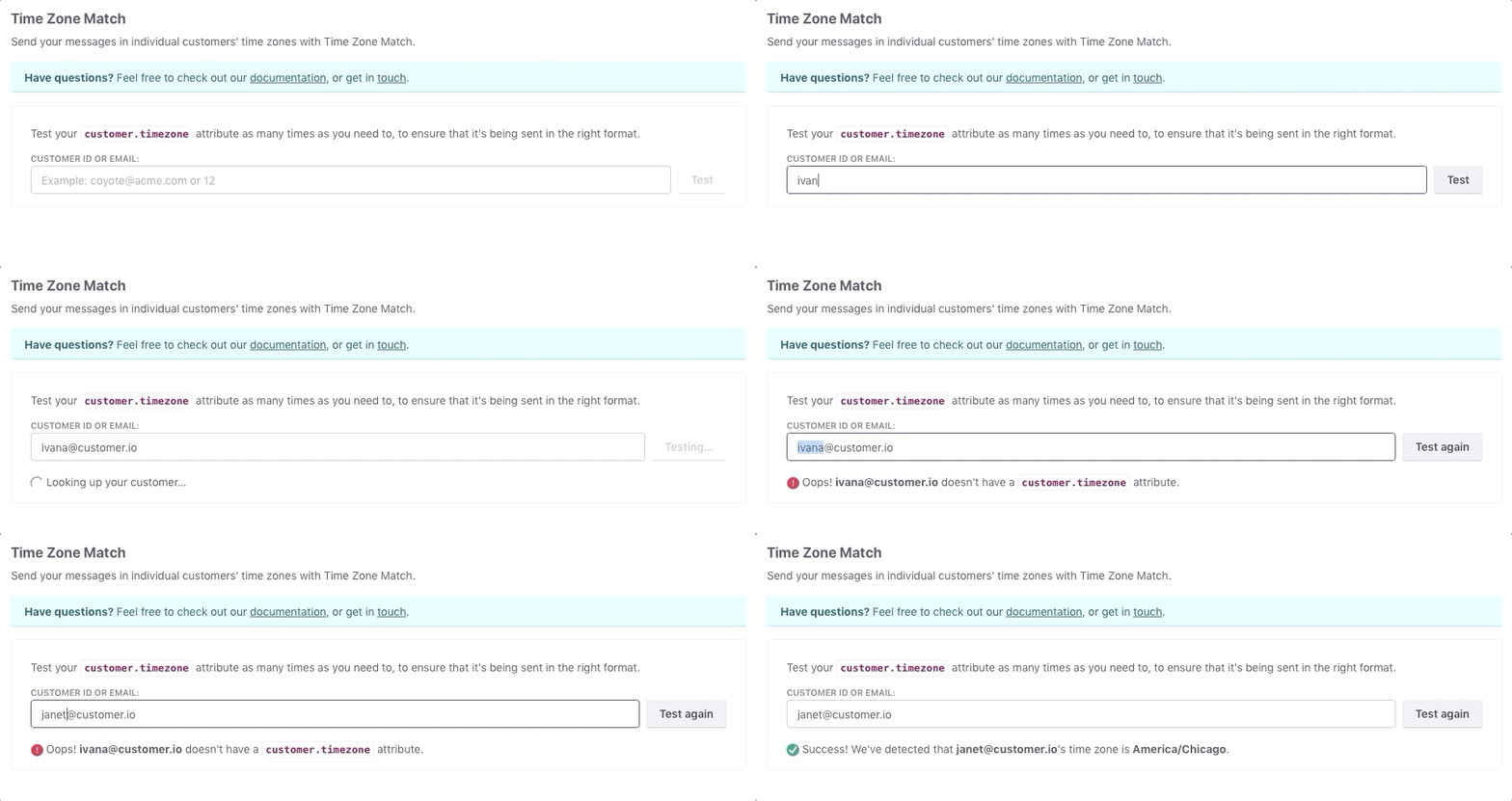
If you set your time zone attribute manually, you can test it to make sure that you’re using a format we support.
Go to Workspace Settings > Time Zone & Geolocation Settings.
Enter the id or email address of a person in your workspace, and we’ll tell you if the timezone attribute is in the correct format.