Track metrics for translations
UpdatedYou can track message performance for each translation from your metric dashboards.
To learn more about metrics, check out Campaign and newsletter metrics.
Campaign metrics
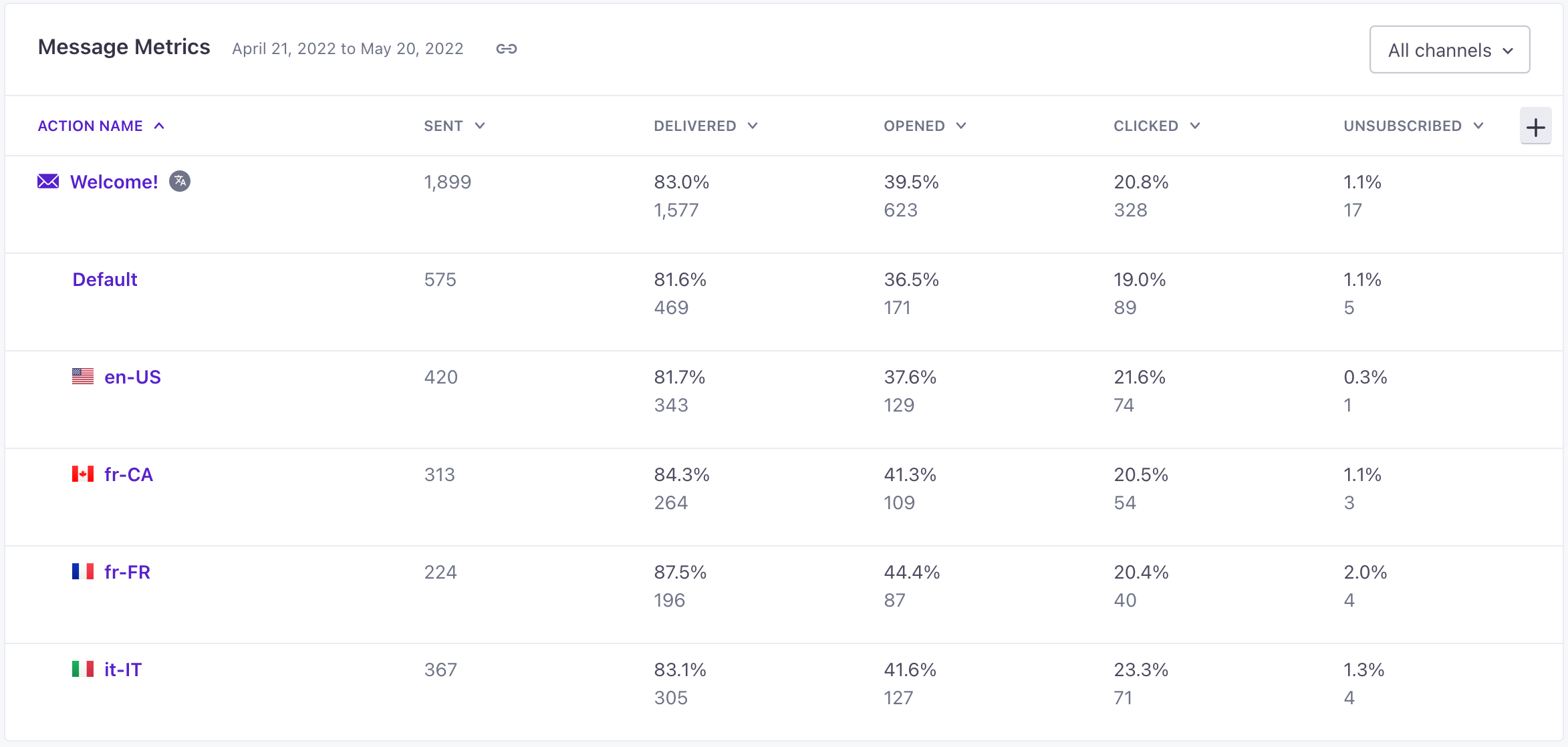
When you look at a running campaign, the Overview and Metrics tabs both show aggregated metrics for your messages, including all the languages they contain.
The Metrics tab shows stats for each language under the name of the message block. Beside the message block name, you’ll see metrics aggregated across all languages.
Newsletter metrics
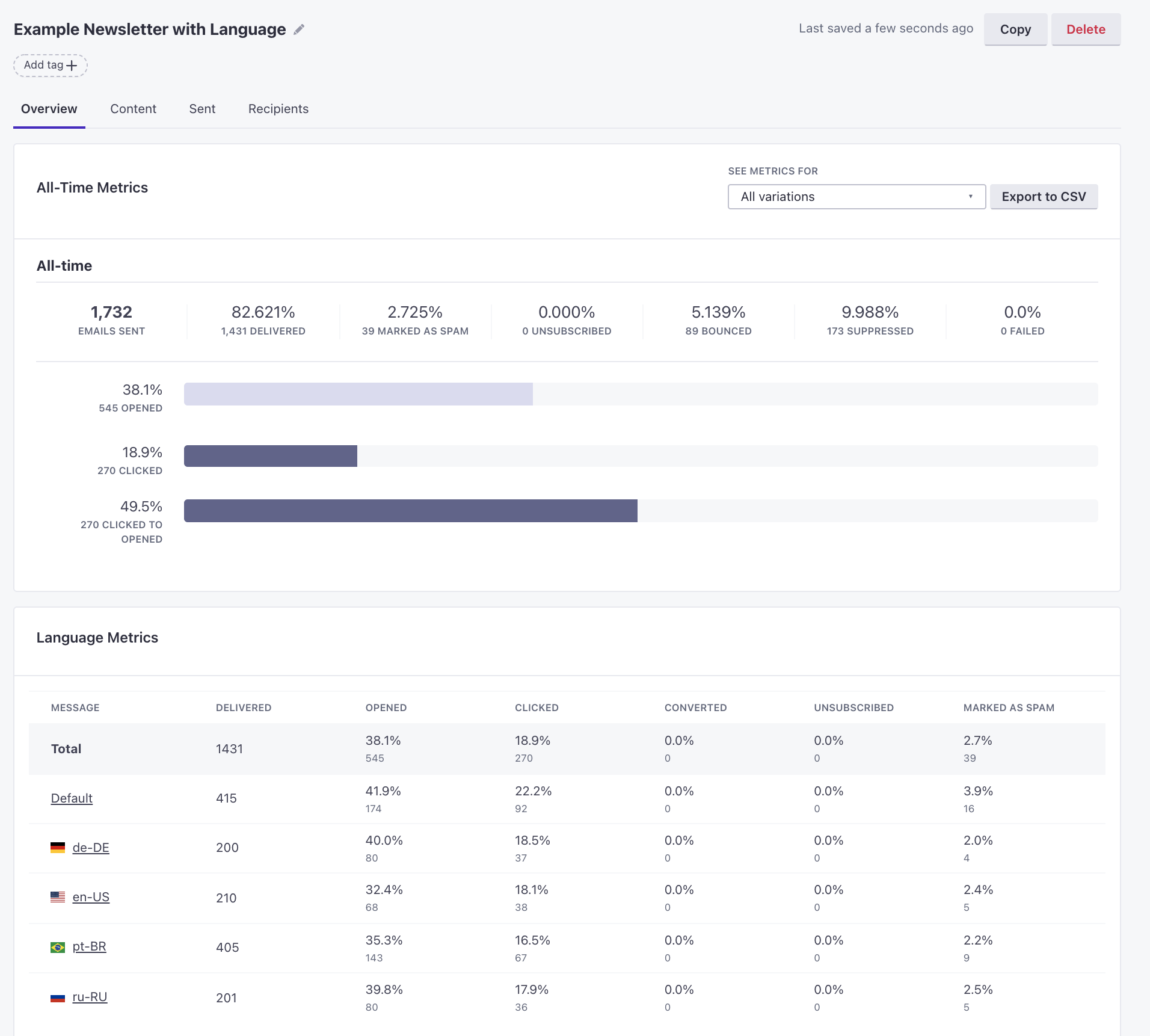
In the Overview tab of a newsletter, you’ll see metrics for each language.
Copied to clipboard!

