

Automations, broadcasts, and transactional messages
We support a range of automations, broadcasts, and transactional messages to help you automate interactions with your audience at the right time.
If you’re just getting started, checkout Start sending automations and workflows for a high-level overview.
Automations
Automations offer the most robust options for messaging automation. They offer the most flexible and specific options for triggering an automation as well as the ability to automate messages over time, as opposed to sending messages all at once.
Your automation trigger determines who enters your automation and when. Most triggers are based around people, like when they match certain criteria. Typically, these people are the subject of your automation—you’ll send them messages, set their attributes, and so on.
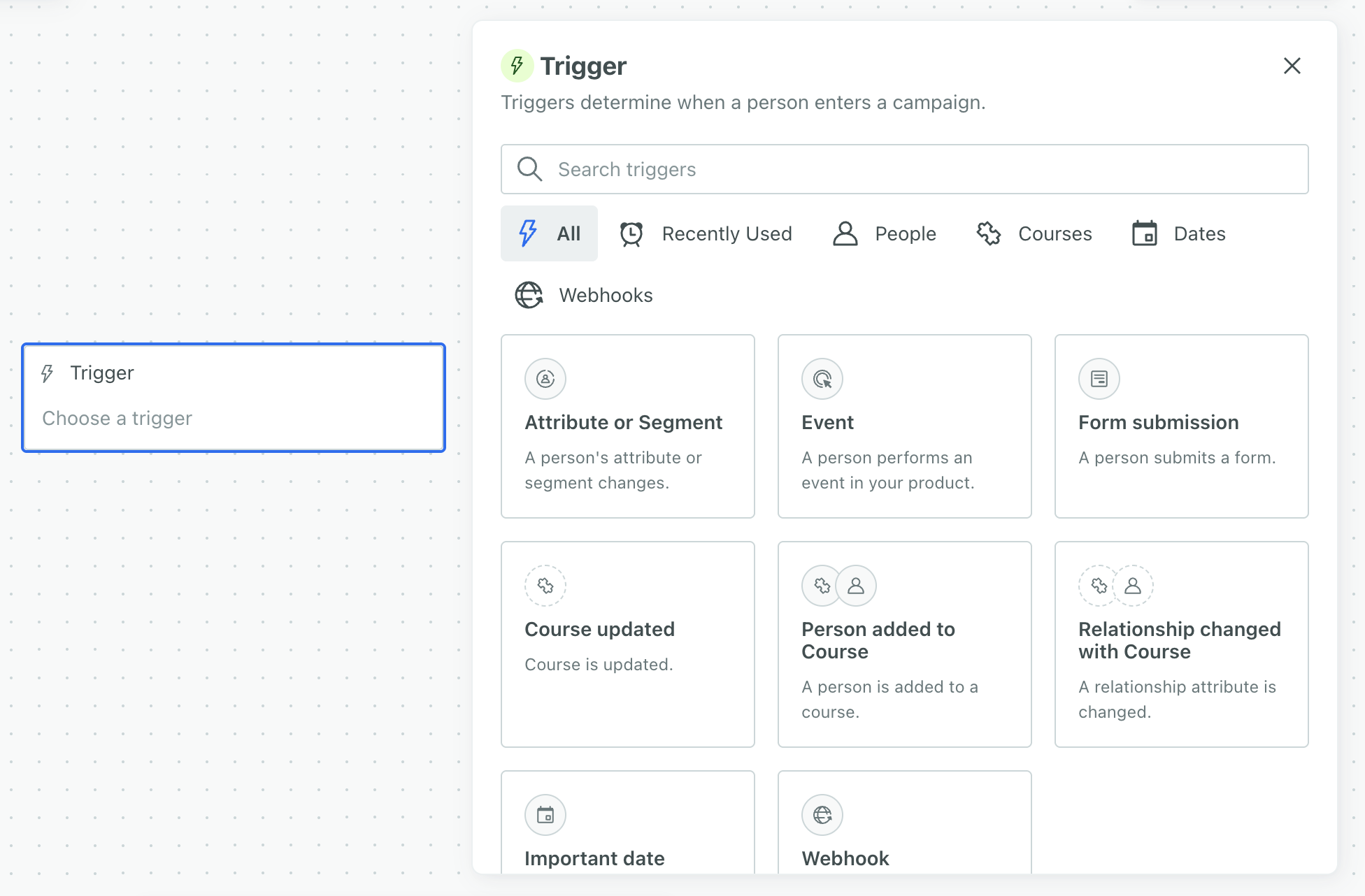
Trigger options
Attribute or Segment
The record that represents a person or object in Customer.io. A person is the human; their profile is everything you know about them in your workspace, like their attributes, activity, and message history. People and objects both have profiles, and we bill based on the total number of profiles in your account.
attributes, segmentsA segment is a group of people in your workspace. Use segments to trigger automations, track membership over time, or fine-tune your audience. There are three types of segments: data-driven, snapshot, and manual. Data-driven segments automatically update when people start or stop matching criteria. Snapshot segments capture everyone who matches at a point in time and only change when you refresh them. Manual segments are static groups of people.
, or both. Use segments if you want to track people who match this criteria over time or reuse the criteria as a trigger for other automations. You can set segment criteria based on your audience’s attributes, events, etc. Use attributes alongside segments or to quickly target specific profile attributes without creating or finding a segment. This trigger is best for automations like recurring NPS surveys, onboarding drip automations, and inactivity reminders.Event
Something that a person in your workspace did. Events can trigger automations, add people to segments, etc, and you can use properties from events to personalize messages.
-triggered automation helps you respond to a person’s activity in your app or website. For instance, you could trigger an automation based on a user abandoning their cart, viewing a specific page on your app, or completing an order.Form submission
Connected Forms in Customer.io allow you to automatically trigger automations, send data to other services, and add or update people when they submit forms on your website or in your app.
responses to trigger automations. You can connect a form to your workspace or integrate with Facebook Lead Ads. Use this type of automation to send messages to nurture new leads or respond to support requests.Important date
A key-value pair that you associate with a person or an object—like a person's name, the date they were created in your workspace, or a company's billing date etc. Use attributes to target people and personalize messages.
that people or custom objectsAn object is a non-person entity that you can associate with one or more people—like a company, account, or online course.
have. You can trigger based on any attributes that are properly formatted dates. This is useful for recurring automations like birthdays, anniversaries, subscription renewals, and payment reminders.Geofence set
A named group of geofences that you act on together—for example, trigger a campaign when a person enters any geofence in the set. When a person crosses a geofence, our mobile SDKs send a Geofence Transition event for each geofence set the geofence belongs to.
Object updated
Use Object updated when you want people to enter the automation every time an object An object is a non-person entity that you can associate with one or more people—like a company, account, or online course.
You’ll see this as “Object_type_name updated” in your trigger list. In the image above, “Course updated” is an example.
When you use objects to trigger automations, you can choose who enters into the automation. The audience could be:
- every person in the object
- certain people related to the object
Relationship added or changed
A relationship is the association between an object An object is a non-person entity that you can associate with one or more people—like a company, account, or online course.
You’ll see this as “Person added” or “Relationship changed” in your trigger list. In the image above, “Person added to Course” and “Relationship changes with Course” are examples.
When you use relationships to trigger automations, you can choose who enters into the automation. That is, the recipient of the message in this kind of automation doesn’t have to be the person in the relationship that triggered it. The audience could be:
- the person whose relationship to the object is updated (default)
- every person in the object
- certain people related to the object
Webhook
A webhook triggers a automation based on data from an external service. The purpose of your automation is to manipulate this data and associate it with people, much like you can with Zapier or Segment, but entirely within an automation. Because data, not people, is the subject of your automation, webhook-triggered automations don’t typically send messages directly; rather, they let you associate data with people, which can trigger subsequent automations.
Webhook automations help you perform one-to-many interactions with your audience, like notifying a group of people when you post a job or a product becomes available that a cohort of your audience is interested in.
Here are some examples of automations:
- Onboarding users who just signed up for your app
- Abandoned cart reminders
Broadcasts
One-time sends
One-time sends in Customer.io are a form of broadcast—a single message sent once. You might send one for a special feature announcement for your power users or a simple Terms of Service update.
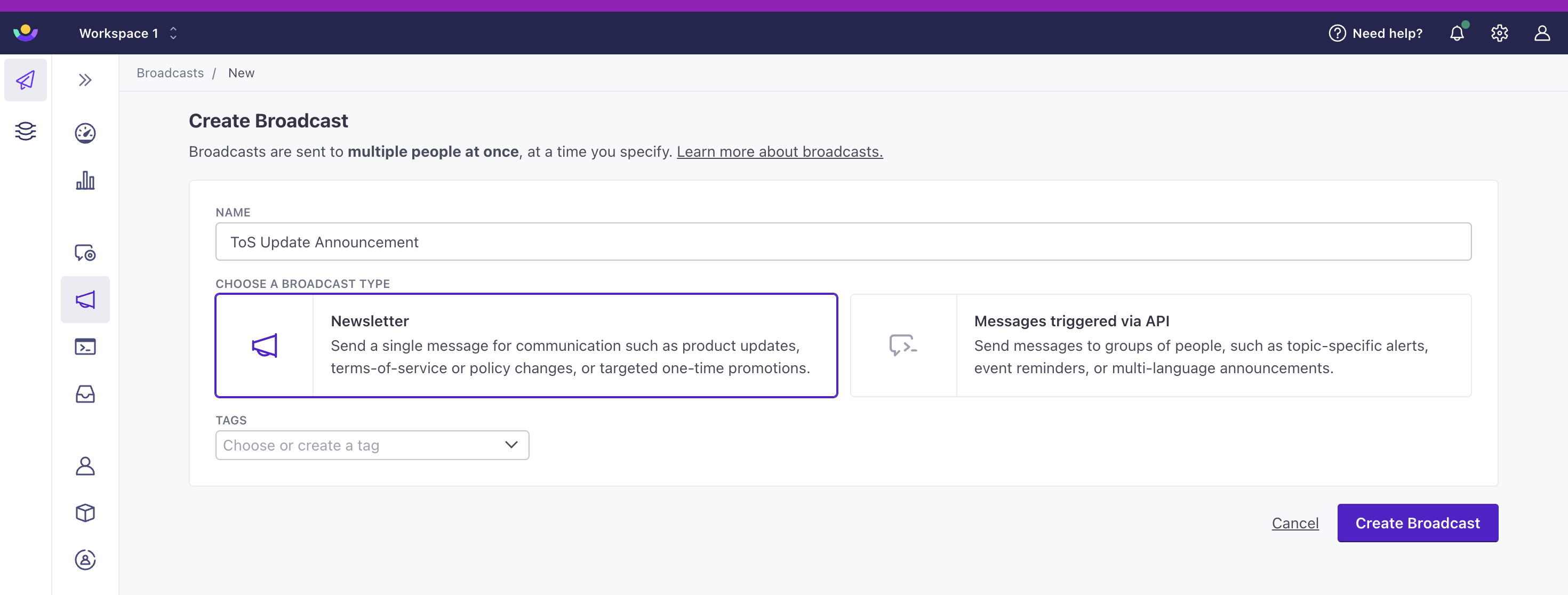
Use one-time sends if… you want to send a single email to a particular subset of customers.
API-triggered broadcasts
In an API-triggered broadcast, you craft a workflow to send messages and perform actions like updating users’ attributes, much like an automation. When you trigger the broadcast, your whole audience enters the workflow at once—though you can add delays to space actions out over time. Unlike an automation, which your audience’s behavior triggers, you trigger a broadcast.
With an API-triggered broadcast, you control when the broadcast is sent; you can trigger it manually in the UI or through our API. You might send one to announce a new product, share a new coupon, or encourage users to take action like a buy a ticket before a certain date.
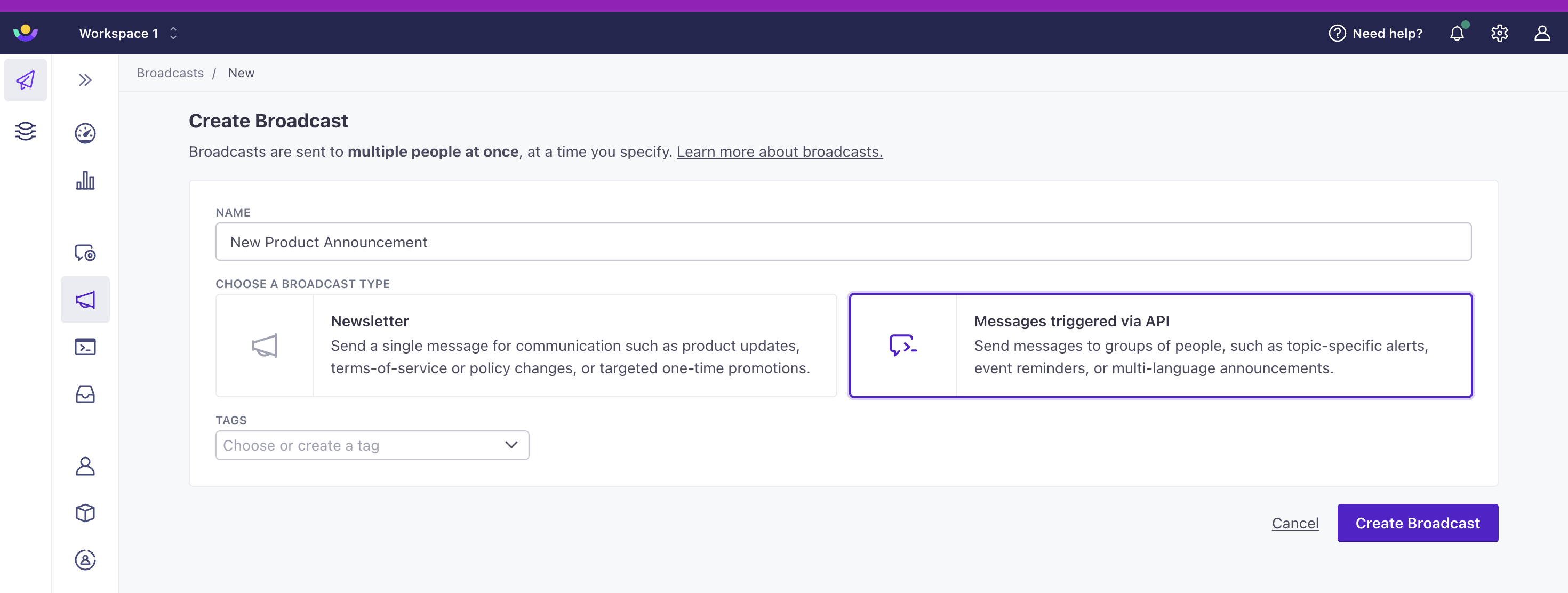
Use API-triggered broadcasts if… you want to regularly trigger a specific message to many people and take advantage of Customer.io’s different message types.
Transactional messages
Transactional messages are one-to-one interactions with your audience, where the “trigger” represents an individual audience action in your app like a password reset request. Because your audience does something to trigger a transactional response, you can send transactional emails to unsubscribed customers, too.
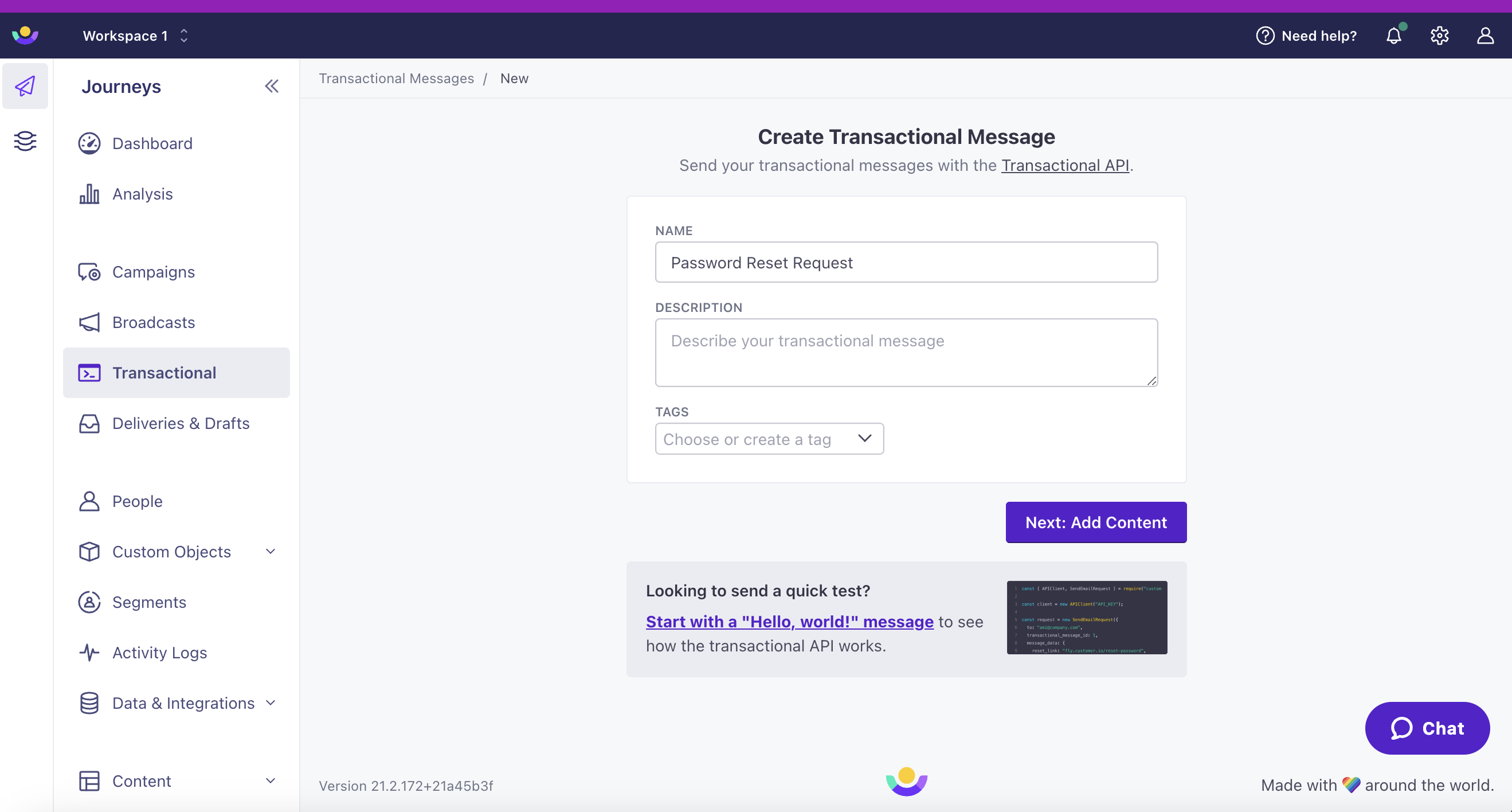
Use transactional messages if… you need to respond directly to customer interactions with your app or service, like password reset info, receipts, shipping notifications, etc.