Add guardrails to the content AI creates
ReleasedAccount admins can now configure safety and compliance settings for AI embedded in Customer.io. Set guardrails for features like auto-translations, email content analysis, AI subject lines, and more in Account Settings > Privacy, Data, & AI.
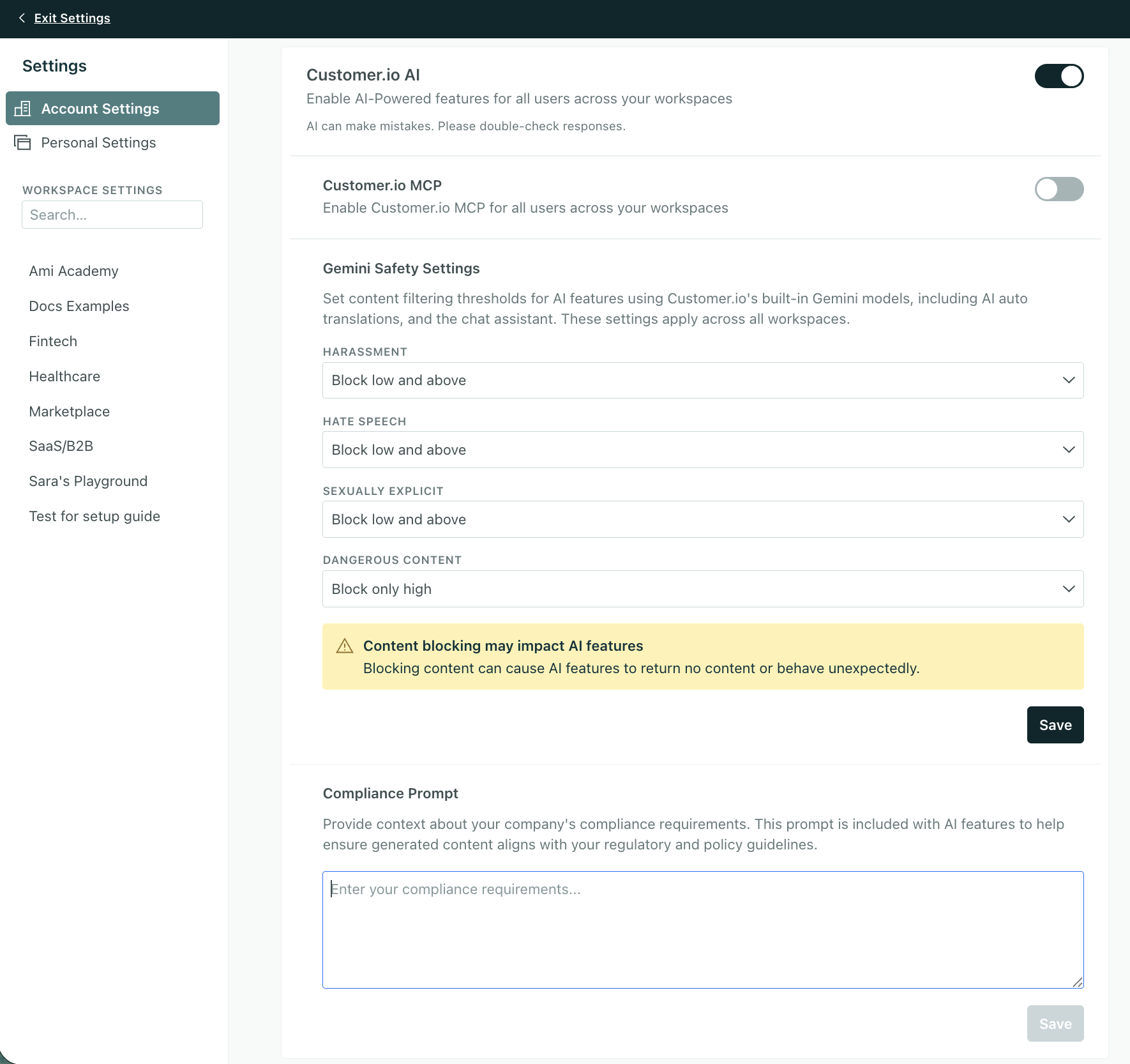
Customer.io’s AI tools use Gemini models, so you’ll see Gemini Safety Settings on your Privacy page. You can filter content by four categories—Harassment, Hate Speech, Sexually Explicit, and Dangerous Content—with options ranging from Off (no filtering) to Block low and above (strictest filtering). By default, there is no filtering applied to your account.
You can also include a compliance prompt to help ensure generated content aligns with other regulatory and policy guidelines.
Learn more
Copied to clipboard!