Release Notes
Check out the latest features and fixes in Customer.io.
Want to see what we're working on? Take a look at our roadmap!
Customize your sidebar navigation
Ui improvements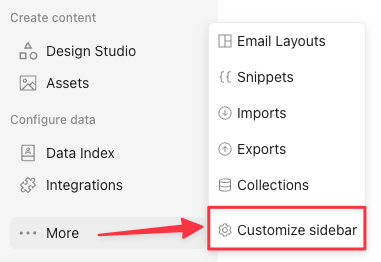
You can now show or hide which navigation items appear on your left-hand sidebar. This helps you navigate faster and reduces clutter when you don’t use certain features.
Scroll to the bottom of the menu, click More, and choose Customize sidebar to get started.
Go to the docsSet up Salesforce faster with sync templates and Agent field suggestions
Ai Data integrationsSet up your Salesforce integration in fewer steps. Sync templates for contacts, leads, and accounts come with common mappings, and Agent can suggest fields based on your goals.
Getting Salesforce data into Customer.io used to mean manually configuring identifiers, picking fields, setting filters, and choosing your Data Pipelines format for every sync. Now, sync templates handle the common cases for you.
When you connect Salesforce, you can choose templates for contacts, leads, and accounts. Each template starts with common identifiers, mappings, filters, and fields. Pick a template, review the preview, add or remove fields, and enable the sync.
- Agent-assisted field selection: Click Add fields and ask Agent to suggest fields for your goal, like “segment by company size” or “personalize onboarding emails.” Agent adds relevant fields from your Salesforce schema so you can review them before syncing.
- Preview before you enable: See the number of fields, profiles or records that will sync, excluded records, and sample rows before you commit.
- Template or custom setup: Use templates for common syncs, or create a sync from scratch when you want full control over every setting.
Debug web in-app messages with the in-app SDK debugger
API developers Messaging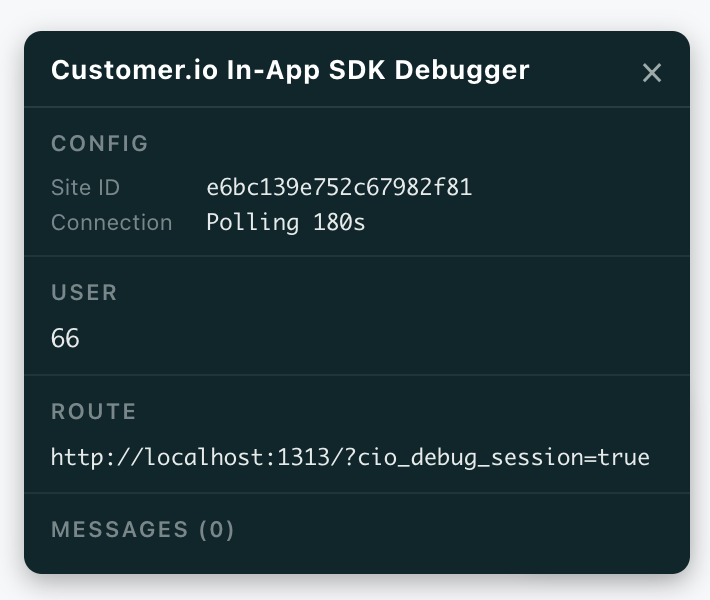
We now offer an in-app debugger to help you test and troubleshoot your in-app messages and implementation. Add cio_debug_session=true to any page on your site to see the SDK’s live state—the workspace it’s connected to, the person it’s identified, the route it’s on, and every message that’s active or queued—right on your own site.
Collect plain text feedback in anonymous messages
Messaging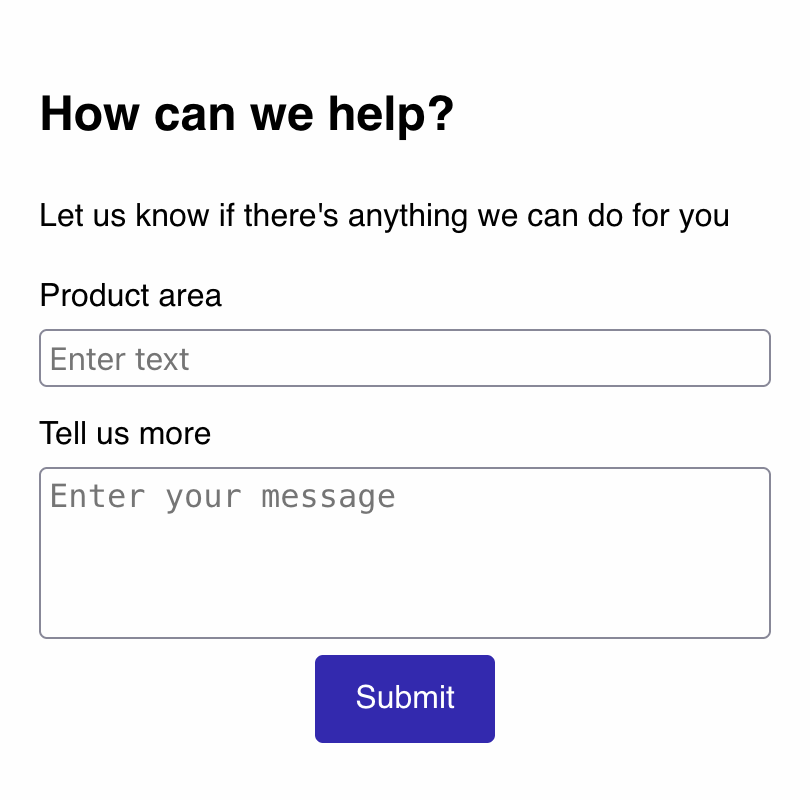
You can now add plain text fields in anonymous messages to collect feedback from visitors you haven’t identified yet. This can help you gather feedback from users who might not be comfortable providing their name or email addresses.
Anonymous form submissions appear in a Form Submissions tab on your message’s Overview page. You can browse them or export to CSV so you can share feedback with others and use it to improve your product or service.
Go to the docsDark mode is here!
Ui improvements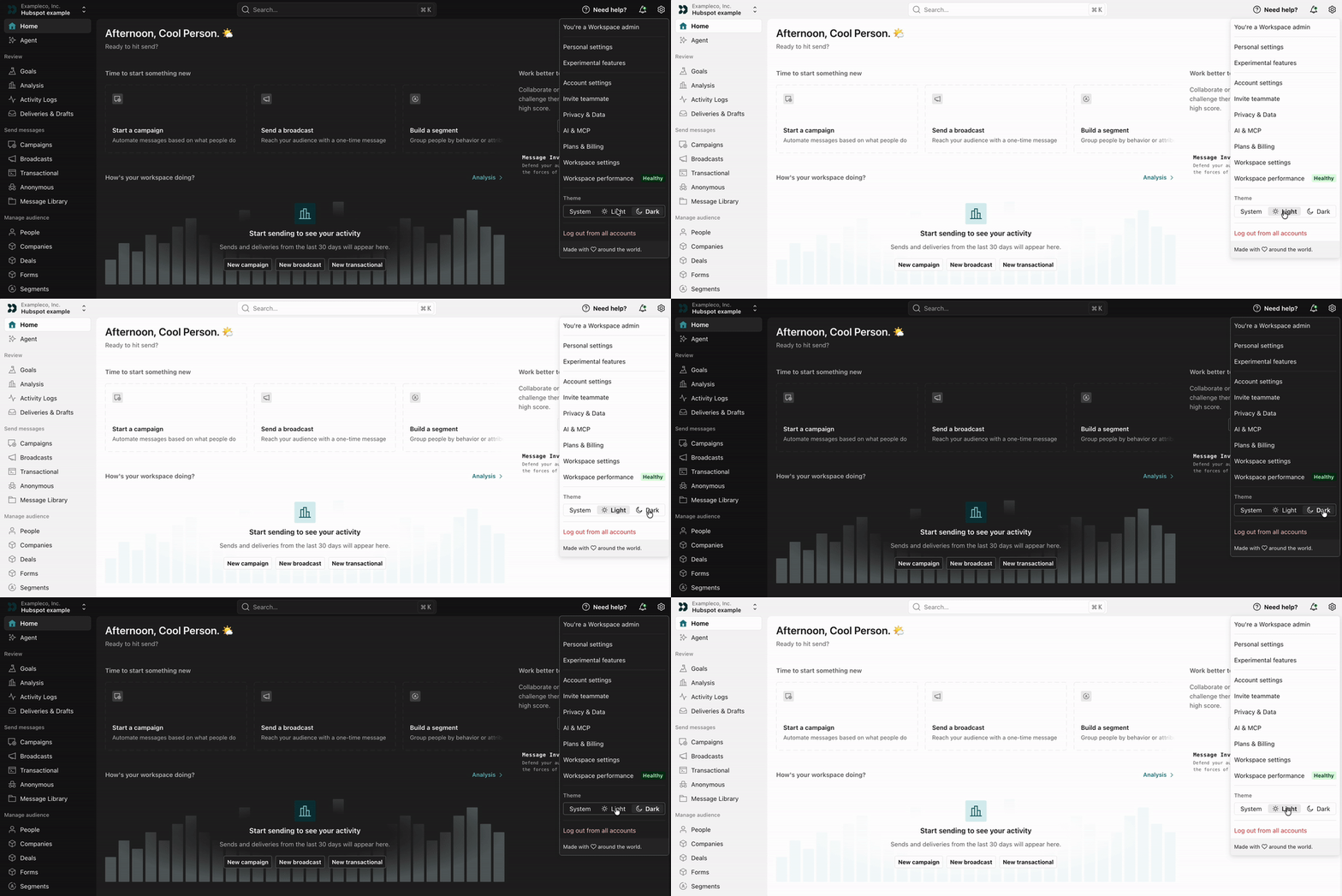
Now you can set your color scheme in Customer.io: your system preference (the default), light mode, or dark mode.
Click Settings in the top-right corner of Customer.io to change your Theme to System, Light, or Dark for all your workspaces.
Go to the docsCreate custom skills for the agent
AiYou can now create custom skills for the agent so it can do things that you and your team do regularly in Customer.io. You might add skills to help the agent enforce your brand voice, review campaign drafts, or report metrics in a specific format.
Go to the docsSimplified HubSpot integration setup
Ai Data integrations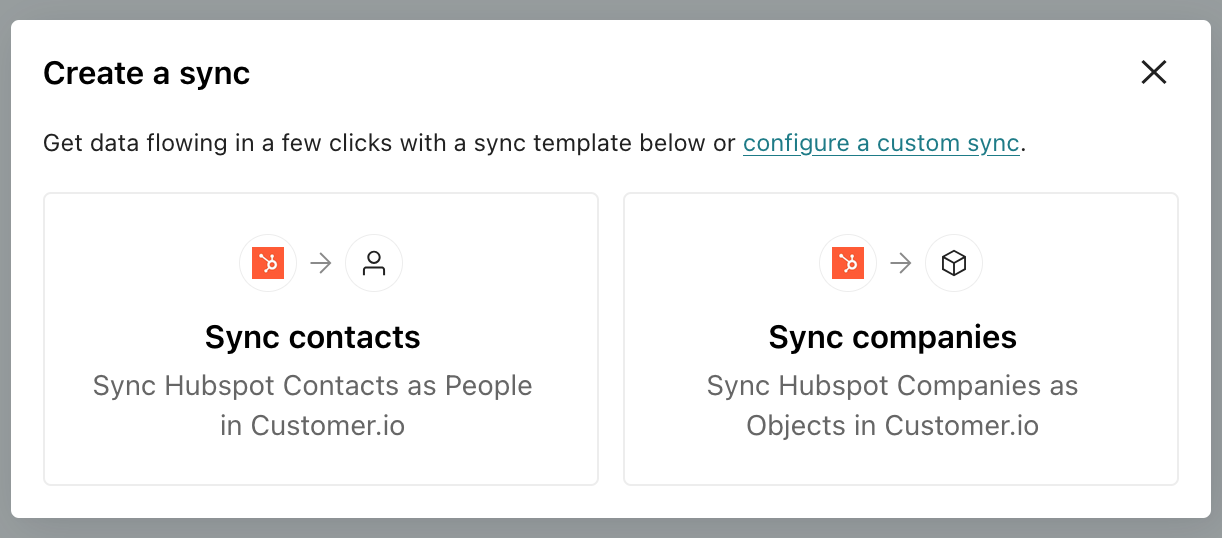
We’ve made it easier to integrate your HubSpot data and activate it in Customer.io. Our HubSpot integration now includes templates for contacts and companies—the most common data types you’ll want to bring into Customer.io. These templates automatically map common fields to Customer.io and you can use AI to suggest additional fields based on your goals.
Go to the docsNew security and privacy settings for MCP connections
AiYou can now independently control whether MCP connections can edit live data and access sensitive profile attributes. By default, both settings are off, ensuring that your external AI tools using our MCP connections can’t inadvertently expose sensitive data to AI tools or touch things like live segments and campaigns unless you explicitly let them.
Go to the docsDesign Studio: Generate styles from websites with AI
Ai Design studioYou can now generate global styles in Design Studio from a website link you provide. Previously, you could only generate from one of your sending domains. To get started, go to Design Studio > Styles!
Go to the docsSearch across more things with quick look previews
Ui improvements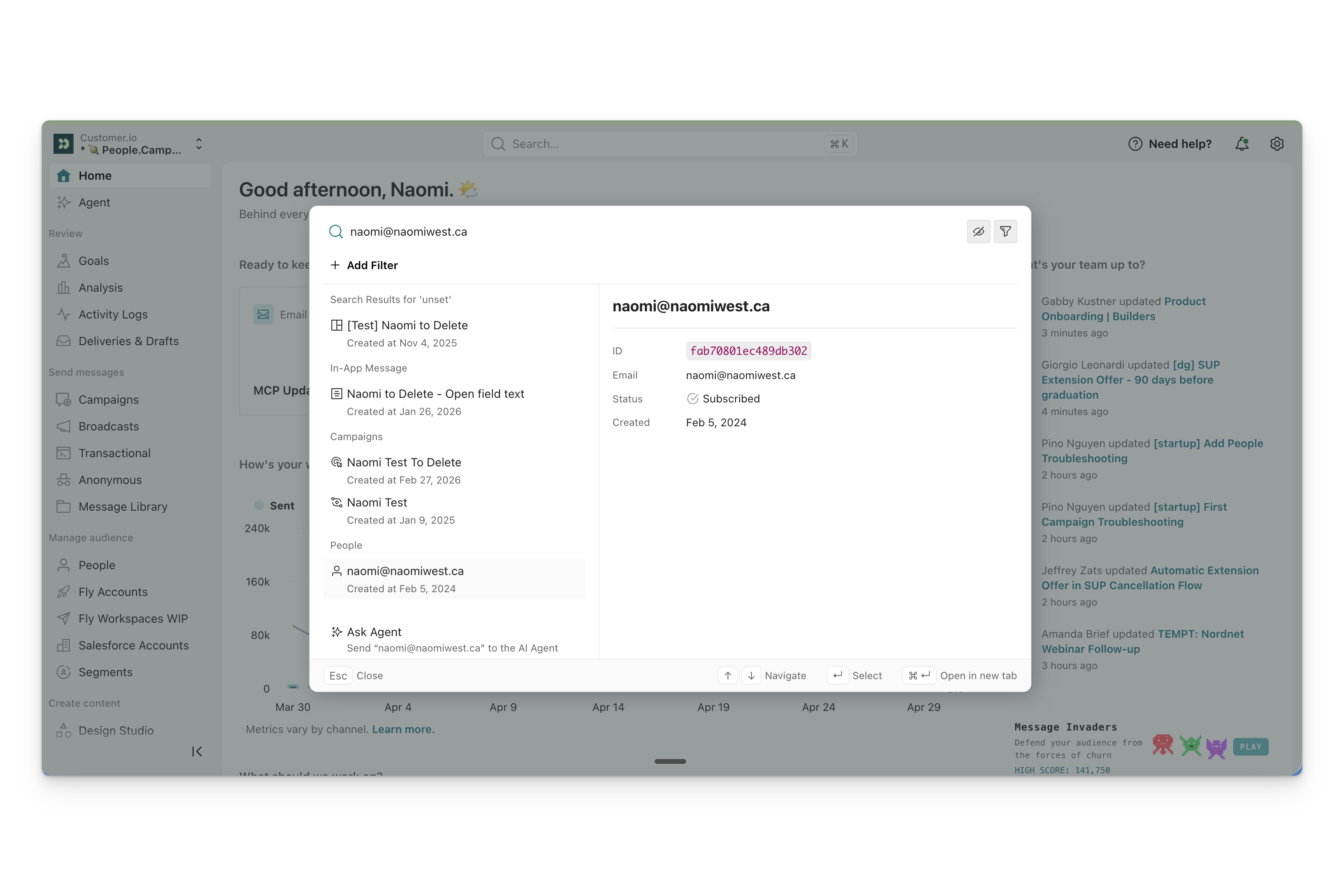
Universal search now covers even more data, including templates, people, product documentation, and newsletters. You can even preview results without leaving your current page.
Where our previous universal search only covered campaigns, segments, and in-app messages, we’ve expanded it to cover more of your data, so search can help you find what you need without clicking around.
This release also includes inline previews: click a search result to see key details—like a person’s ID, email, subscription status, and creation date—so you can confirm you’ve found the right thing before you click through.
Go to the docsSwitch between multiple accounts
Ui improvements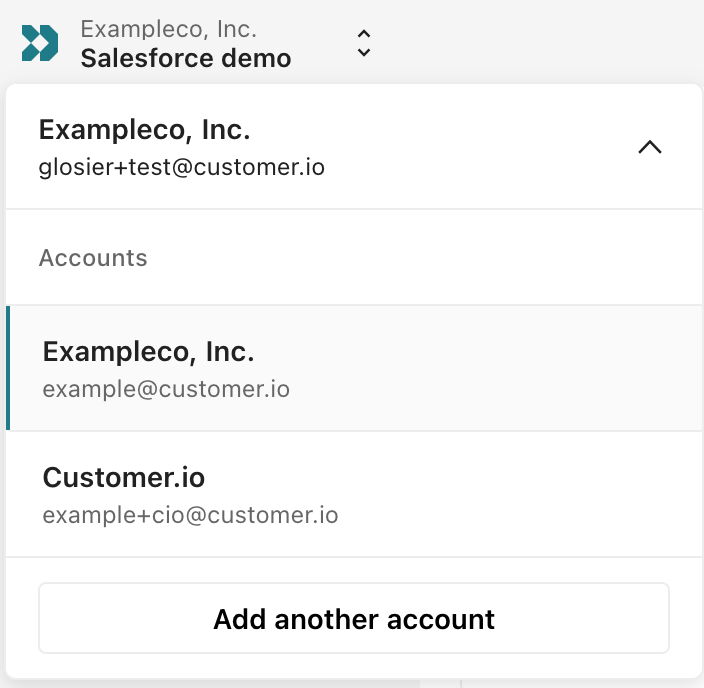
You can now log into multiple Customer.io accounts and switch between them without logging out.
If you manage multiple Customer.io accounts—for different clients, subsidiaries, or test and production environments—you no longer need to log out and back in to move between them. Just go to the workspaces dropdown in the top-left corner, click your account, and click Add another account to login to another one.
Go to the docsSeamlessly reset email content and change editors
Messaging Ui improvements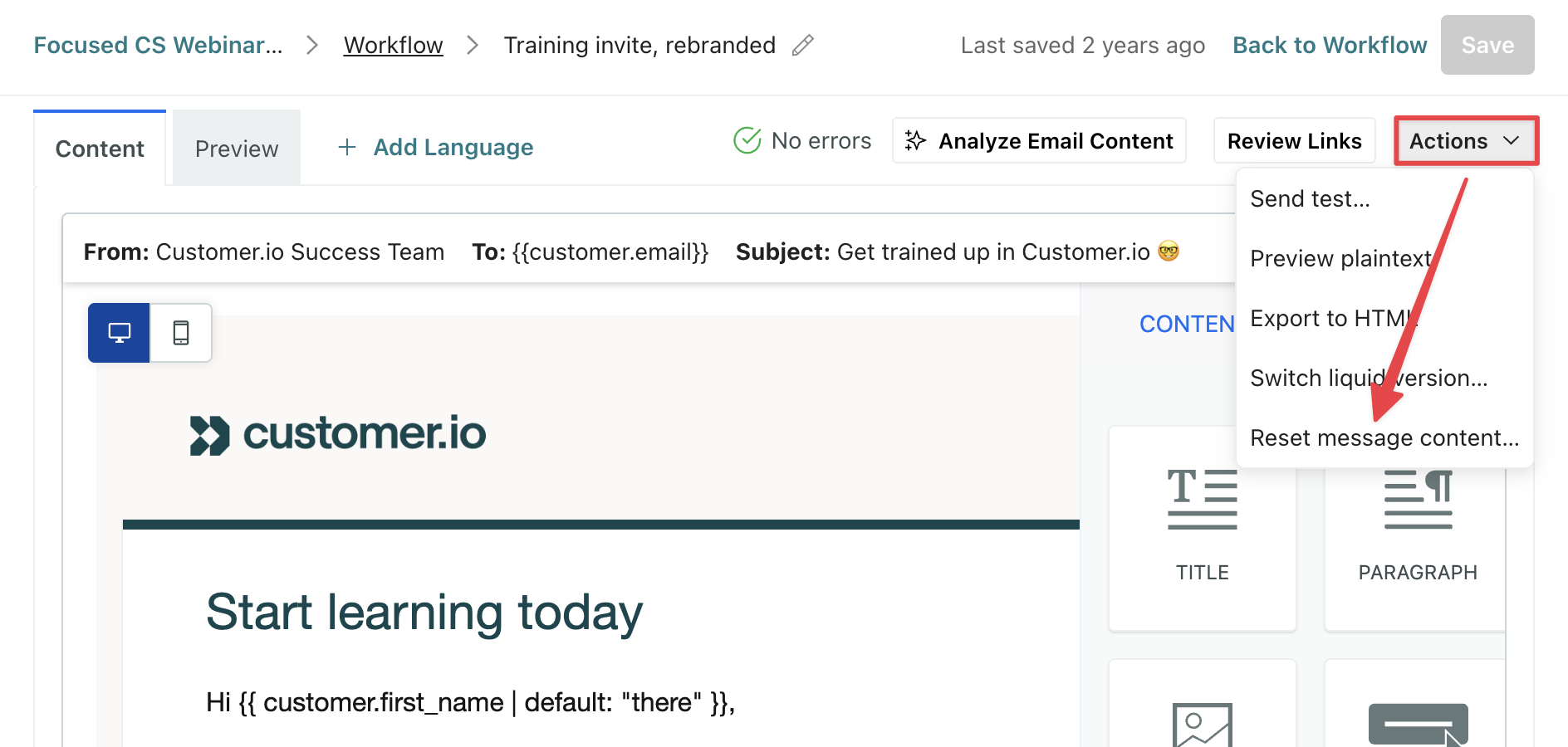
You can now use Reset message content to quickly change the email editor you’re using and start from scratch. This means you no longer have to delete email blocks in campaigns or switch message types in newsletters to start over and change email editors!
Go to the docsChange your campaign’s trigger type
Ui improvements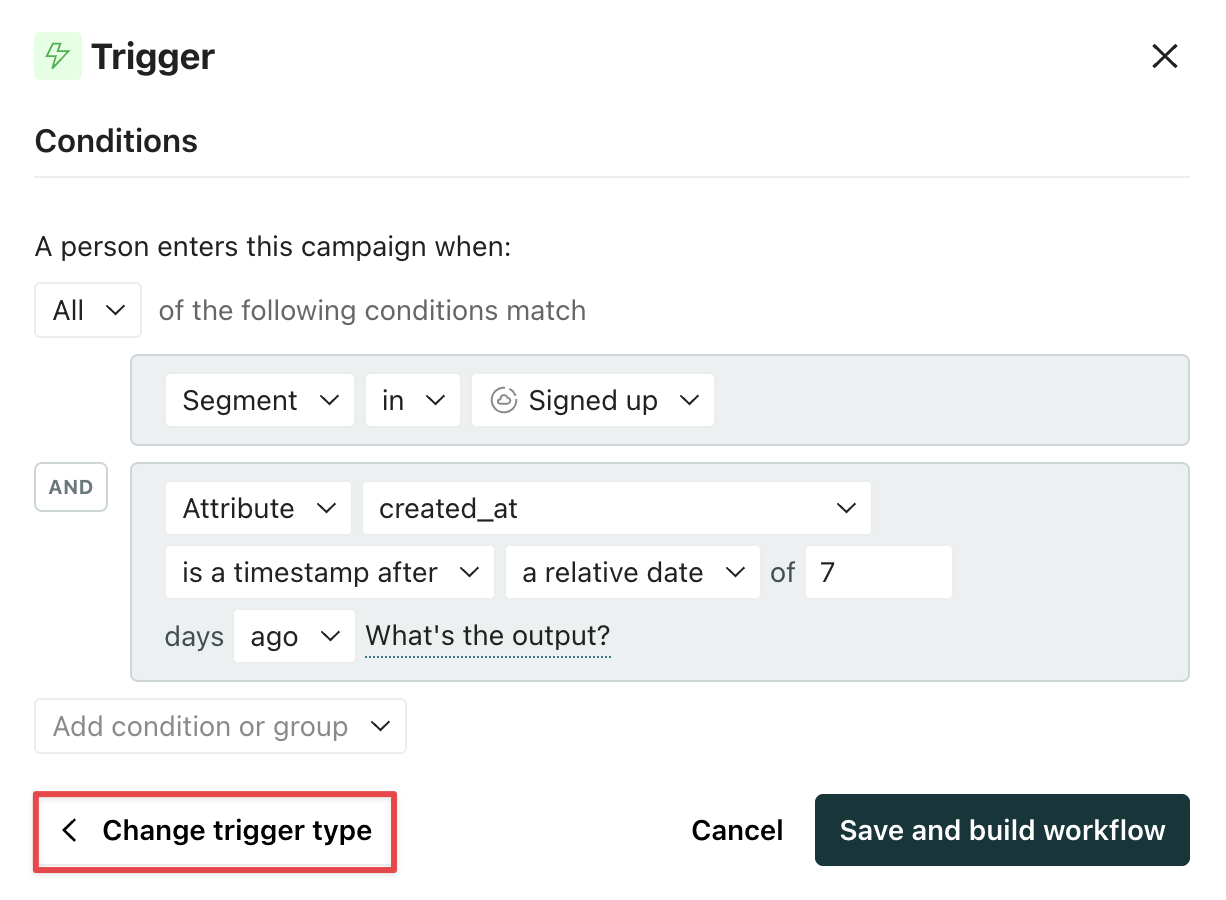
Previously, if you created a campaign and later realized you needed a different trigger type, you’d have to create a new campaign. Now, you can change your trigger type in your existing campaign!
You can only modify the trigger type when the campaign is in a draft or stopped state. This ensures you have time to review and update any workflow items impacted by a change to your trigger.
If you need to make changes before you start the campaign, you’ll see warnings under each action block needing attention.
Go to the docsCreate and send newsletters via API
API developers MessagingYou can now programmatically create and send newsletters from our API! This can help streamline your workflow if you create content outside Customer.io.
You can create and send a newsletter in a single request, or use the Send a newsletter and Schedule a newsletter endpoints when a draft is ready. You can pass optional rate limits on both calls.
Go to the docsUI refresh: your new Home dashboard
Ui improvements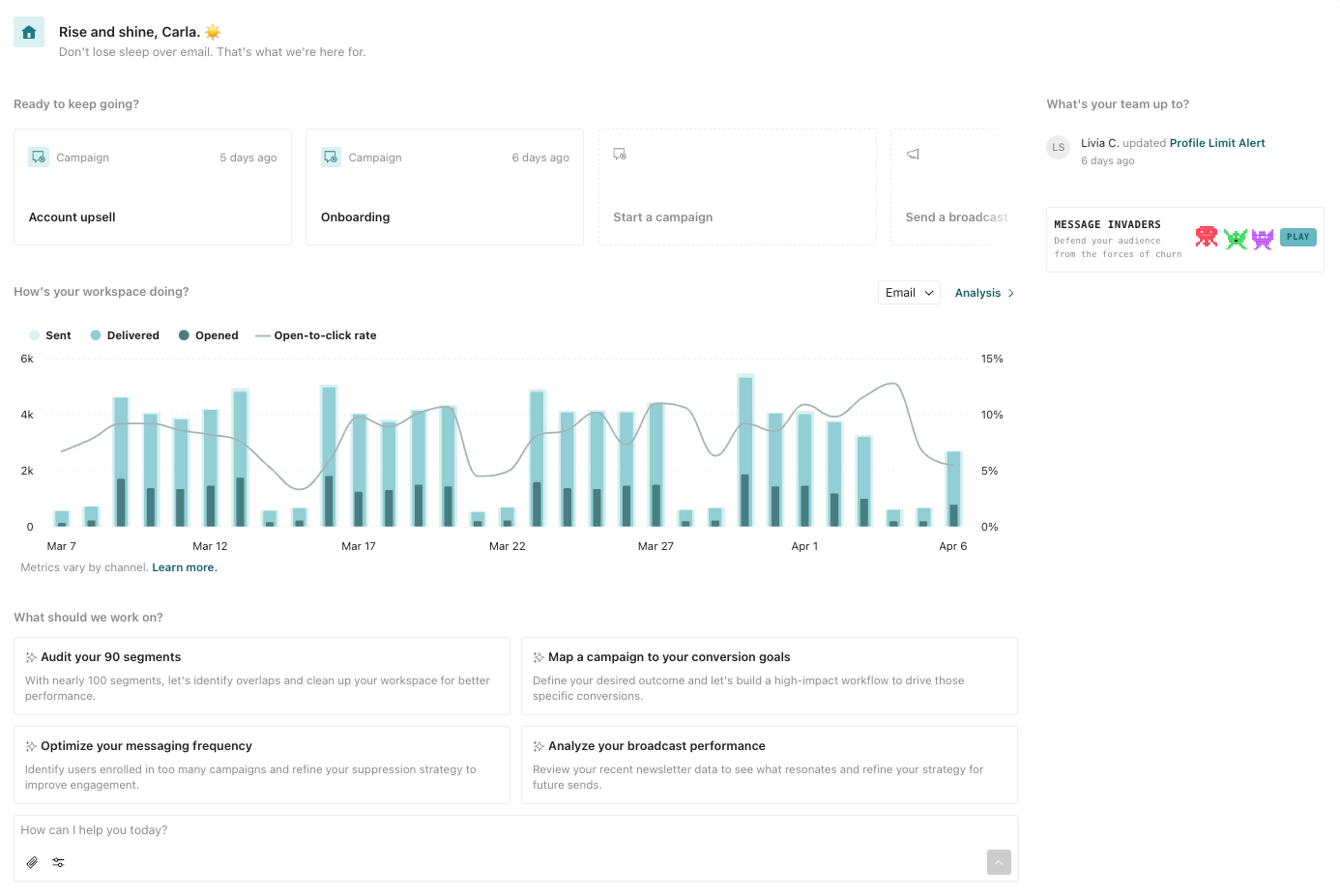
Your workspace has a new look and feel! You’ll see a revamped Home dashboard and a more organized navigation menu.
From the Home dashboard, you can see message performance at a glance and take action on your workspace. Pick up where you last left off or select a suggested action to get started.
Go to the docsThe agent: your personal assistant in Customer.io
Ai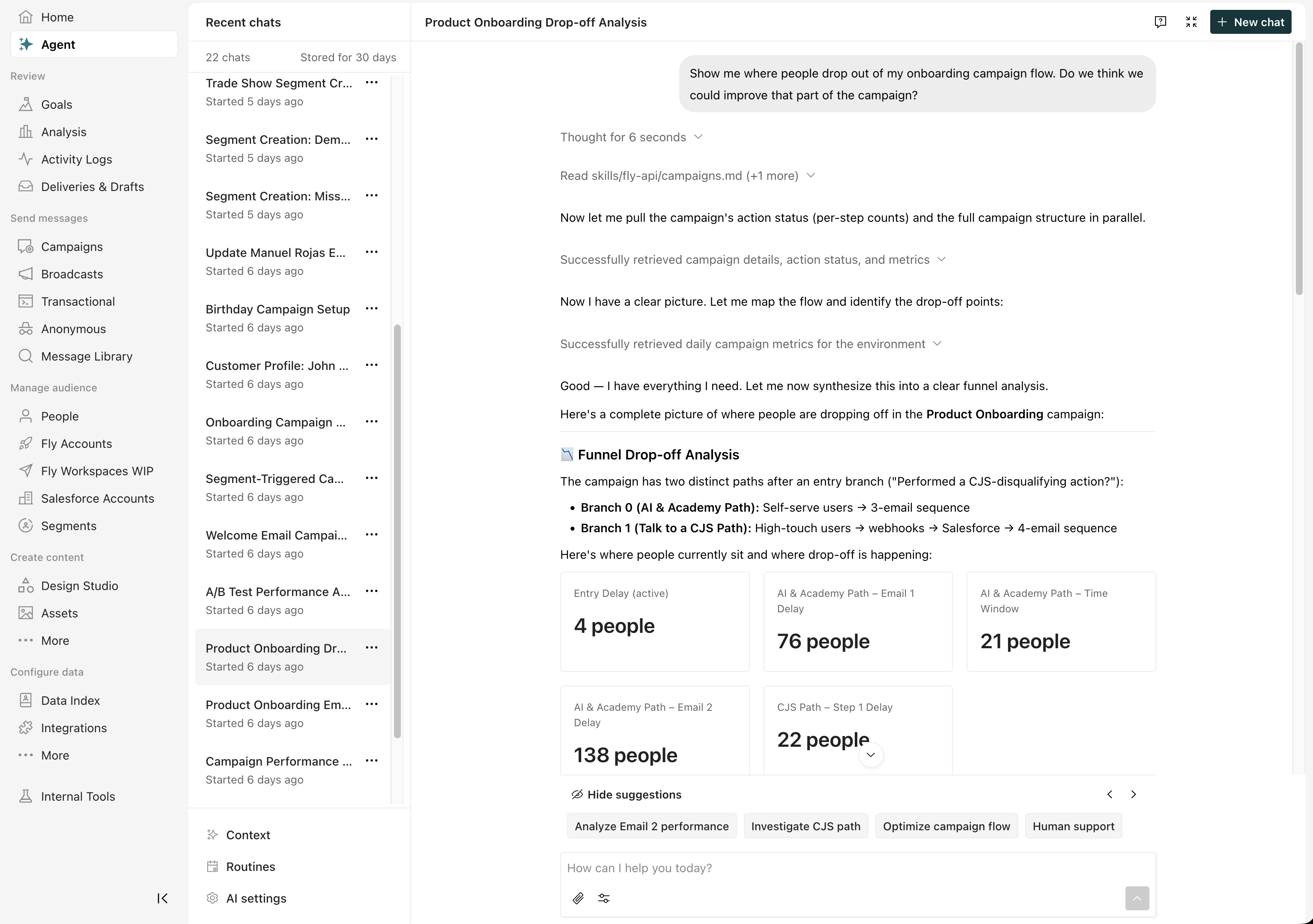
If you’ve used our AI assistant in the past, you’ll notice it’s had a glow-up. It’s now called the agent and it can act as your coworker in Customer.io.
In the past, our AI Assistant was limited to specific tools. But the new agent can do just about anything you can do in Customer.io. It can create campaigns, draft emails, analyze campaign performance, and more. It can even learn from you and get better over time!
You can also set up Routines to automate recurring tasks—things like checking your deliverability, auditing segments, and more.
And while we’ve expanded the agent’s capabilities, we’ve also given it guardrails to make sure it works safely. It’s limited to your permissions, and it has approval flows to make sure it doesn’t do things you don’t want it to do.
Go to the docsSearch your workspace with ⌘K
Ui improvements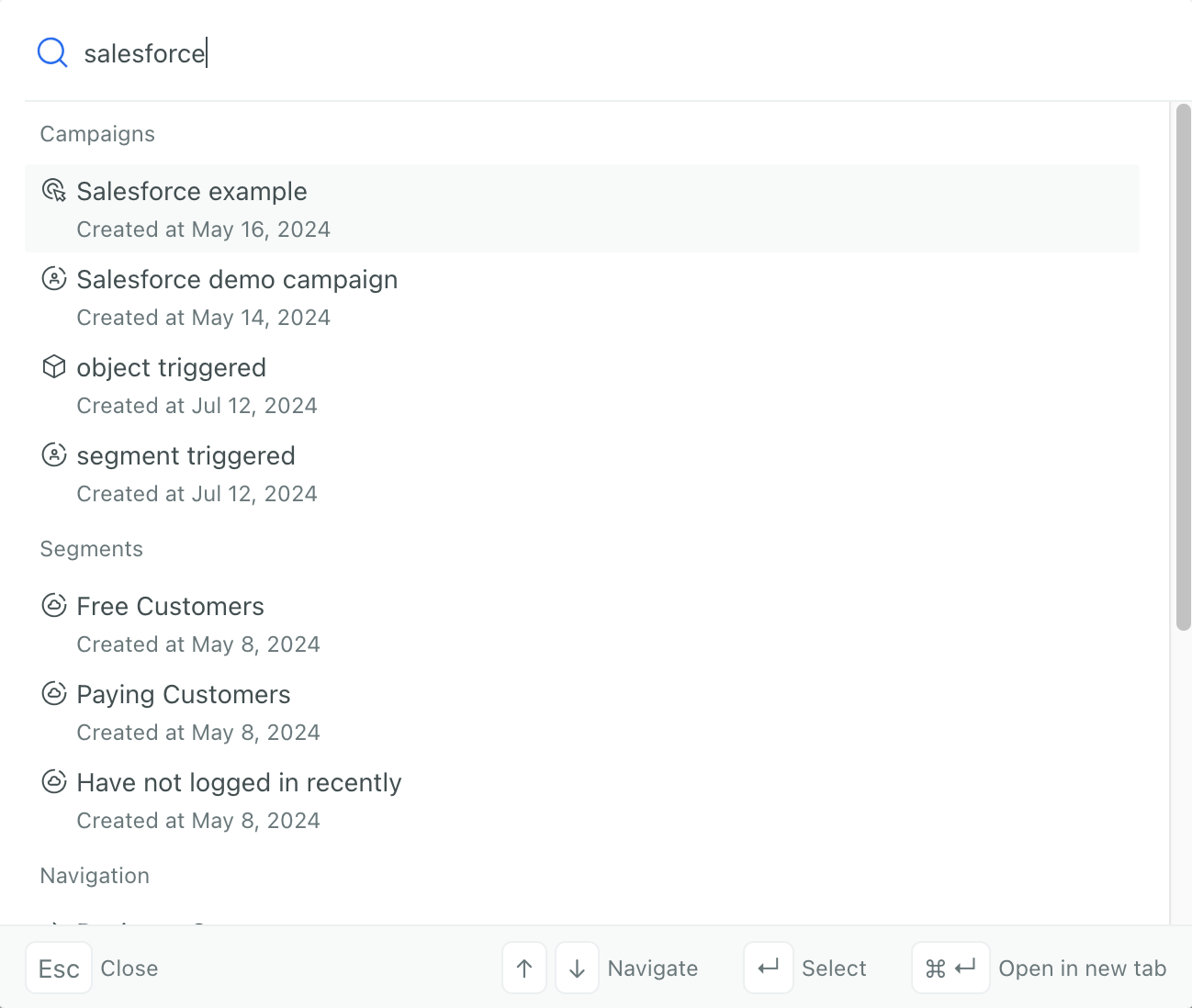
Now it’s easier to find what you need in Customer.io without clicking through menus. Press ⌘K (or Ctrl+K on Windows/Linux) from anywhere in your workspace to instantly search for campaigns, segments, templates, broadcasts, and more. AI-enhanced ranking surfaces the most relevant results—even if you don’t type an exact match.
Note that this feature does not search for people, objects, or their data. To find people, you’ll continue to use the activity log, people page, or segments.
Go to the docsNew dashboard: track the health of your workspace & troubleshoot issues
Data integrations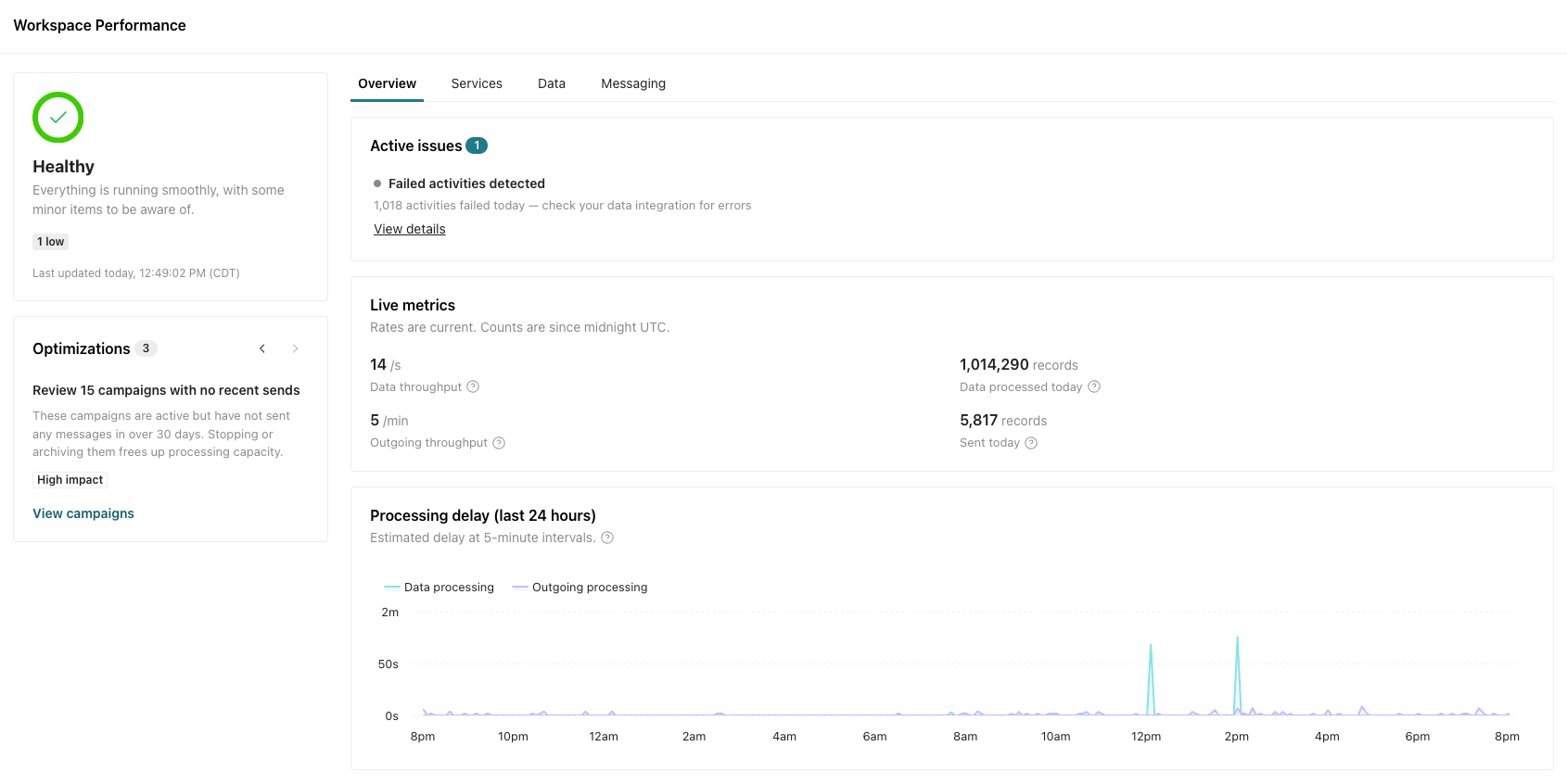
Go to the Workspace Performance dashboard to check the status of your workspace and monitor incoming data and outgoing messages. Use this dashboard to locate and troubleshoot performance issues.
You can also use this dashboard to optimize your workspace before issues arise! Go to > Workspace performance to get started.
Go to the docsGoals: measure success across workflows
Messaging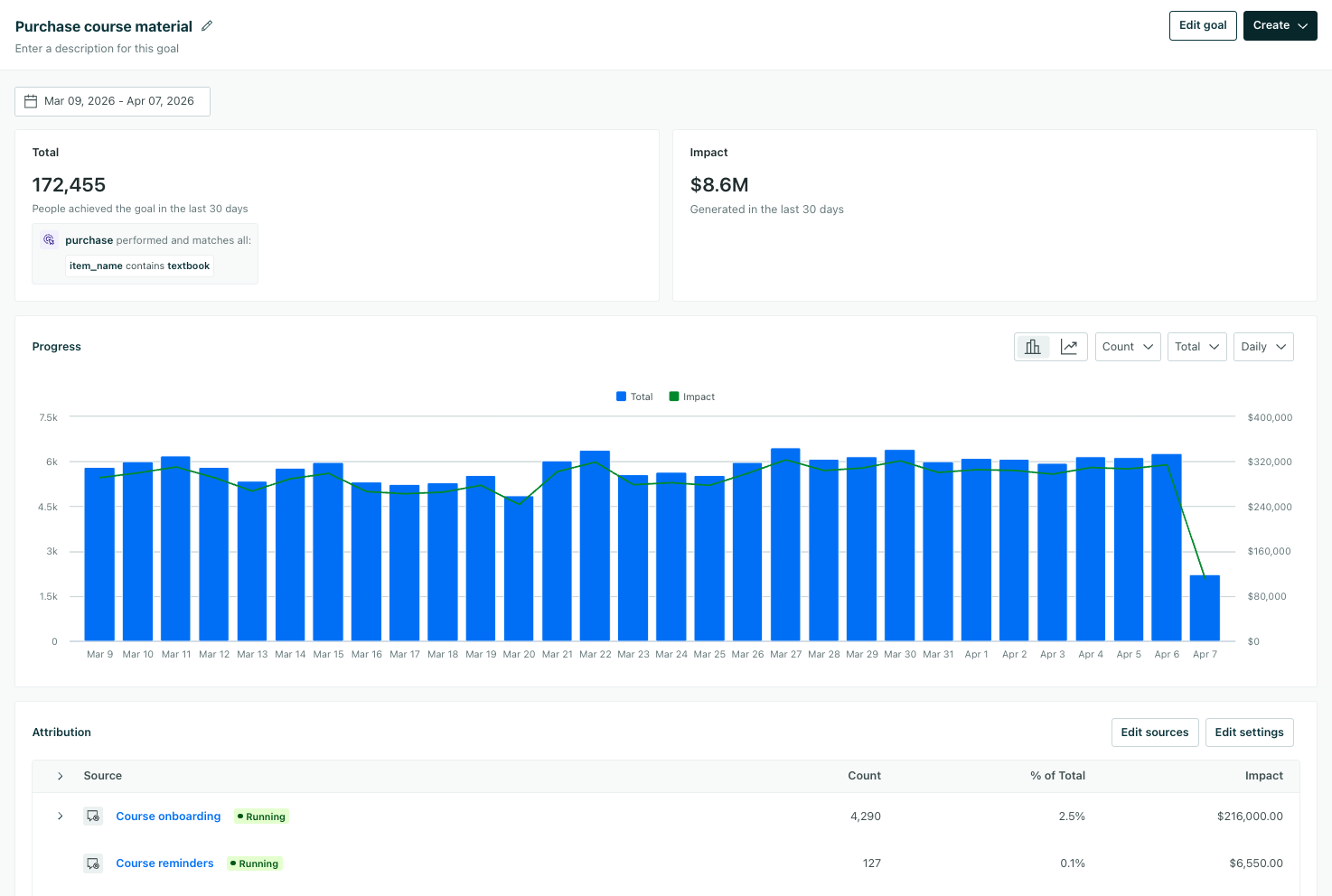
Goals let you define specific outcomes you’re optimizing for—a purchase, a subscription upgrade, etc.—and measure achievement across campaigns and broadcasts.
Unlike campaign-specific conversion goals, you can now track outcomes that span multiple workflows to help you more holistically strategize around your messaging and data.
Go to the docsGenerate data & decisions with LLM actions in campaigns
Admin billing Ai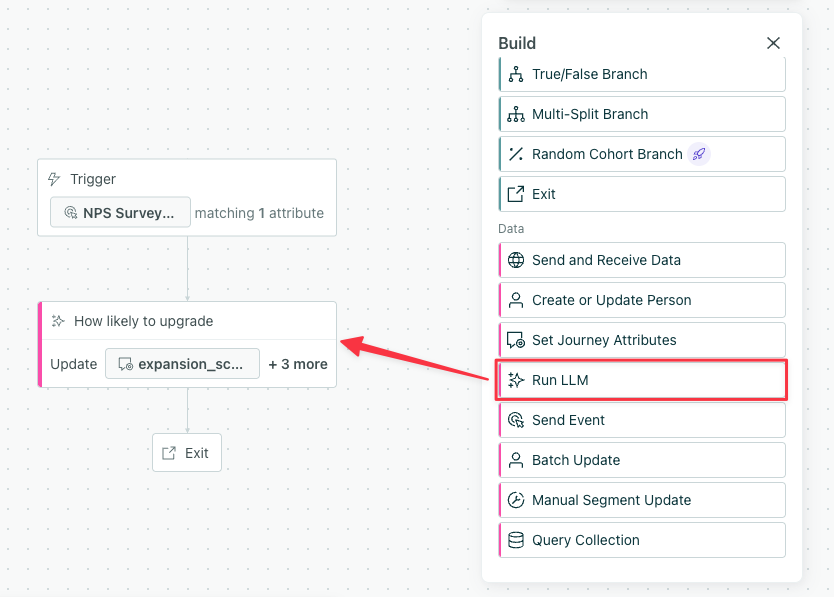
LLM actions let you prompt an AI model and store the output as attributes for use later in a campaign. They use AI credits, a new currency in your account.
You can use LLM actions to personalize messages, enrich data, and create conditions to help you reach the right audience.
Each time an LLM action runs, it uses AI credits. Learn more in Billing.
Go to the docsCustomer.io’s biggest product release: AI Agent, WhatsApp, LINE, and more!
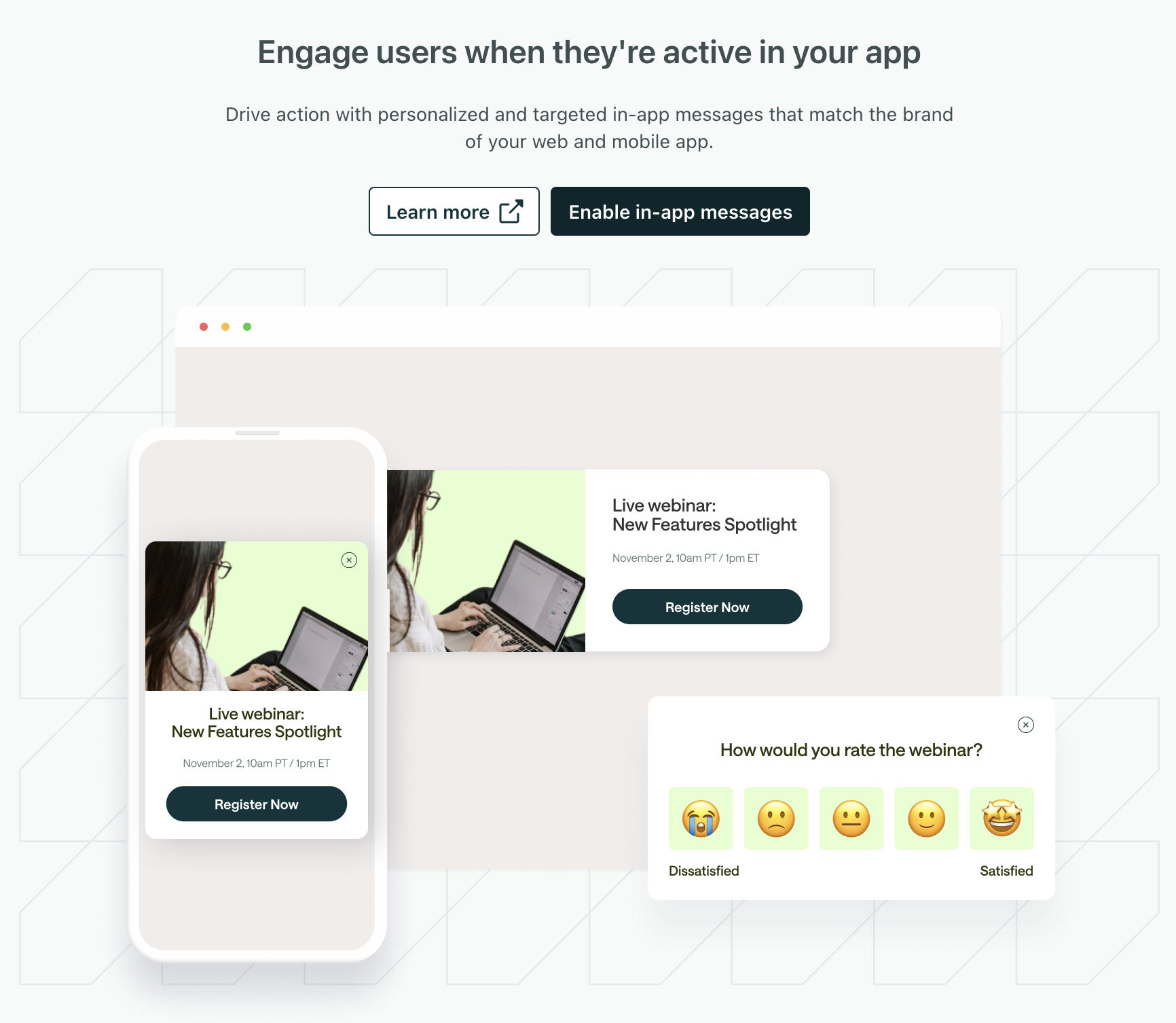
Admin billing Ai Data integrations Messaging Ui improvementsWe’ve released eight new capabilities—AI-powered intelligence, outcome-first measurement, a redesigned experience, and expanded channel reach—that don’t just expand what you can do, but change what’s possible.
Go to the docsChannel-based subscription preferences
MessagingYour audience can now subscribe or unsubscribe from individual messaging channels—like email, SMS, or push notifications—independent of topic preferences. Now people can choose not just the kinds of messages they want to receive, but also the channels they want to receive them on, so they’re less likely to unsubscribe all together.
Channel preferences add a new layer of subscription control to your subscription center. Where topic preferences let people choose what they hear about, channel preferences let them choose how they receive messages.
You can set up channel-based subscription preferences for any messaging channel you have enabled in your workspace.
Go to the docsSend in-app tooltips to educate your audience
Messaging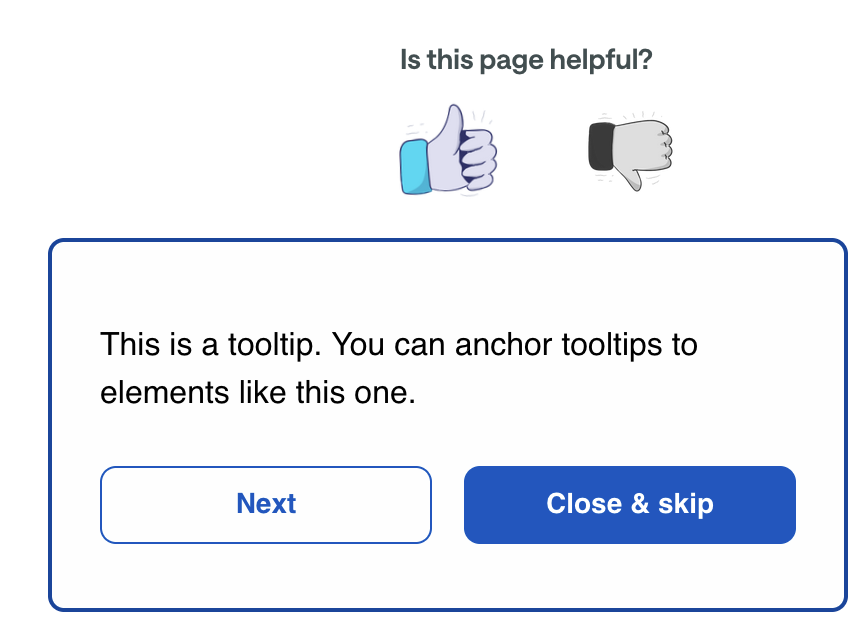
We’ve added a new Tooltip display type for Web-based in-app messages that anchors your message to a specific element on a page, like a button, menu item, or feature you want to draw attention to. With tooltips, you can provide contextual help, educate your audience about new features, and help orient new users.
Read more
Live preview for in-app messages
Messaging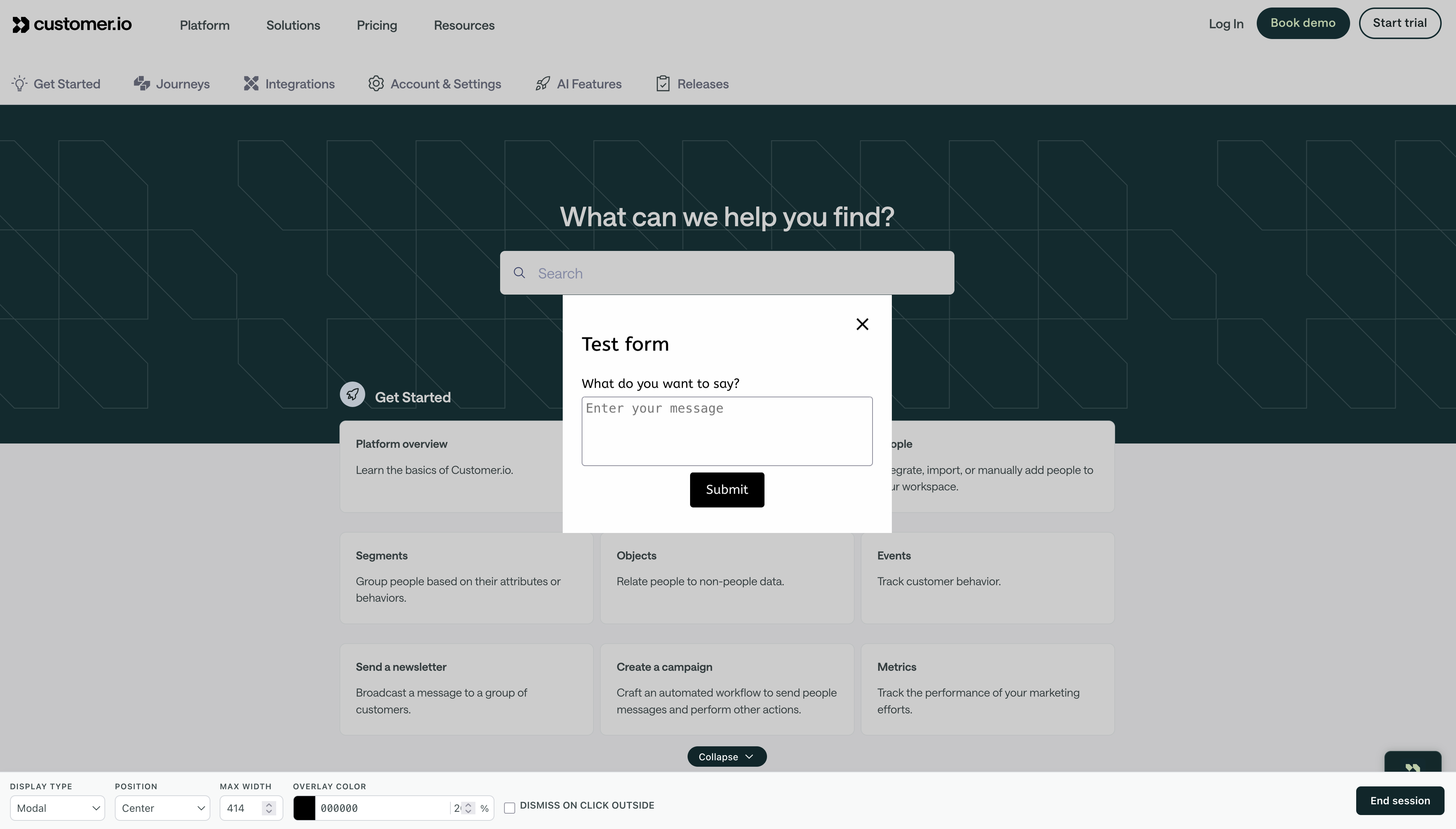
Our new Live Preview makes it easy to see and adjust your in-app messages in real time, so you can make sure they look and behave the way you want them to before you send them to your audience.
Click Live Preview when working on your in-app message to get started. We’ll open your website in a new window where you can see and adjust your message in real time.
Go to the docsAutomate domain warming with Daily ramp for newsletters
Messaging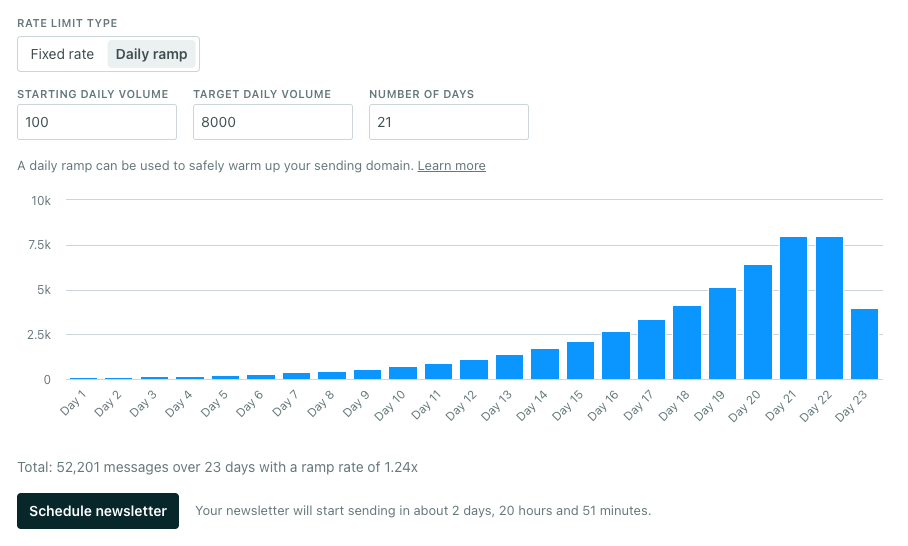
You can now set a daily ramp period when rate limiting newsletters, which gradually increases your send volume over multiple days to warm up your sending domain.
Previously, you could only set a fixed send rate for newsletters—a consistent number of messages per minute, hour, or day. If you needed to warm up a domain, you had to manually create separate newsletters for each period of your warm-up schedule. Now, domain warming is less manual and easier to set up!
We’ve also increased the maximum newsletter send time to 60 days to give you more room for gradual warming and large sends.
Go to the docsDomain setup made easy
Messaging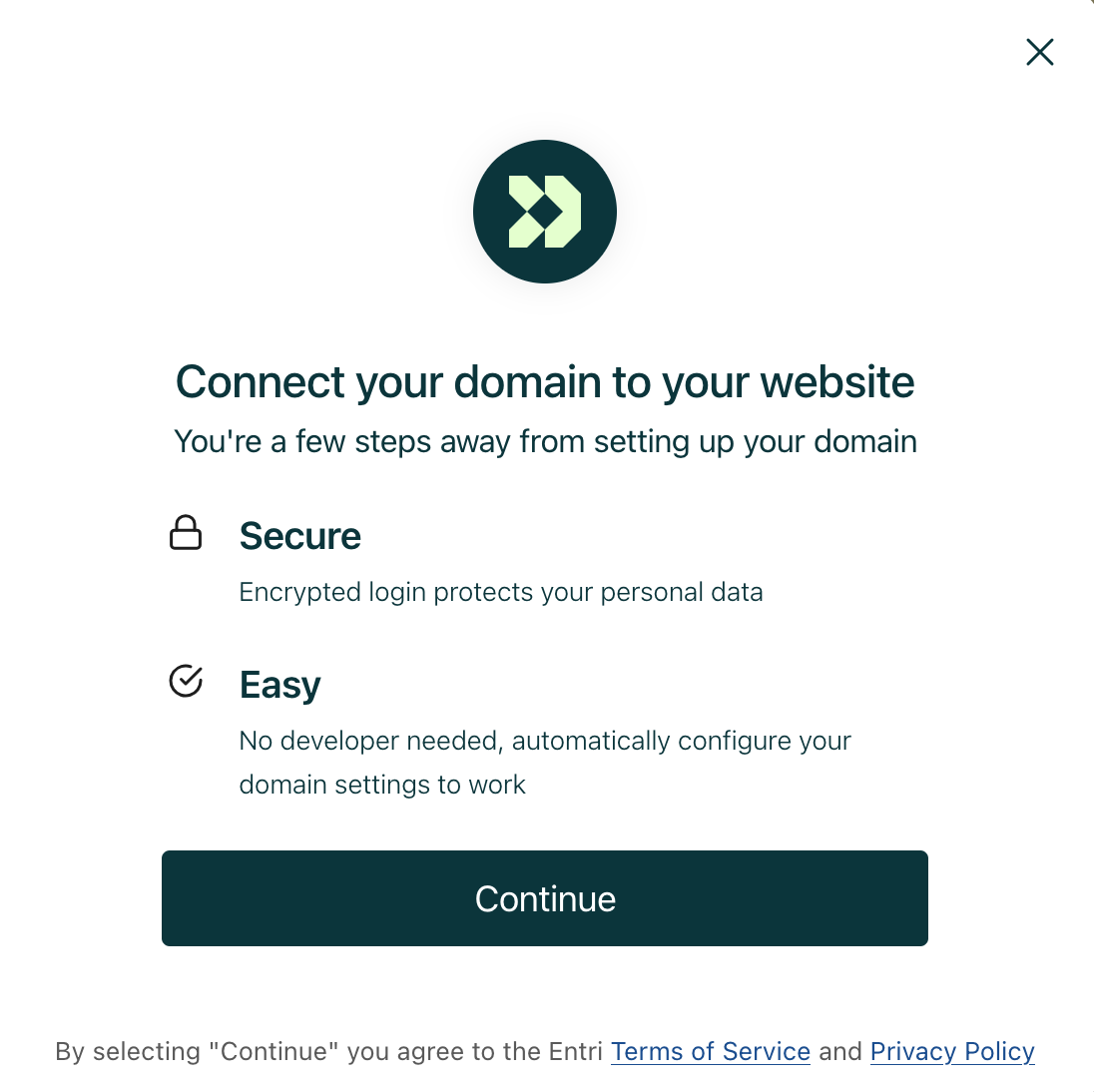
Our new Automatic setup option makes it easy to set up your email domains in Customer.io. Powered by Entri, automatic setup connects to your DNS provider and configures your records for you, so you don’t have to go through the hassle of manually copying records to your DNS provider.
Entri supports over 50 DNS providers, including GoDaddy, Namecheap, Cloudflare, and Amazon Route 53.
Go to the docsMultiple custom short link domains
MessagingYou can now add up to 10 custom short link domains per workspace for SMS and WhatsApp messages. Now you can use different, branded links depending on the kind of message you want to send.
This is especially useful if you manage multiple brands, want to rotate domains, or want to separate domains by message type.
Go to the docsRate limiting now available for multi-language newsletters
MessagingWe’ve removed a long-standing pain point that prevented you from limiting the send rate for translated newsletters!
Rate limiting lets you control how quickly your newsletters go out, which can help reduce the load on your downstream systems and maintain deliverability, so we want to make sure you can limit sends when it makes sense for your business.
On the Review step of a newsletter, you can now turn on the toggle Limit send rate when your newsletter has multiple language variants.
Go to the docsImport content into Design Studio using our new API endpoints
API developers Design studio MessagingYou can now create, update, and delete emails and components in Design Studio using the App API! This can help you migrate email templates from external tools withoout manual copy/paste. It also enables you to programmatically add email translations.
You’ll use our latest endpoints to manage content in Design Studio; you can’t update Design Studio content using other message-related endpoints.
You’ll also see new Assets endpoints, which you can use to create, update, or delete images and PDFs in your Asset library for use across message channels.
Keep these best practices in mind as you migrate your HTML to Design Studio!
Go to the docsAdd guardrails to the content AI creates
Admin billing Ai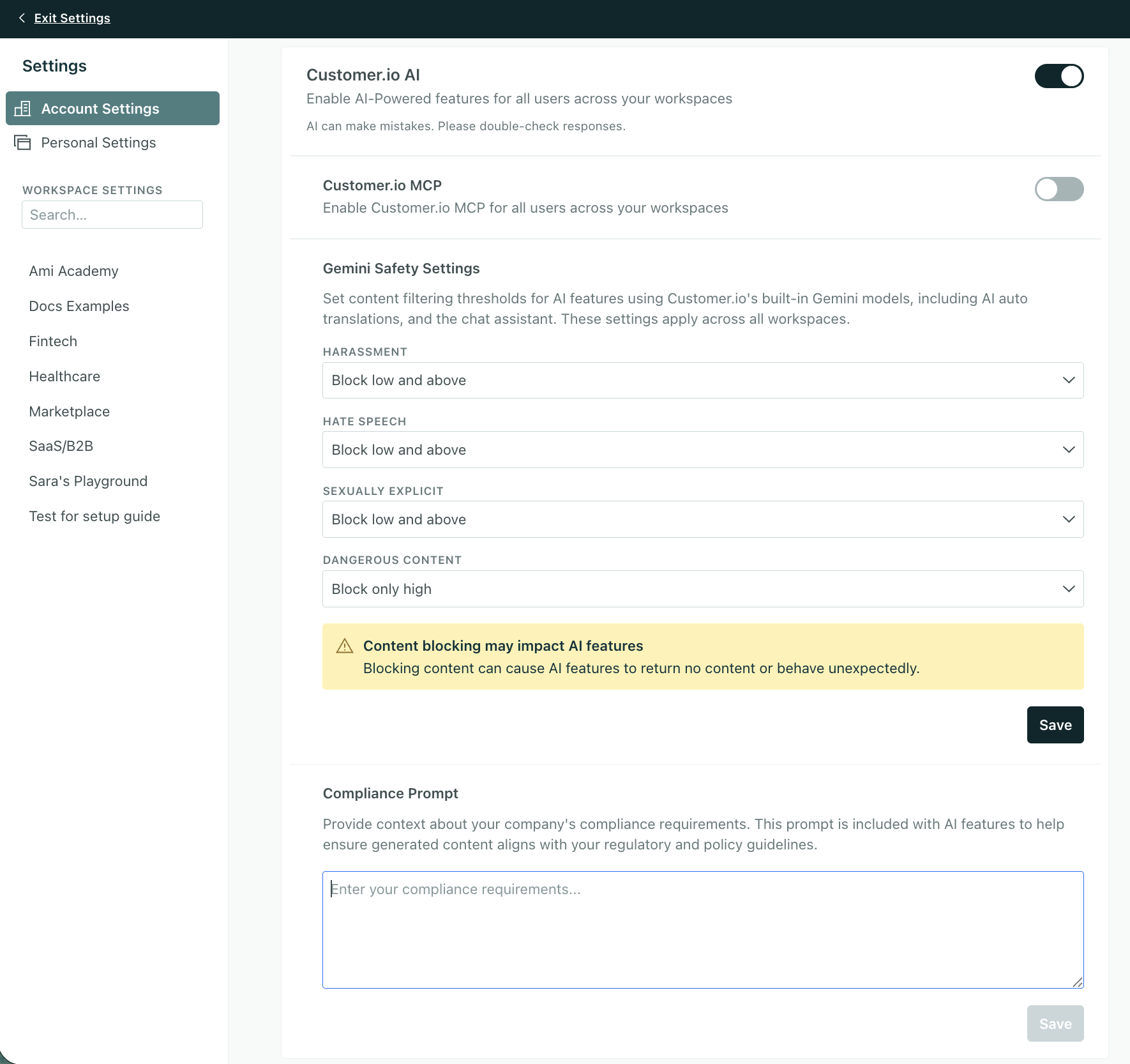
Account admins can now configure safety and compliance settings for AI embedded in Customer.io. Set guardrails for features like auto-translations, email content analysis, AI subject lines, and more in Account Settings > Privacy, Data, & AI.
Customer.io’s AI tools use Gemini models, so you’ll see Gemini Safety Settings on your Privacy page. You can filter content by four categories—Harassment, Hate Speech, Sexually Explicit, and Dangerous Content—with options ranging from Off (no filtering) to Block low and above (strictest filtering). By default, there is no filtering applied to your account.
You can also include a compliance prompt to help ensure generated content aligns with other regulatory and policy guidelines.
Go to the docsLocation tracking for mobile SDKs
Mobile sdkOur mobile SDKs now support location tracking so you can send geo-aware messages with even greater accuracy than IP-based geolocation.
Customer.io already gives you the option to enrich locations from IP addresses, but VPNs, carrier routing, and shared Wi-Fi can reduce accuracy for mobile apps. With the new location module, our SDKs can capture device coordinates and Customer.io reverse-geocodes them into cio_city, cio_state, and cio_country profile attributes. The SDK also sends Location Update events that you can use to trigger journeys and build segments.
To minimize battery usage, our SDKs limit location updates to once per day at most and only when the person has moved a meaningful distance.
Location tracking is available in all our mobile SDKs:
Go to the docsForced dark mode: more preview options so you can be confident in your design
Design studio Messaging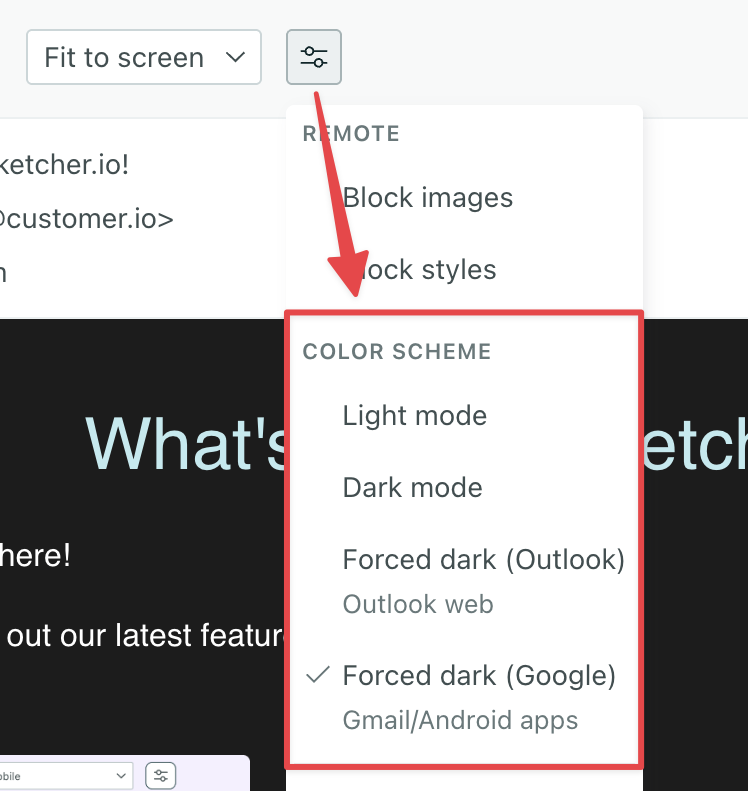
You can now preview what your email will look like when Google apps or Outlook force dark mode styles. This helps you see how colors invert in clients that don’t support your dark mode styles.
Learn more about these preview settings and how to make your design more consistent in email clients that don’t support dark mode styles.
These preview settings are available in our latest email editor, Design Studio, and our Code-only editor.
Go to the docsLINE messaging
MessagingYou can now reach your audience in Japan, Thailand, Taiwan, Indonesia, and other APAC markets through LINE, one of the most popular messaging platforms in the region.
LINE is the dominant messaging app in key Asian markets, with over 90 million monthly active users in Japan alone and market penetration of 70-95% in its core regions. In these markets, LINE isn’t just another channel—it’s how people communicate daily.
Now you can send LINE messages as a part of your campaigns and broadcasts. Send text and image messages to your LINE audience, track delivery and engagement metrics, and manage your LINE contacts alongside all your other channels.
Go to the docsDesign Studio: Edit your content without leaving your workflow
Design studio Messaging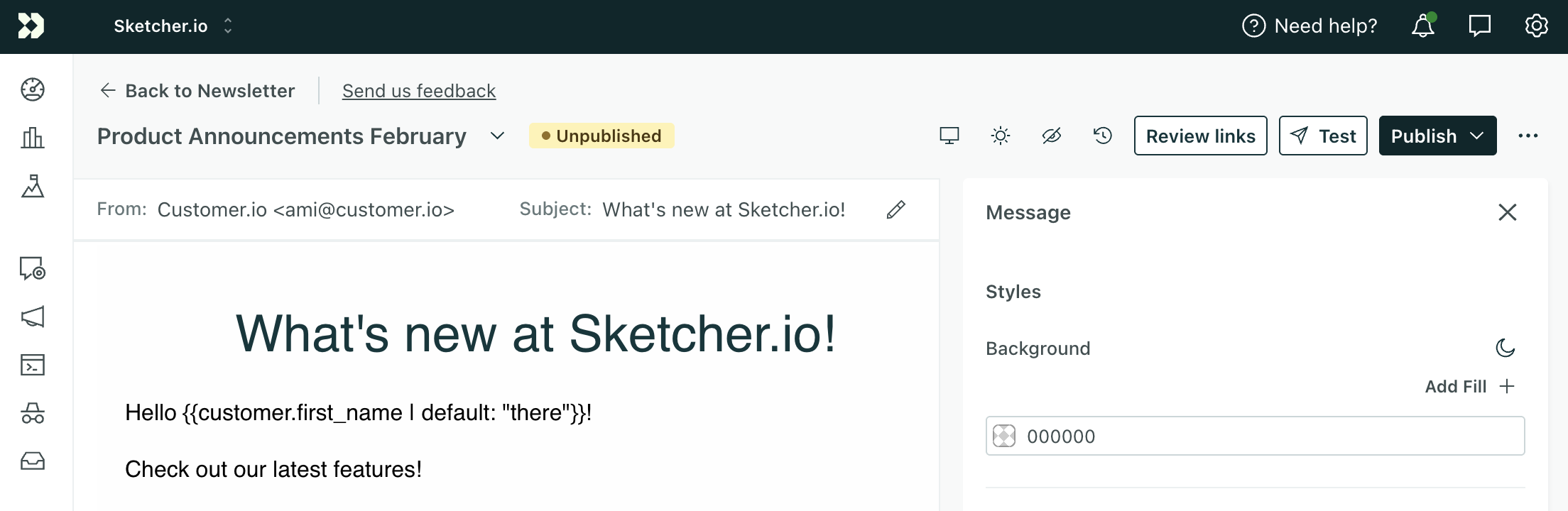
You can now navigate seamlessly between the Design Studio editor and your campaign, broadcast, or transactional message!
Whether you edit the email from Design Studio or your campaign, you can now directly update your content from either place.
You’ll also see a few other enhancements:
- Publish status so you know whether all changes are live
- The ability to validate links from any preview in Design Studio
- A confirmation modal when navigating away from a draft so you don’t accidentally lose your changes
Translate messages in Design Studio
Ai Design studio MessagingDesign Studio now supports multi-lingual messaging and AI-powered translations! When you add a language to your email, you can auto-translate your content without leaving the editor.
Multi-lingual messaging is essential for global markets, and now Design Studio can help you reach them without cumbersome branching in campaigns. Reduce time spent copying content between tools, and scale personalized messaging with less overhead.
Go to the docsNew campaign action: Set journey attributes
Messaging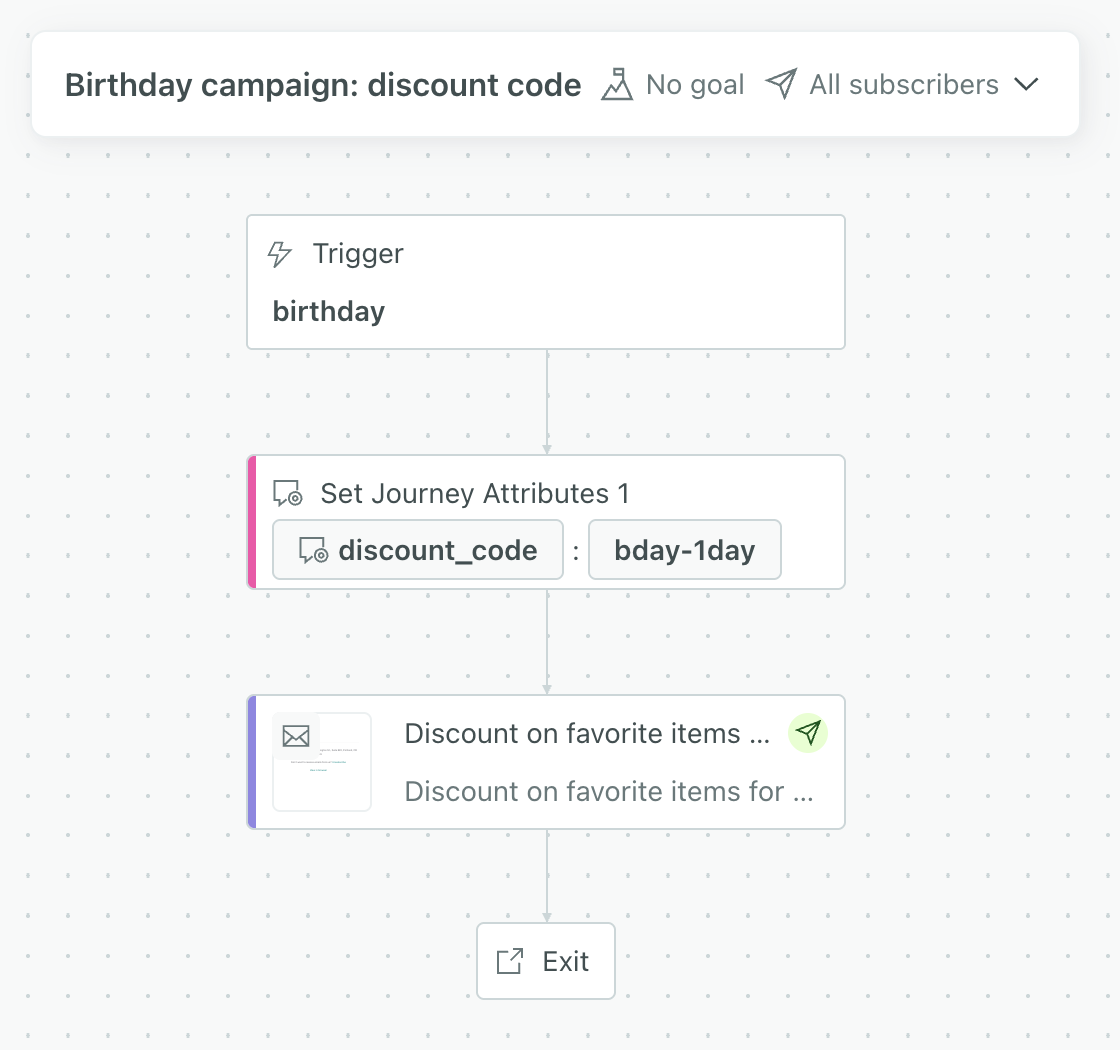
You can now create and update temporary attributes in a campaign using a new workflow action—Set journey attributes.
You might use this to set static data, like a discount code, that only applies while your customers are in the campaign.
This means you can now set journey attributes based on webhook data, collection queries, and a workflow action designed specifically for journey attributes.
Go to the docs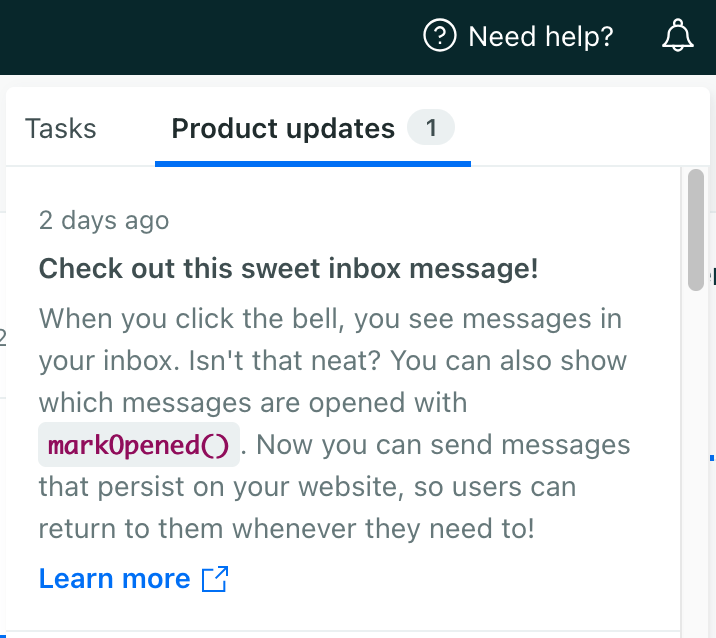
Native WhatsApp support
MessagingIn the past, you had to sign up for third party to send WhatsApp messages through Customer.io, even if you already had a WhatsApp-approved Facebook Business Account. Now you can send WhatsApp messages from Customer.io using your Facebook Business Account without a third-party!
WhatsApp messages are based on templates approved by Meta. You’ll create templates in your Facebook/WhatsApp Business Account and then use them to send messages from Customer.io.
Go to the docs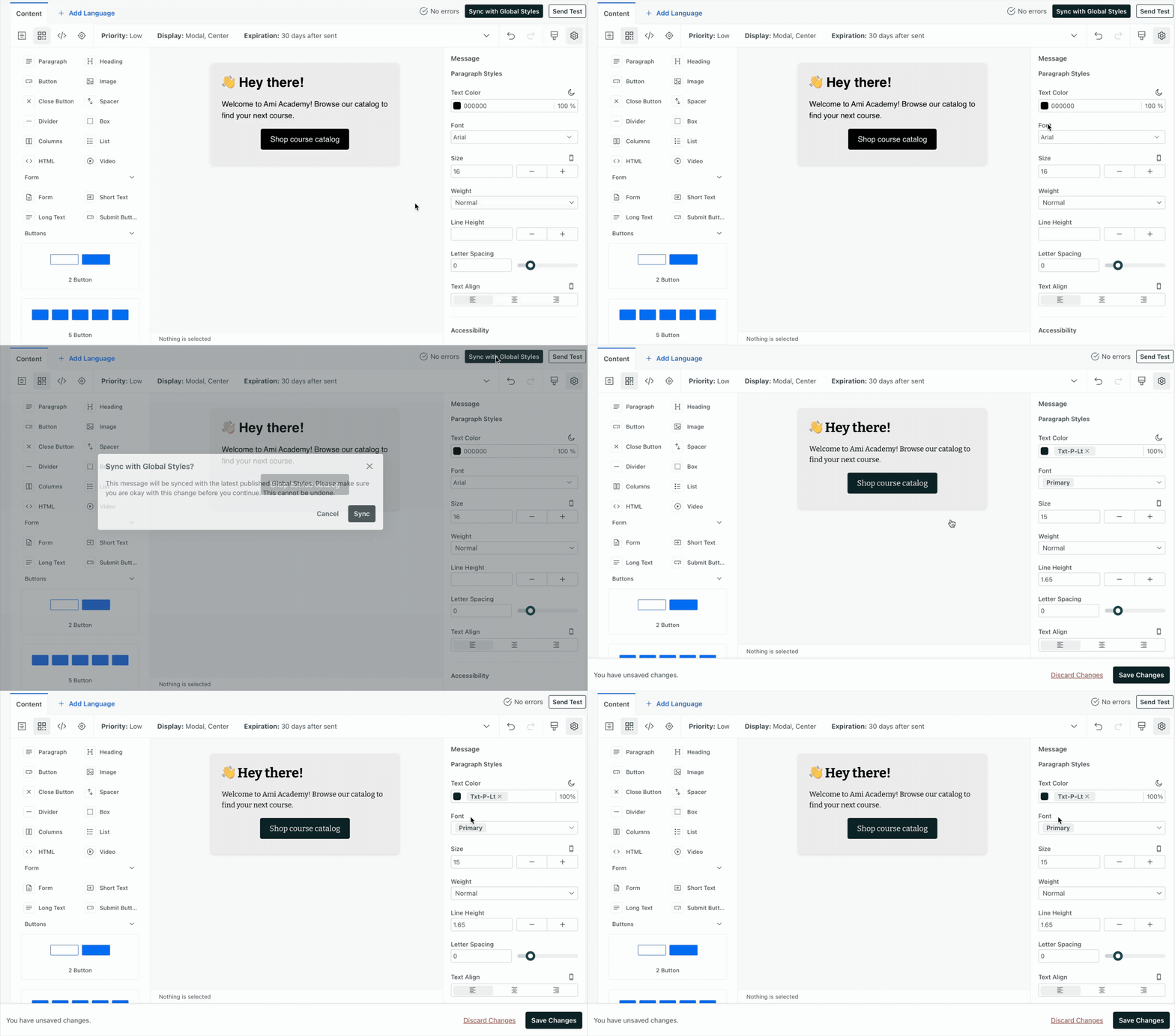
Design Studio: optimize images for faster loading
Design studio Messaging Ui improvements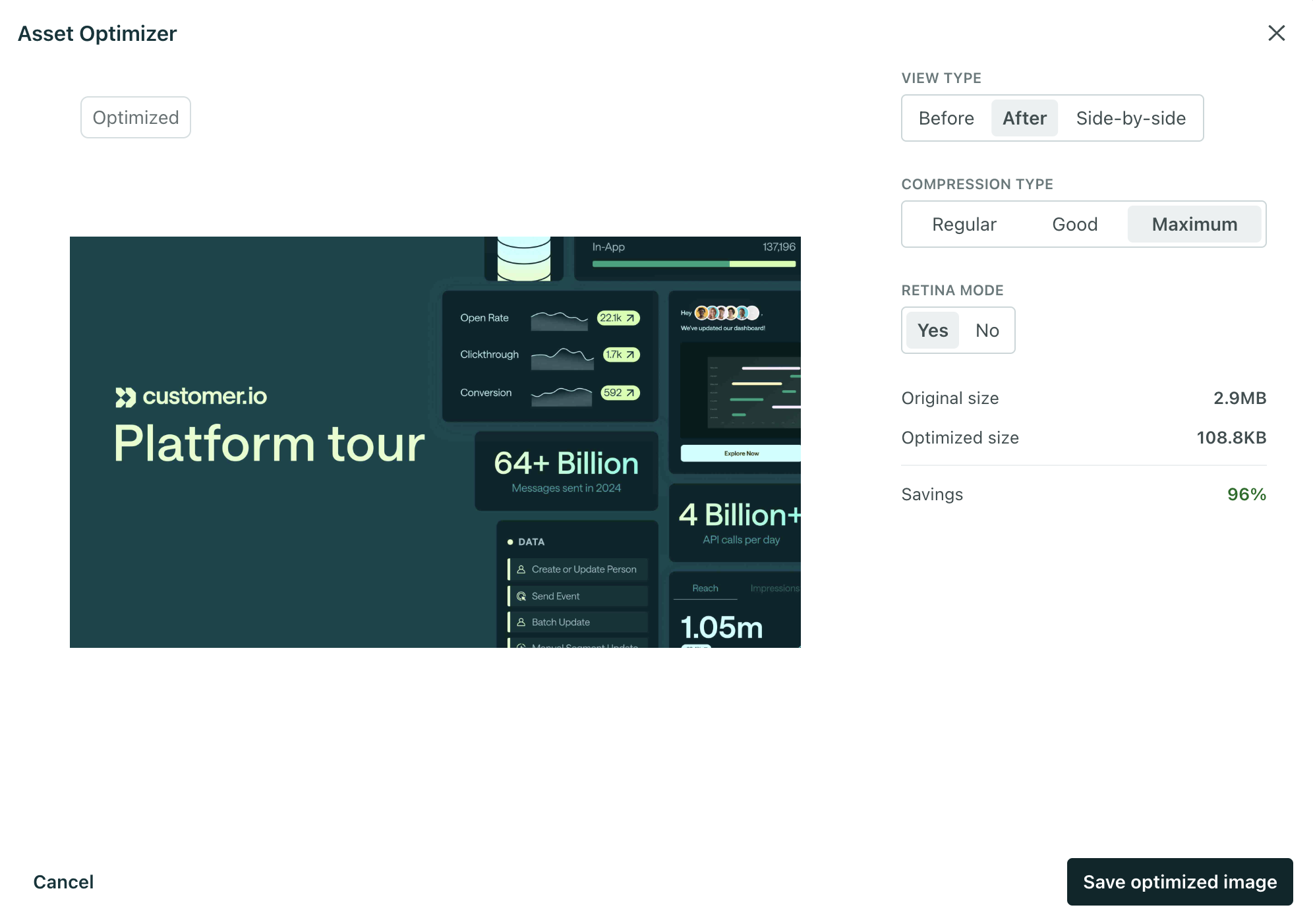
You can now optimize images when you upload them through Design Studio to reduce file size and maintain quality—without using third-party tools. This helps reduce friction that can hurt engagement in your campaigns.
Large assets cause emails to load slowly, impacting success of your campaigns. With optimization, you can ensure graphics appear quickly (even on poor mobile connections) to prevent drop-off from blank screens and protect click-through rates.
Go to the docsStore collection data as journey attributes
Automation Messaging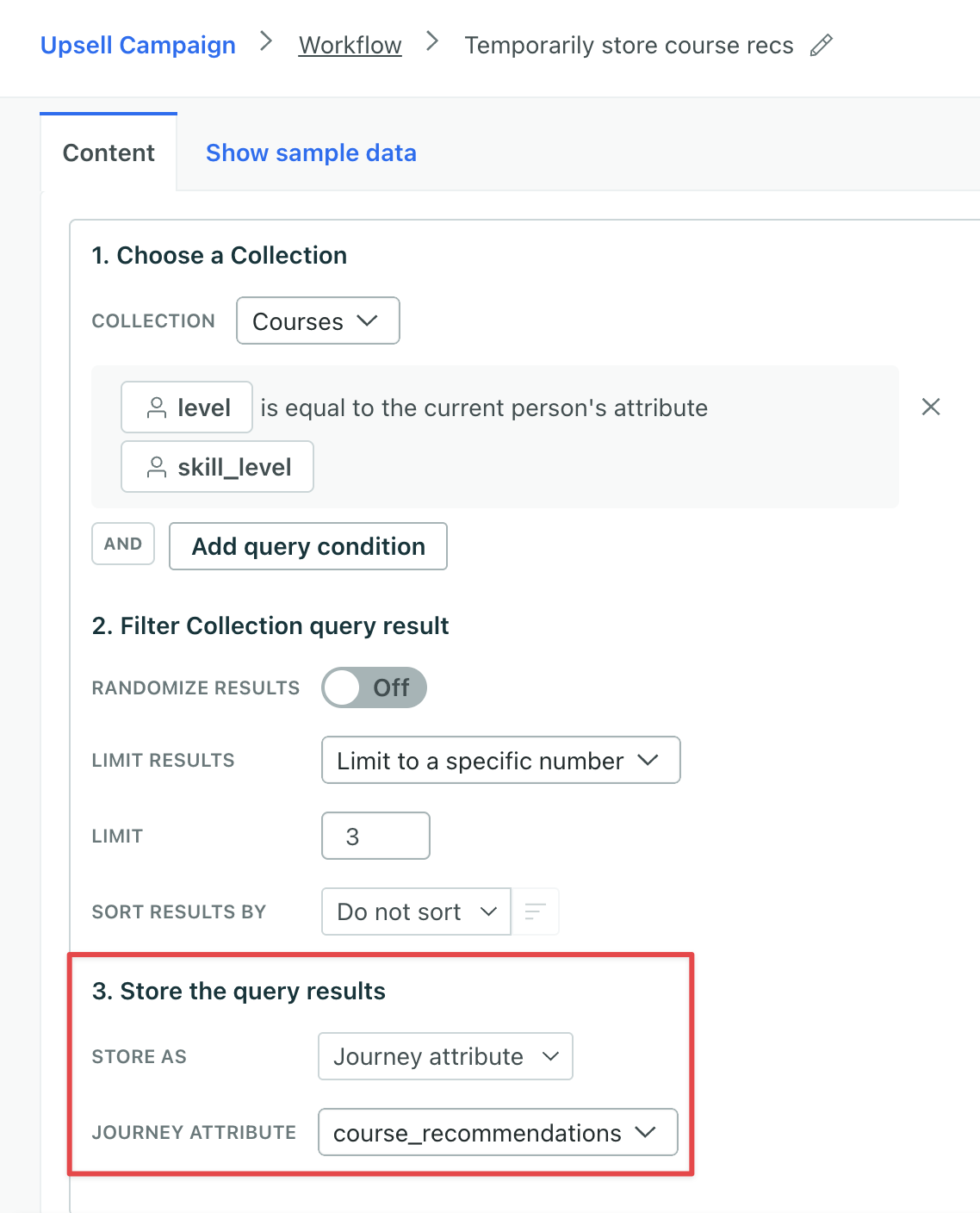
You can now store collection data as journey attributes, which expire at the end of a person’s journey. Journey attributes are available throughout your workflow: reference them in messages, create branch conditions, and more!
This means you can now temporarily store data from both collections and webhooks to keep your customers’ profiles as lean as possible.
Go to the docsDesign Studio: Save & edit components from the visual editor
Design studio Messaging Ui improvements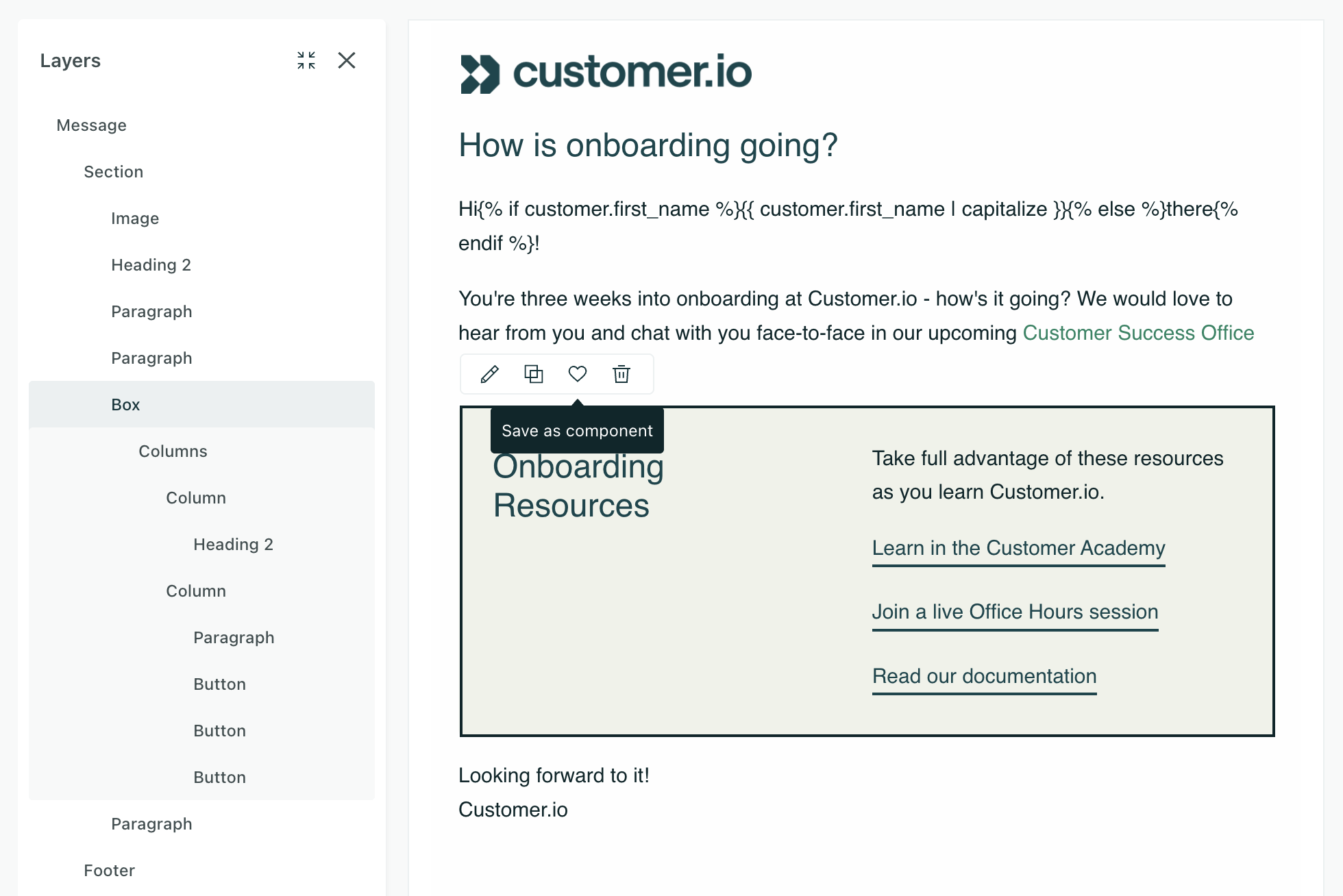
You can now create and save custom components directly from the visual editor in Design Studio! This makes it easier for any team member to manage reusable content like headers and footers.
Build a block using components in the visual editor, and then click to save it as a new custom component file. It’s immediately accessible in the Insert menu of the visual editor for reuse across your emails.
You can also detach components from the source file if you want to make changes unique to that email.
Go to the docsAI-generated subject lines for emails
Ai Design studio Messaging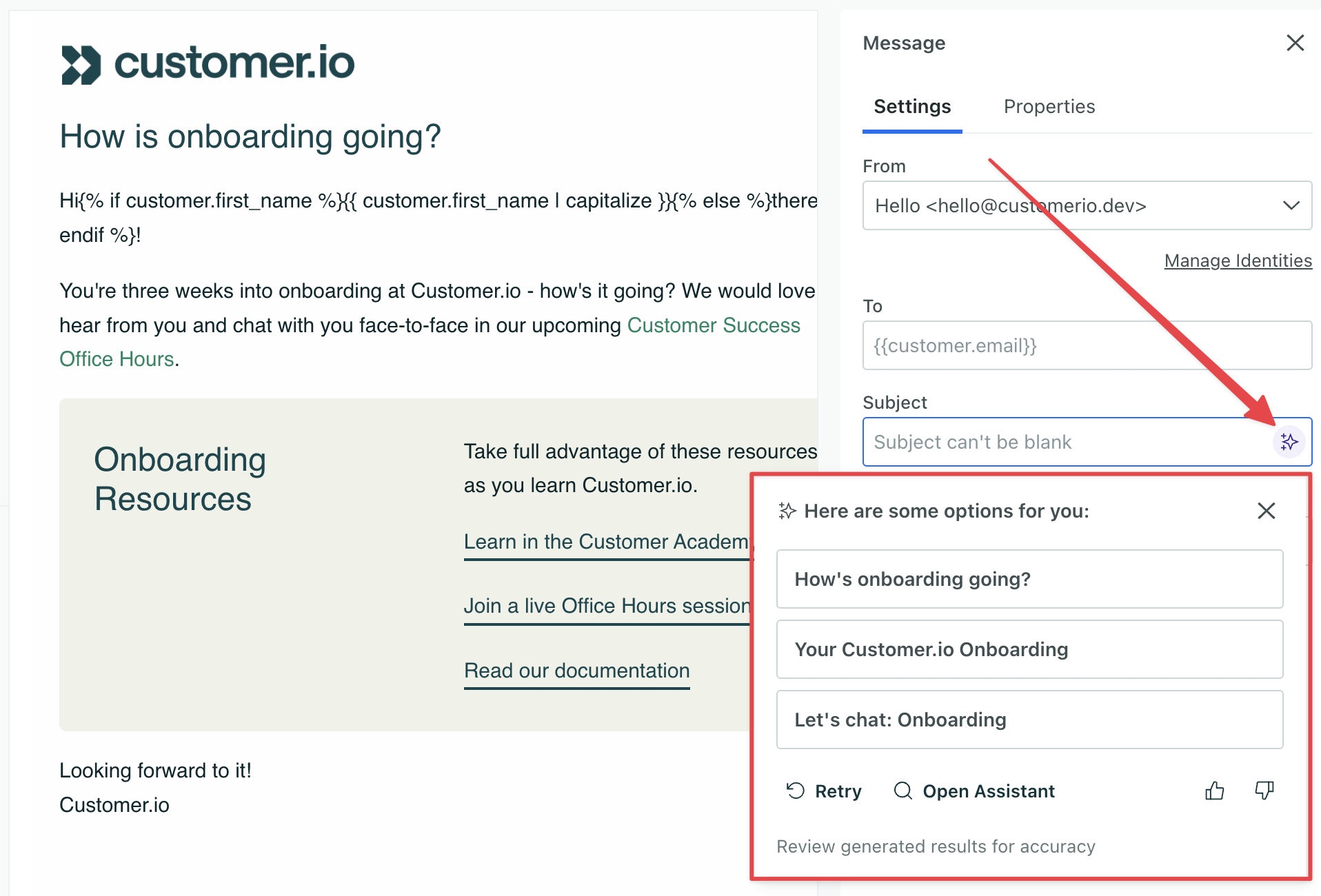
In Design Studio and our Drag-and-drop editor, create on-brand subject lines faster with AI. We generate the subject based on your message content and your workspace’s AI business context.
For best results, generate subject lines after your email content is complete!
This feature only applies to subject lines, not preheader/preview text.
Go to the docsEdit multiple components at once
Design studio Messaging Ui improvements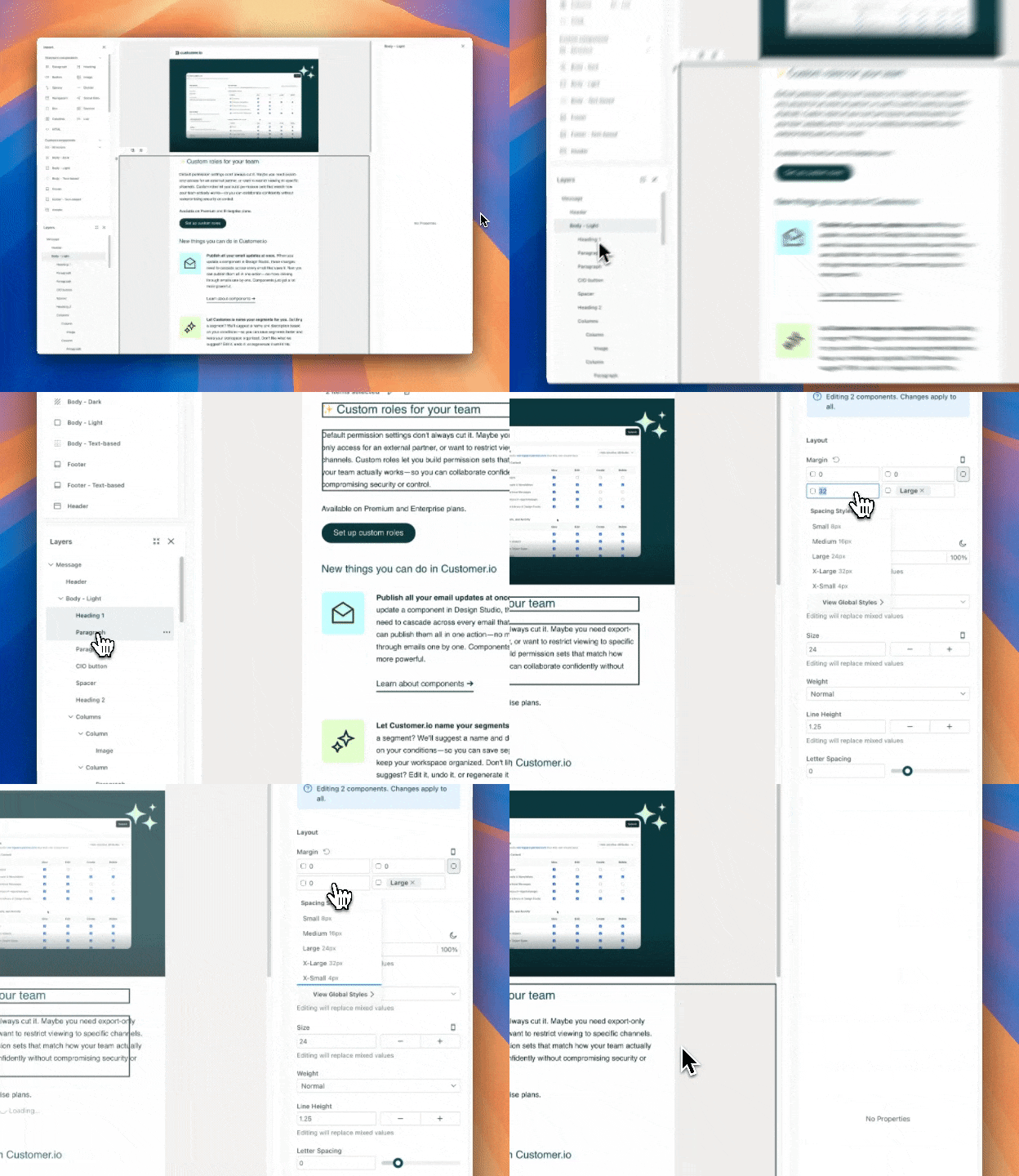
You can now move and style multiple components at once in Design Studio emails and our in-app message editor. This can help you more quickly make a change across your entire message.
While message creation requires fine-tuning, it shouldn’t interrupt your creative flow. Previously, refining Design Studio emails or in-apps—like the padding on four different buttons—required you to go through a cycle of repetitive, manual adjustments. Now you can do this in a single, fluid motion: click, drag, and change your styles.
To make edits across multiple components, click and drag your cursor on the canvas to select multiple components.
Learn more about editing multiple components in Design Studio and in-app messages.
Go to the docsCreate reusable webhook configurations
Data integrations Messaging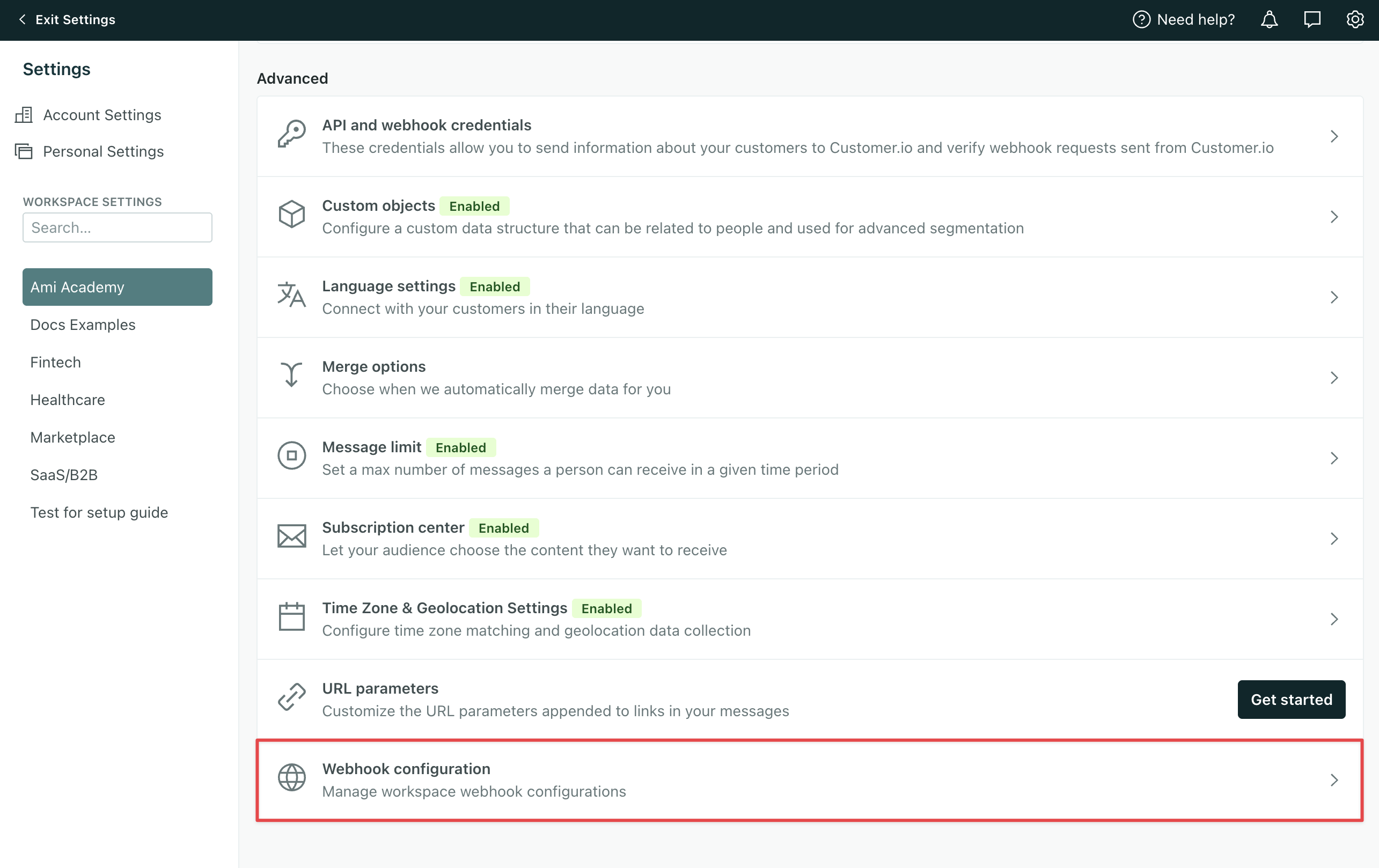
Configure webhooks once in Workspace Settings, and reuse them across campaigns and broadcasts—without exposing API credentials to your whole team.
Why it matters:
- Less repetitive work & fewer errors. Define your webhook URL, headers, and auth details once, and reference them in any campaign.
- Updates at scale. When an API endpoint or auth header changes, update the configuration in one place and all referencing campaigns pick up the change automatically.
- Tighter security. Team members can select pre-configured webhooks without ever seeing sensitive data like API keys, auth tokens, or headers.
Only Account and Workspace admins can configure reusable webhooks.
Go to the docsWait to send messages until objects and relationships meet conditions
Messaging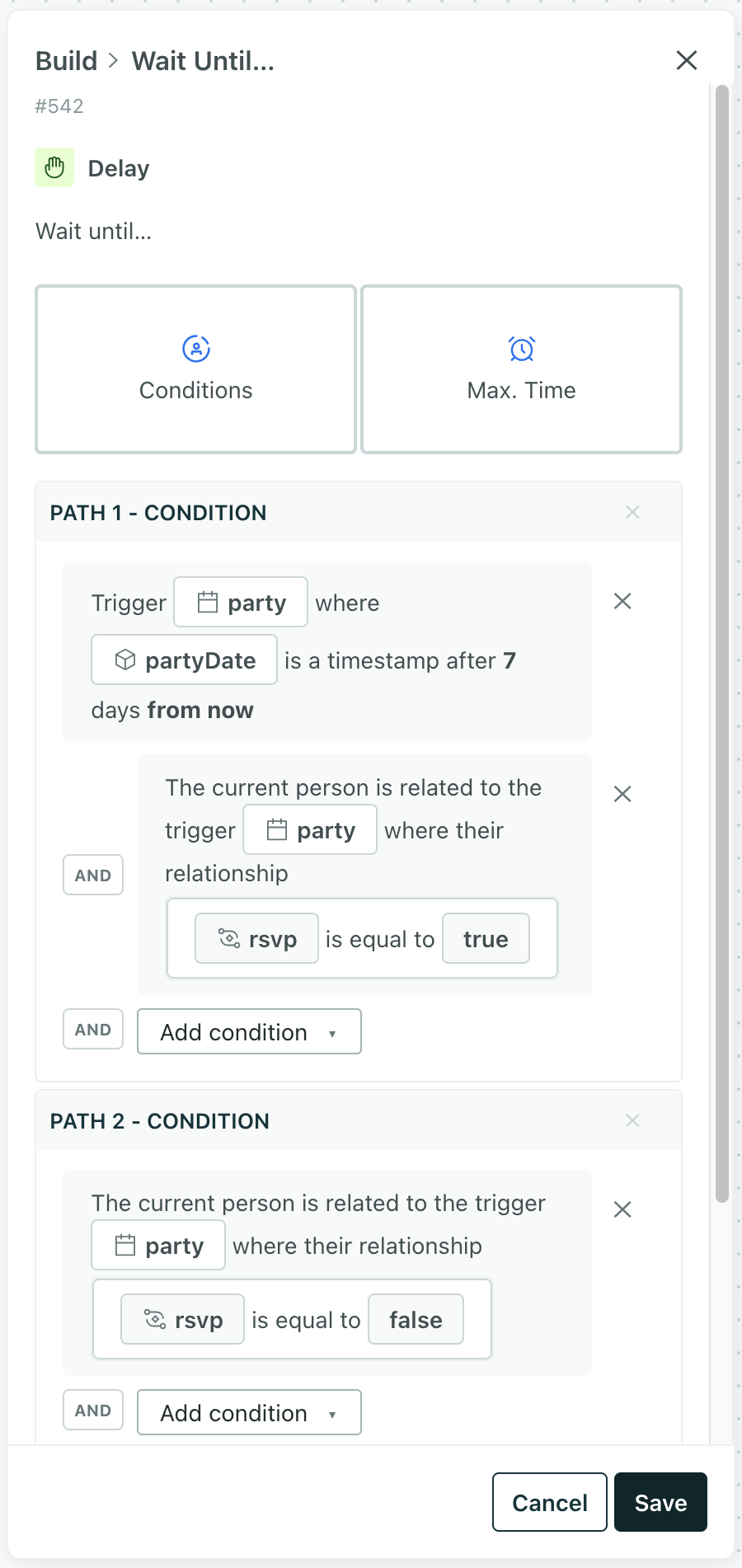
You can now use Wait Until to hold a journey until a condition on the object—or a relationship to the object—that triggered a campaign is true. This makes it easy to align messages and other workflow actions to object states or times for things like orders, subscriptions, appointments, and more.
Read more
It’s easier to get help with Customer.io
Ui improvements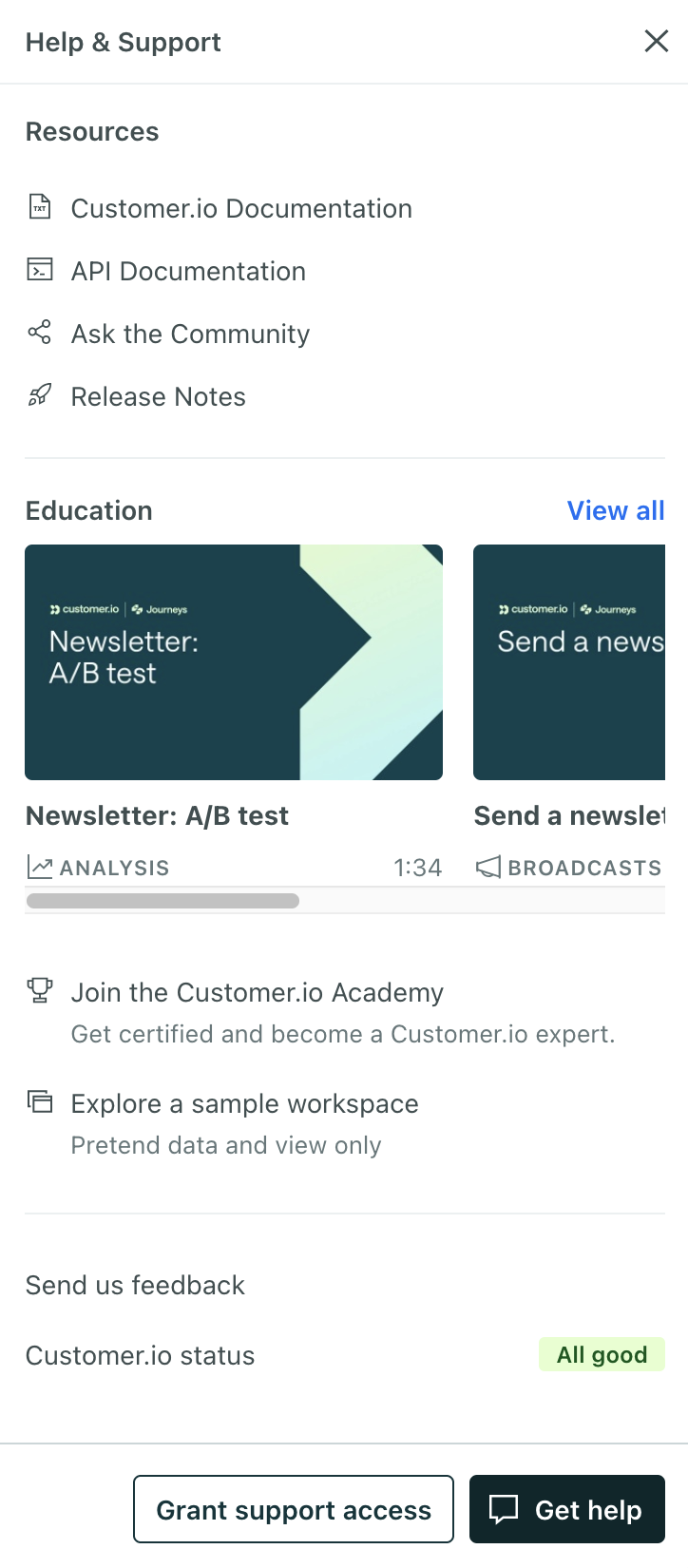
We’ve redesigned the Help & Support sidebar to make it easier to find resources and get help when you need it!
- Help & Support now available everywhere: The Need Help? option was missing on some pages. Now it’s available on every page.
- Simplified support form: We’ve made the Get Help form easier to find and use—now it’s a single screen rather than four separate pages. You can even generate the form’s subject line with AI!
- Featured videos: We’ve added videos to help you learn more about Customer.io.
- Better organization: Resources, education, and support options are grouped into clear categories.
- Improved support access: You can now set the duration of support access to your workspace (3-180 days), and we’ll show you the exact date that support access expires.
Introducing journey attributes: an easier way to use webhook data
Automation Messaging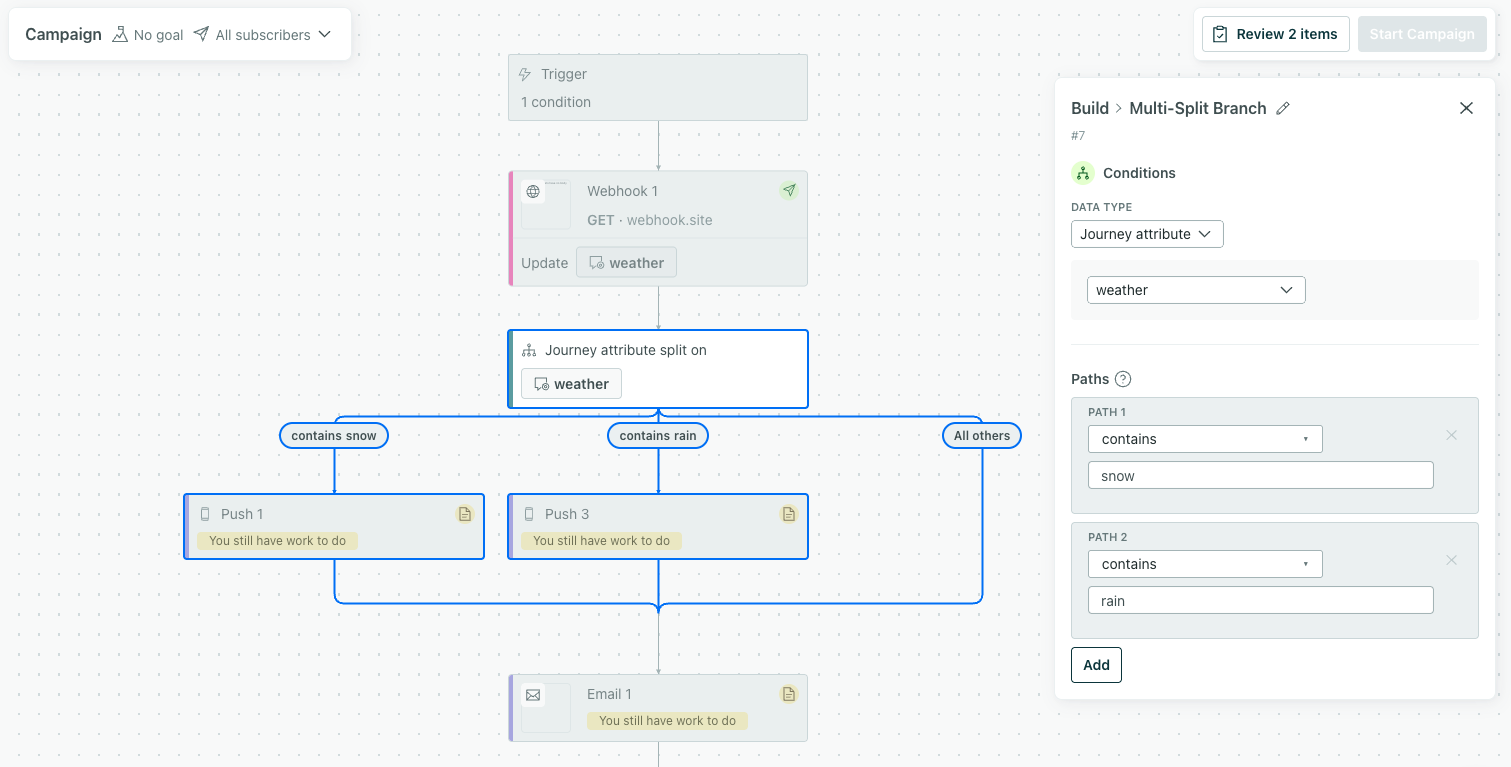
You can temporarily store data from a webhook on journey attributes, which expire at the end of a person’s journey. Journey attributes are available throughout your workflow: you can reference them in messages, create branch conditions, and more!
This means you no longer have to store webhook data important to a person’s journey on their profile, which doesn’t expire and could clutter up your workspace.
Go to the docsAnswer ‘who did what when’ with Audit Logs
Admin billing Ui improvements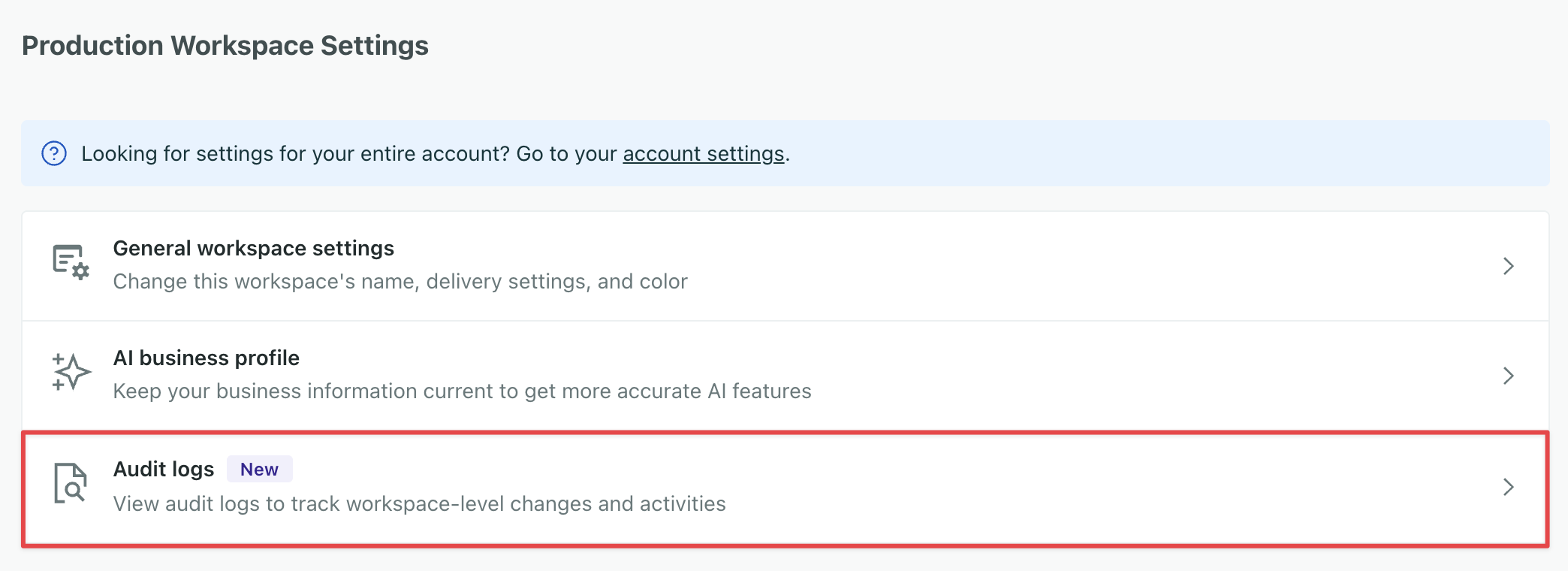
Our new Audit Logs give you visibility into team actions across campaigns, integrations, data exports, and security events so you can debug production incidents faster, meet compliance requirements, and maintain accountability across your team. Now you can see who makes changes to messages, campaigns, and other data in your account.
You must be an Account Admin to access Audit Logs.
Go to the docsIn-app display and position settings moved
Ui improvements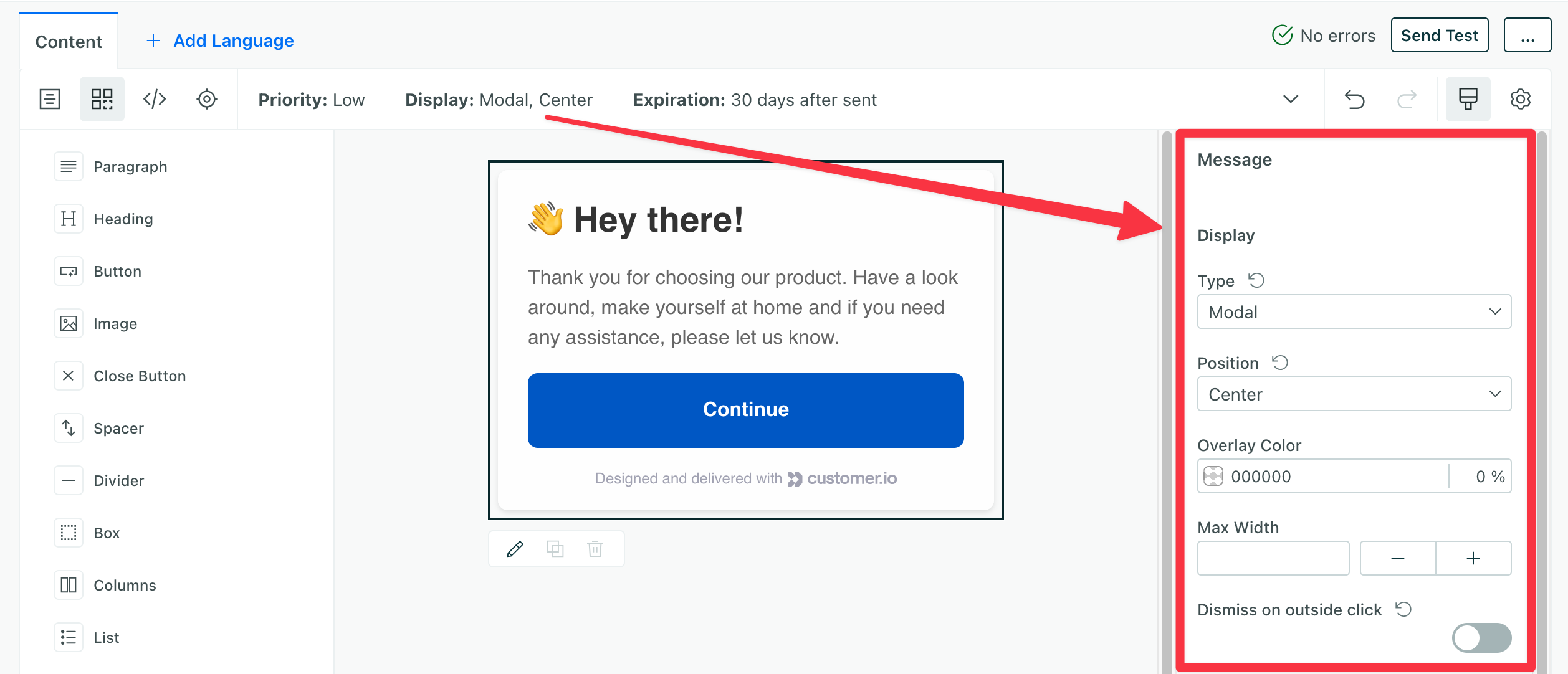
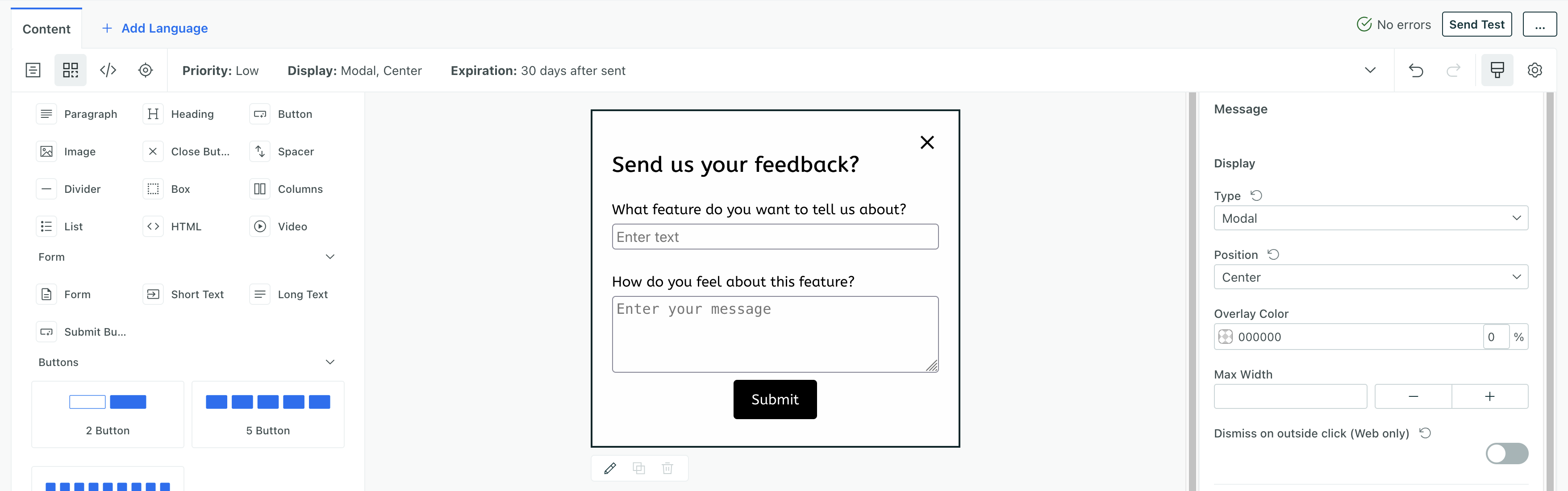
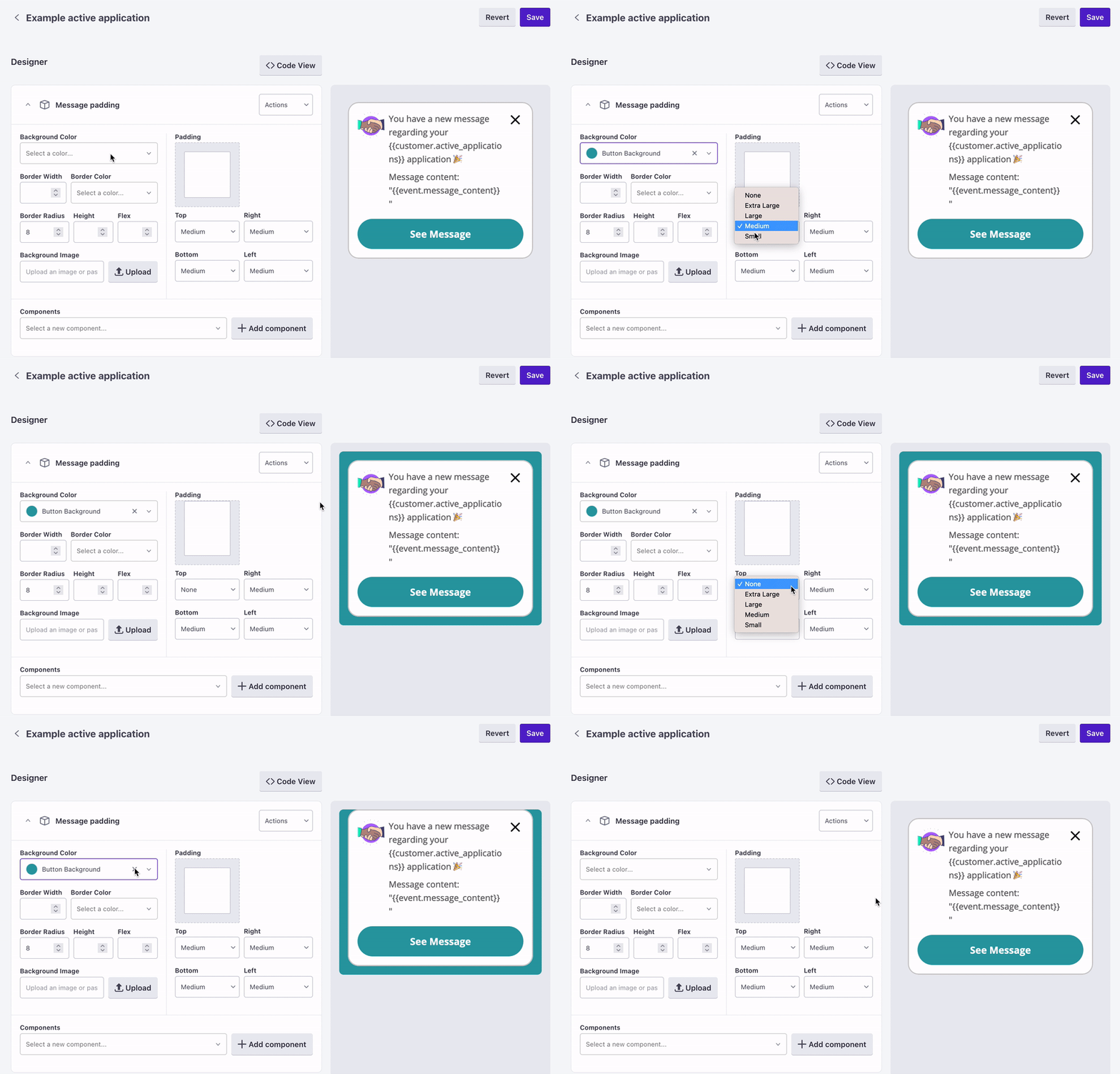
We’re moved the display and position settings from the message envelope to the right sidebar when you select the background of your message. This lets you change these settings for each step in a message, and is our first change in supporting complex in-app message flows like product tours.
Go to the docsSet push priority in the push composer
Mobile sdk Ui improvements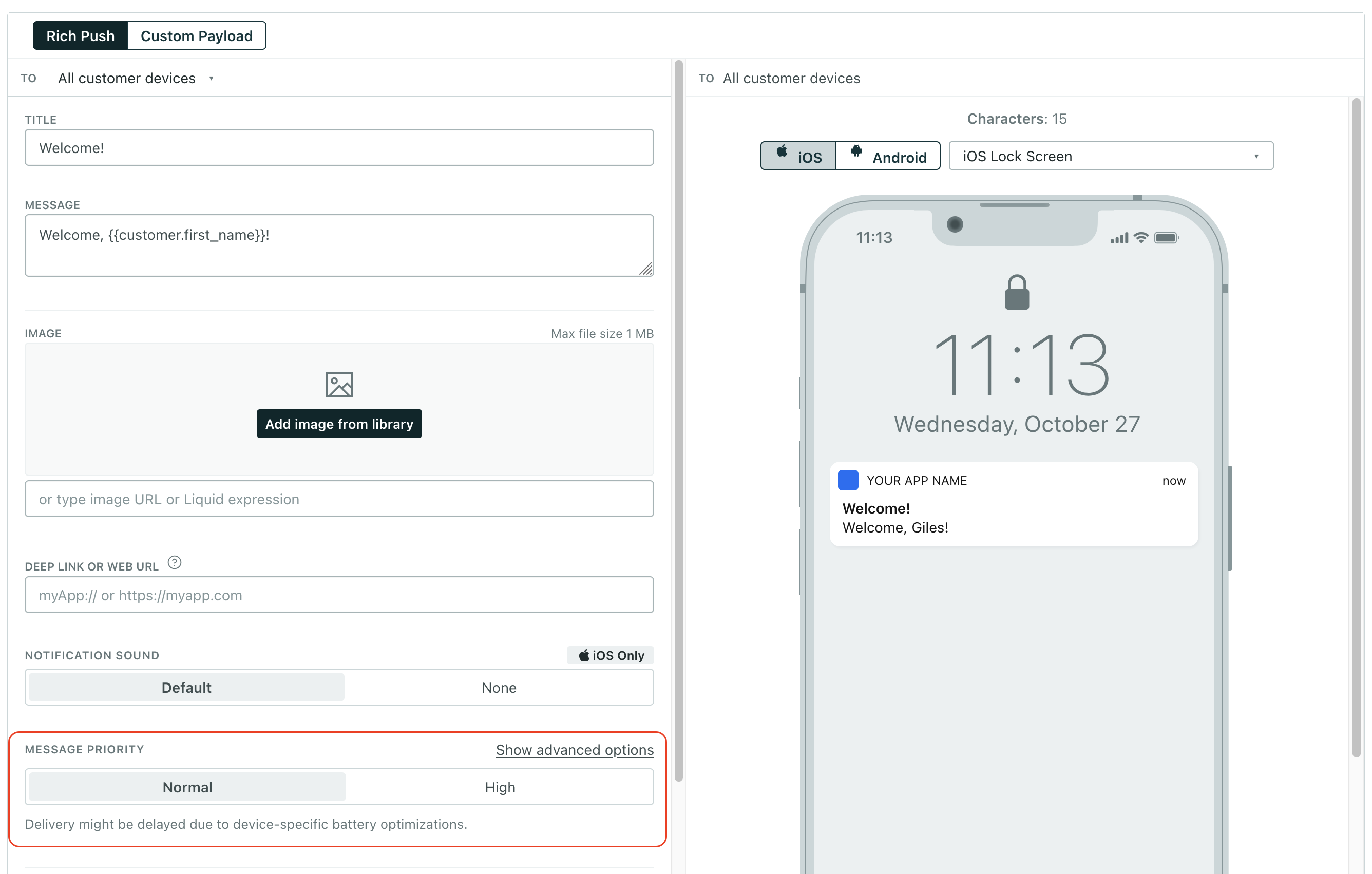
You no longer need to generate custom push payloads to control message priority. Now you can set message priority for push notifications in the push composer. This update helps you balance message delivery speed with battery optimization on recipient devices and does not require you to update your SDKs. It just works out of the box!
Under normal priority, Android devices in standby mode might not wake up long enough to send delivery metrics back to Customer.io, so you might not see messages as delivered until your users open your app. Setting High priority tells the recipient’s device to wake up to properly report delivery metrics!
Go to the docsRemember the way you last logged in
Ui improvements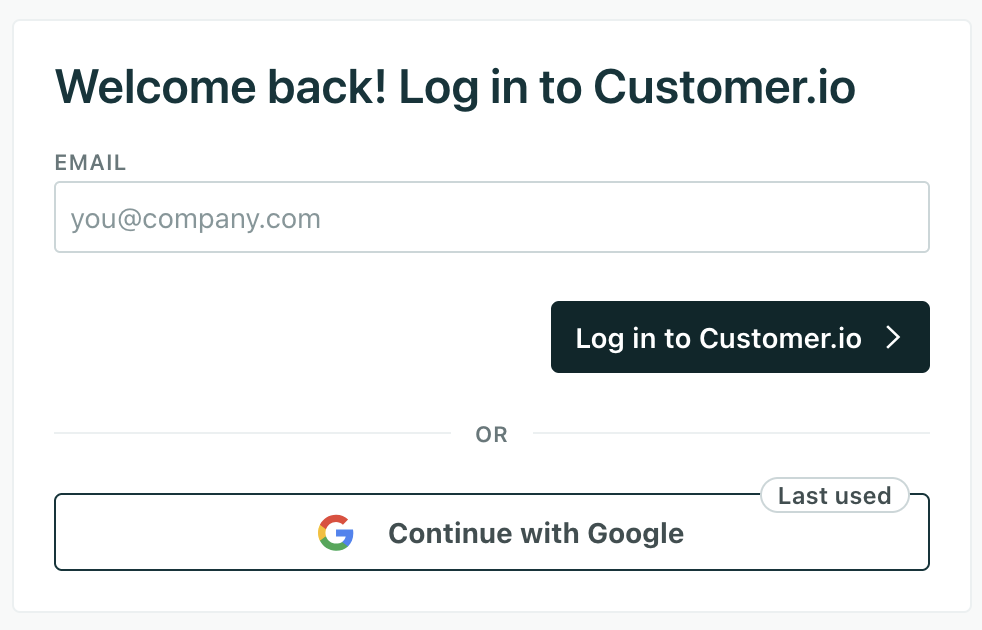
No more guessing which login method to use when you log out or your session expires: we now show a Last used badge on the login option you used most recently, so it’s easy for you to get back into Customer.io!
Manage access to your workspace with custom roles
Admin billing Ui improvements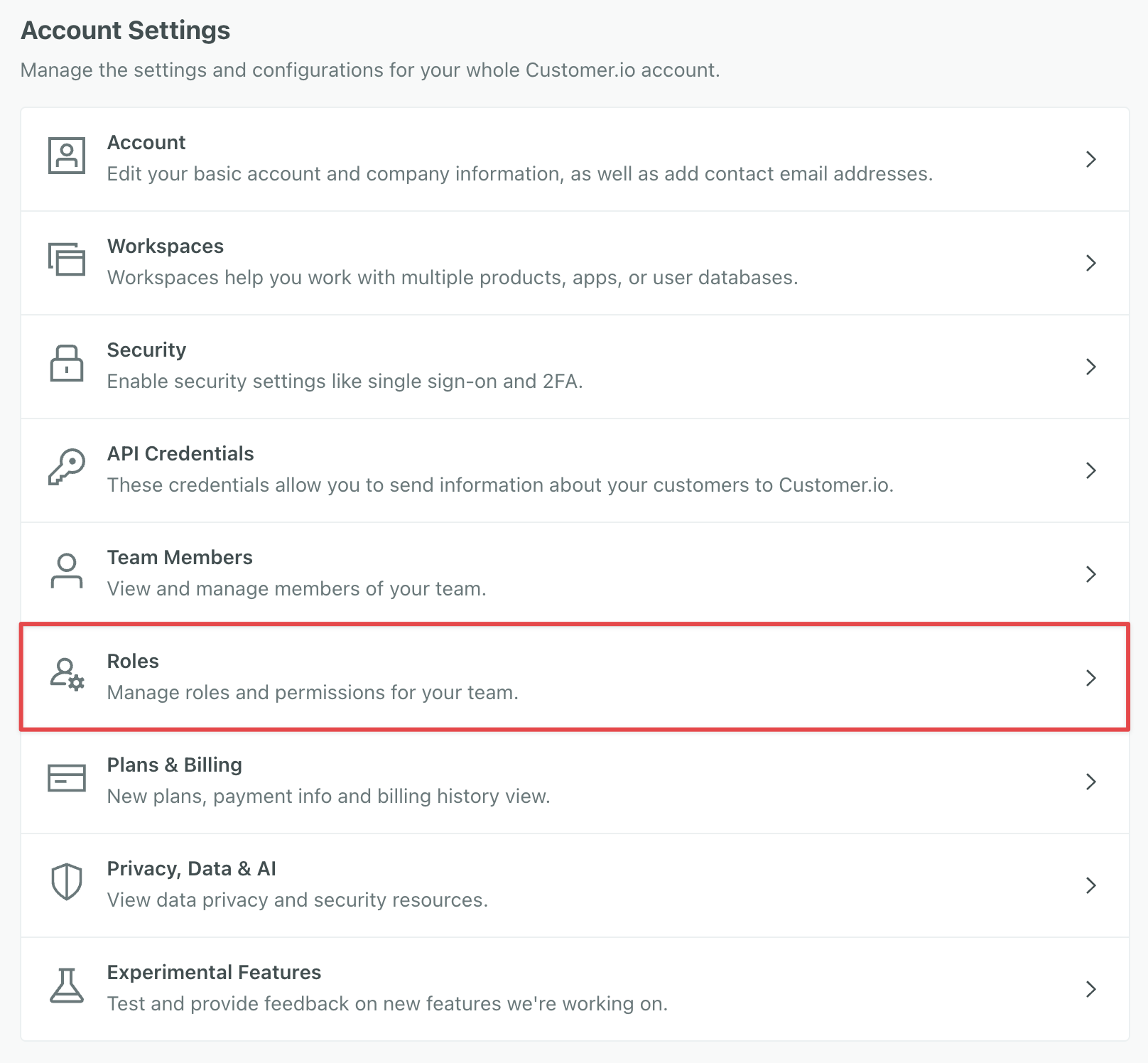
If you’re on a Premium or Enterprise plan, you can now customize roles to ensure secure, tailored access to your workspace.
Create roles in Account Settings to give external partners, developers, or marketers just the access they need, nothing more.
You must be an Account Admin to create and assign custom roles.
Go to the docsThrottle webhook actions with random delays
Automation Ui improvements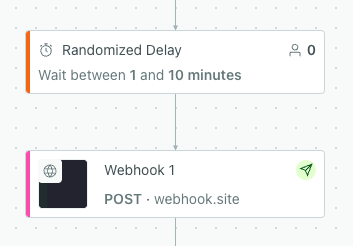
You can now hold people in randomized delays in campaigns. This can help you avoid overloading API endpoints with webhook requests.
This can help you greatly simplify workflows if you’ve added branches with a variety of time delays to achieve the same effect.
Go to the docsAdd notes to workflow items
Ui improvements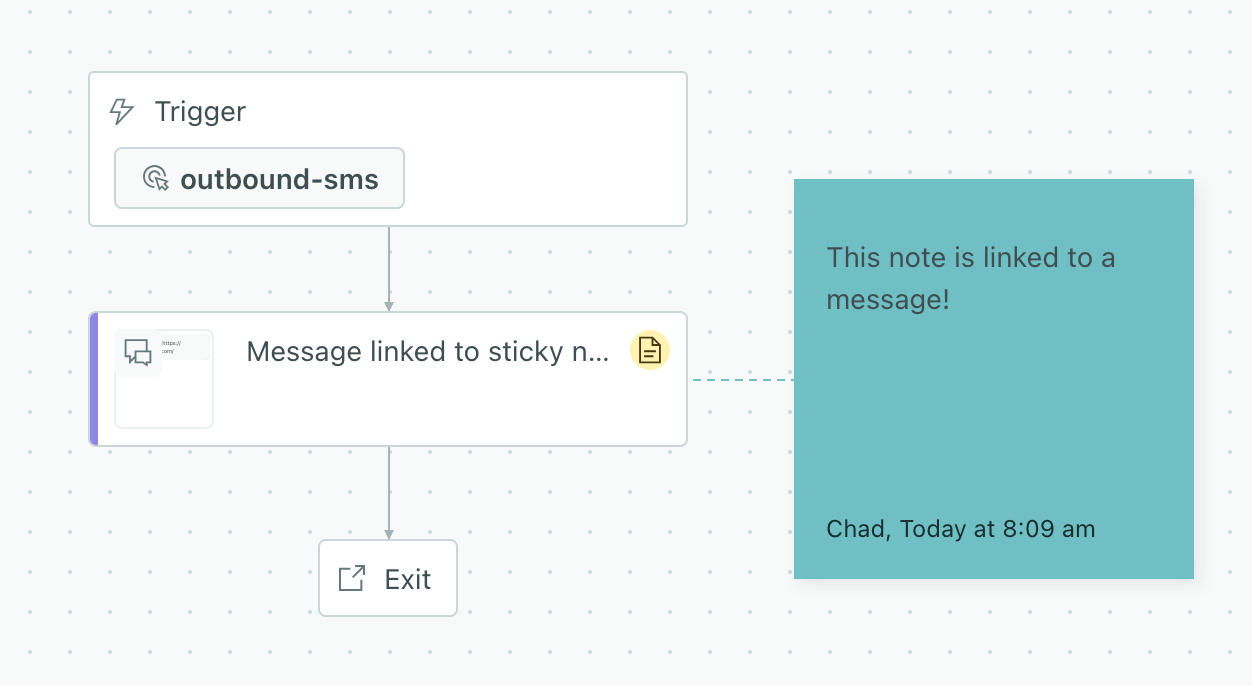
Sticky notes got even stickier! Now you can attach notes to actions in workflows. When you move things around your workflow, your notes move with them. This makes it easy to document campaigns and broadcasts for your fellow team members and ensures that your important notes don’t get lost in the shuffle when you work on workflows.
To link sticky notes to workflow items: Click the icon on the note and drag it to the workflow item you want to attach it to.
Go to the docsGet details about segments and campaigns with AI
AiOur AI Assistant and MCP server can now fetch detailed conditions for segments, campaigns, and templates, helping you better understand segment conditions and analyze campaign performance.
You can ask our assistant about:
- Segment conditions: “When do people enter my Onboarding segment?”
- Campaign performance: “What’s the click-to-open rate for my Onboarding campaign and how does that compare to my Welcome campaign?”
- Email template/content analysis: “Are there any issues with my email template that might affect performance with my audience?”
You can combine these things as well. For example, you might request information about a campaign and then ask the assistant to analyze the emails in the campaign for issues that might affect performance or deliverability.
Go to the docsRandom cohorts by account, company, or other objects
Messaging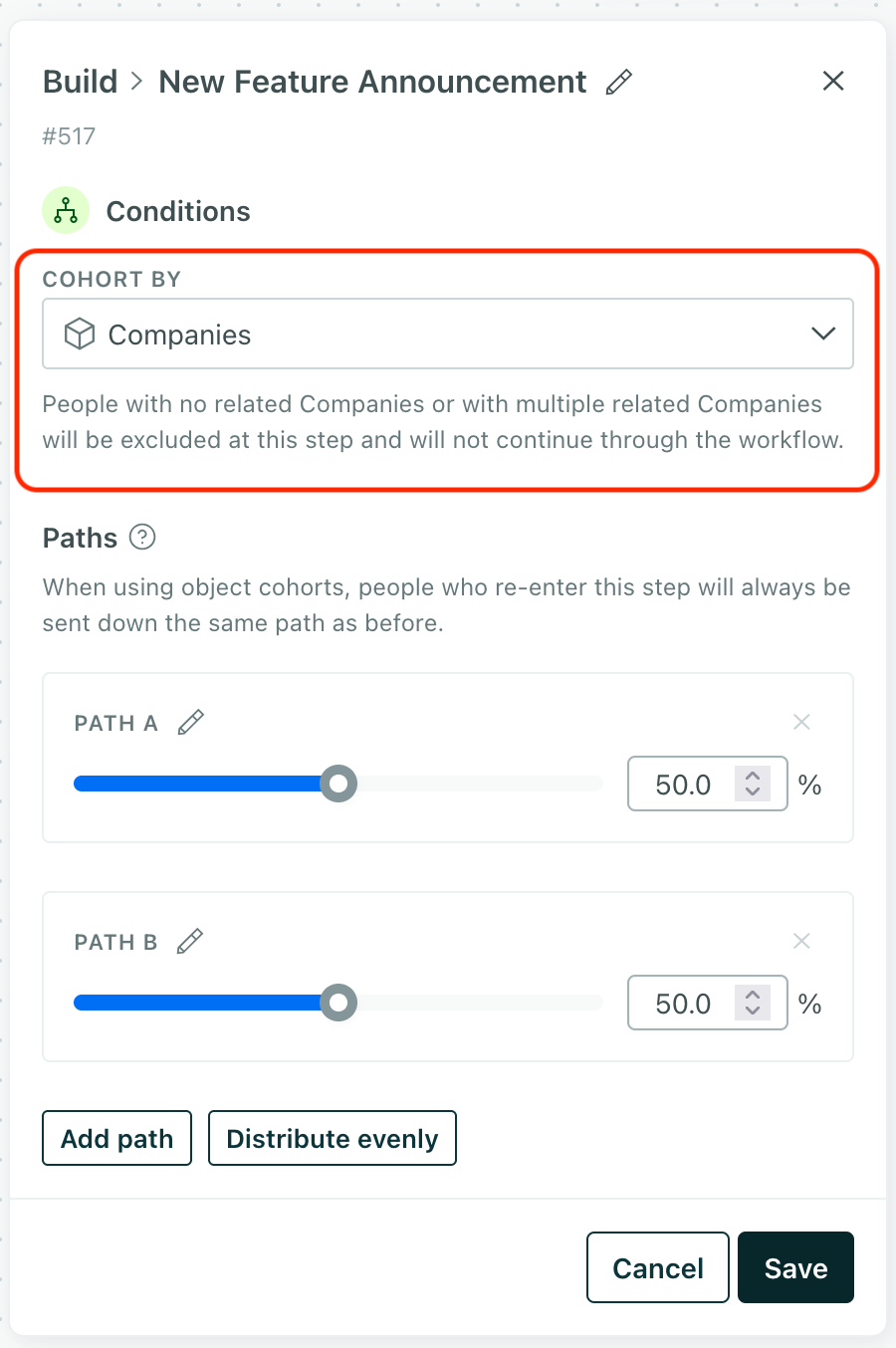
Our Random Cohort feature lets you test different messages or actions in a campaign by randomly distributing people down different paths. But this could result in different experiences for people related to the same account, company, or other object, which might your audience. Now, you can use the Cohort by setting so everybody in the same account, company, or other group gets the same campaign experience.
Go to the docsGet recommended send times for your messages
Ai Messaging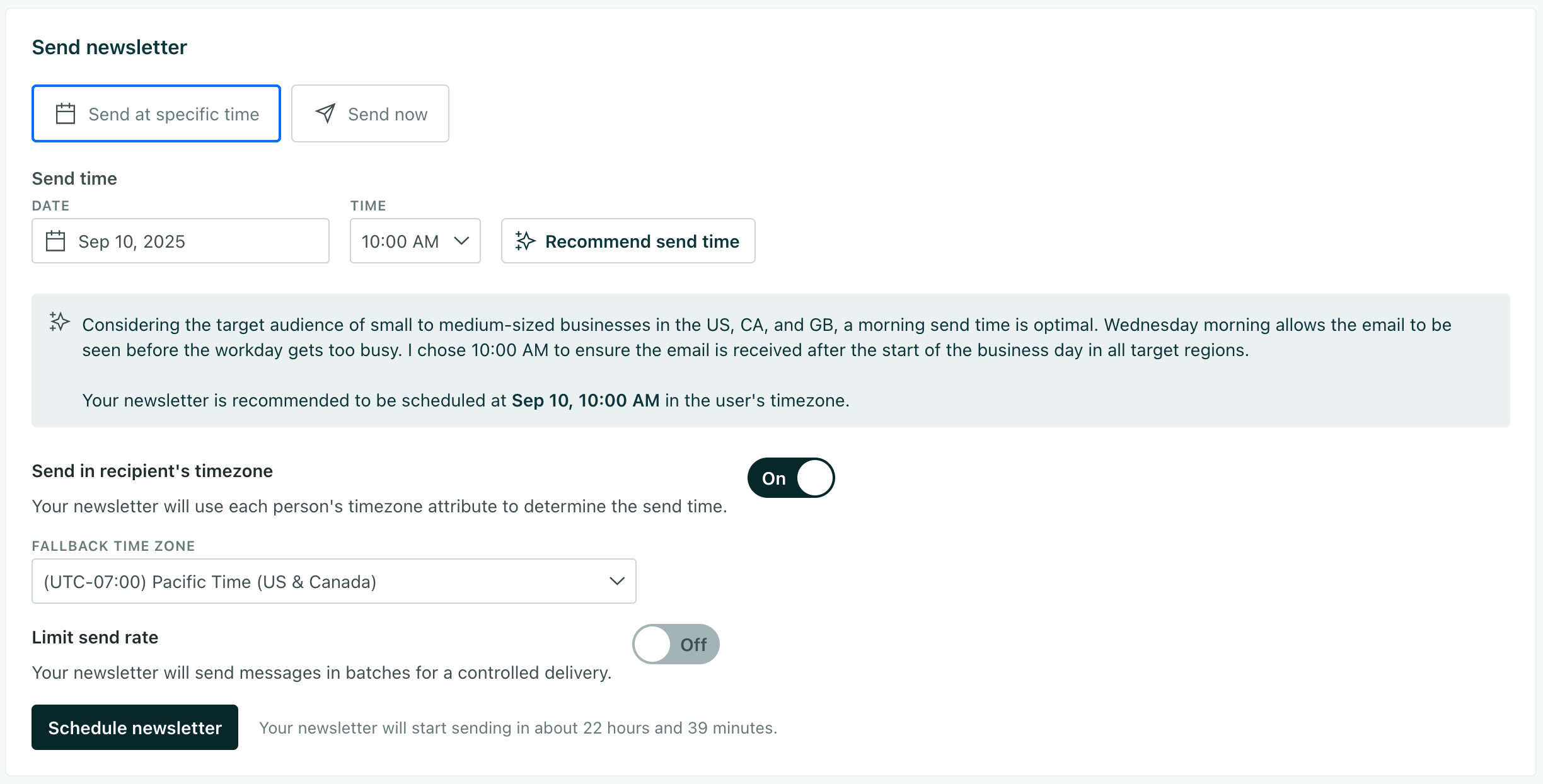
Our Recommended Send Time feature uses AI to help you schedule messages at the best times for your audience based on the content of your message and your audience’s time zones. You can use our recommendations engage your audience at the right times.
This feature works great with our other new feature: Automatic Geolocation Data Collection. This helps you gather your audience’s time zone data, which you can use to produce better send time recommendations!
Go to the docsAutomatically collect geolocation and time zone data for your audience
Data integrations MessagingOur new Automatic Geolocation Data Collection feature captures geolocation and time zone data for people based on their IP addresses when you identify them. This data makes it easy to segment your audience by location and send messages at the right times for each member of your audience using our recommended send time feature and time zone match features.
Our JavaScript client and mobile SDKs automatically capture IP addresses for you, making geolocation easy.
If you use our backend libraries (like our Node.JS or Go SDKs) or our Pipelines API, you’ll need to:
- Go to your integration’s Settings tab and turn on the Enable Geolocation setting.
- Capture the IP address yourself and pass it in the
context.ipfield in youridentifyrequests.
This setting is on by default for workspaces in our US data center and off by default for workspaces in our EU data center. If you’re in the EU data center, you’ll need to enable it under Workspace Settings > Time Zone & Geolocation Settings.
Go to the docsFilter incoming Salesforce data
Data integrations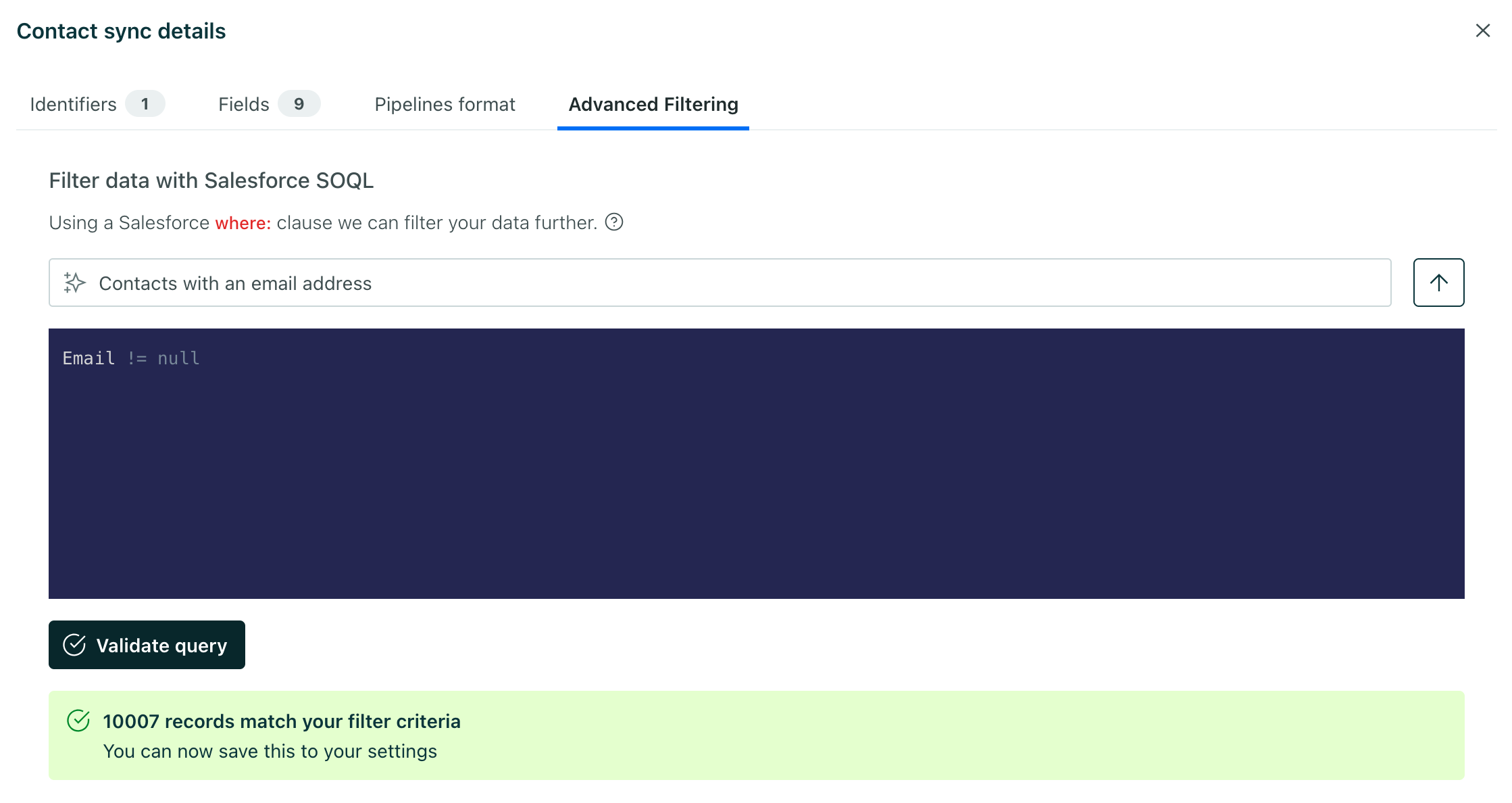
You can now filter incoming Salesforce data to only bring in the data you need to use in Customer.io. In the past, if you didn’t want to use all of your Salesforce contacts, accounts, and other data types in Customer.io, you had to bring all of that data into Customer.io and clean it up later. This helps you avoid sending unnecessary data into Customer.io so you can focus on the data you really want to use.
While Salesforce filters typically require a SQL syntax, we’ve included a handy AI box, where you can describe the data you want to bring into Customer.io and we’ll generate a filter for you.
Go to the docsUpload images as context for the Assistant
AiThe Assistant can parse information in your images and answer questions about them. This can help you get more useful responses over the course of your conversation.
Here are some examples of how you could use this feature:
- Upload an image for your emails and request the Assistant generate alt text.
- Upload charts from a third-party analytics tool and request it come up with recommendations based on the data.
Collections have moved to Configure data
Ui improvements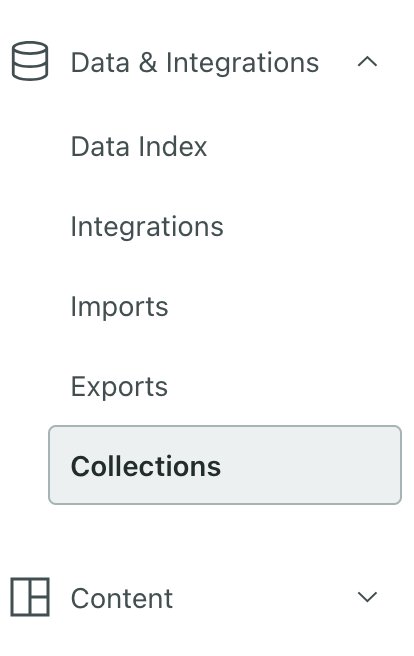
If you use collections, you’re probably used to finding them in the Content menu. We’ve moved them—under Configure data, click More > Collections. They’re much more like data you use programmatically than your typical message content, layouts, image assets, and so on. Don’t worry: we haven’t changed anything besides moving Collections to a friendlier location in our menu.
If you haven’t used collections before, now’s a great time to start! Collections let you store data that you want to use in campaigns but isn’t necessarily associated with people or objectsAn object is a non-person entity that you can associate with one or more people—like a company, account, or online course.. These could be things like available promotions/coupons or upcoming events your audience might be interested in.
Go to the docsAnonymous in-app messages for mobile apps
Mobile sdkHistorically you’ve had to identify someone in your app before you could send them messages—they had to log in or provide their email address. But now you can send in-app messages to anonymous users in your app, and provide offers that entice users to sign up or sign in.
You can even use inline content to populate your app for users who haven’t signed up or logged in. This helps you show default content to people who use your app but aren’t identified yet.
Update to one of the following versions of our SDKs to get started. You don’t have to make any changes to your app code—just update the SDK.
| SDK | Minimum required version for anonymous in-app messages |
|---|---|
| iOS | 3.14 |
| Android | 4.12 |
| React Native | 4.11 |
| Flutter | 2.9 |
| Expo | 2.8 |
Simplified link tracking setup
MessagingIn the past, if you wanted to securely track links, you had to set up your own SSL certificate and proxy through a service like Cloudflare or tool like NGINX. Now, we’ll do all of that for you, making it easy to set up link tracking just like you’d set up an email sending domain.
Go to the docsRetrieve metrics with the Assistant
AiWe’ve upgraded the Assistant so it can answer high-level questions about your campaign and broadcast metrics! You can also retrieve metrics through our MCP server.
Ask it questions like “Which campaign had the lowest deliverability this month?” or “What’s the average click-to-open rate for my campaigns?” and it will search our docs and your workspace to give you a relevant answer.
Click at the top of your workspace to get started!
Go to the docsCapture leads from anonymous messages
Messaging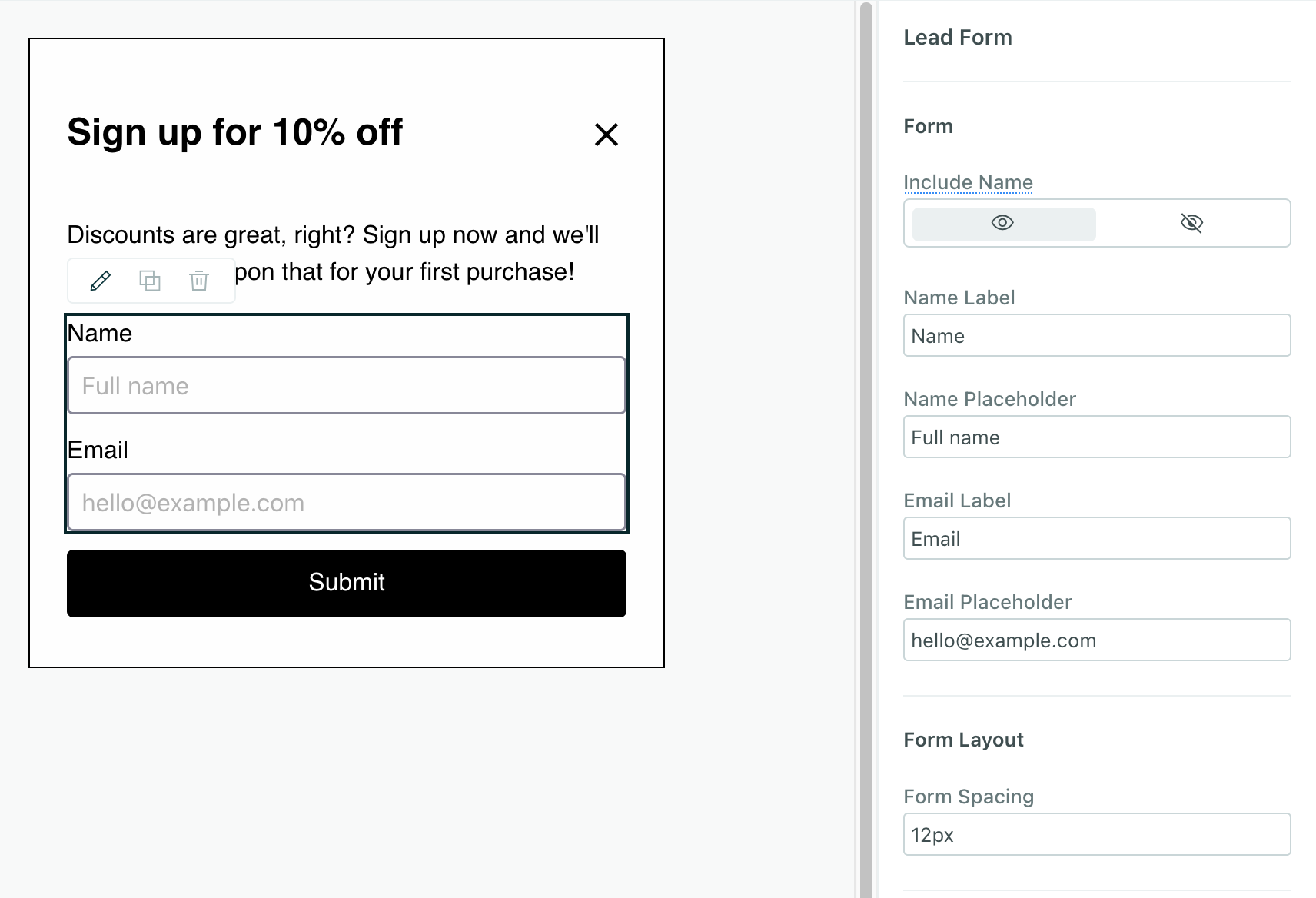
We’ve added a drag-and-drop Lead Form component for anonymous messages so you can collect names and emails of anonymous visitors and convert them into identified users.
This is our first release of a component that captures form data like this, but we’re working to expand support for more complex surveys and forms in the future.
Go to the docsTranslate messages with AI
Ai Messaging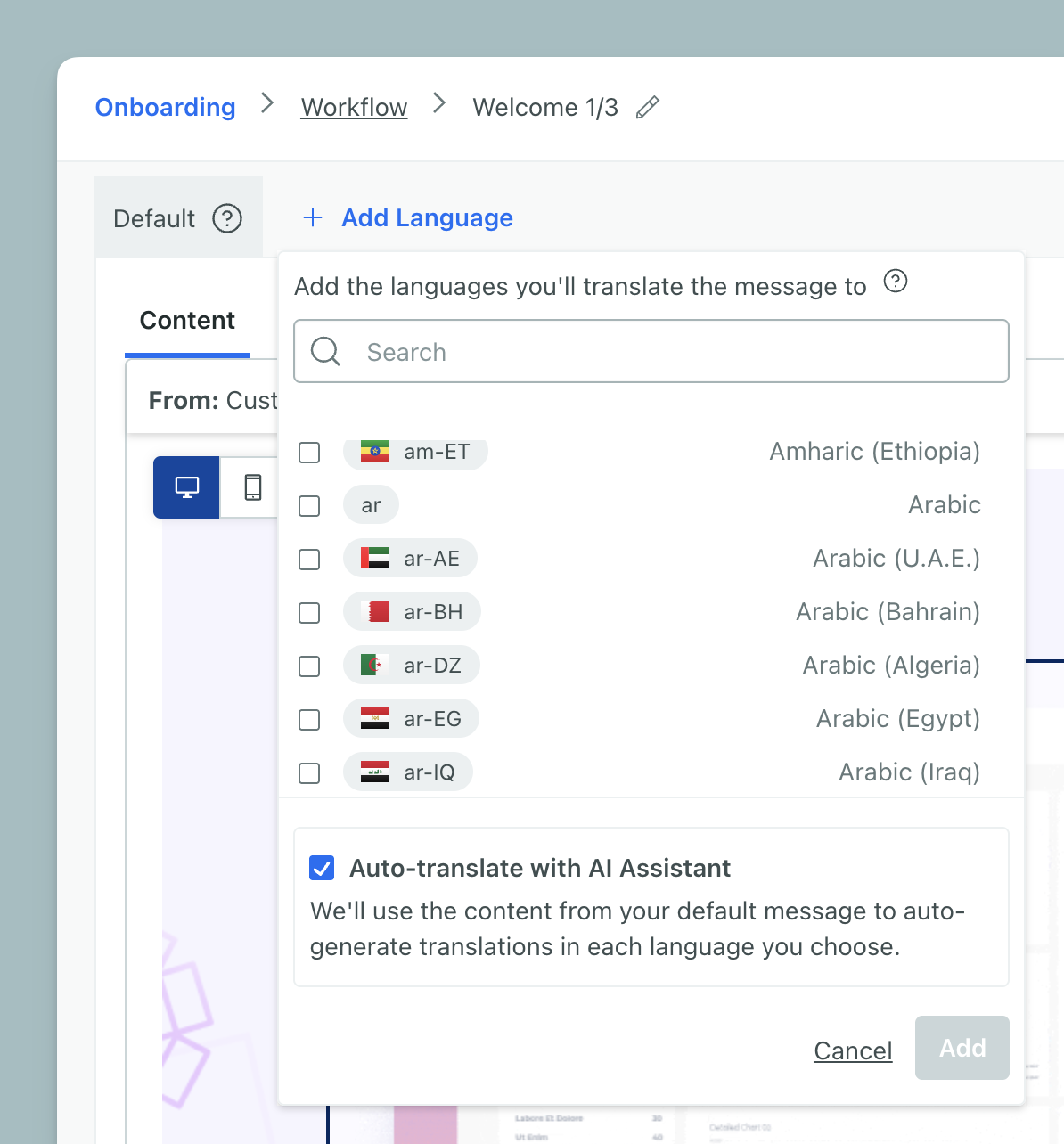
Translate messages across channels by leveraging AI. We automatically translate your message with AI unless you clear the Auto-translate option when selecting locales. Remember that AI can make mistakes; make sure someone who knows the language reviews the translation.
You can auto-translate across all message channels, but it’s not yet available for emails made in Design Studio.
Not seeing this option? Check that Customer.io AI is enabled in AI settings.
Go to the docsAI-powered email content analysis
Ai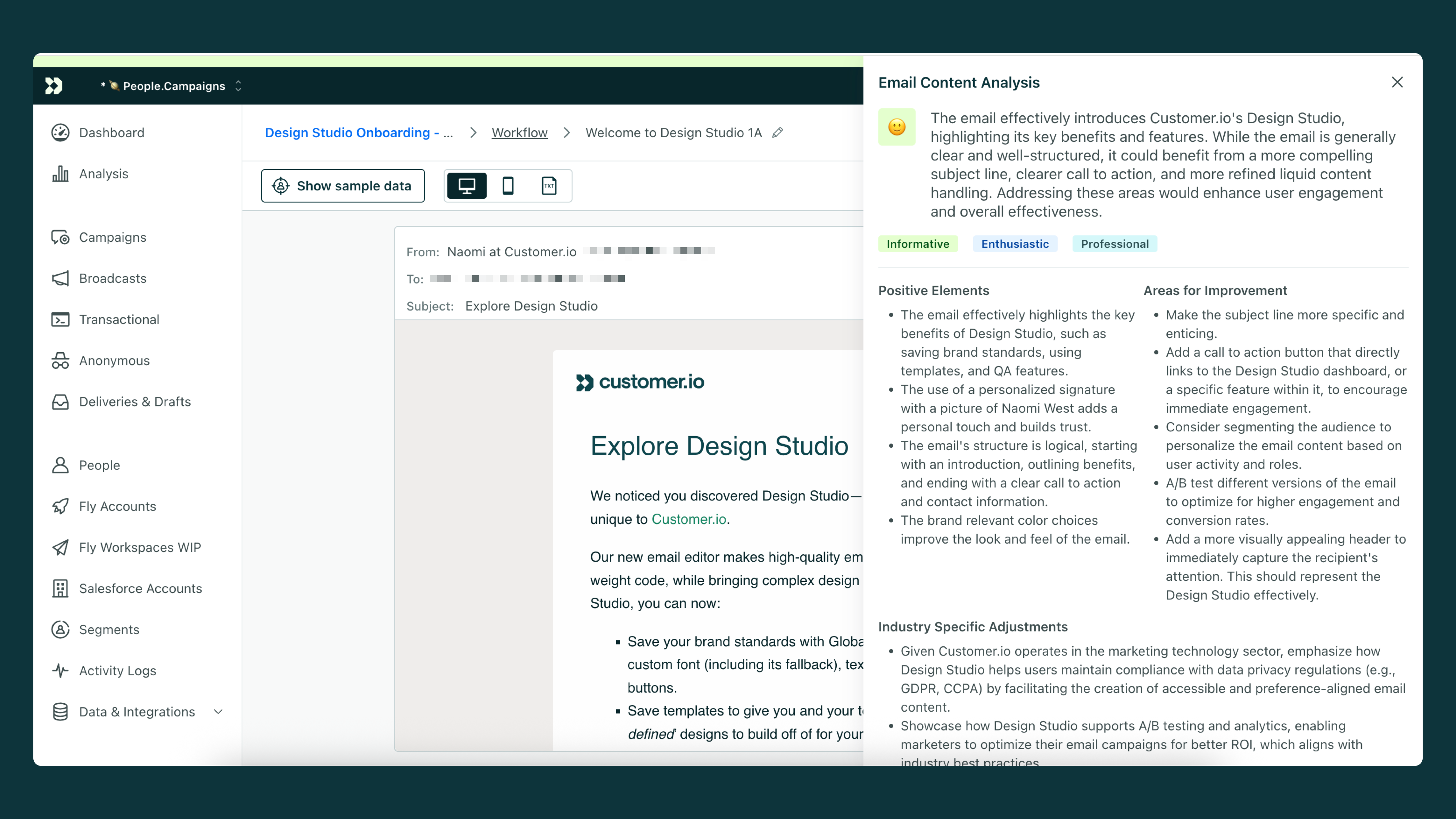
Analyze your content to help you catch typos, improve tone, and strengthen your message before sending. While editing an email in a campaign, broadcast, or transactional message, click Analyze email content for feedback.
Go to the docsIntroducing your AI business context
Ai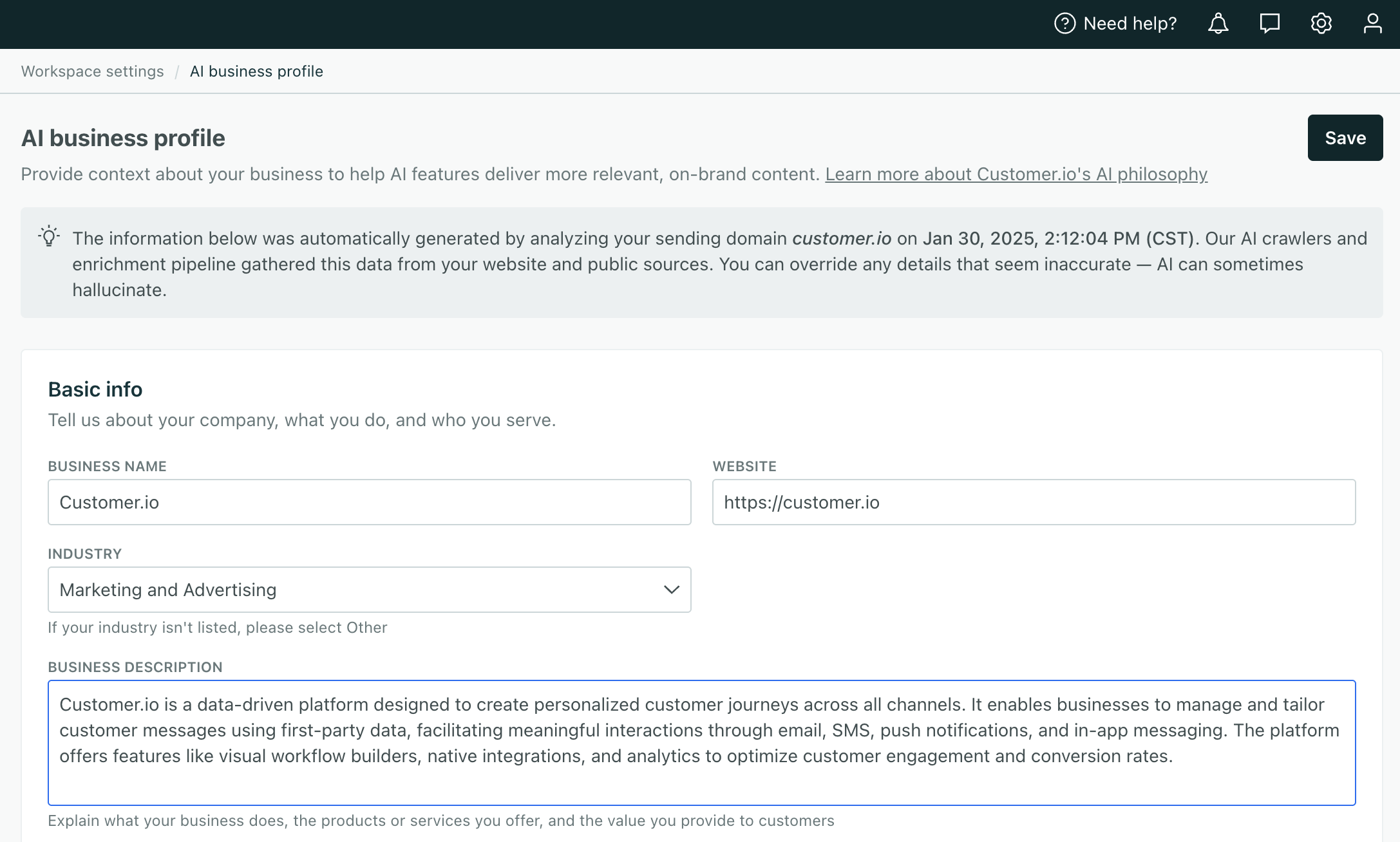
Providing context to our AI tools generates better results. By reviewing and updating the business context we auto-generate from your domain, you can ensure you’re getting the most out of Customer.io. Go to Workspace settings > AI business context to get started!
Go to the docsAsk our AI Assistant
Ai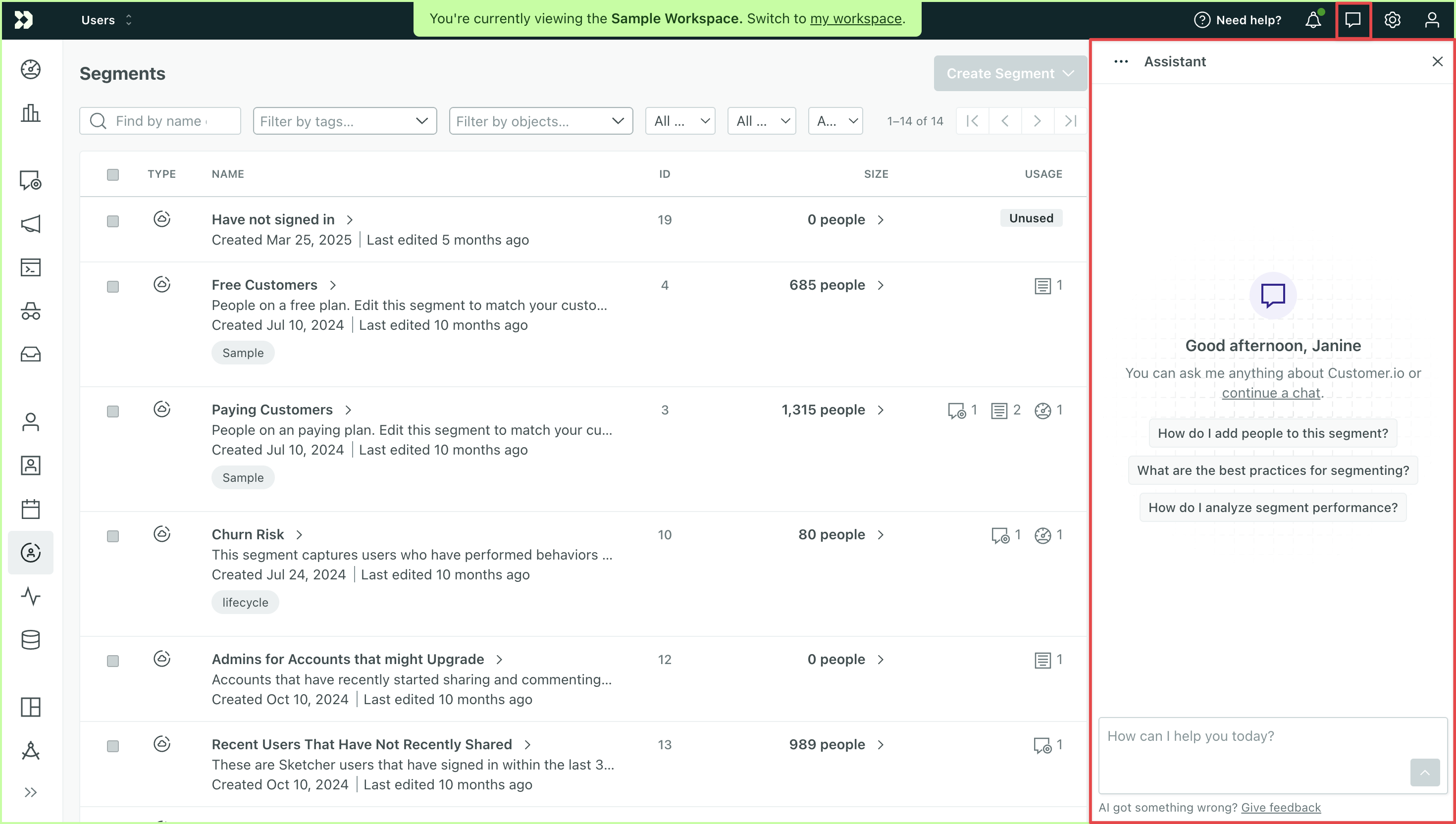
Ask the Assistant questions to learn about the platform and your workspace data.
You can also create segments from the Assistant. Describe your criteria, and it will build a segment you can use to trigger campaigns or group members of your audience.
At the top of your workspace, click the message bubble to get started. Make sure Customer.io AI is enabled in AI settings to access the full experience!
Go to the docsSchedule a start or stop time for campaigns
Automation Messaging Ui improvements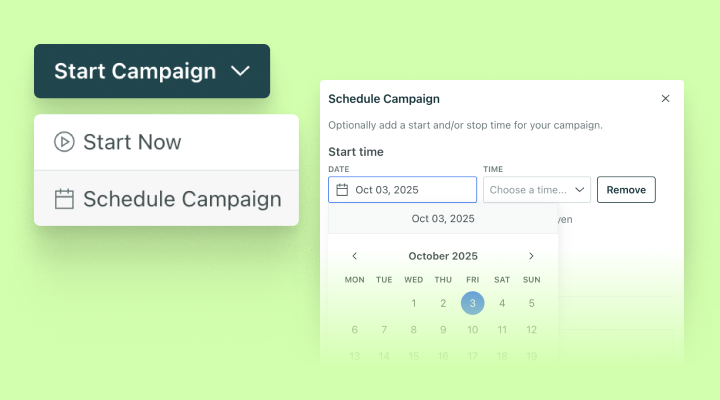
You can now schedule campaigns which eliminates the need for manual campaign activation and gives you the flexibility to plan and execute time-bound marketing initiatives, like limited-time offers or seasonal campaigns.
Any campaign with a scheduled start or stop time will show a label “Scheduled” alongside the status (Draft, Running, or Stopped).
Go to the docsRate limit newsletters sent in users’ timezones
Automation Messaging Ui improvementsYou can now schedule broadcasts to send in users’ timezones AND apply a rate limit. This helps ensure the best deliverability for your messages. Keep in mind, this could lead to some users receiving your message after the scheduled time.
Go to the docs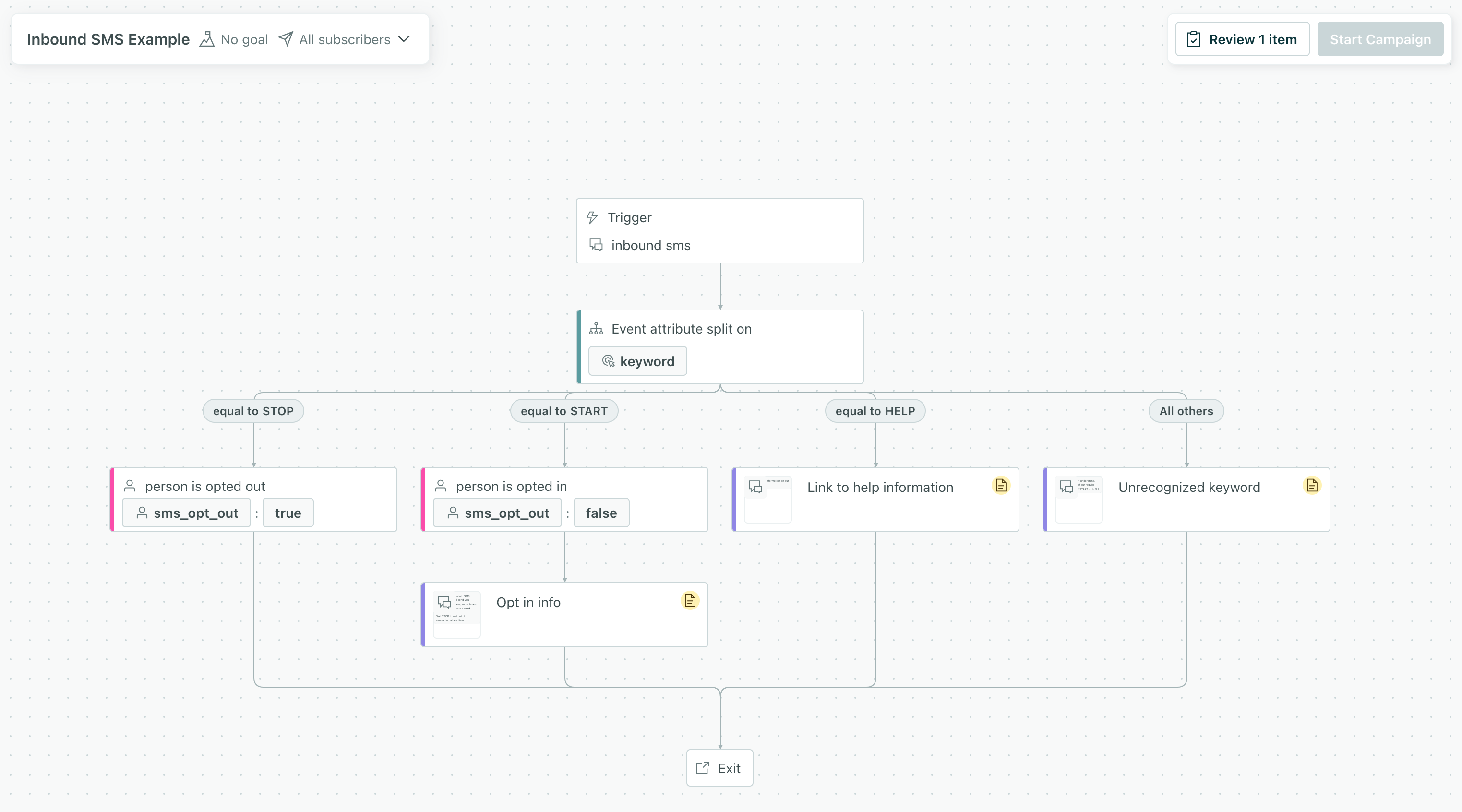
Generate descriptions for your data with AI
Ai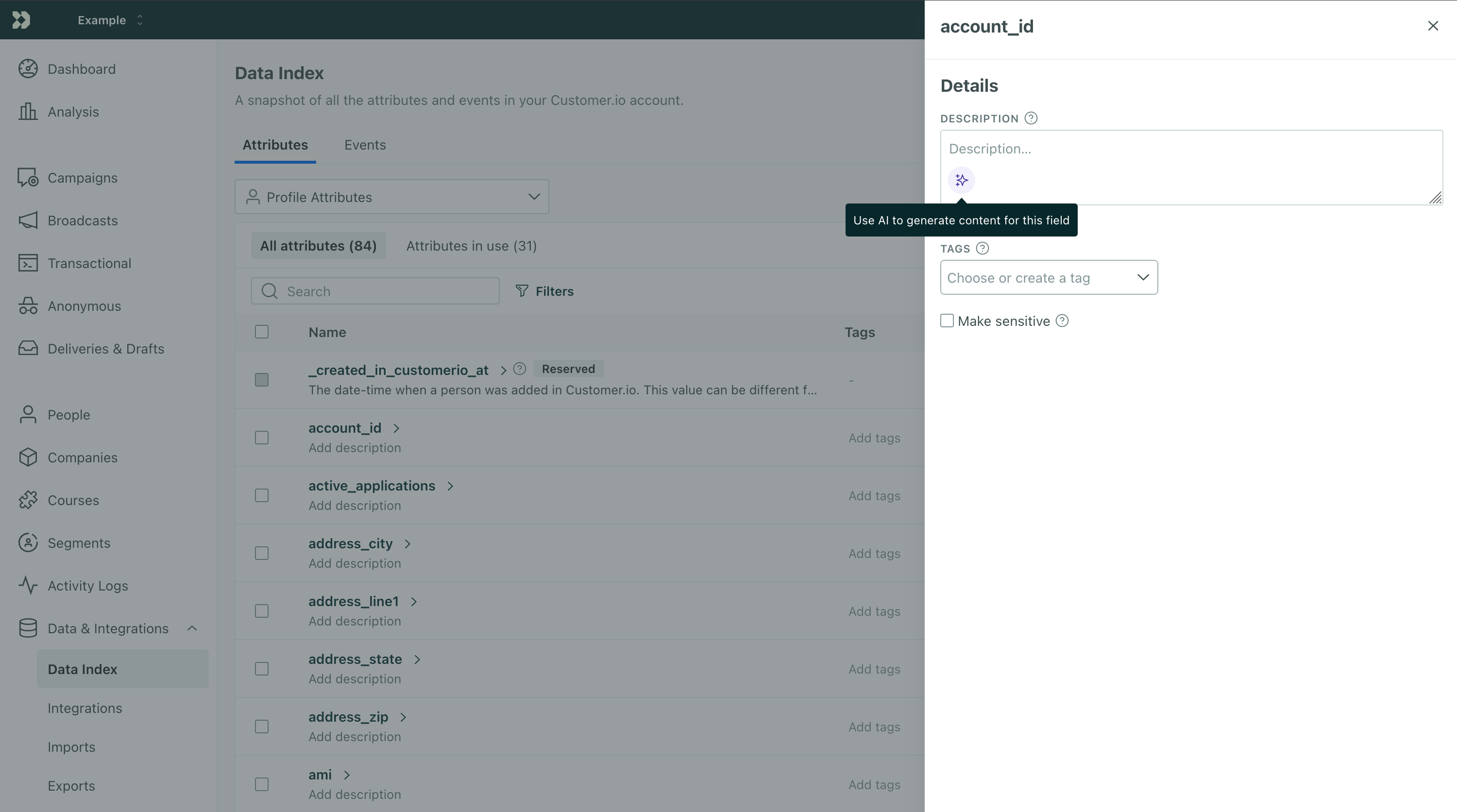
Our AI features often rely on the descriptions you provide for your data. These descriptions tell us about your attributes and events so we make accurate suggestions for things like segments. But describing all your data can be a lot of work. Now you can use AI to generate descriptions for your data!
Go to your Data Index, select an attribute or event, and click in the description field to generate a description.
Go to the docs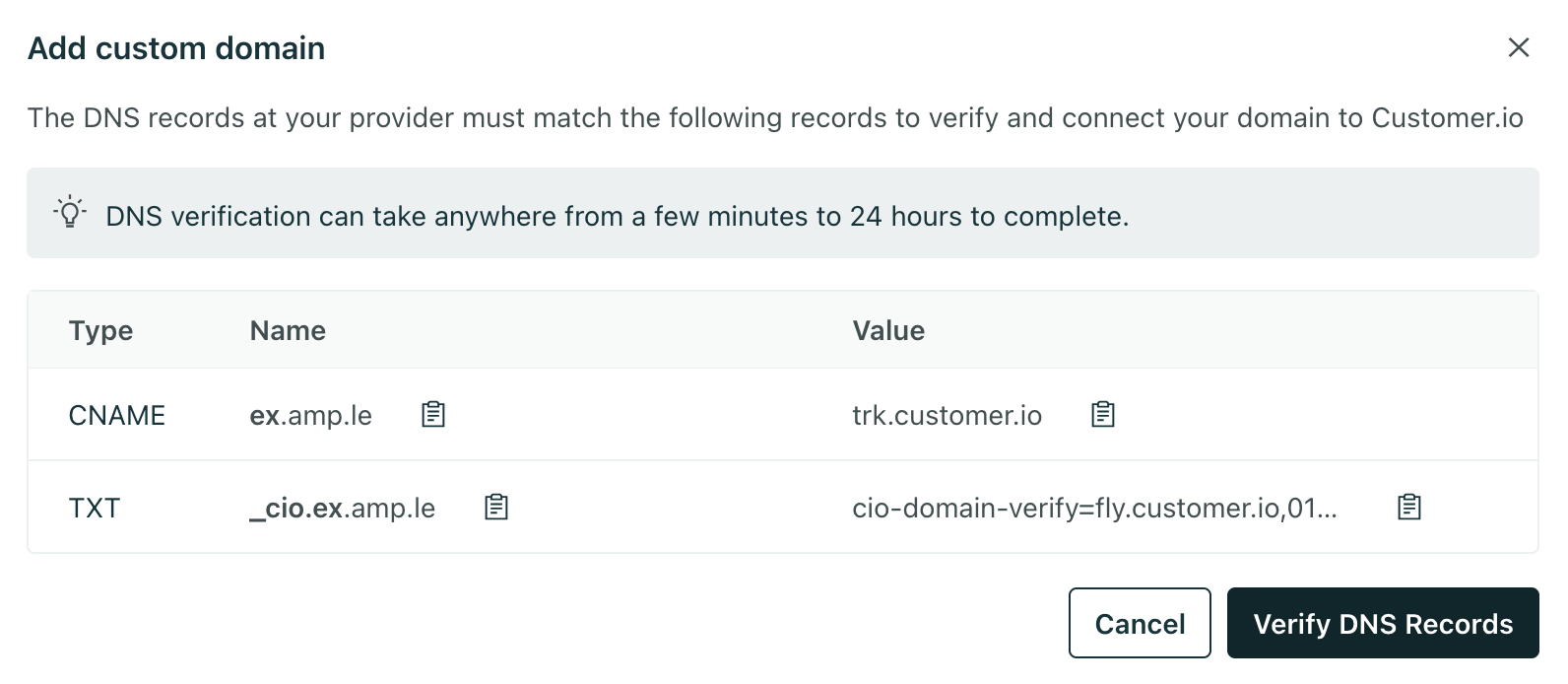
Sunsetting the legacy in-app editor
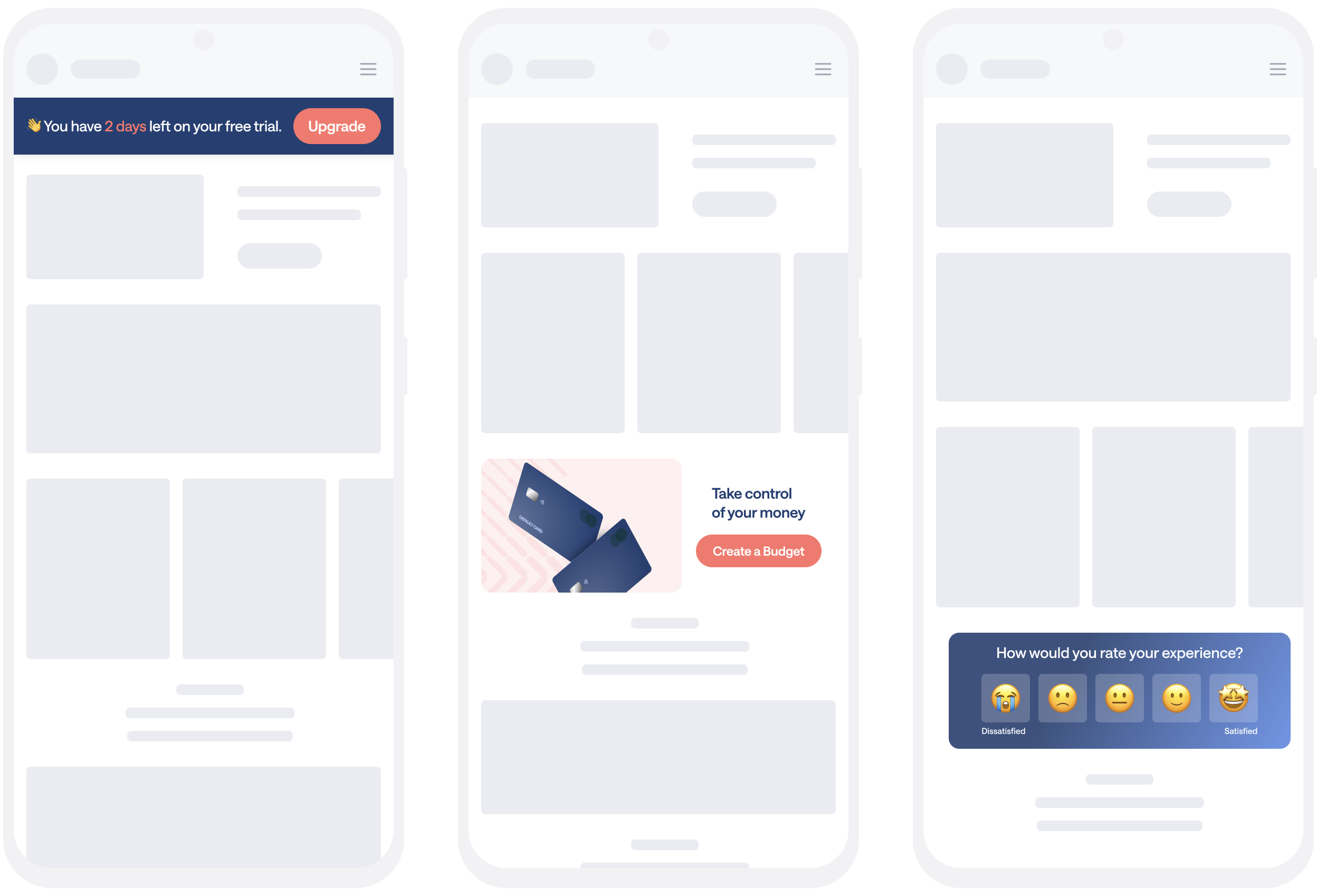
Messaging Ui improvementsChances are that if you’ve built in-app messages in Customer.io, you’ve already used our new, visual in-app editor! To continue delivering a more user-friendly, flexible in-app messaging experience, we’re ending support for our legacy in-app editor January 1, 2026. If you haven’t made the switch yet, now’s the perfect time to start using the new in-app editor, designed to help you build better in-app experiences.
Read more

Send critical text messages with transactional SMS/WhatsApp
API developers Messaging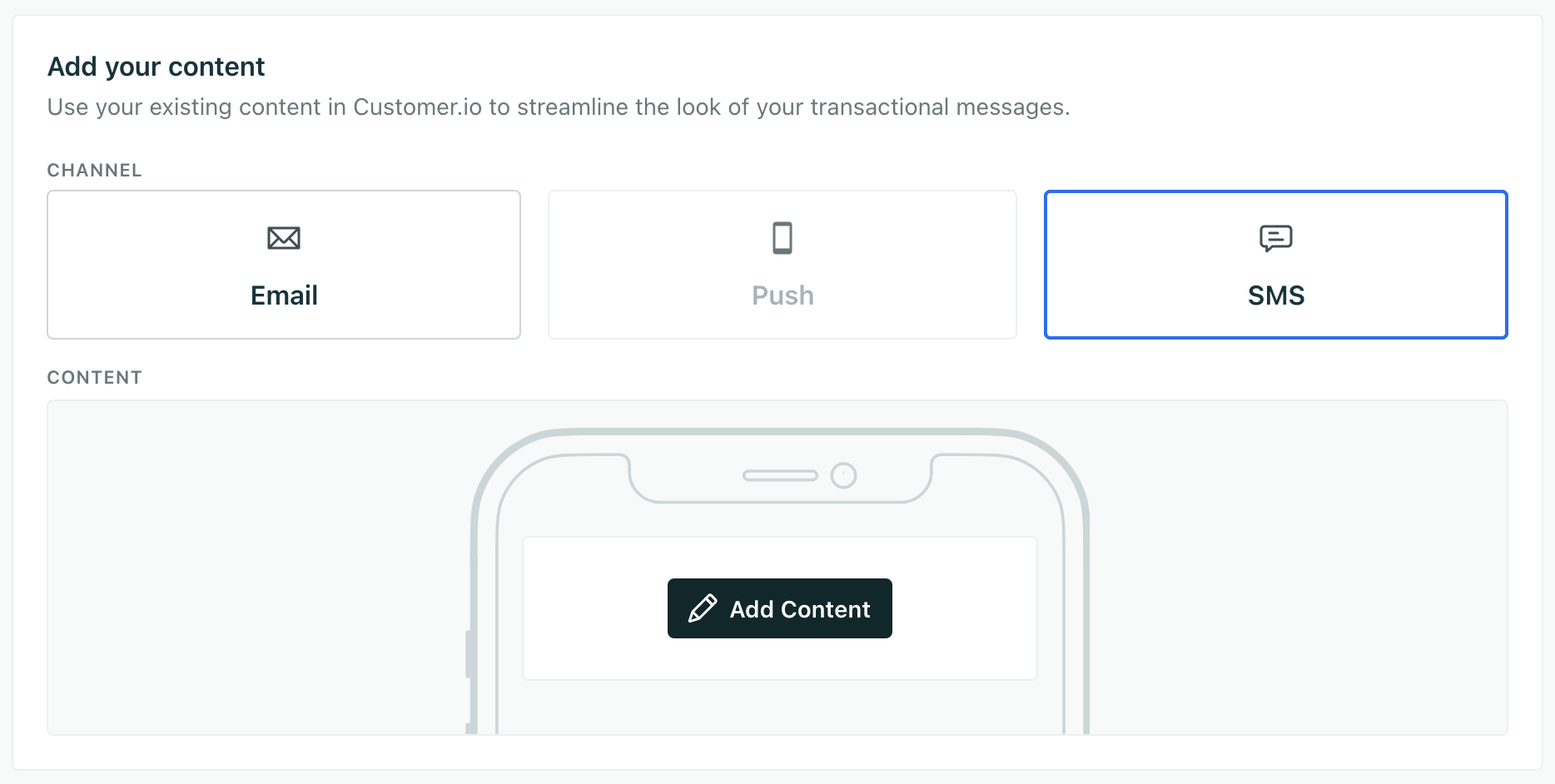
With transactional messaging available for SMS and WhatsApp, you can send important, timely one-to-one messages like two-factor authentication (2FA) codes and one-time passwords (OTP). Now, when your customers need an immediate response, you can send them messages over whatever channel they prefer—email, push, and now SMS or WhatsApp.
Read more
Official release: build segments with AI
Automation Ui improvements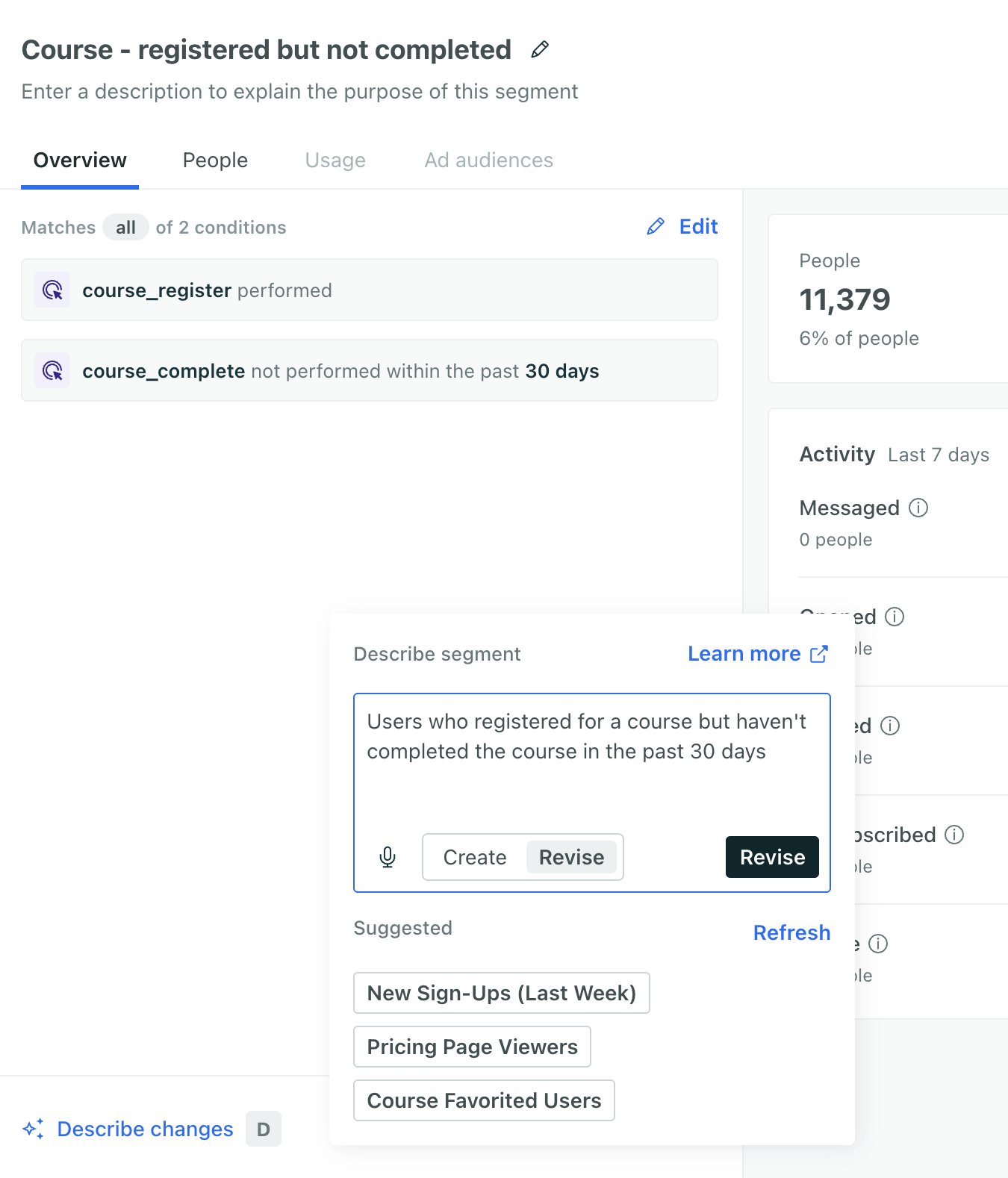
Build a segment with AI to help you get up and running quickly and find gaps in your current conditions. Generate a segment from a brief prompt or choose from our suggested segments. Make sure you review the conditions and insights before you save the segment to ensure you’re targeting the right people. Go to Segments to get started!
Pro tip: add descriptions to your attributes and events to improve segment generation! Providing additional context on your data helps our segment builder better understand your data and provide more relevant results.
Go to the docsSend in-app messages to the right pages with exclusion rules
Messaging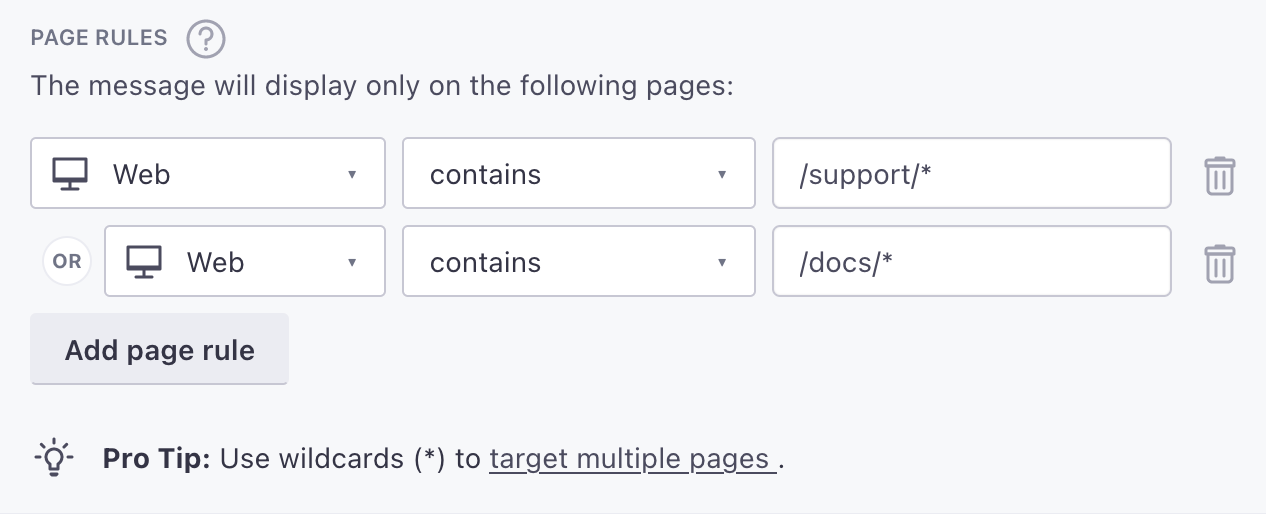
It’s now easier to show in-app messages on the exact pages where you want them to appear. Instead of writing complex regular expressions or listing every page you want to show your in-app message on, you can now use exclusion rules. These let you set up rules like ‘show a message on all pages except…’.
Read more
Beta release: Design Studio, our new email editor
Messaging Ui improvements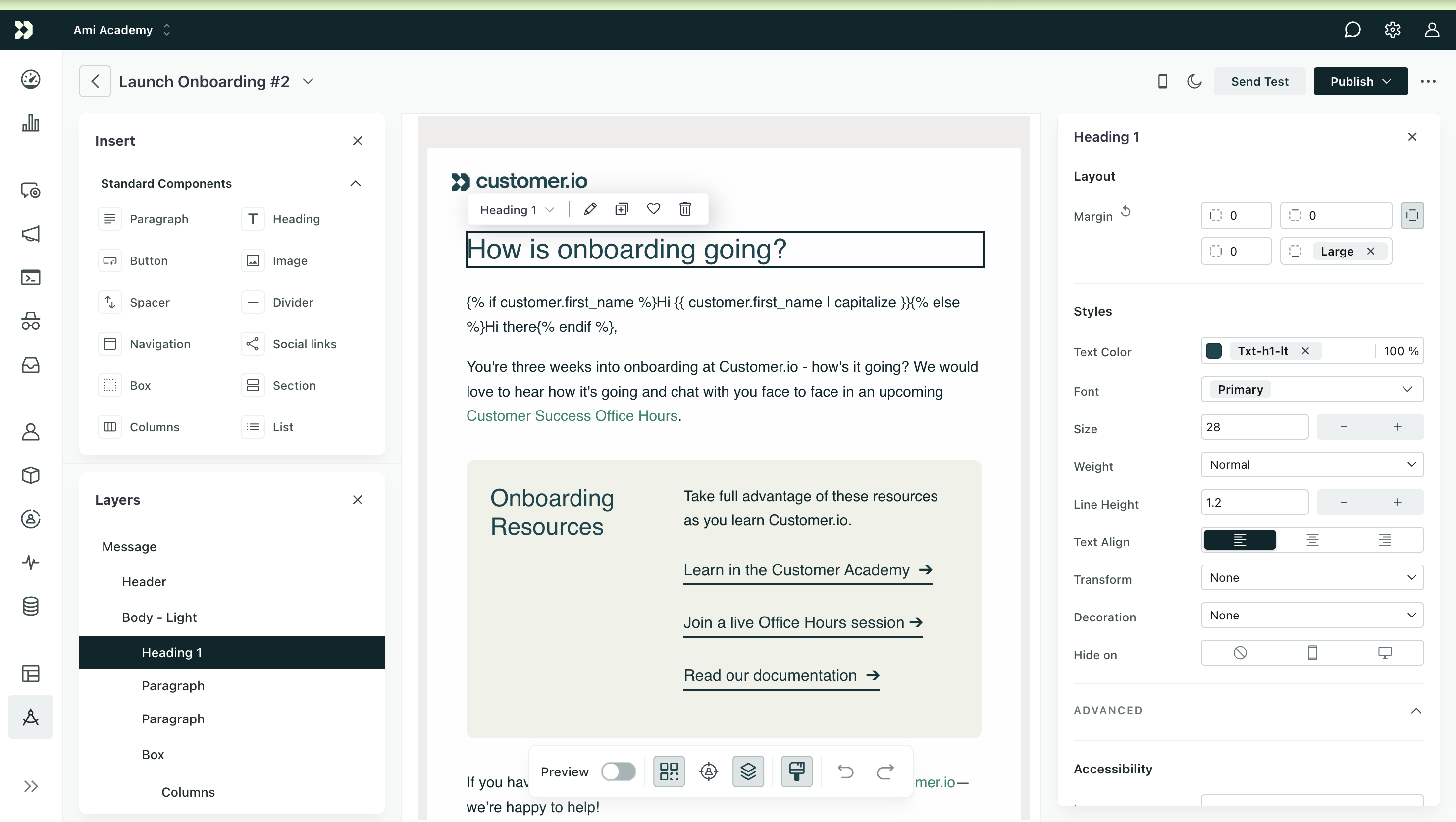
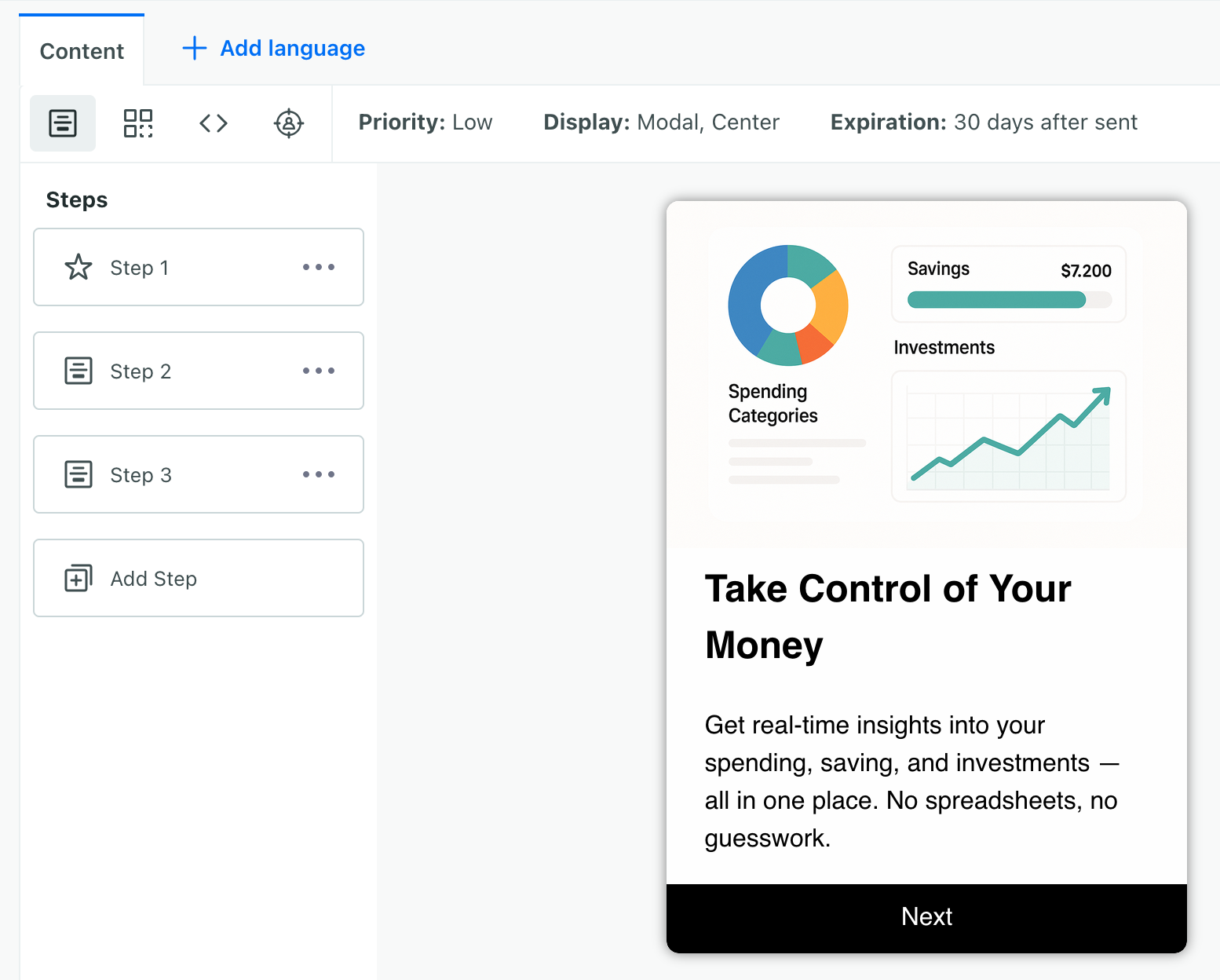
We’re in the process of rolling out Design Studio, a flexible email design system that helps you create beautiful, responsive emails faster than ever before. Use components to create a block-based email from scratch, and set global styles to create a consistent brand across your messages made in Design Studio. No longer do you have to decide between a visual or code-based editor; you can use both!
Read more
Simplified link tracking in SMS and WhatsApp messages
Messaging Ui improvements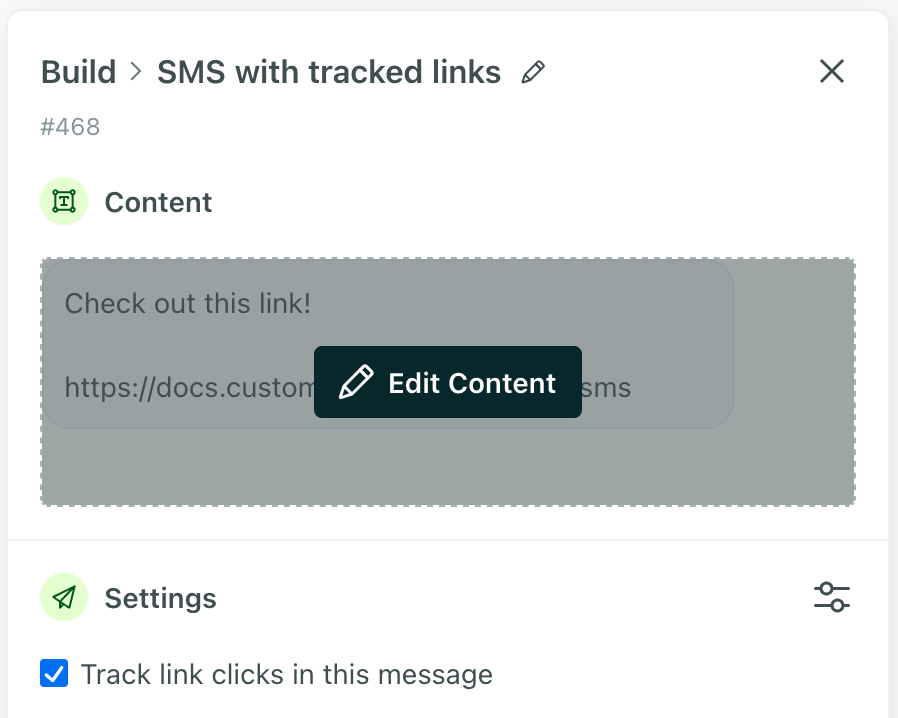
It’s now easier to track engagement with SMS and WhatsApp messages. SMS and WhatsApp messages previously required you to manually add inline liquid syntax to track links. Now we’ll automatically shorten and track your links by default so you can see when recipients engage with your messages. You can also enable or disable link tracking with a single toggle, just like in your emails.
Read more
Automatically detect A/B test winners for SMS and push notifications
Ui improvementsFor a while, you’ve had the ability to A/B-test newsletters. But for any newsletter that wasn’t an email, you had to monitor the results manually. Now we’ll automatically detect which version of your SMS or push notification performed best, helping you optimize these messages without the extra work.
Read more
Better understand email engagement with Human opened and clicked metrics
Data integrations Messaging Ui improvements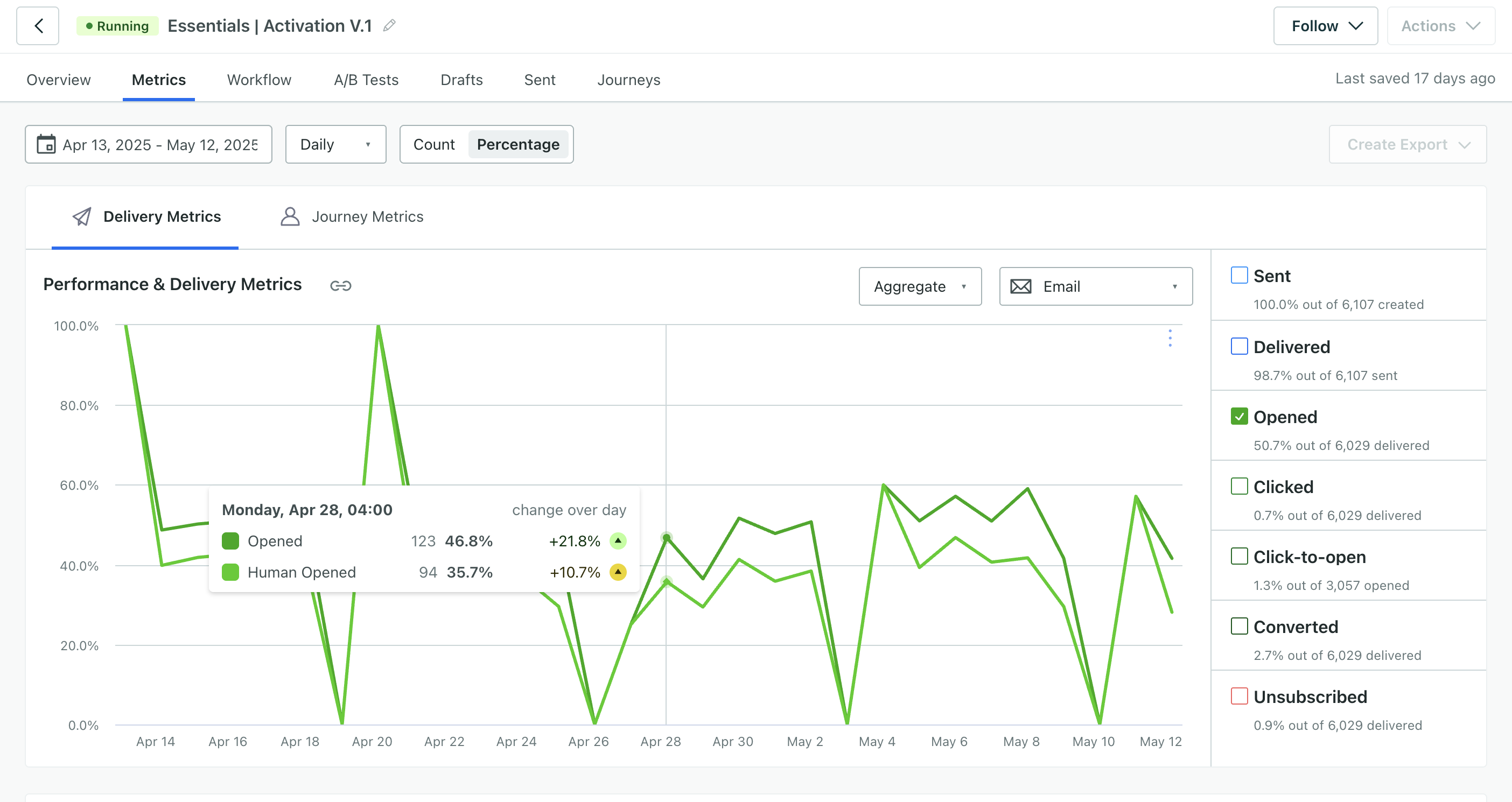
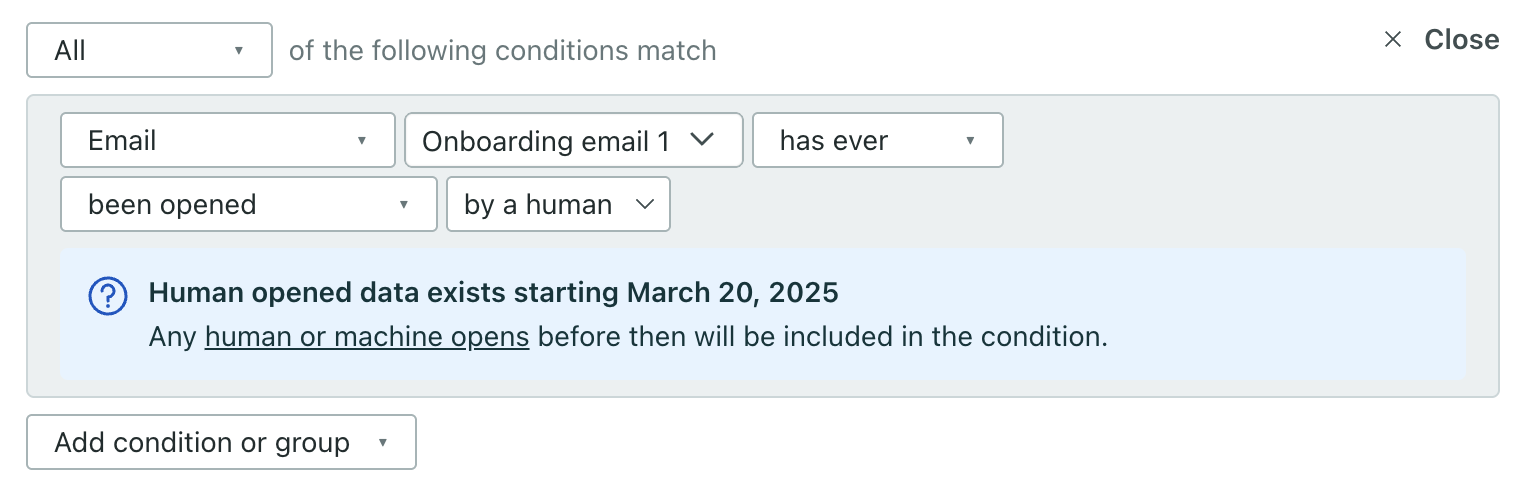
You can now track human vs machine email engagement trends in your campaigns, broadcasts, and transactional messages. Our new Human opened and Human clicked metrics exclude machine interactions from user bot agents, security scanners, and more so you know how people engage with your messages.
Read more
Specify data you want to keep private from your team members
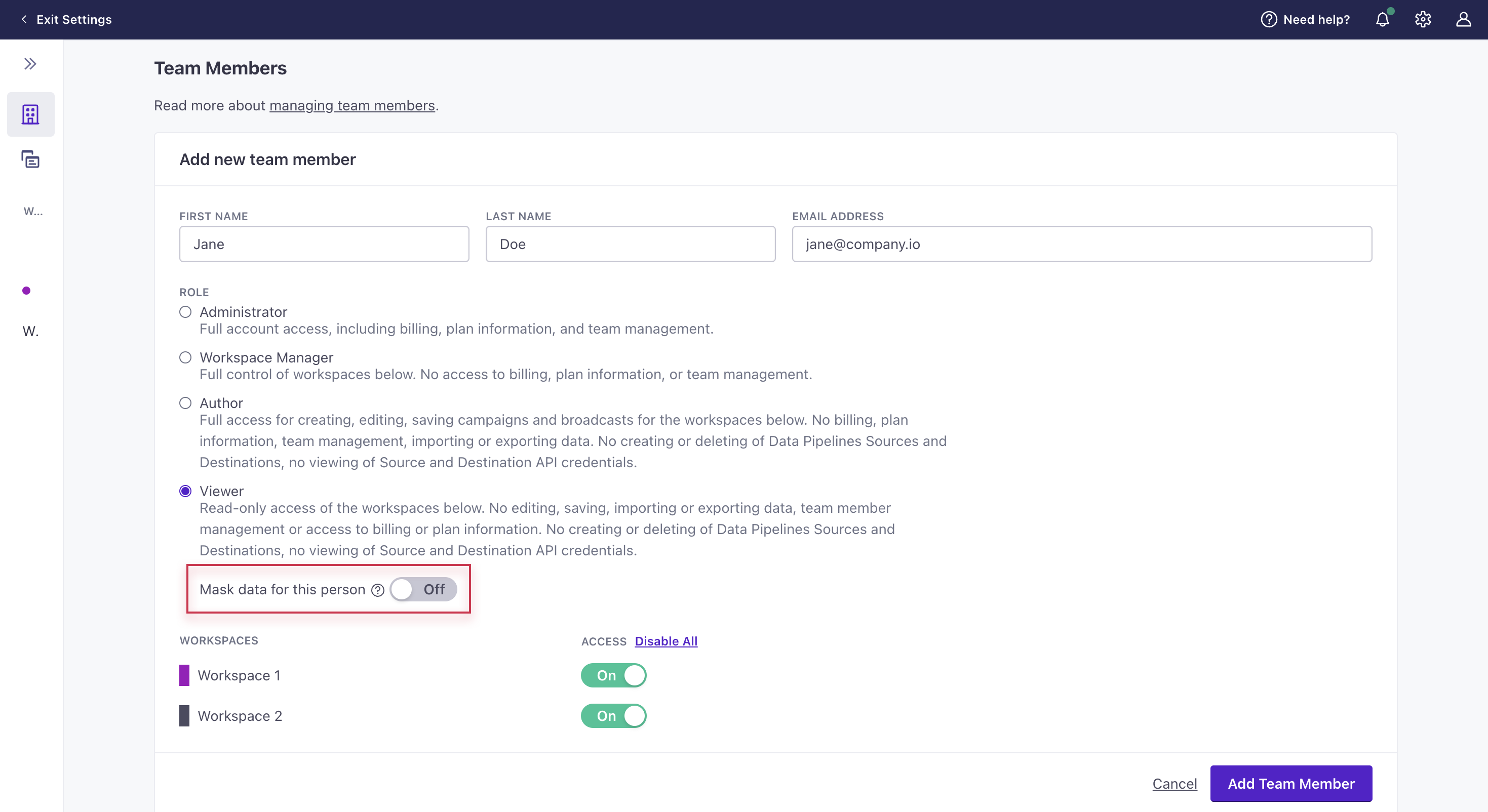
Admin billing Ui improvementsAccount admins and workspace admins can now mark profile attributes as sensitive in the Data Index then hide this data from specific authors or viewers. This helps you ensure that sensitive data is only visible to the right people in your workspace.
Authors with sensitive data hidden have the same functionality as authors who can view all data, with one exception: they can’t edit people.
If you currently use our legacy “Hide all attributes” setting, your teammates will experience no change to the data and functionality they have access to.
Go to the docsSet up campaigns quicker with our new attribute or segment trigger
Automation Messaging Ui improvements
You can now create campaigns by defining profile attribute conditions in the trigger. In the past, you had to create segments to trigger based on profile attributes, but now you only create segments when you need them. You can continue to define segment membership alongside attribute conditions for maximum flexibility.
All campaigns that use our legacy segment trigger will continue to work as expected and you’ll be able to duplicate them. For new campaigns, you’ll use the new trigger.
Note, the new trigger behaves differently than the legacy segment trigger in a few ways: filter conditions are now part of the trigger conditions, and you may need to add time-based conditions to ensure the right group of people trigger your campaigns at the correct time.
Go to the docsOfficial release: anonymous in-app messages
Messaging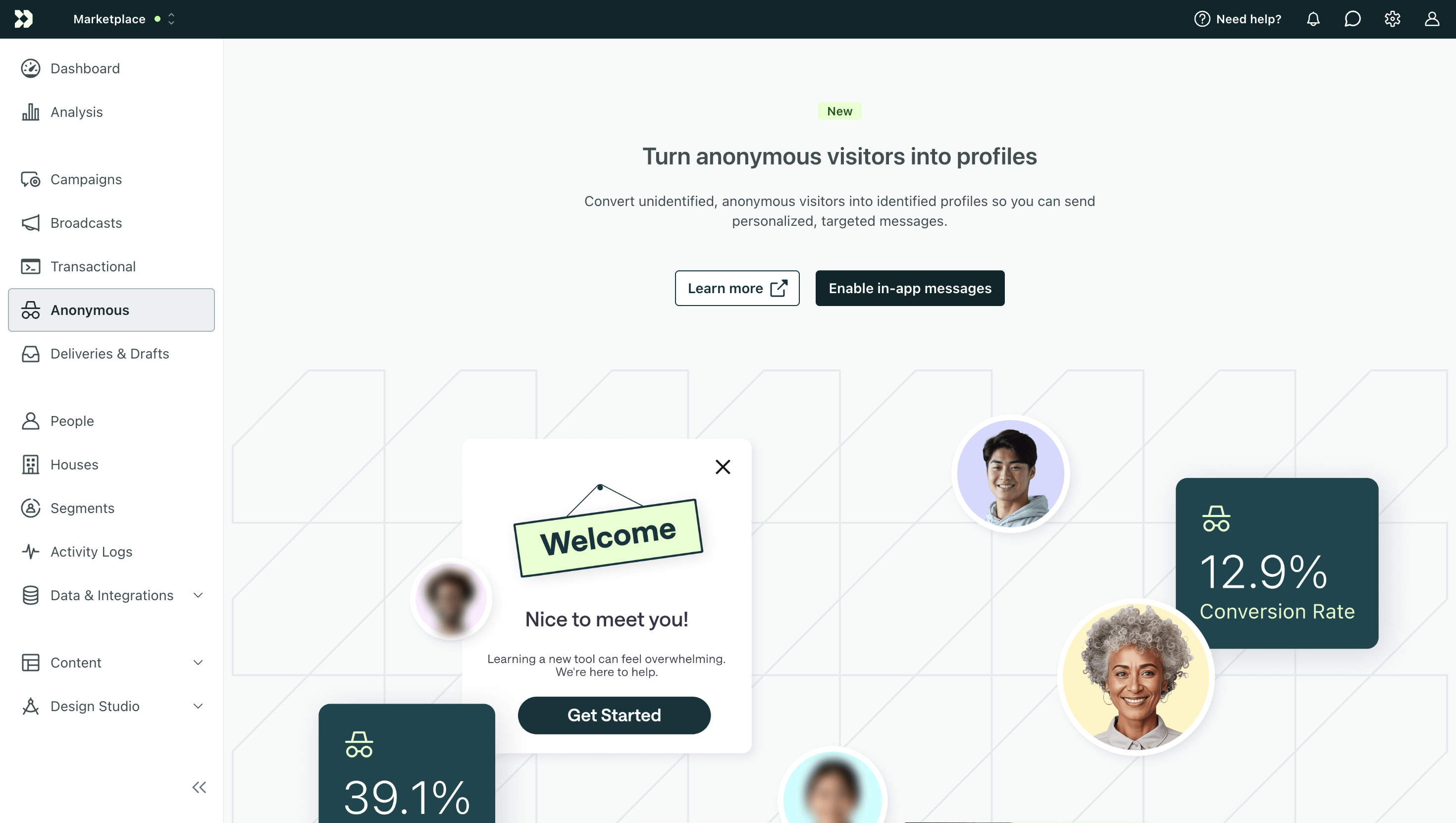
Send in-app messages like banners or surveys to unidentified visitors on your website or app to encourage them to sign up and convert. This is available to all Premium and Enterprise customers. Go to Anonymous Messages to get started.
Go to the docsBeta release: build segments with AI
Automation Ui improvements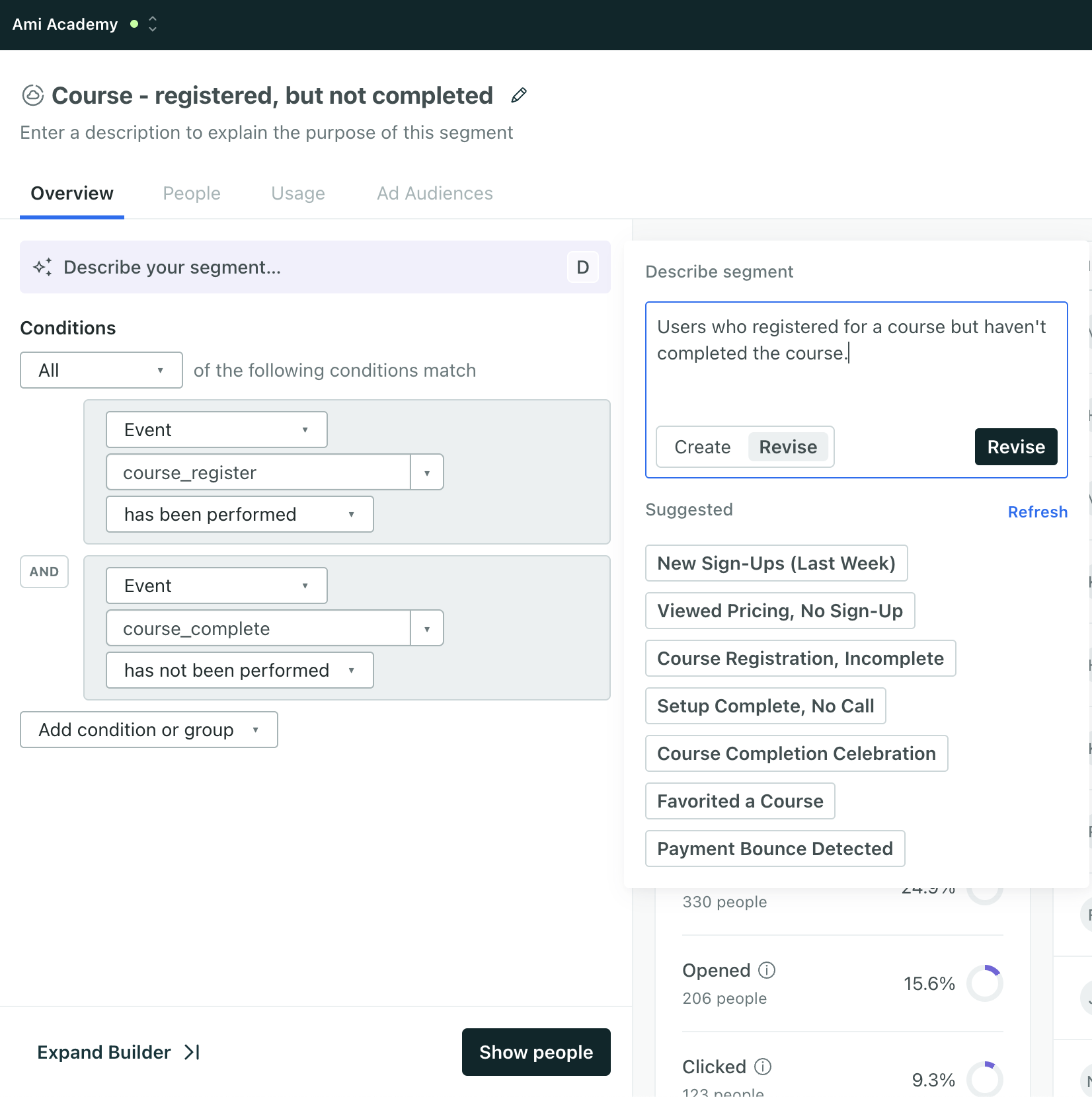
Build a segment with AI to help you get up and running quickly and find gaps in your current conditions. Generate a segment from a brief prompt or choose from our suggested segments. Make sure you review the conditions and insights before you save the segment to ensure you’re targeting the right people. Go to Segments to get started.
You can opt out of this builder and revert to our standard experience through the toggle in the bottom right of segment creation.
Go to the docsFirst official Expo release
Mobile sdkNow that our Expo plugin supports all of the features of our React Native SDK, we’re excited to announce its first official release!
If you’ve used a beta version of the plugin, you’ll notice that the official release includes support for Firebase Cloud Messaging (FCM) to iOS devices, and we’ve tried to slim down the workflow to make integrating even easier. Check out the changelog to see the complete list of Expo updates.
Go to the docsSend WhatsApp messages with Twilio content templates
Messaging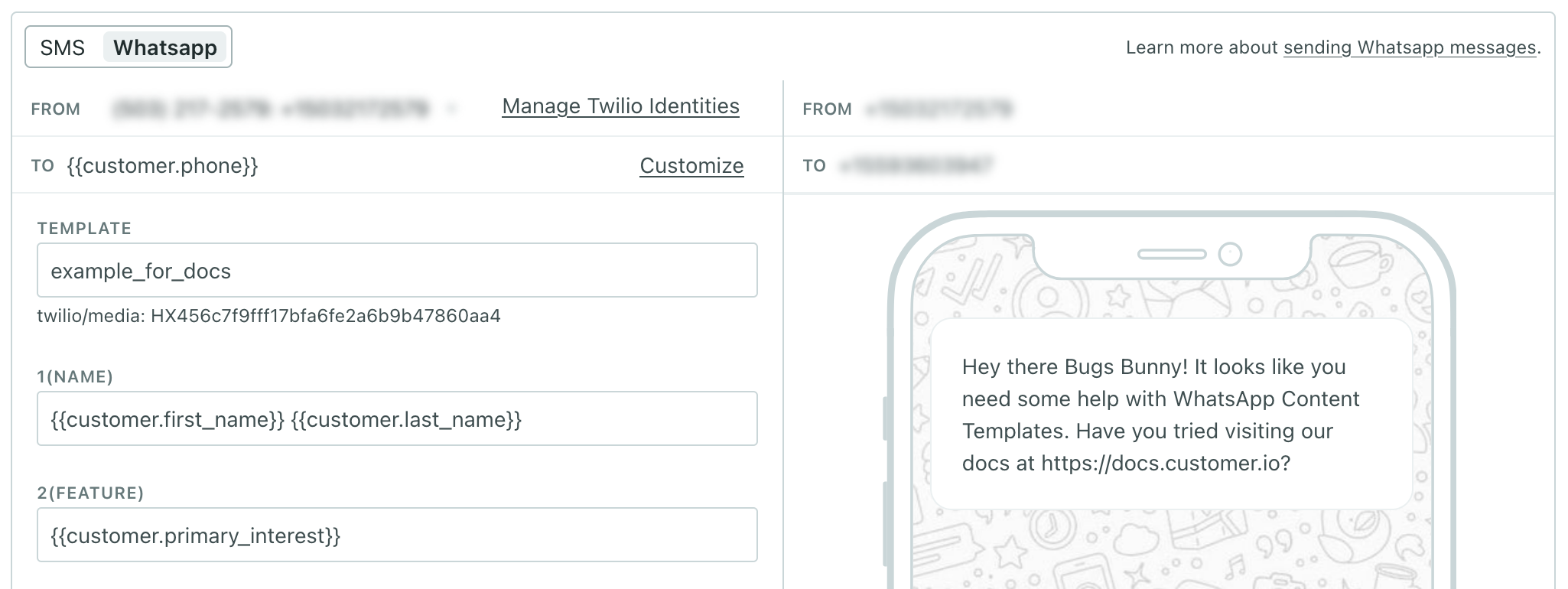
This change makes us compliant with Twilio’s WhatsApp sending guidelines, and makes it easier to use your WhatsApp templates in Customer.io. If you already send WhatsApp messages, you’ll need to upgrade your current WhatsApp templates to content templates in Twilio before April 1st, 2025.
Before this release, you had to copy/paste content from Twilio into Customer.io before you could send a WhatsApp message. Now, when you add a WhatsApp message to a campaign or broadcast, you can simply select your Twilio content template. We fetch the template and expose the fields you can fill in so you don’t have to leave Customer.io.
Go to the docsLink shortening for SMS and WhatsApp messages
Messaging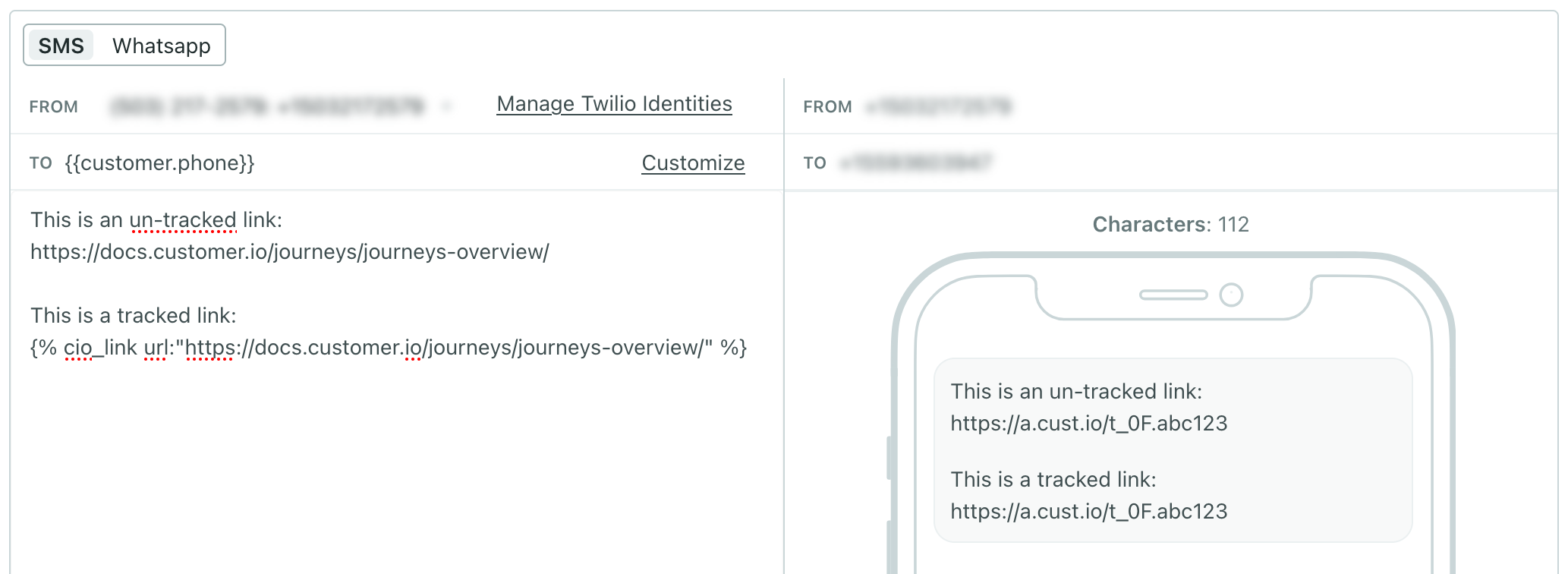
You can now enable link shortening for SMS and WhatsApp notifications! This will shorten both tracked and untracked links to help you stay within characters limits and streamline your messages.
Go to Workspace settings > SMS and turn on Shorten links. Shortened links use the format https://a.cx.io/lnk.abc123 (or https://e.cx.io/lnk.abc123 if you’re in our EU region), consuming between 28 and 38 characters so you have plenty of room to talk to your audience.
Define attributes to clarify what your data means
Data integrations Ui improvementsYou can now add descriptions to attributes to ensure all of your teammates understand your data. Go to your workspace’s Data Index to get started. This is available for profile attributes, not event attributes currently.
Go to the docsDismiss web-based in-app messages without a Close button
Messaging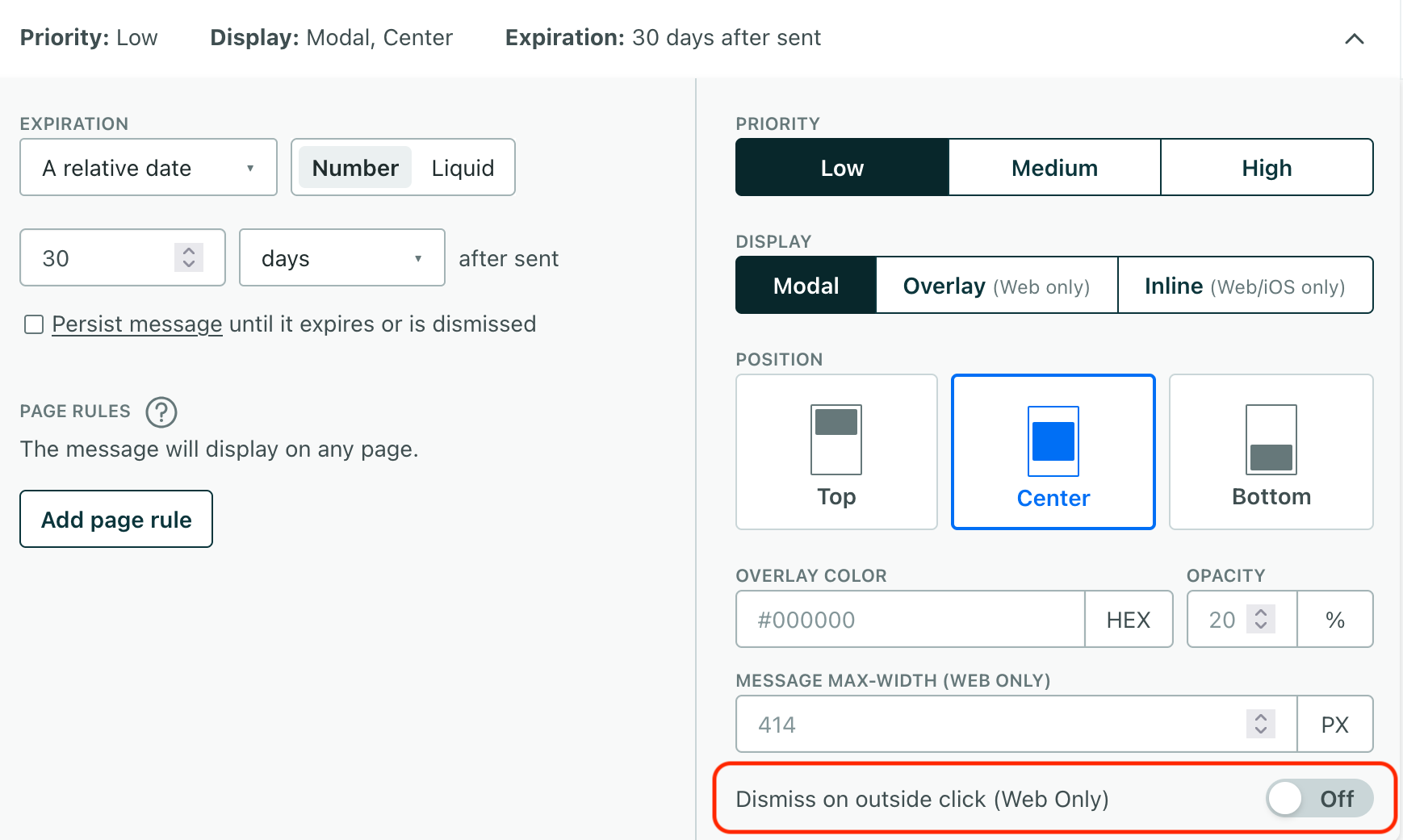
Your website might display different kinds of in-app messages that aren’t always easy to dismiss. Now you can set up messages to dismiss when users click outside of them. This is a common pattern that internet-users are used to seeing and helps you create messages consistent with users’ expectations, like banners or other informational messages that don’t require user interaction.
Go to the docsTrigger object campaigns for people who already match your criteria
Messaging Ui improvements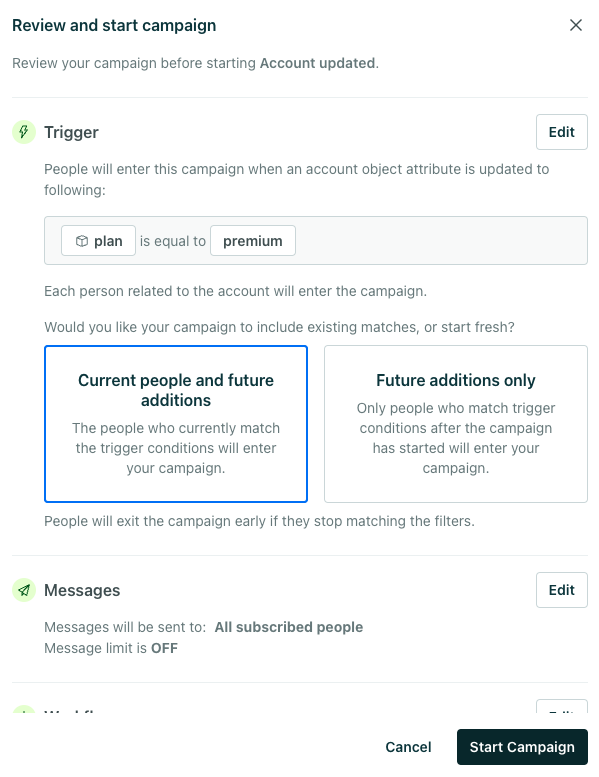
You now have more flexibility over who enters object and relationship-triggered campaigns! Previously, you could only trigger these campaigns for people who matched your trigger after the campaign started. Now you can trigger these campaigns for people who already match your campaign trigger when the campaign starts. For instance, if you trigger a campaign when the plan of an Account object changes to premium, you can now include people who are already related to Accounts with premium plans.
Go to the docsUse Customer.io and Segment.com together in your website
Data integrationsBefore now, you weren’t able to take advantage of our JavaScript source integration if you used Segment.com’s analytics.js client. Now, you can use the two together. If you’re a Segment user and want to take advantage of Customer.io’s native web integration, you’ll call Customer.io from the cioanalytics variable and avoid conflicts with Segment’s analytics variable.
Mobile inline in-app messages for iOS SDK
Messaging Mobile sdk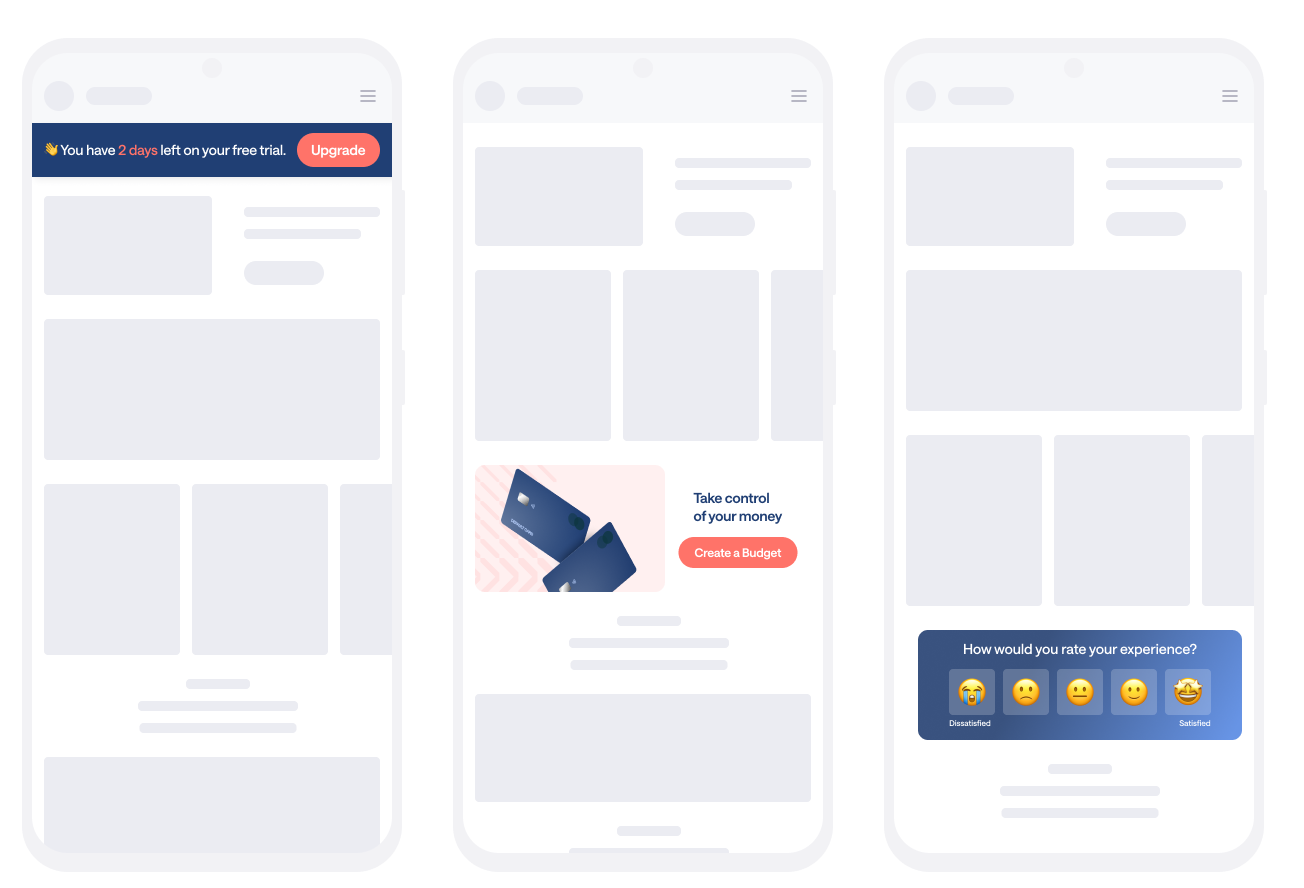
Where most in-app messages let you message your audience, inline in-app messages provide a way to send content to your app without requiring an app update. Now, with version 3.8 or later of our native iOS SDK, you can use our in-app features to send messages that don’t look like messages! Inline in-app messages let you send content that looks and feels like a part of your app—like personalized coupons, articles that might interest your users, events they might be interested in, and other things that apply to individual app users.
This feature is in early access and is available only to customers who are using our iOS Native SDK. Interested in joining our early release program? Fill out this form to request access. If you have questions, please let us know.
Go to the docsAuto-provision team member access with SCIM 2.0
Admin billing Data integrationsIf you use Cloudflare or JumpCloud as your SSO identity provider (IdP), you can now enable SCIM 2.0 to auto-provision access for team members. After enabling this, just add or remove users from your IdP, and they’ll be automatically added or removed from Customer.io. You must be an Account Admin in Customer.io to modify SSO settings. Go to your Account Settings to get started.
Go to the docsBuild campaigns faster with our redesigned experience!
Ui improvements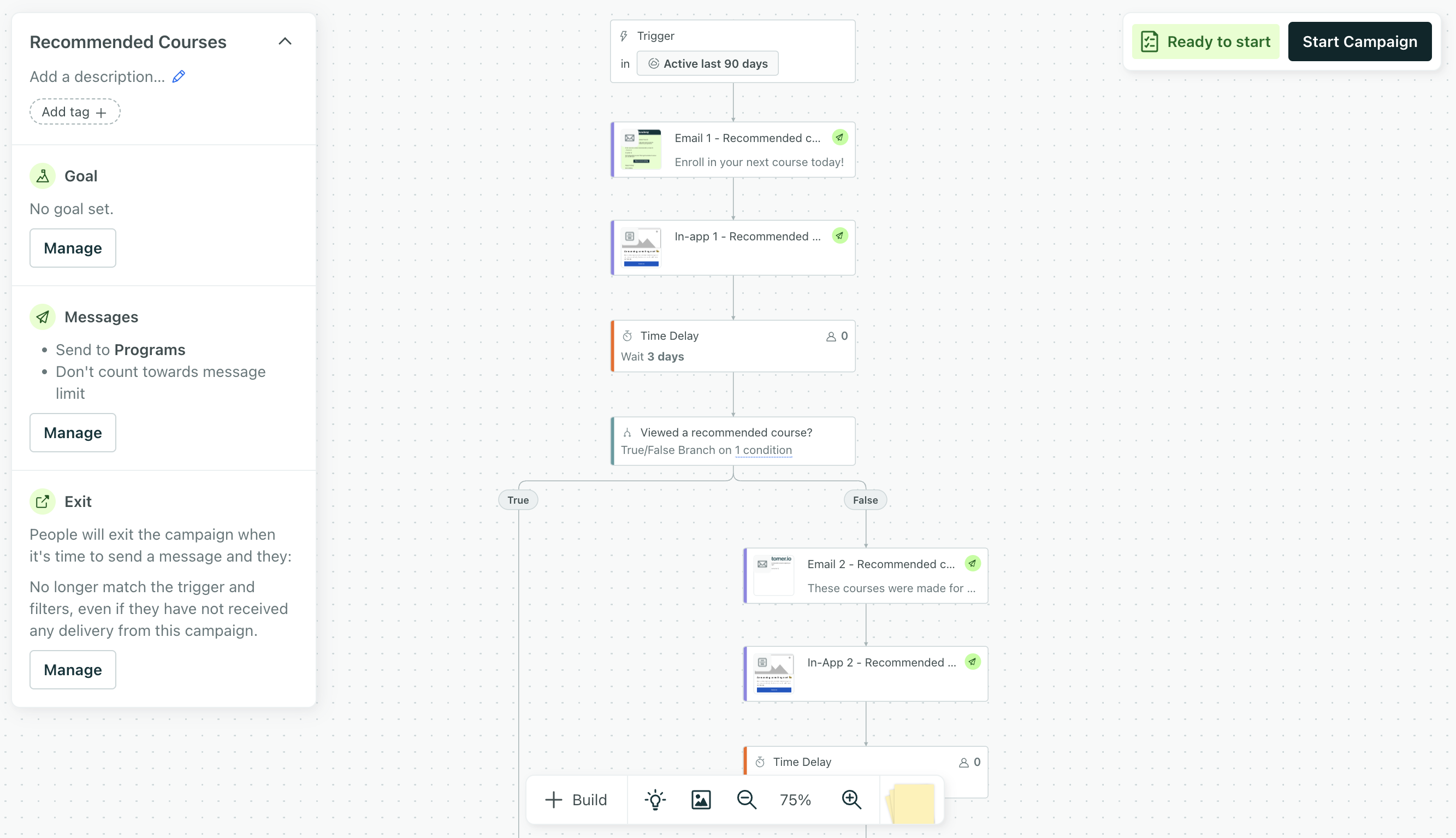
Our new campaign builder has all the same features and functionality as before, but now you can modify settings, trigger data, and your workflow from one place! Modify campaign settings in the top-left menu, and click + Build at the bottom to drag messages and actions onto your workflow. You’ll automatically have the new experience the next time you log in; no action is needed on your part. All your existing campaigns will continue to work as expected.
Go to the docs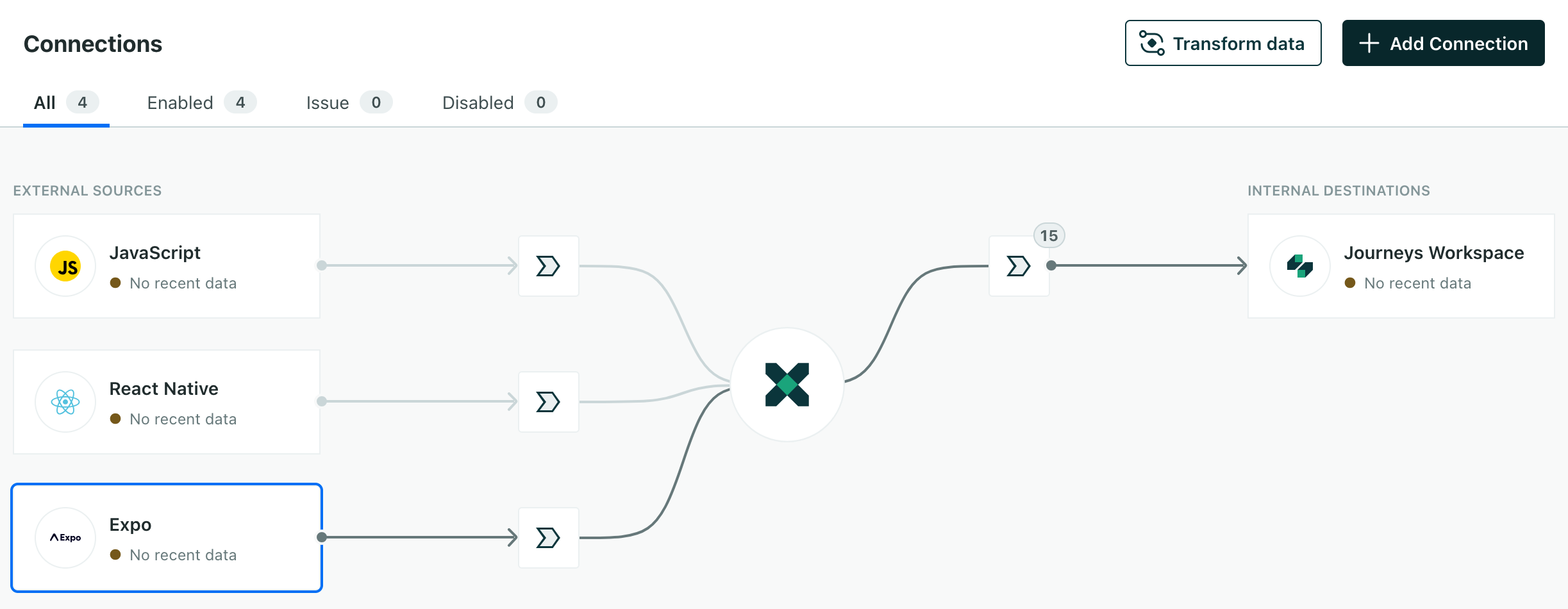
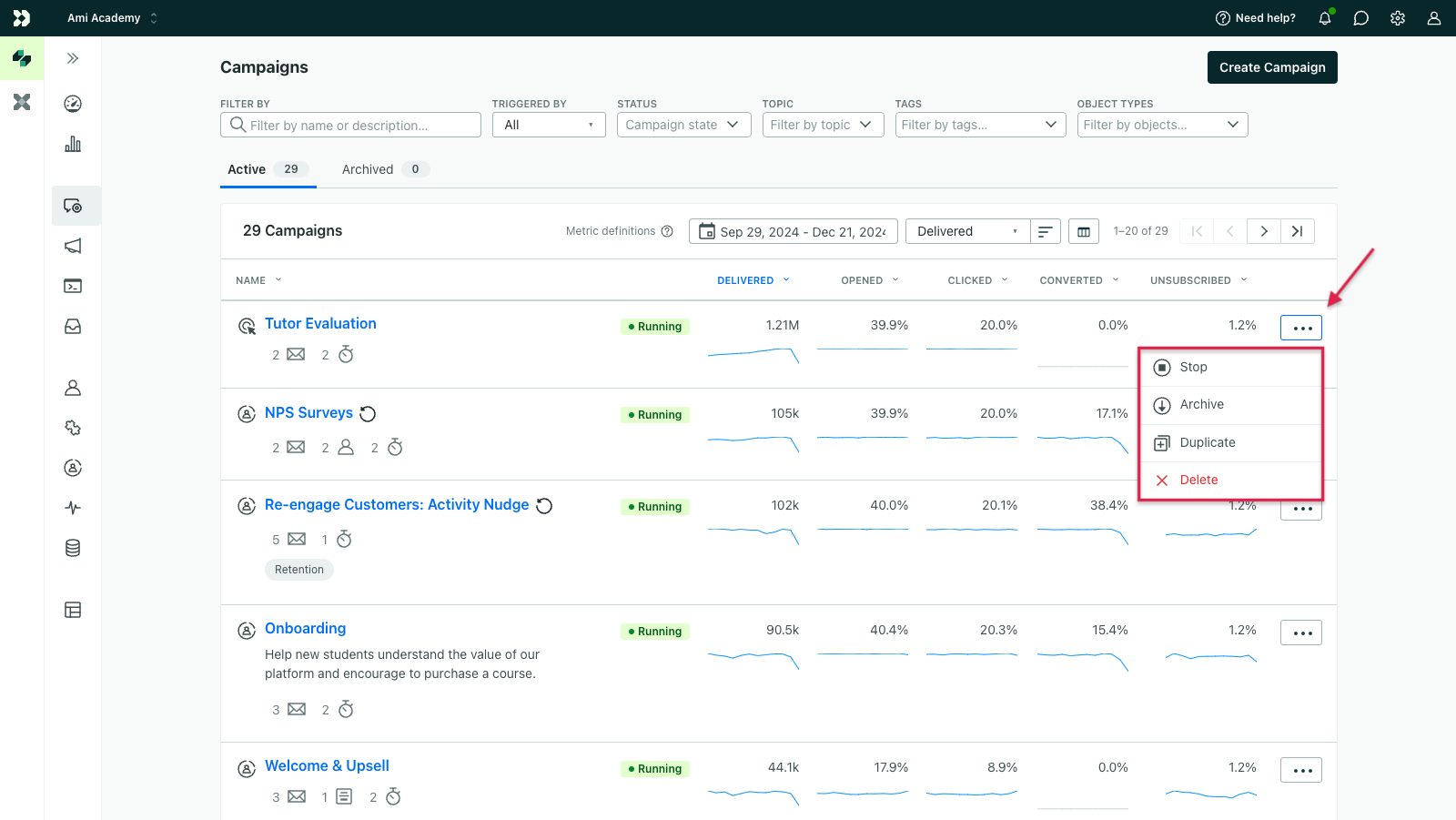
Send records to your Attio workspace
Data integrations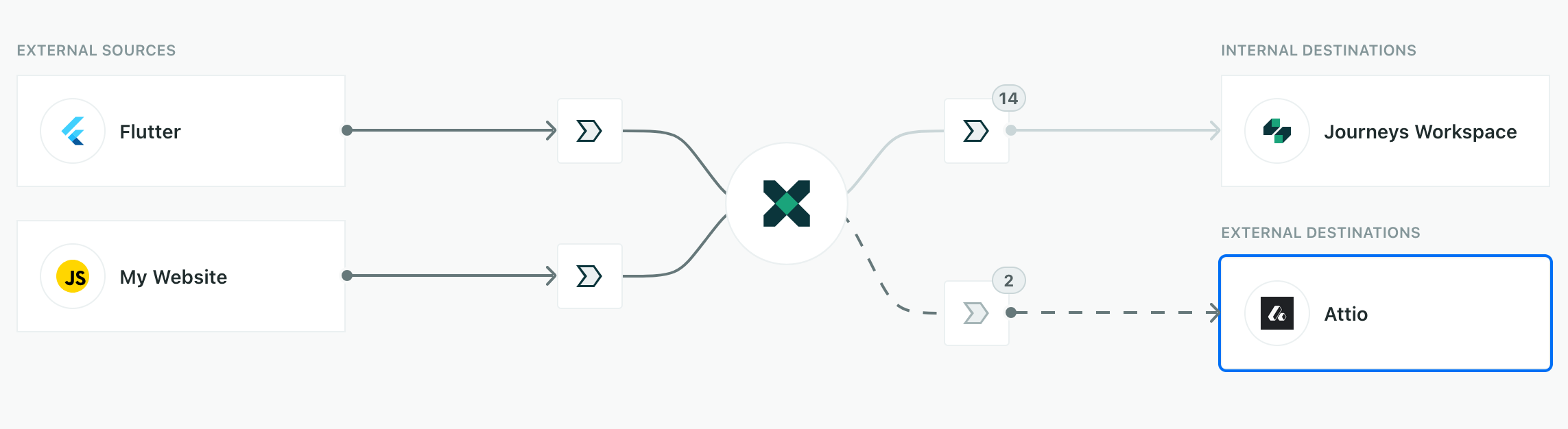
Attio is a Customer Relationship Management (CRM) tool that helps you manage your customers and their relationships. With this integration, you’ll send records—the people and companies you identify—to Attio, where you maintain a holistic view of your customers and their activities. This means you can add new people and companies to Attio or enrich records in your CRM with attributes from Customer.io
Read more
Create branches based on object and relationship conditions across campaign types
Messaging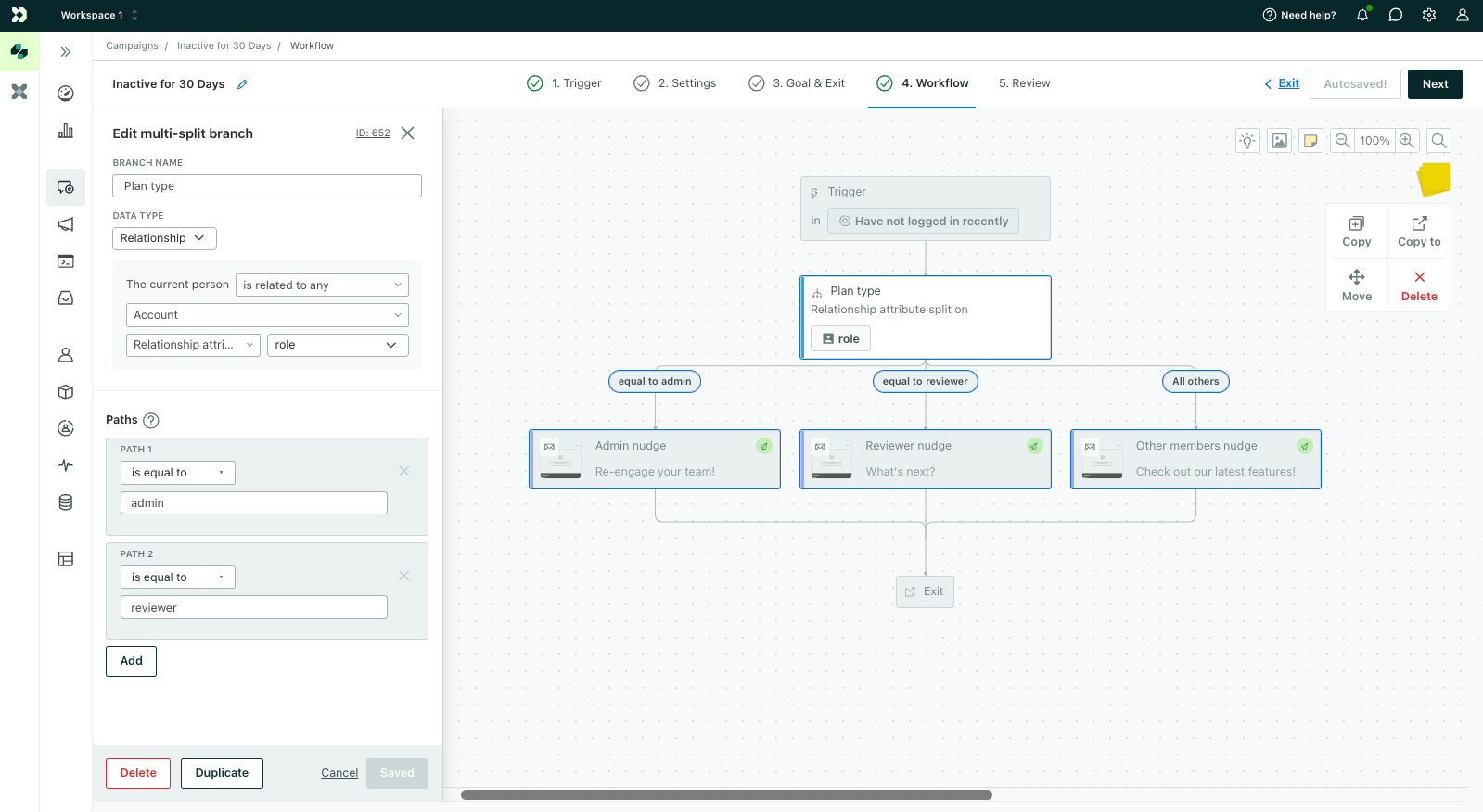
You can relate people to non-people data called objects - like companies, accounts, and online courses - and trigger campaigns based on this data. Previously, you could only use object and relationship attributes in branches within object and relationship-triggered campaigns. Now, you can use this data to split people in your workflows across all campaign types - segment-triggered, event-triggered, etc. Check out how you can use this functionality to personalize onboarding, drive feature adoption, and more!
Read more
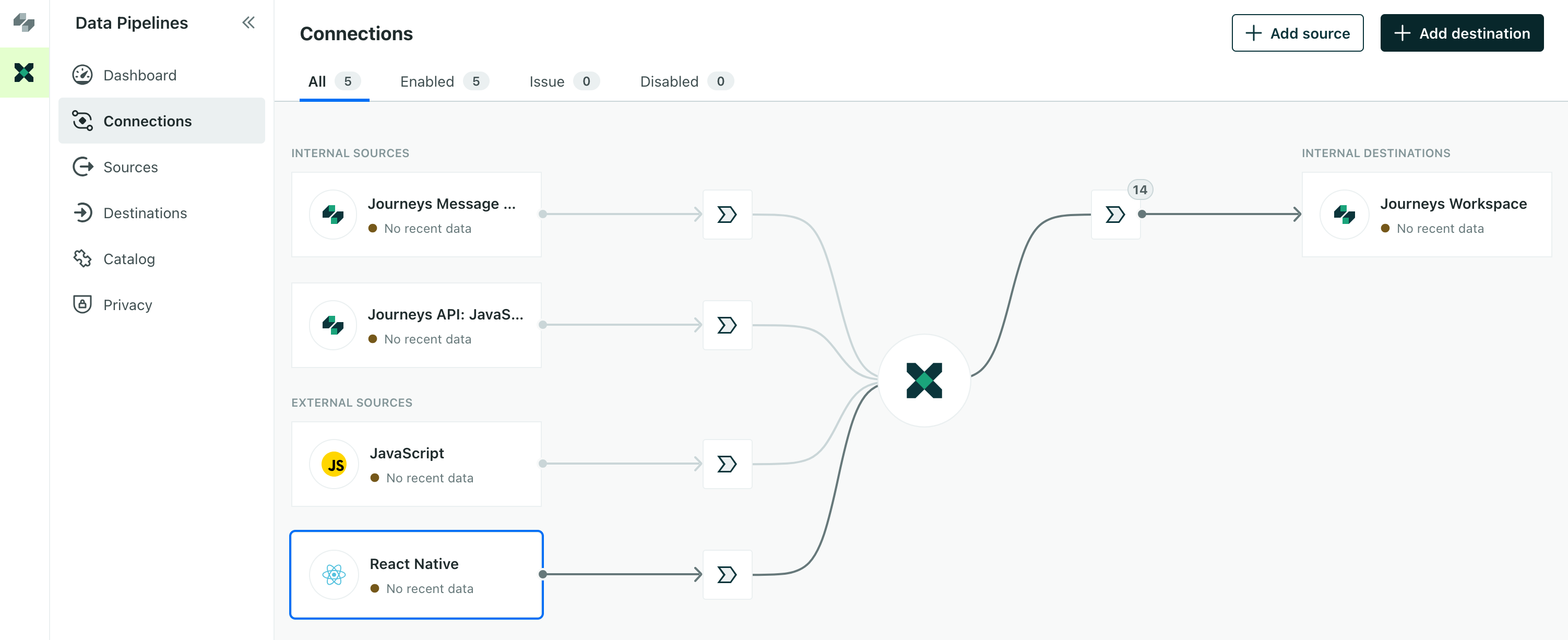
Data warehouse outputs for objects and campaign names
Data integrations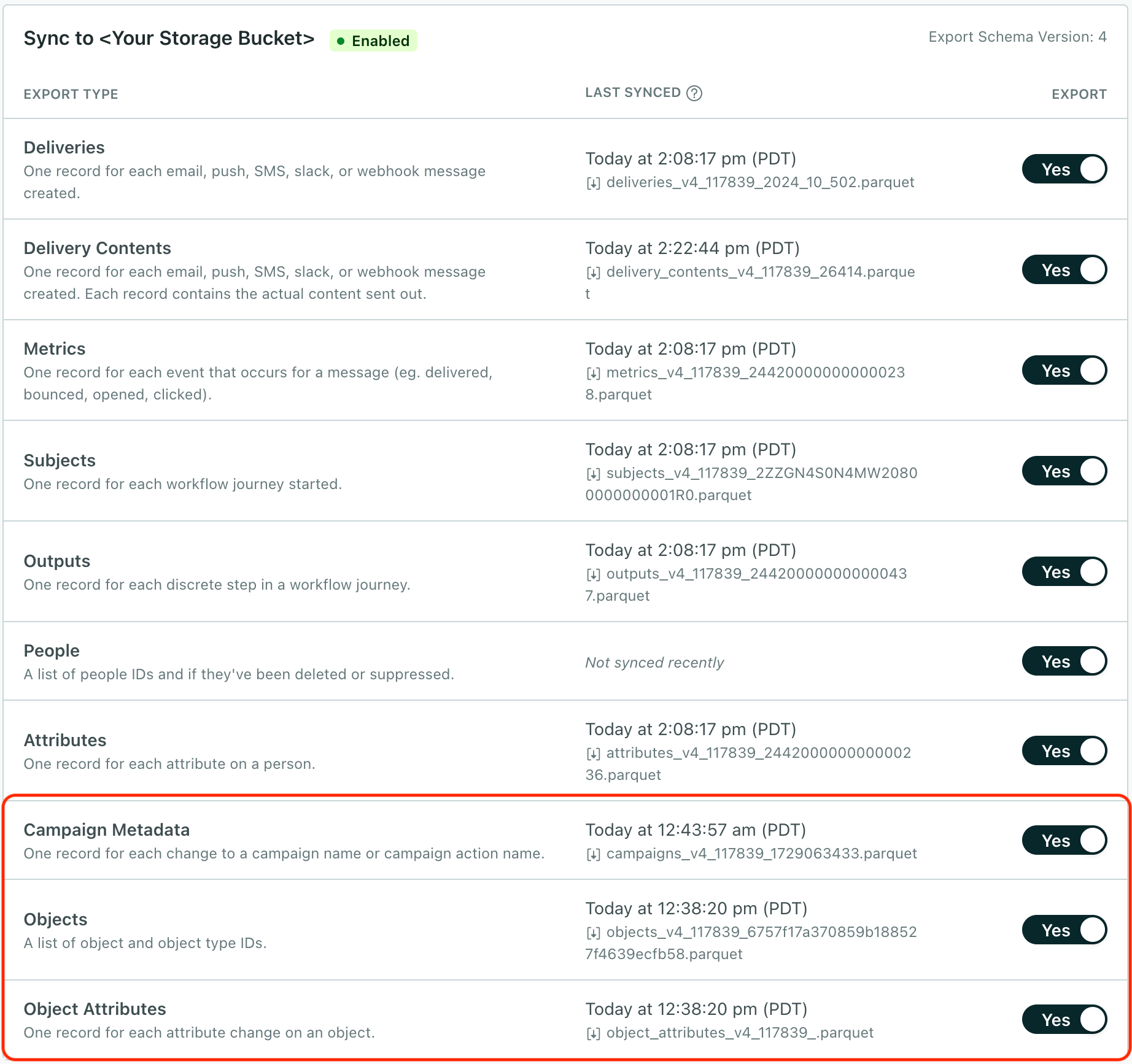
If you’ve exported Customer.io data to a data warehouse, you might have noticed that while we exported information about people and campaigns, it might be hard to figure out what campaigns and messages people received because we exported IDs for those things. We’re fixing that problem with new outputs, so you can resolve campaigns, messages, and object-relationships to the right data with new Campaign Metadata and Object exports.
Read more
Our SDKs support Firebase v11
Mobile sdkFirebase is a core dependency for many mobile apps and version 11 produced significant changes for Firebase users. Now we support the latest major Firebase release with our iOS-compatible SDKs. To take advantage of Firebase 11 in your Customer.io-integrated app, upgrade to the SDK versions below (or later):
Read more
Sync data between Salesforce and Customer.io
Data integrations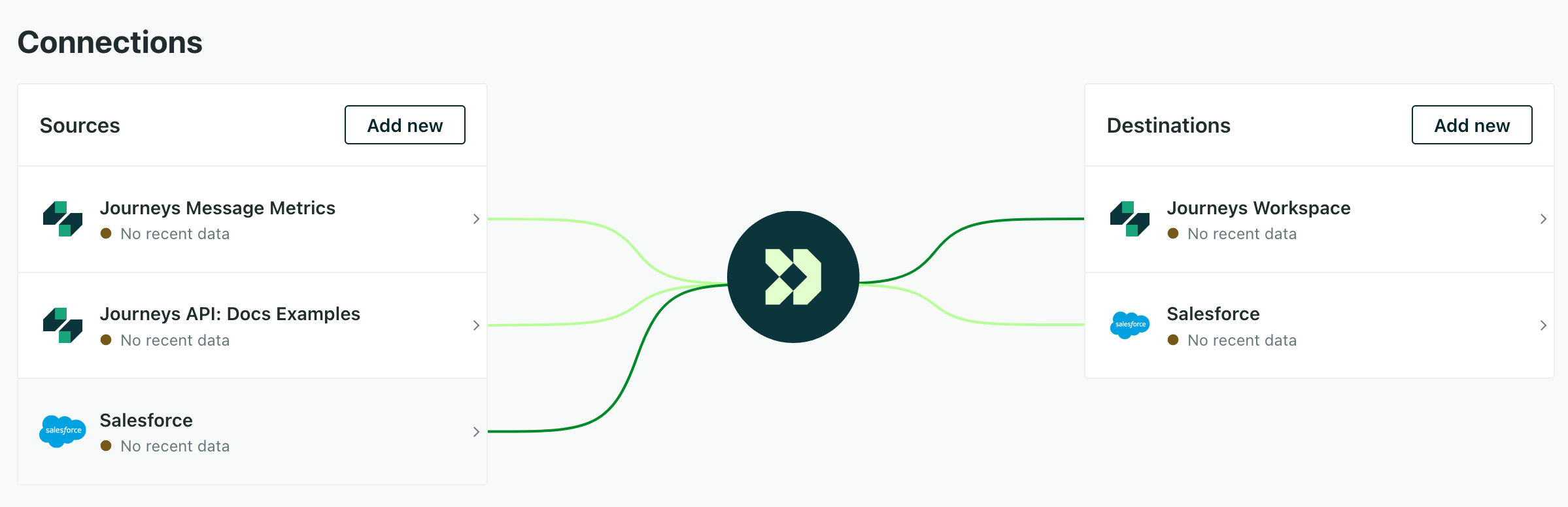
Our Salesforce integrations were available in early access for the past few months while we polished the feature. Now we’re excited to announce our Salesforce integration is available to everyone on premium or enterprise plans. By syncing your Salesforce data with Customer.io, you’ll be able to nurture leads, keep up with your contacts, and activate all the complex relationships that you normally store in your enterprise CRM.
Read more
Sending in-app messages just got easier
Messaging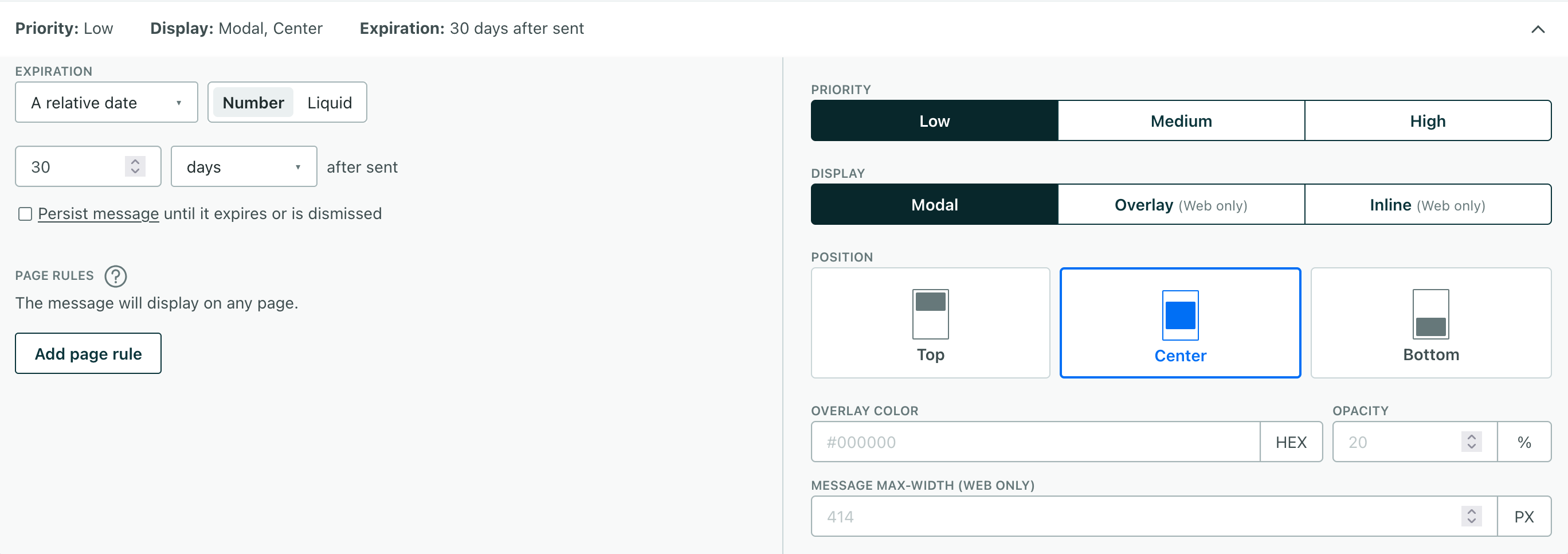
In the past, you not only had to know who you wanted to send your in-app message to, but how you identified them—by email or ID. Now, you can send in-app messages to your audience without needing to know how you identified them. Whenever and however you identify people, they’ll get your message.
Read more
Build in-app messages the easy way with our new drag-and-drop editor
Messaging Ui improvements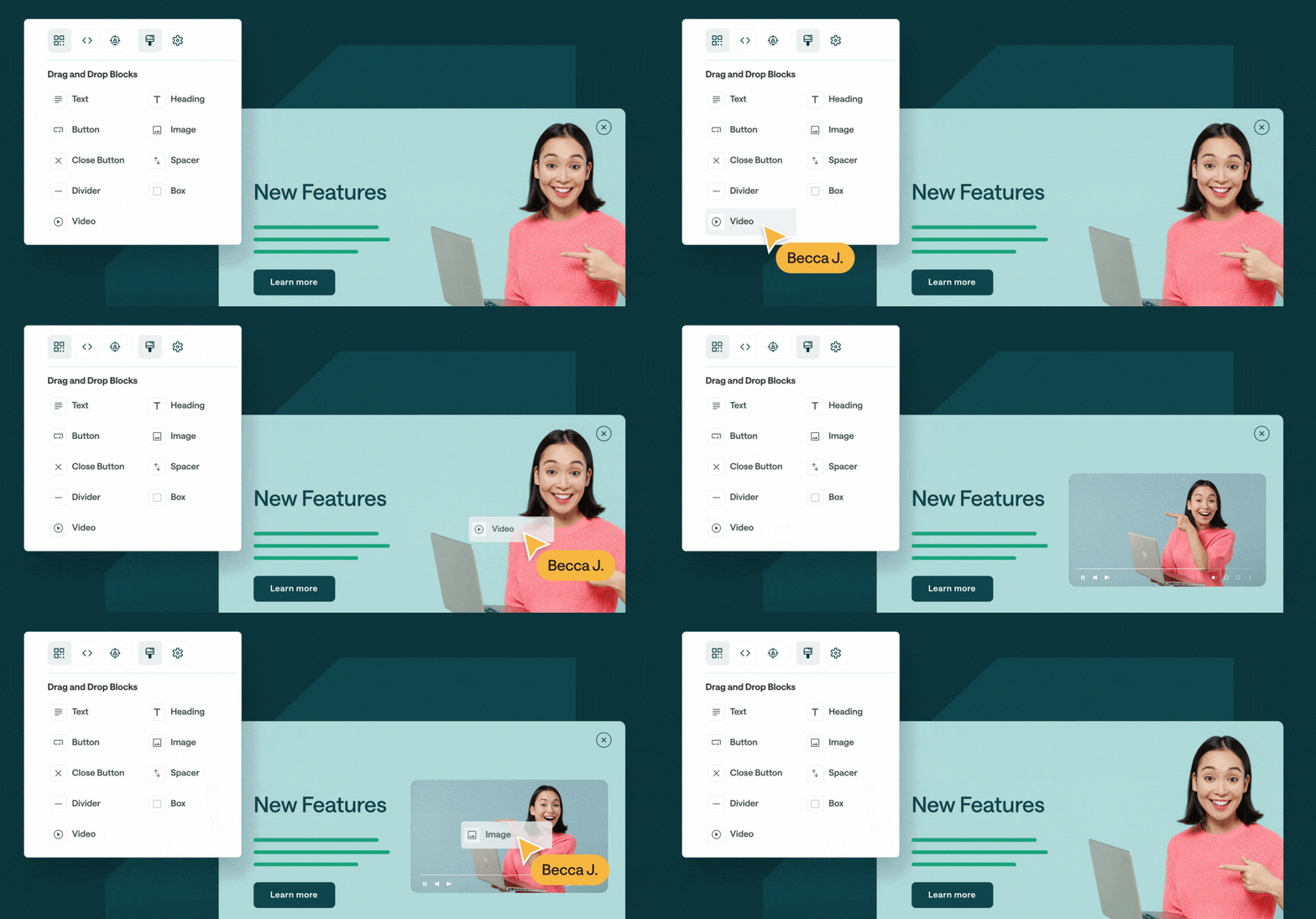
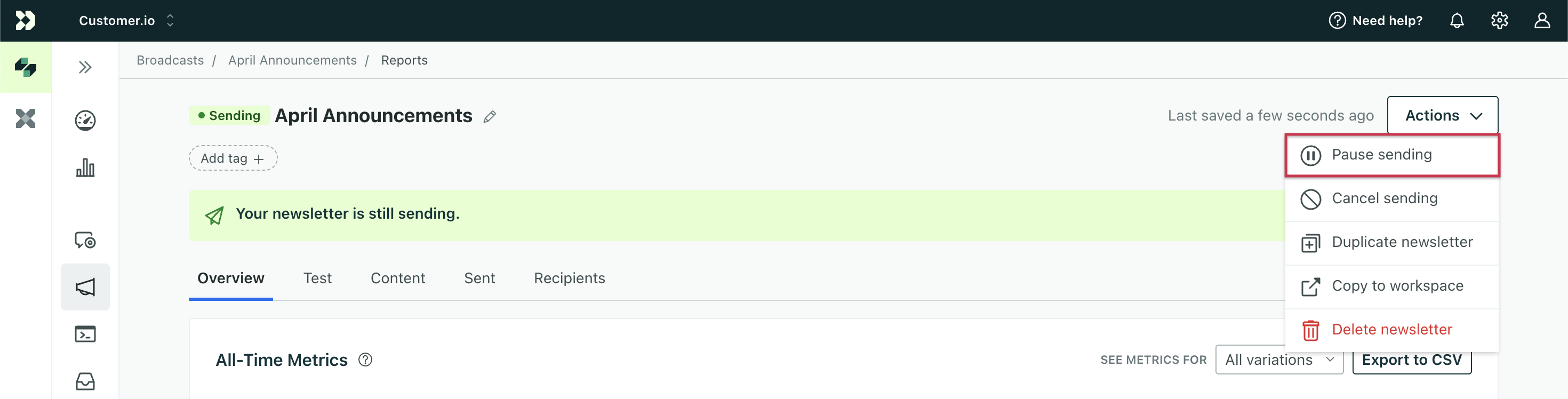
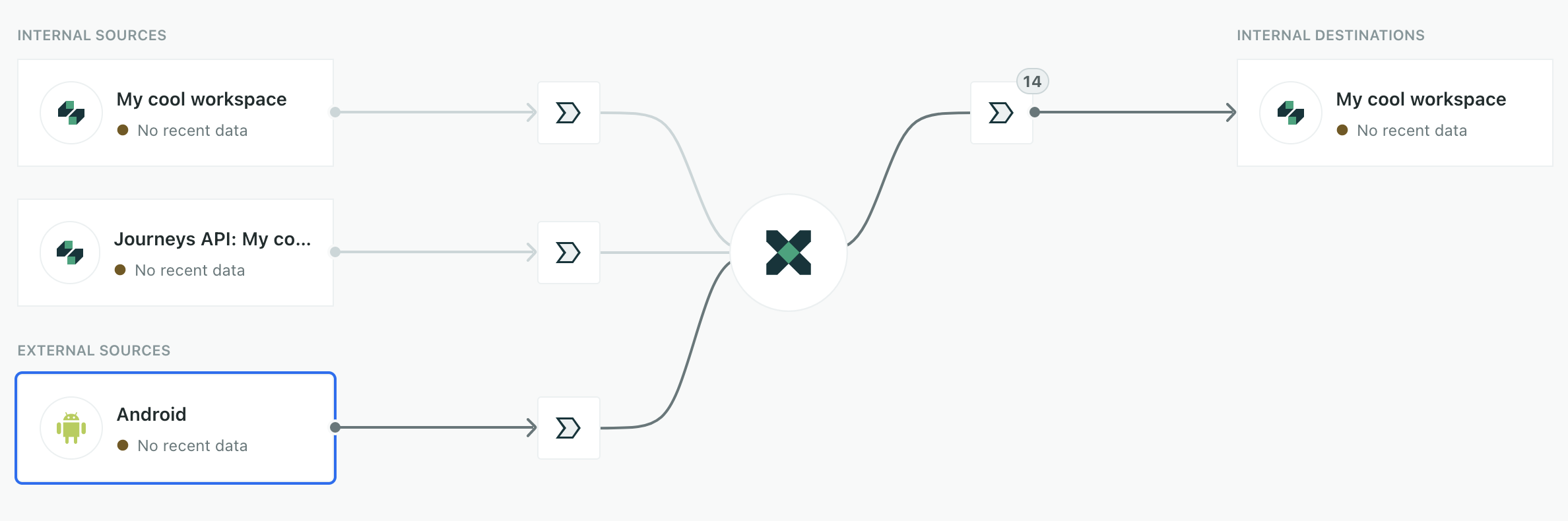
While we’ve supported in-app messages for a while, we knew that our initial in-app message editor was clunky and hard to use. We’ve rebuilt it from the ground up, so you can create in-app messages with a drag-and-drop editor. Now you can easily build in-app messages that look and feel like parts of your app or website. With this release, we even added support for video in in-app messages!
Read more
Grant read-only access to account settings with the new Member role
Admin billing Ui improvements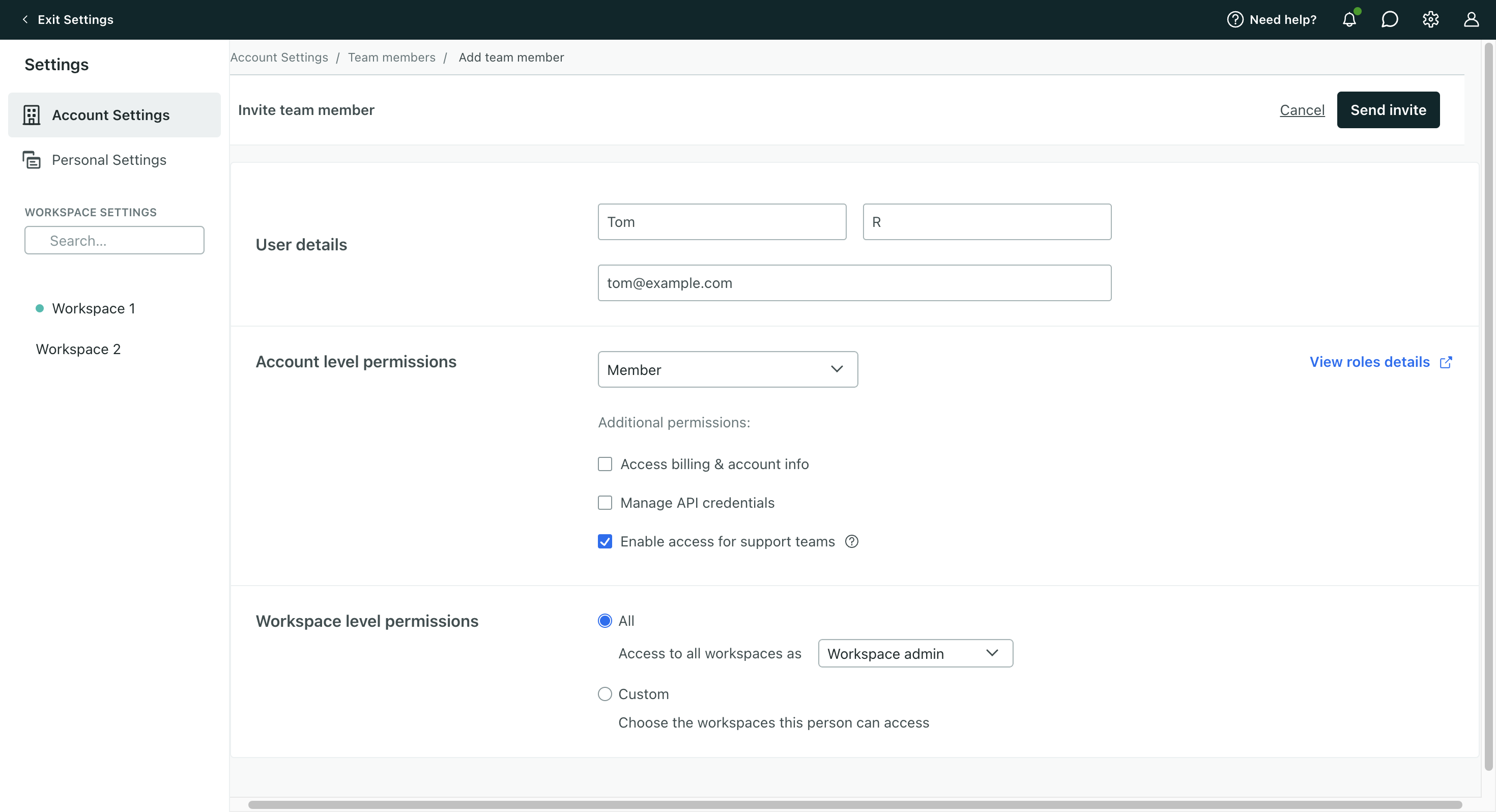
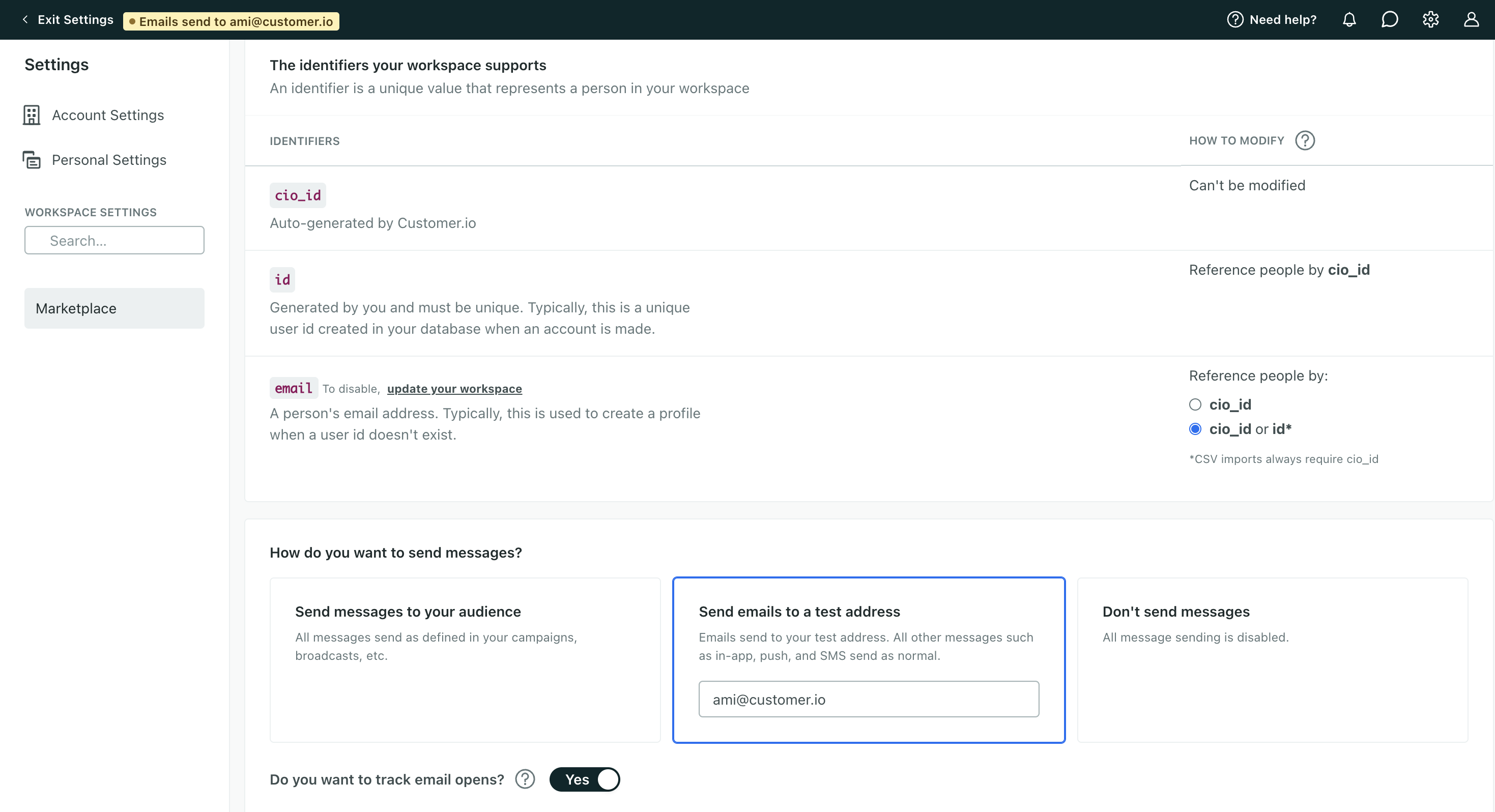
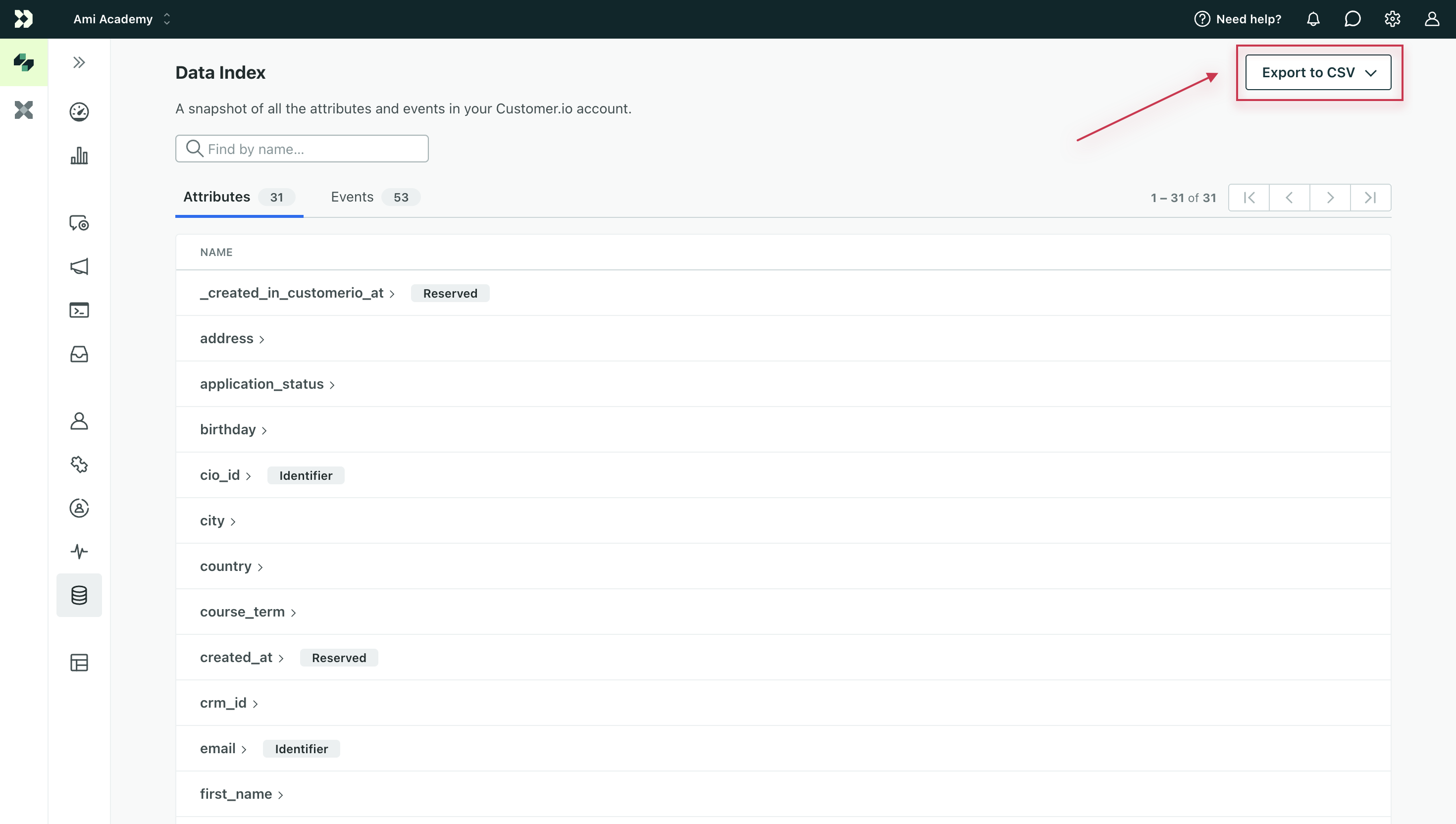
We’ve added a new account-level role, Member, so you can grant read-only access to account settings. You can also grant Members the ability to manage account info and billing, manage API credentials, or enable access for Customer.io support teams. Everyone who was a Workspace Admin, Author, or Viewer now also has a Member role to reflect the account-level permissions they already had. No one’s access to your account has changed. We did not grant or remove permissions from any team member.
Read more
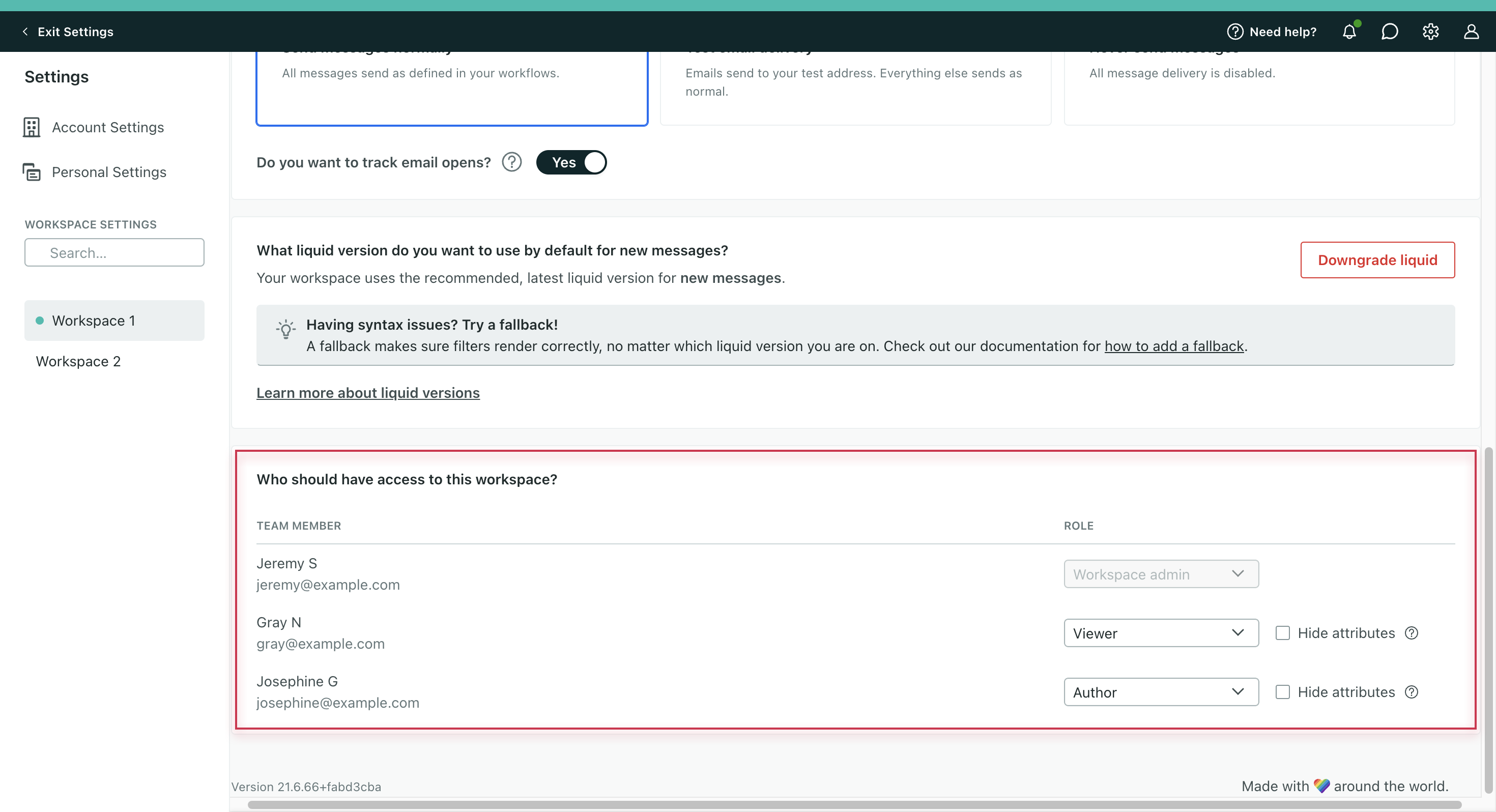
Enable SSO with SAML
Data integrations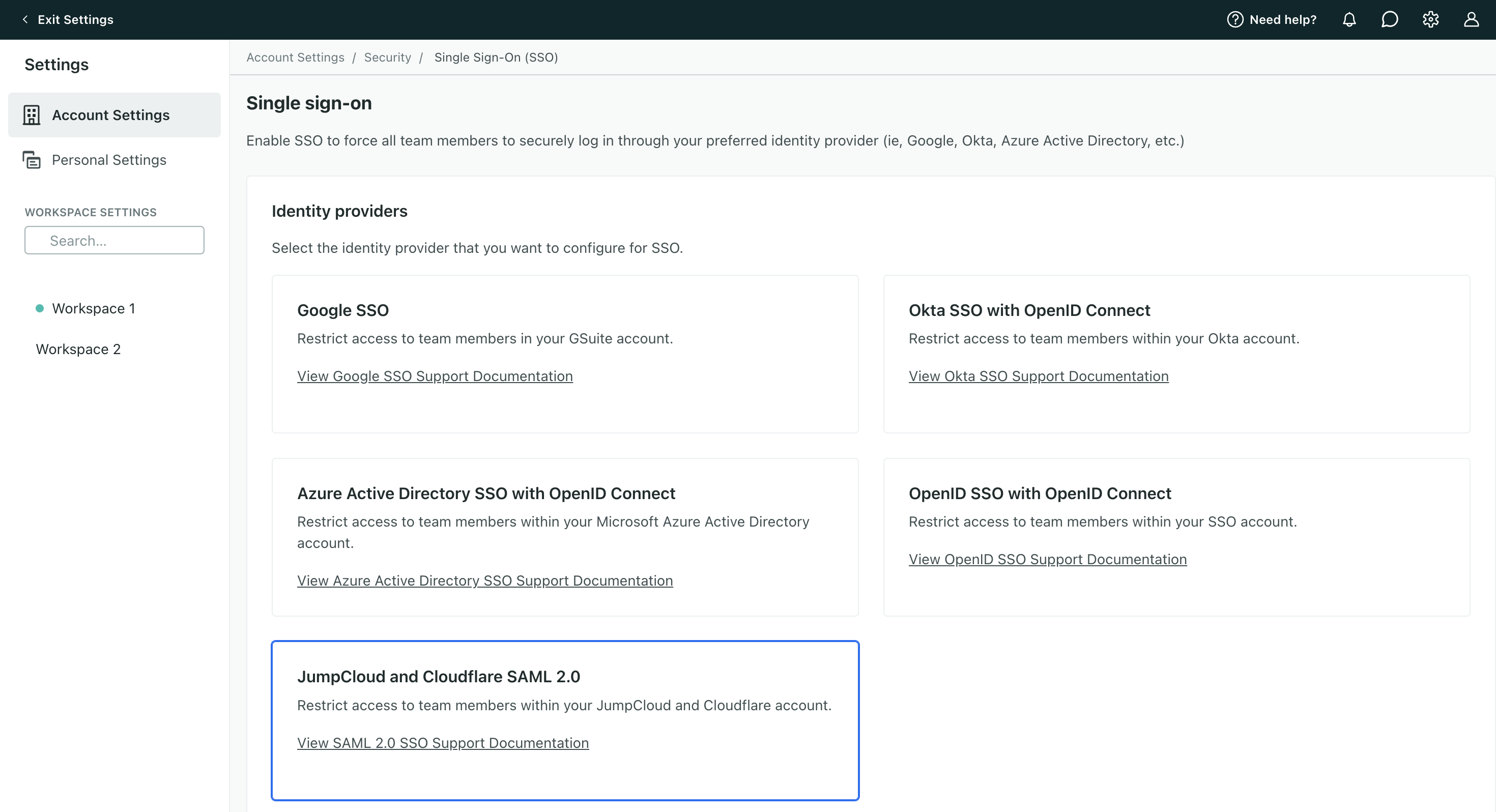
We now support SAML for many single-sign on (SSO) providers, so you can use your identity provider (IdP) with Customer.io—including Cloudflare, Jumpcloud, and more. Go to Account Settings > Security > Enable Single Sign-On (SSO) to get started. You must have the Admin role to configure SSO.
Read more
Capture data from Salesforce (now in Early Access)
Data integrationsSalesforce is great at storing and organizing relationships with your customers. Customer.io is great at activating those relationships. Now, if you’re on a premium or enterprise plan, you can use the two together and send your Salesforce data to Customer.io where you’ll send messages to your contacts, nurture leads, and more. With this native, two-way integration, you can even send your Salesforce data to other downstream destinations, like your analytics platform or data warehouse.
Read more
Apple Vision Pro Support
Mobile sdk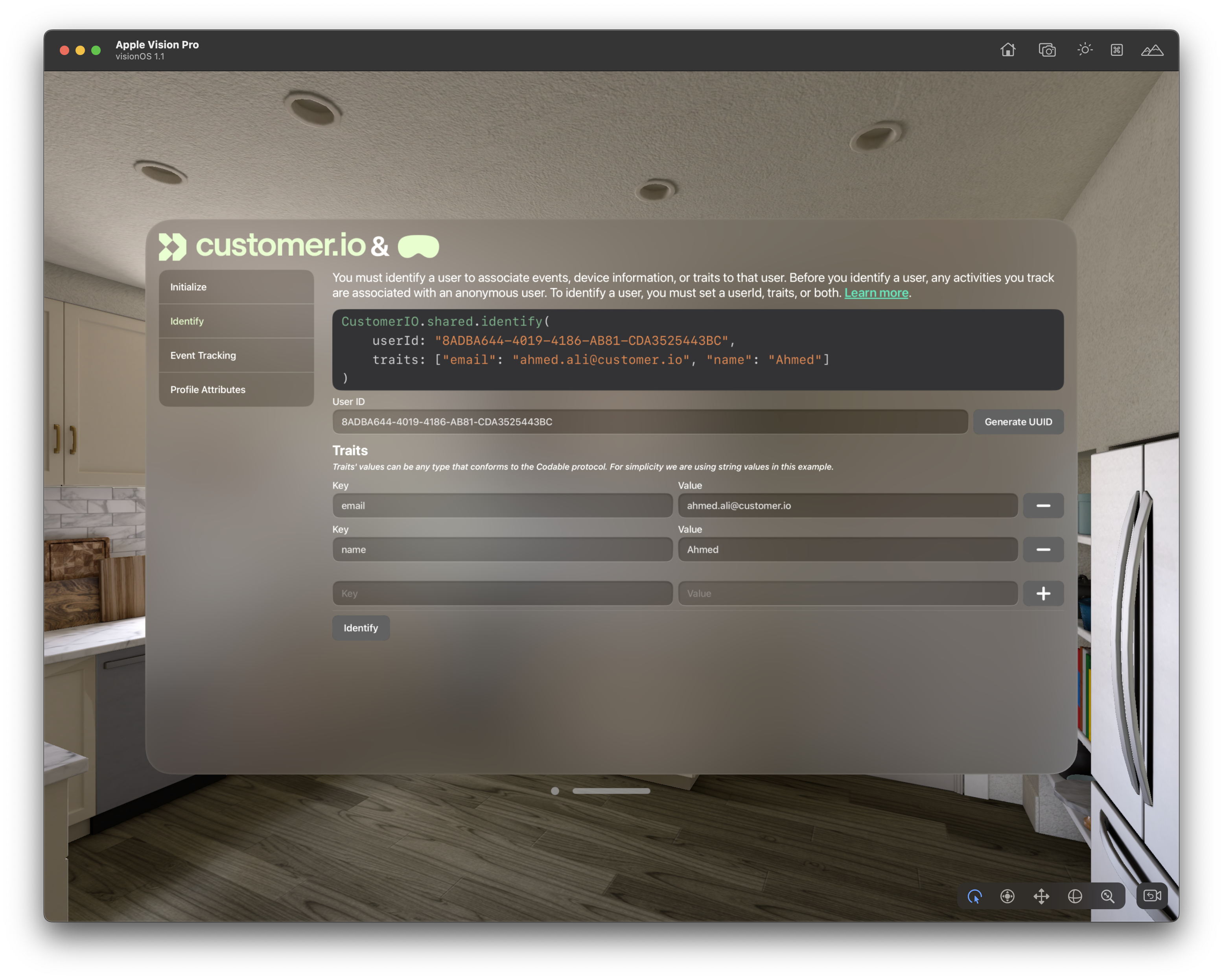
Along with all the other great features in our iOS 3.0 SDK release, we also added support for Apple’s visionOS. You’re no longer limited to phones and tablets; now you can engage with your Apple Vision Pro users in augmented reality too, sending personalized push notifications and tracking behavioral activity like you would from your mobile apps.
Read more
Disable CSS pre-processing for your workspace
Messaging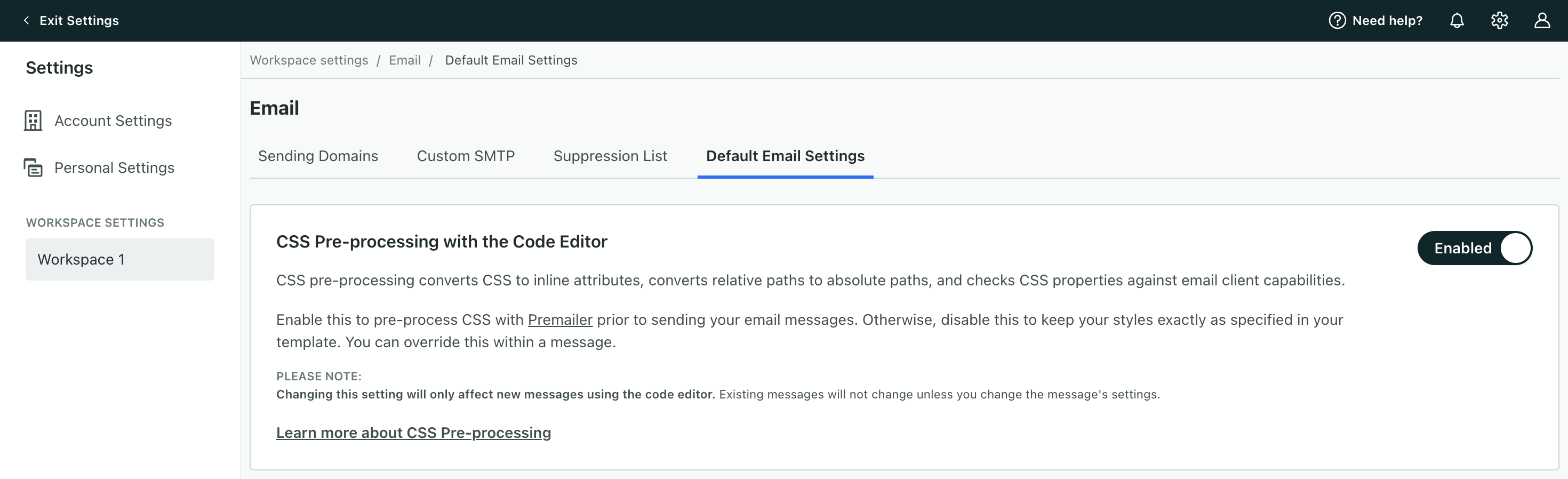
CSS pre-processing converts your CSS styles to inline attributes in your emails. Disabling this means we won’t change the code of your template, ensuring it stays exactly as you designed it. We’ve added a workspace setting so you can disable CSS pre-processing for emails created in the code editor. In the past, you could only disable this on an email. Now, you can also disable this for all new messages made with the code editor. Go to Workspace Settings then click Email > Default Email Settings to change this setting.
Read more
Meeting Apple’s App Store Privacy Requirements
Mobile sdkBeginning May 1, 2024, Apple’s App Store requires mobile apps and the SDKs you use to build your app to include privacy manifests. This includes Customer.io’s SDKs. We’ve updated our SDKs to include privacy manifests. Update your app to one of the versions listed below (or later) before May 1st, 2024 to ensure that your apps meet Apple’s requirements and aren’t rejected from the App Store.
Read more
Add/remove an individual from a manual segment
Messaging Ui improvements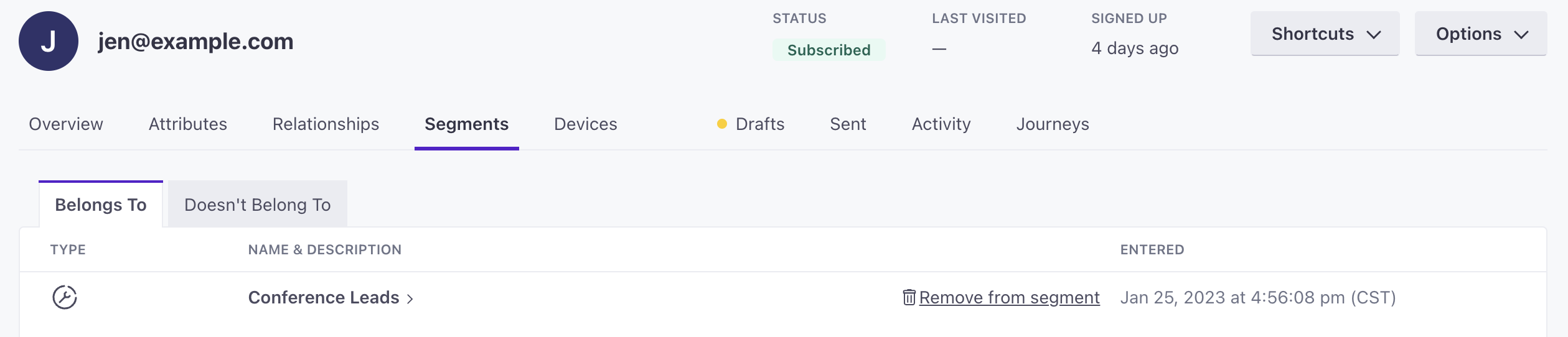
You can now add a person to or remove them from a manual segment through their profile page. Go to a person’s profile then click the Segments tab. Go to the tab Doesn’t Belong To then click Add to segment beside any manual segment so they join it. Or, under Belongs To, click Remove from segment so they leave it. Keep in mind, after you remove people from or add them to manual segments, they may trigger campaigns.
Read more
iOS 3.0 release
Mobile sdk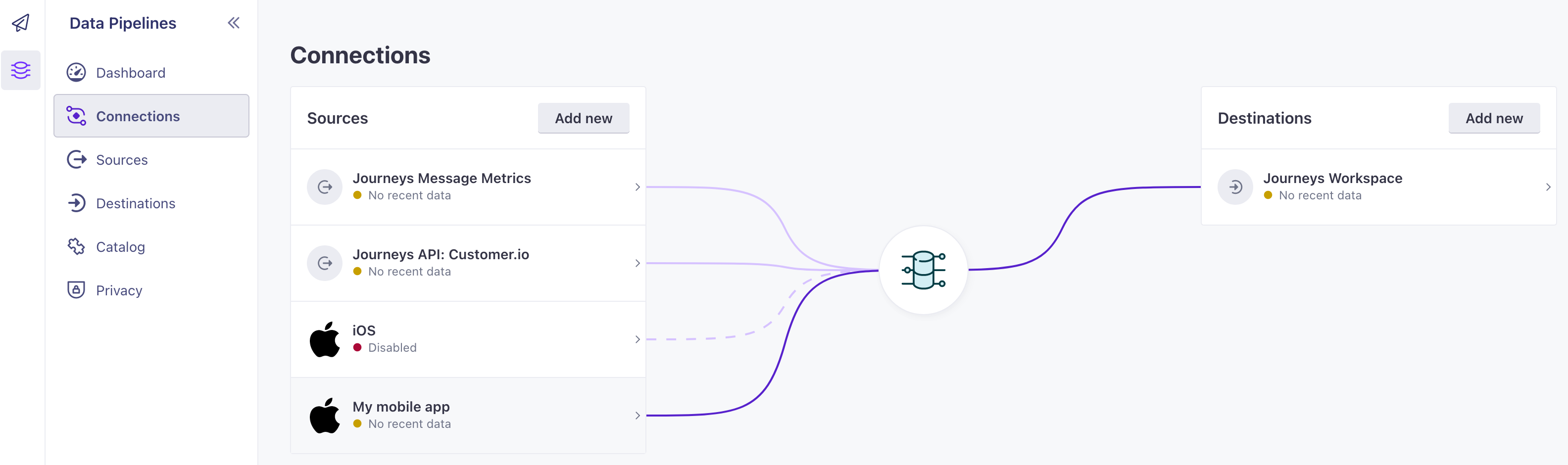
The latest version of our iOS SDK is out, providing a seamless integration with Customer.io Data Pipelines. This update makes it easier to support both Customer.io and your data to downstream destinations—like your analytics platform, CRM, or data warehouse—and lets you track anonymous users.
Read more
Upgrade your liquid version for new messages in Workspace Settings
Messaging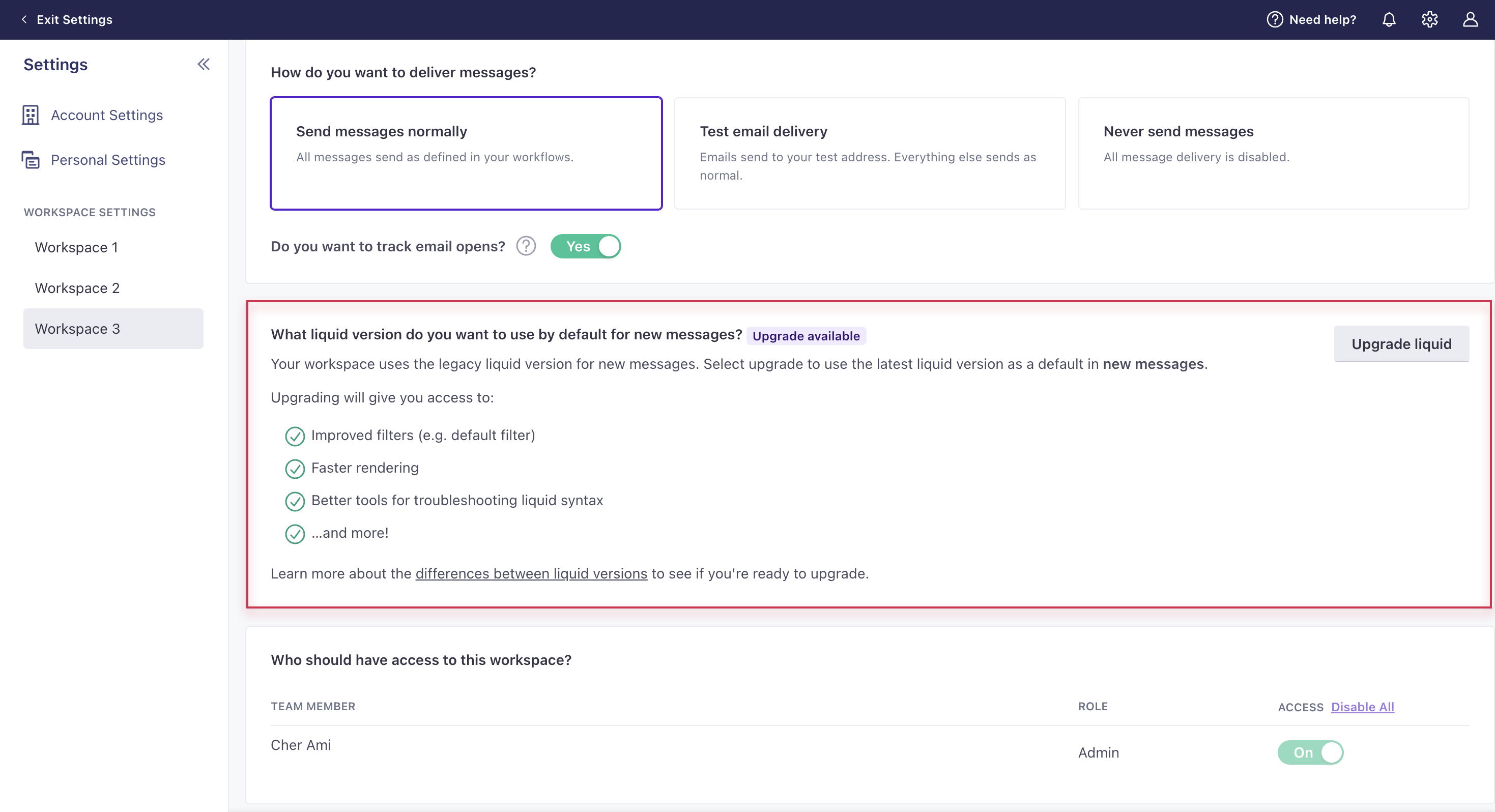
This applies to accounts created before Nov 28, 2023; all other accounts use our latest liquid version. You can now upgrade your workspace so that all new messages moving forward use our latest liquid version. The latest liquid version offers improved filters (e.g. default filter), faster rendering, and better tools for troubleshooting liquid syntax. Take a look at the differences between our latest and legacy versions of liquid to see if you’re ready to make the switch. Then go to General Workspace Settings to upgrade. Keep in mind, you will still have to manually upgrade existing messages. If you run into unexpected syntax issues with the latest liquid, use our fallback logic.
Read more
Check your DMARC policy
Ui improvementsWe now check your DMARC policy when verifying your email sending domains to enforce Gmail and Yahoo’s new sending requirements. Visit your Workspace Settings and click Show Records to check the state of your DMARC policy and whether we recommend you update it. These requirements are designed to help prevent email spoofing and phishing attacks.
Read more
Upgrade to the latest liquid version
Messaging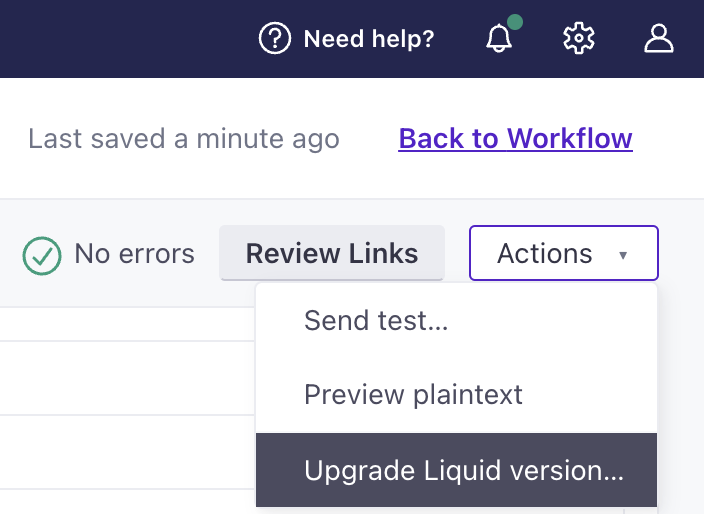
If your account was created before Nov 28, 2023, you now have the ability to upgrade to our latest liquid version, which provides faster rendering and new functionality. Check out what’s new and deprecated with the latest version. You can update a message through the Actions dropdown while editing.
Read more
We support images up to 3MB again
MessagingA couple of weeks ago, we changed the file size limit from 3MB to 1MB to scale our file storage and follow best practices for email. But after considerable feedback, we’re changing it back to 3MB to better support your needs. We’ll continue looking for solutions to storage and deliverability optimization.
Read more
Simplified push messaging setup for iOS
API developers Mobile sdkWe’ve released updates for our iOS-supporting SDKs, so they’ll automatically register device tokens and capture opened metrics for push notifications. Now that we handle these things, you can remove some code, simplifying your integration and improving reliability when you update our SDKs in the future.
Read more
Reverse ETL: updates to sync interval calculation and suppressed profiles
API developers Automation Data integrations Ui improvementsWe’ve made two updates to enhance your reverse ETL integrations. First, we added a setting that allows you to decide how imports handle suppressed profiles. Second, we updated our import logic such that all reverse ETL imports start at a predictable time based on when your imports first started and your interval setting. For more information and examples, go to your database’s documentation. For more on our suppressed profile setting, go to Add a sync > Step 4. For more on interval calculation, go to Sync intervals and skipped syncs.
Read more
Trigger campaigns by objects and relationships
Messaging Ui improvements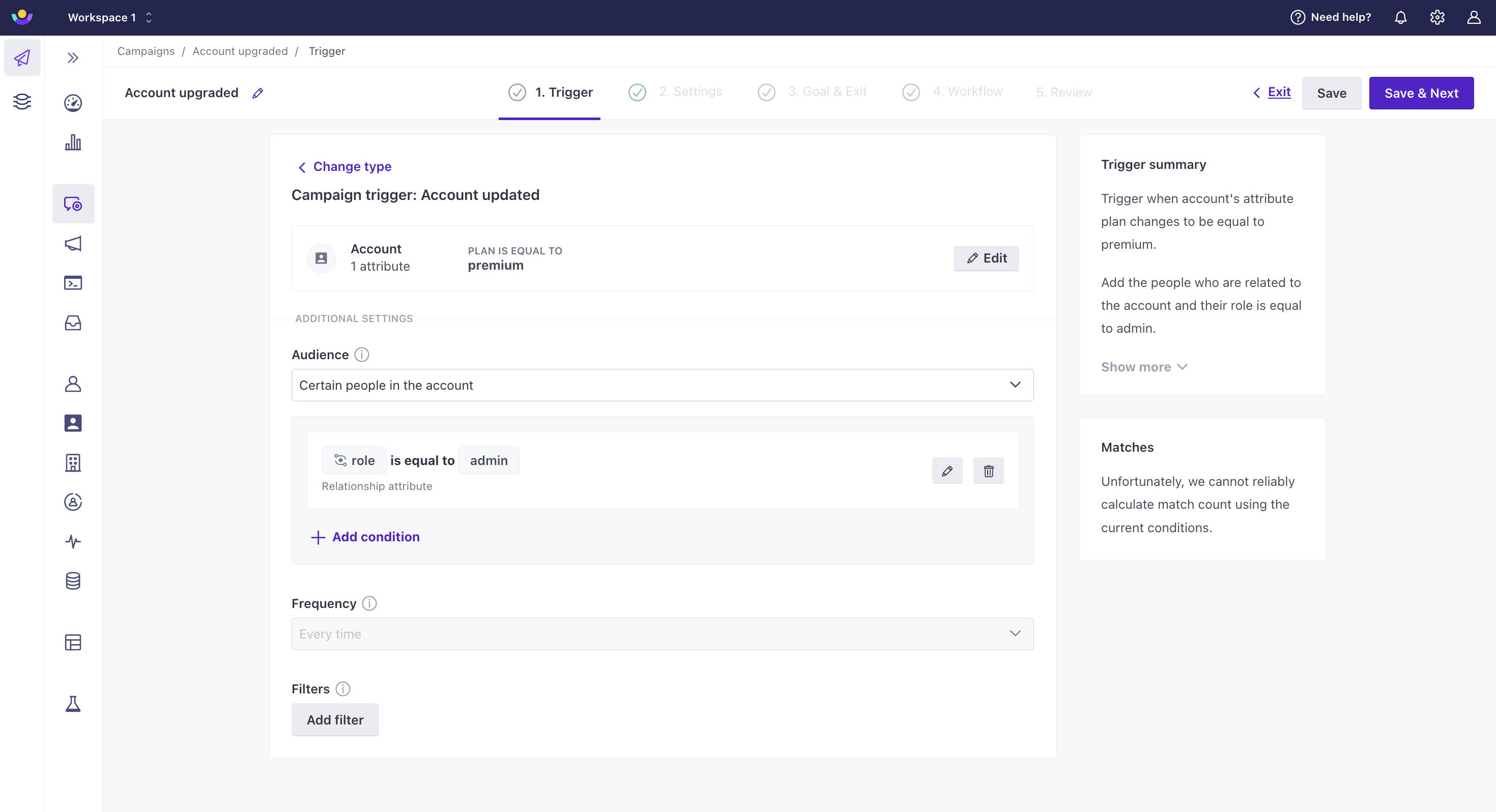
Your toolbox in Customer.io just expanded! You can now trigger campaigns based on an update to an object, an update to a relationship, or the addition of a relationship to an object. This is helpful when, for instance, you want to send a person through a journey when an account object they’re a manager of is updated or when their role at the account has changed. Go to Campaigns in the left hand navigation and click Create Campaign in the top right to get started.
Read more
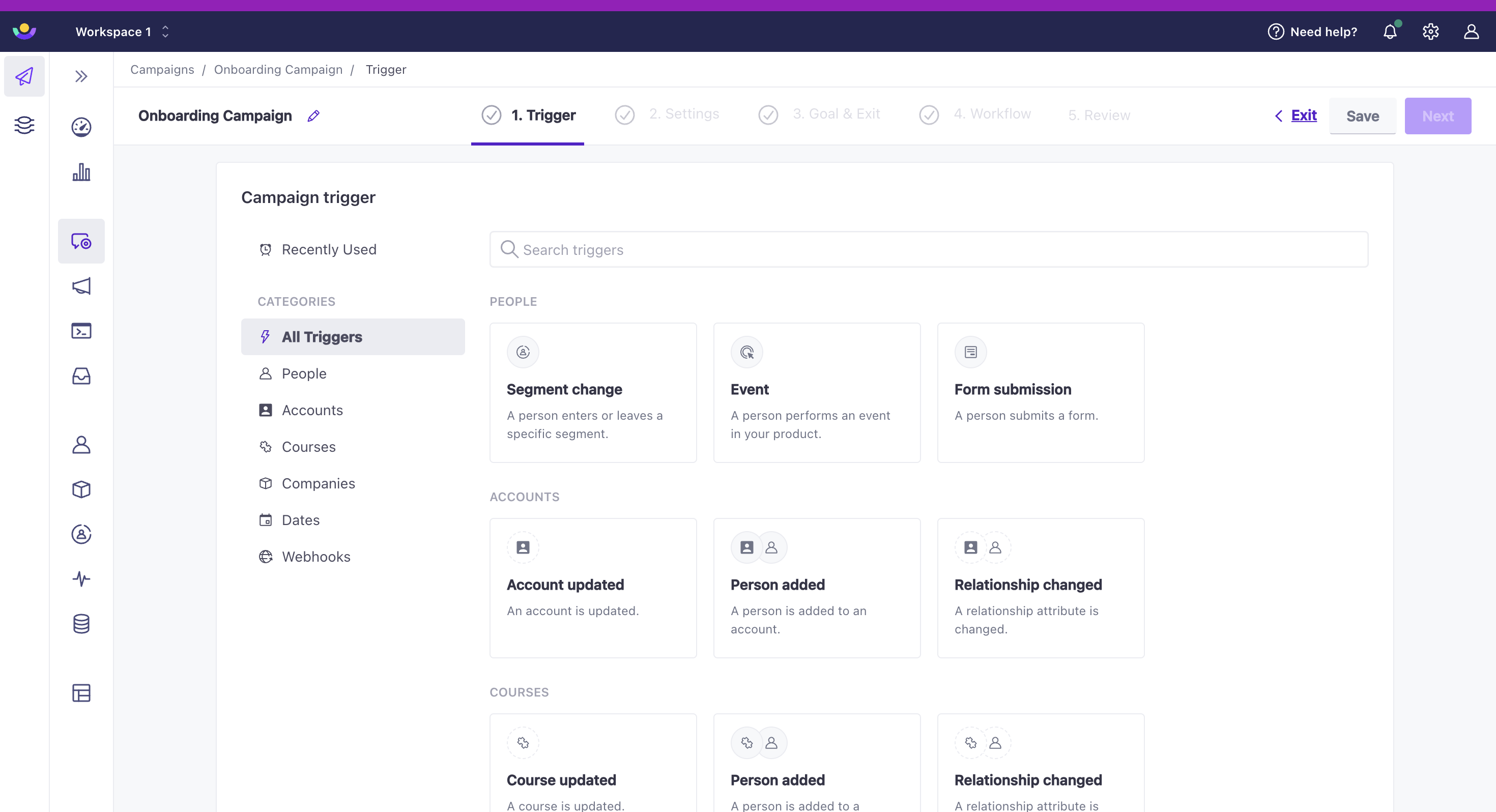
Import objects via CSV
Data integrations Ui improvements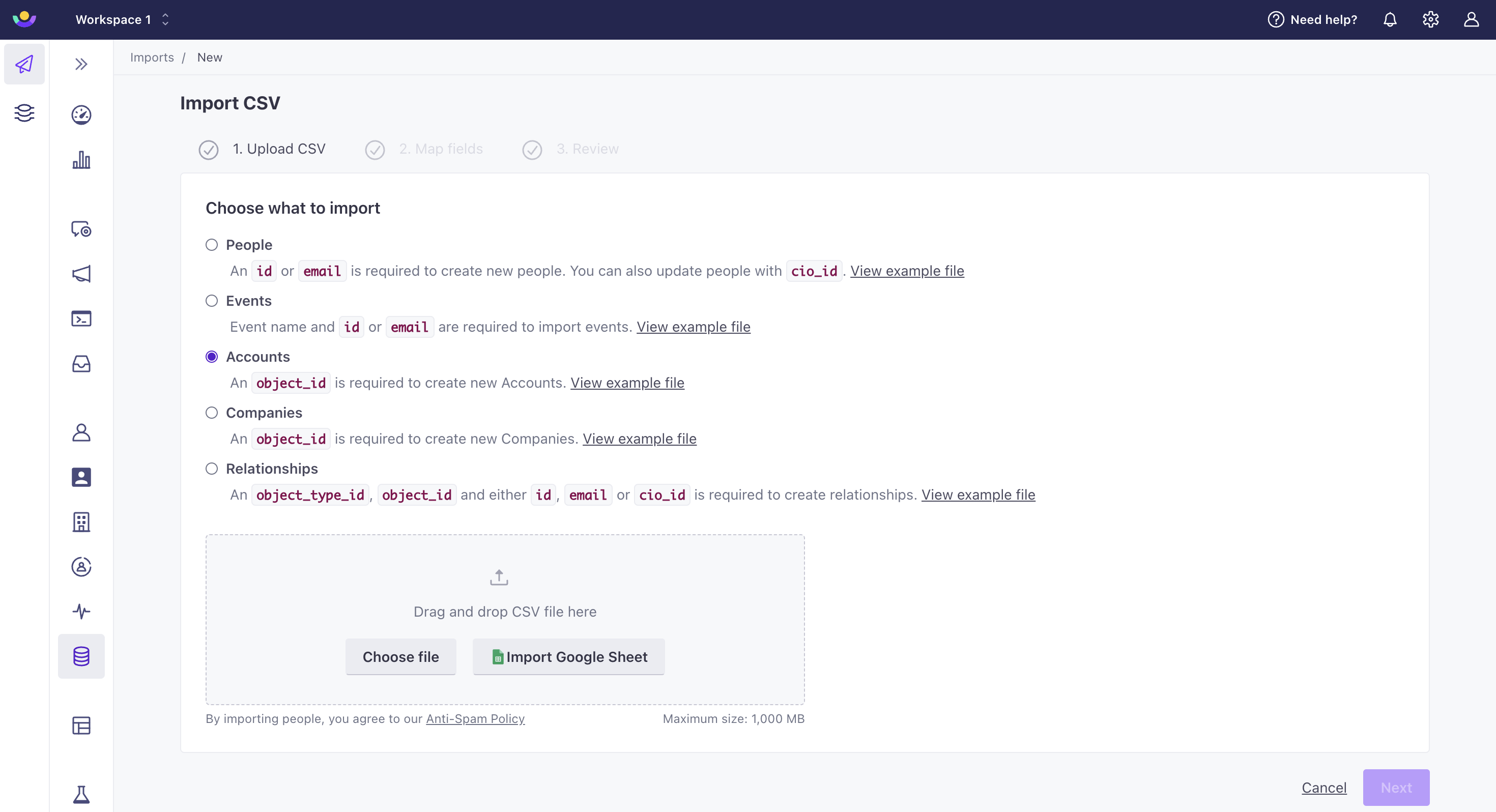
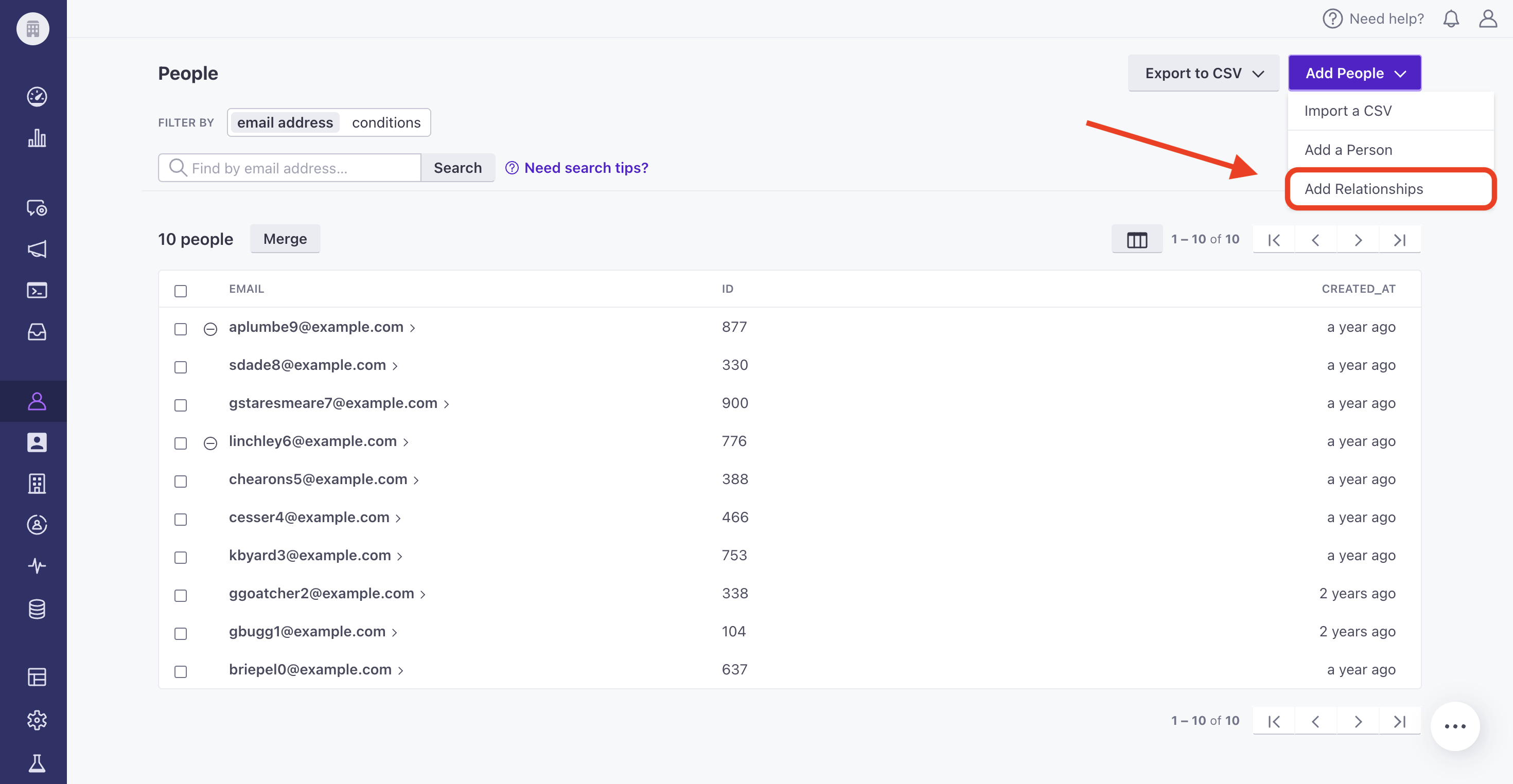
You can now import a CSV of objects or relationships through our UI or API. This is helpful if the data is not available through an integration or you are just getting started and need to quickly backfill data. To import objects or relationships through our UI, under Configure data, click More > Imports. To import them through our API, use our import endpoint. Note: the people and objects referenced in your relationship CSV must already exist in your workspace for the import to succeed. Also, keep in mind that importing objects and relationships can trigger campaigns! Check that your CSV is correct before initiating import.
Read more
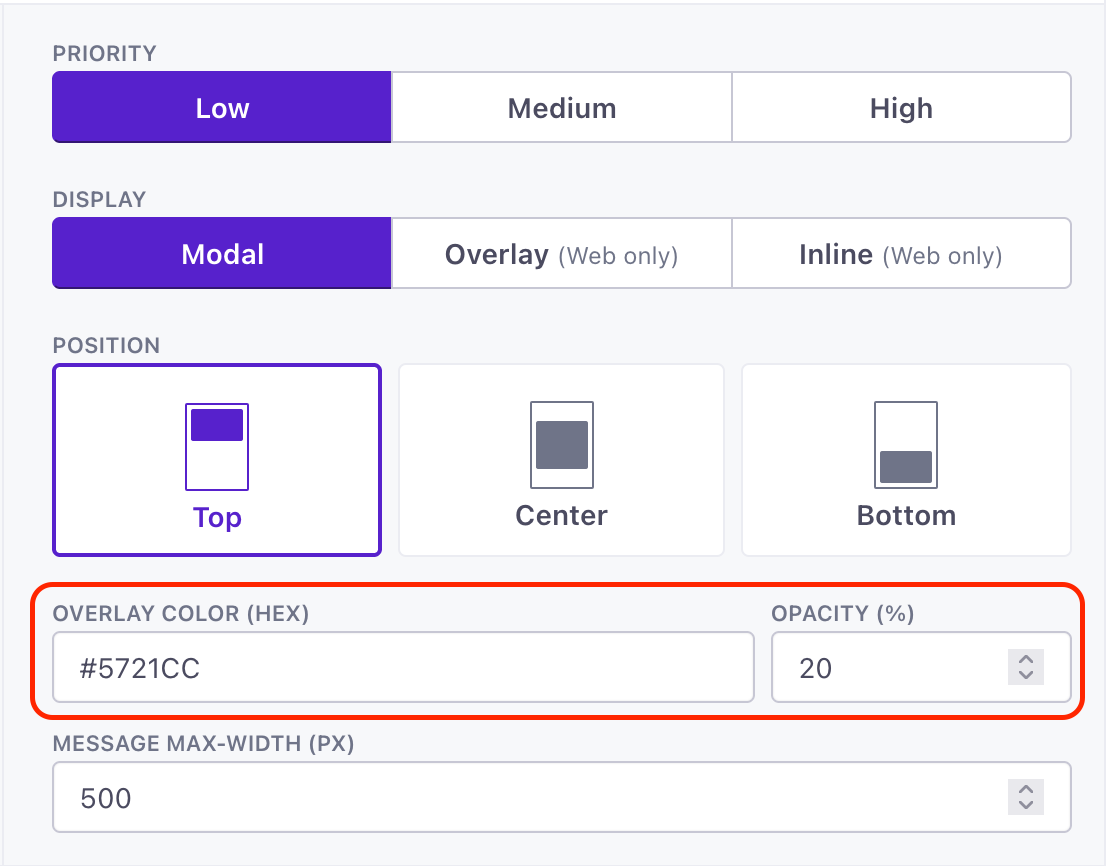
Set custom widths for in-app messages
Messaging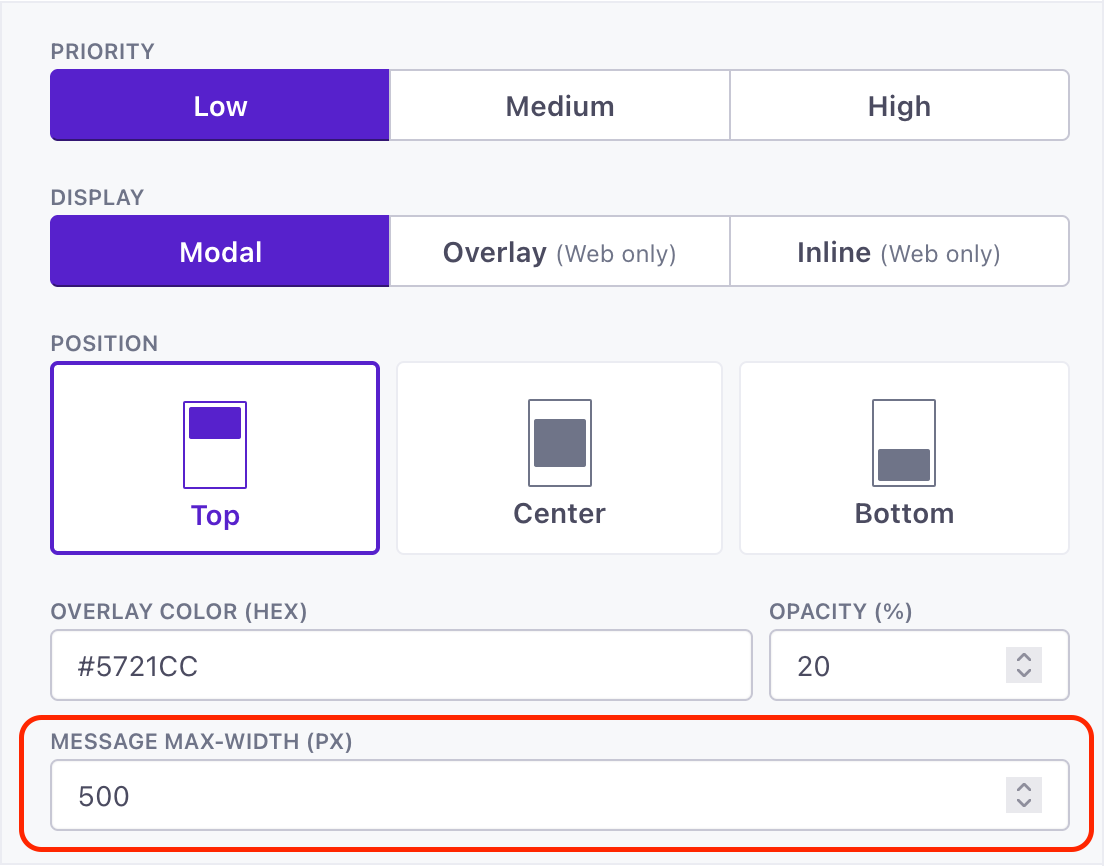
By default, our in-app messages have a maximum width of 414px—a common breakpoint for mobile design. But that might be too narrow for non-mobile mediums, like your desktop website. Now you can set a custom max width for in-app messages, expanding your message on larger screens while still being responsive when your message appears on screens smaller than the max-width value.
Read more
Hide sensitive data for Authors
Admin billing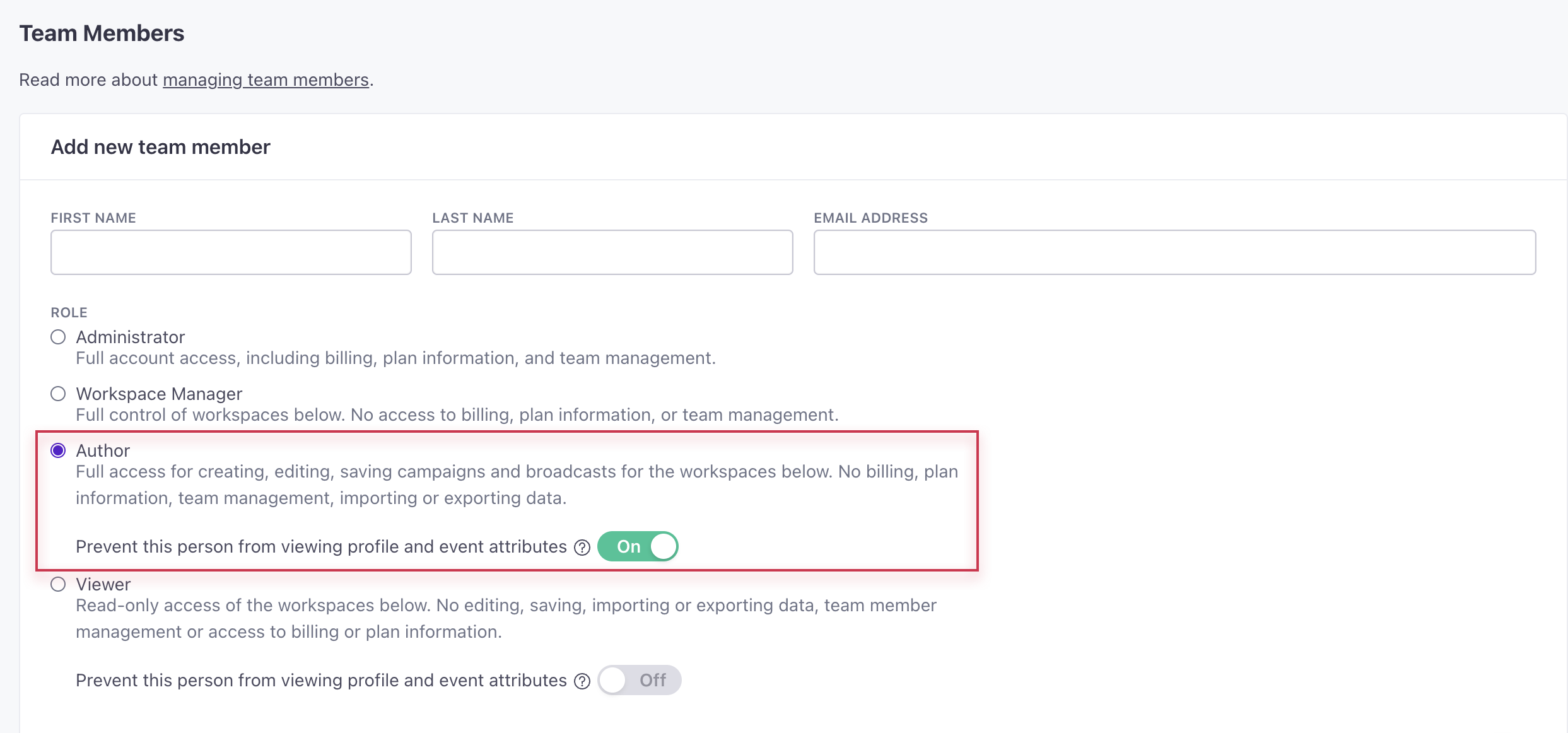
You can now hide profile and event attributes from team members with the Author role to limit who has access to personal information in your workspace. Admins can manage this setting in Account Settings > Team Members. When creating or editing a team member with the Author role, toggle on Prevent this person from viewing profile and event attributes. Authors with reduced access cannot manage segments, objects and relationships, or webhooks. They also cannot edit people or attribute conditions for broadcasts.
Read more
Pass delivery metrics from third-party providers
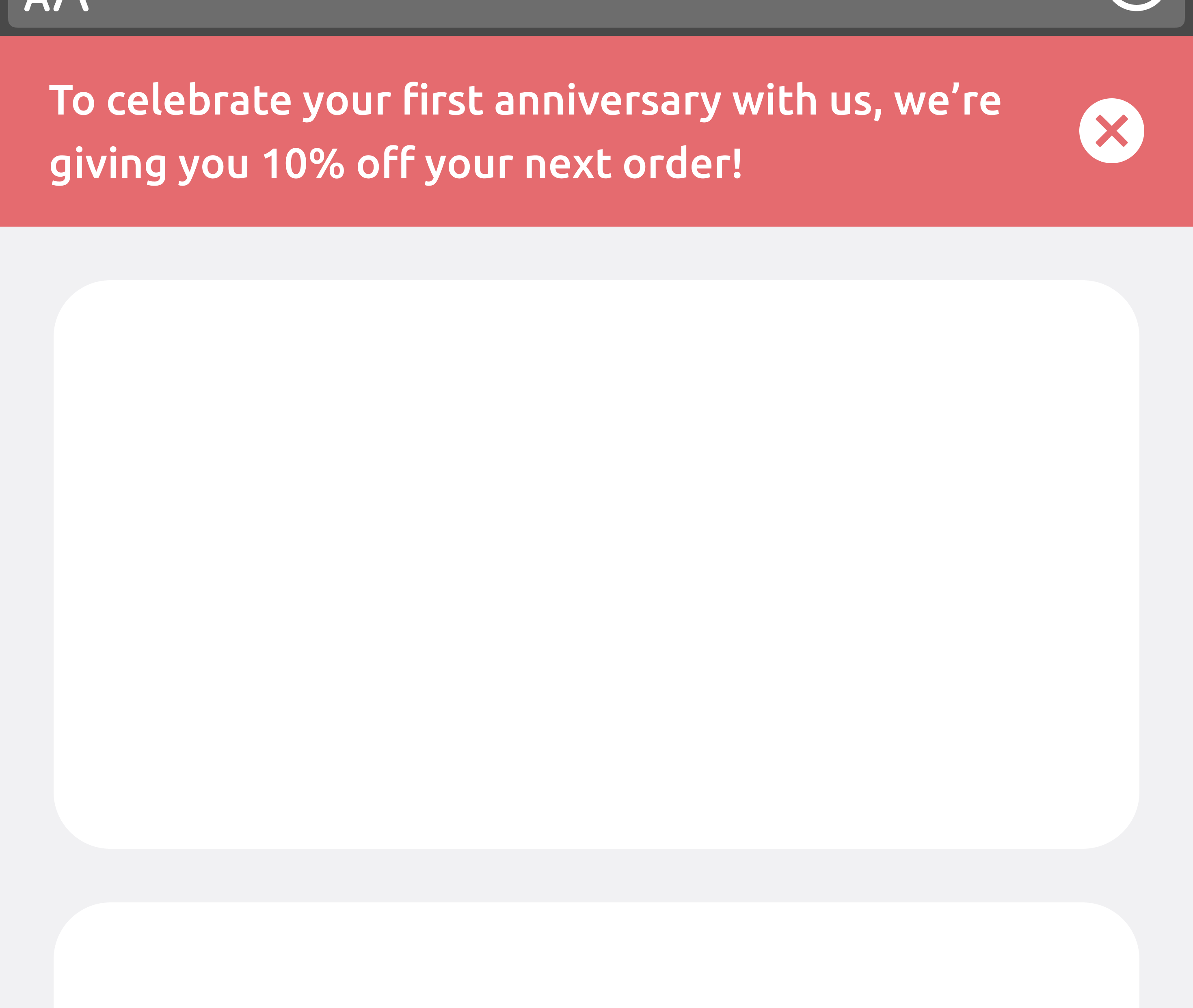
API developers Data integrationsIf you use outgoing webhooks to trigger messages from a third-party provider that is not natively integrated with Customer.io, you can send incoming calls to our Track metrics API to capture metrics in Customer.io. This allows you to see delivery metrics for all of your messages in one place.
Read more
Reorganize in-app messages with drag-and-drop
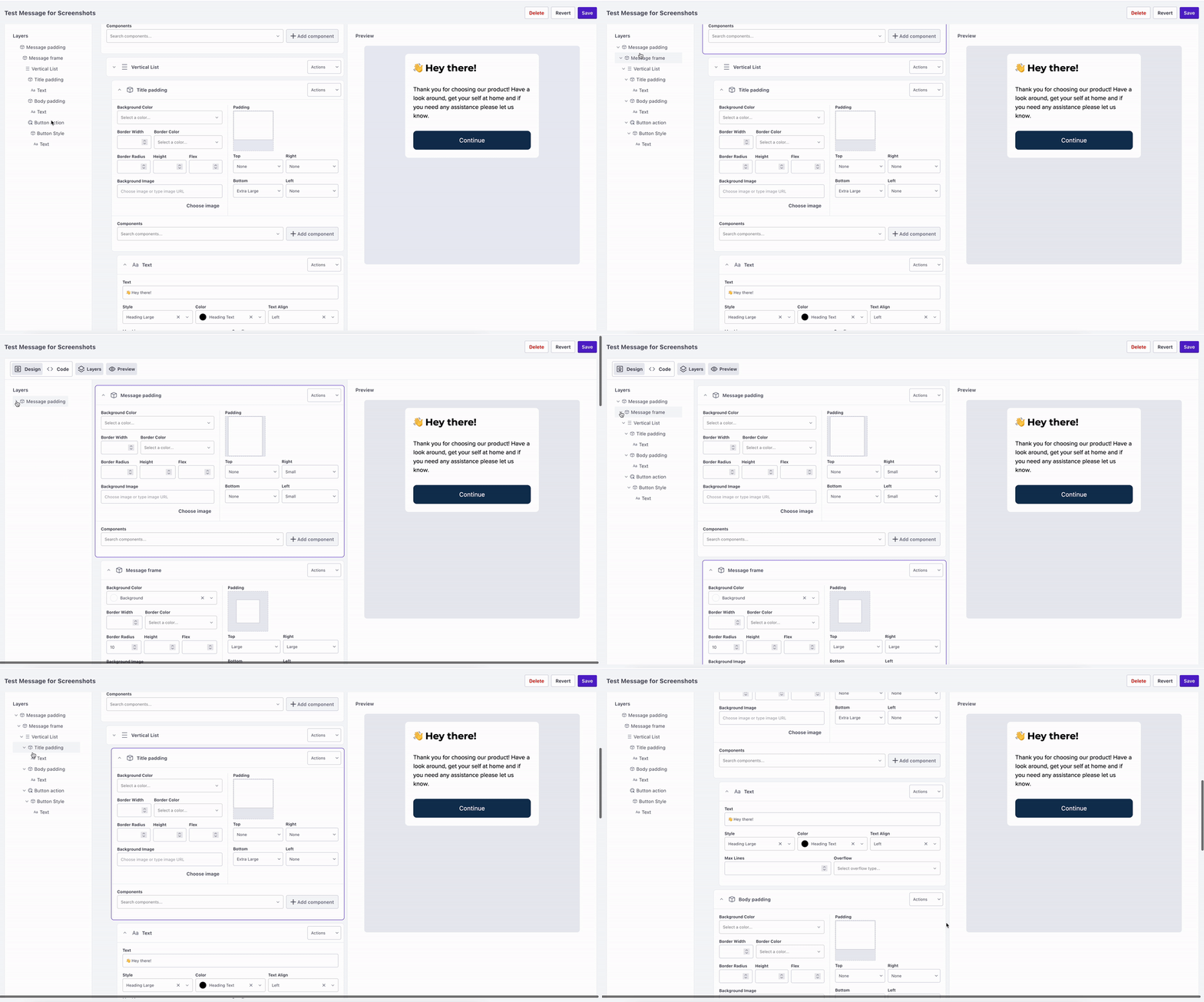
Ui improvements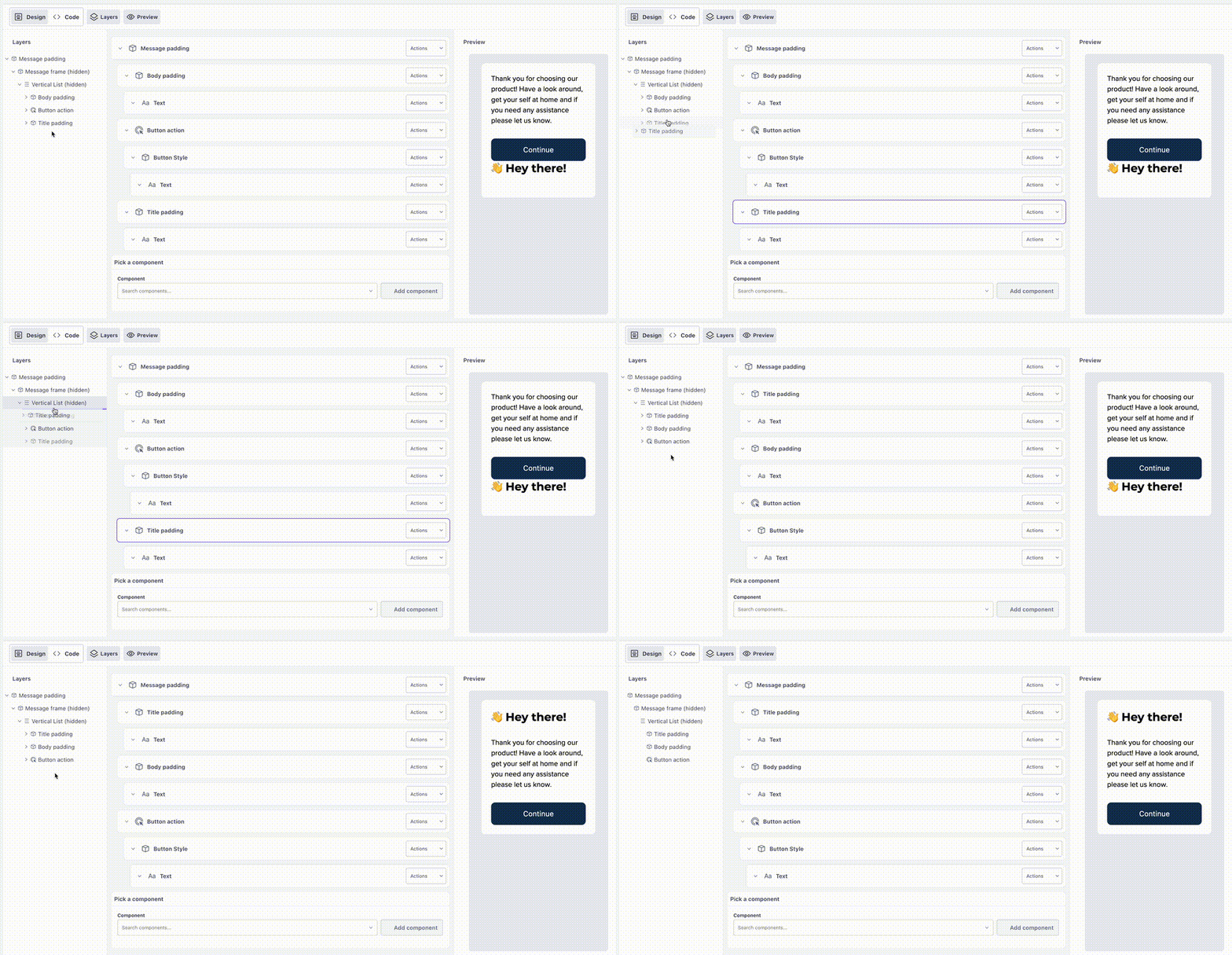
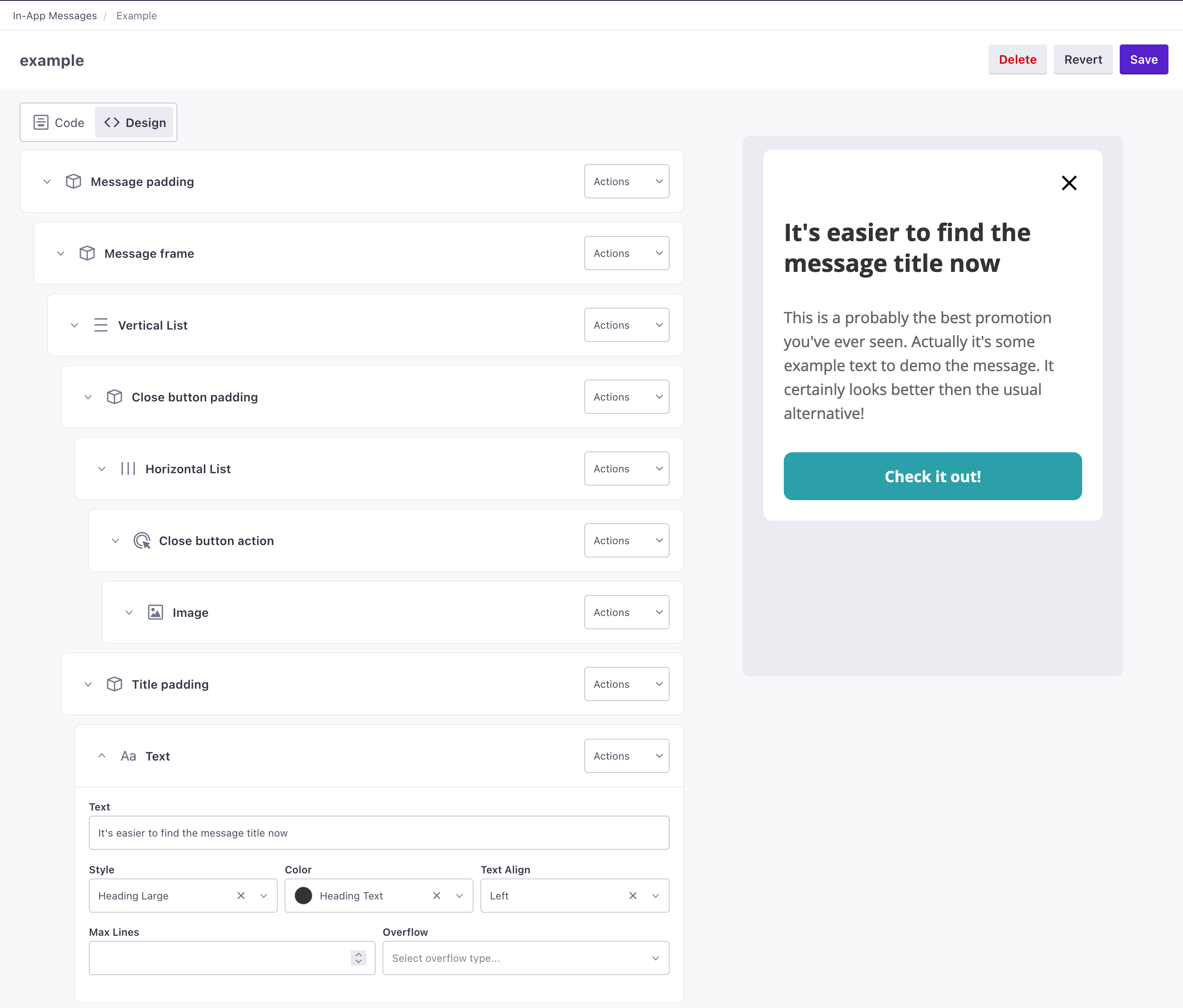
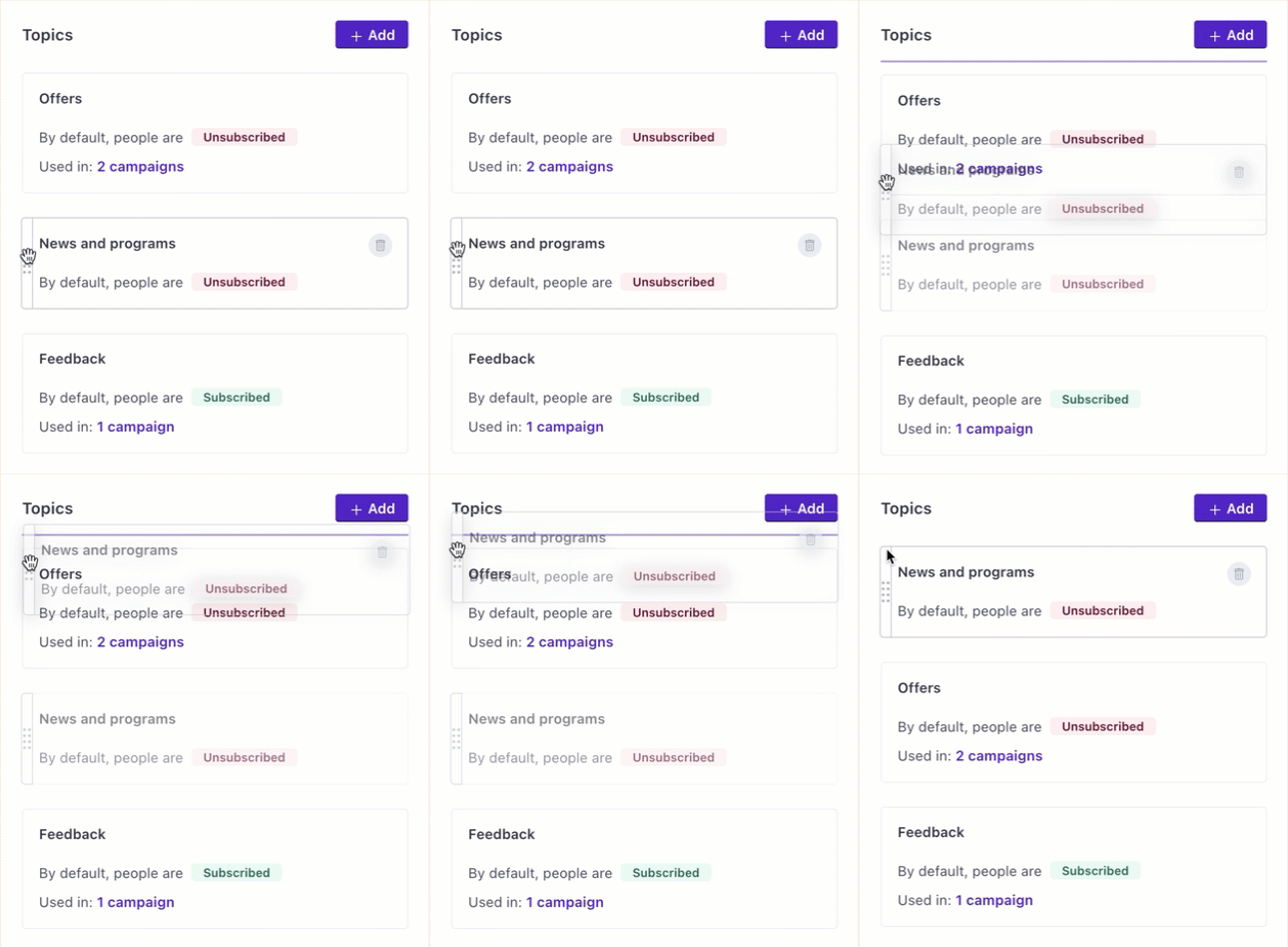
Following our last update, we’ve made it even easier to build in-app messages. Now you can drag-and-and drop components. This gives you the flexibility to build your message in any order and reorganize it later—you can simply change your layout and move elements to the right places at any time.
Read more
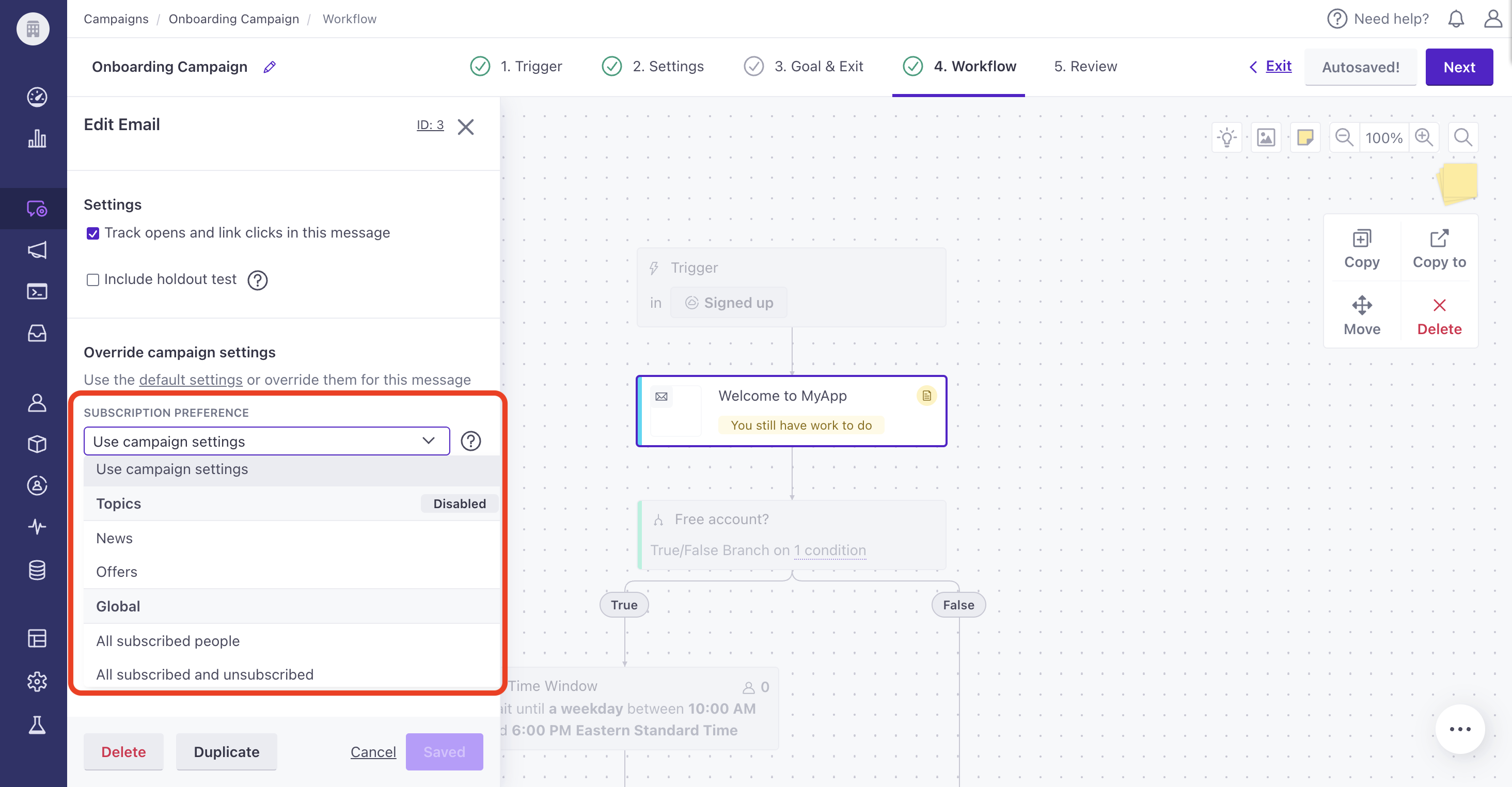
Assign subscription topics in bulk to live campaigns and broadcasts
Ui improvements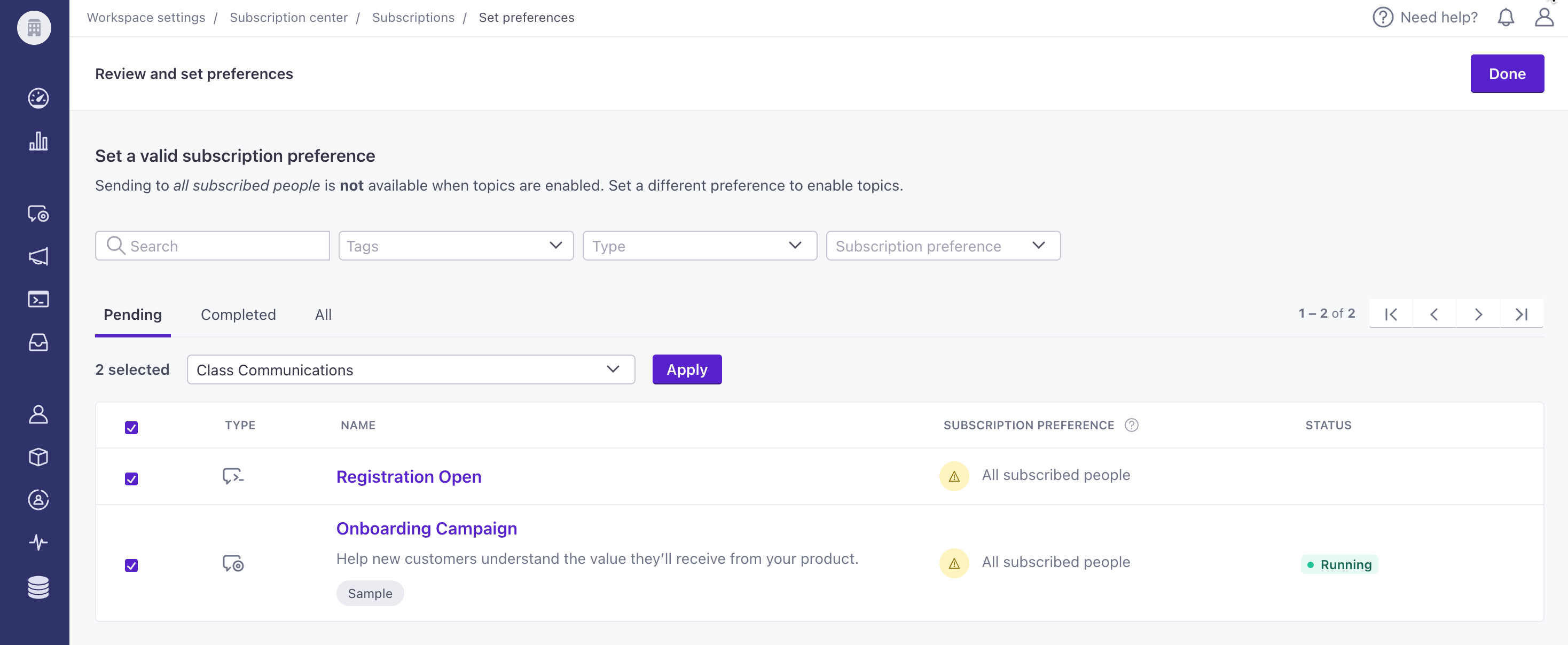
You can now enable your subscription center faster by assigning a topic to multiple campaigns and broadcasts simultaneously. Note, to enable your subscription center, all your running campaigns, API-triggered broadcasts, and scheduled newsletters need a topic. To identify which message workflows still need a topic, go to Workspace Settings > Subscription center. Then go to the Topics table and click Review.
Read more
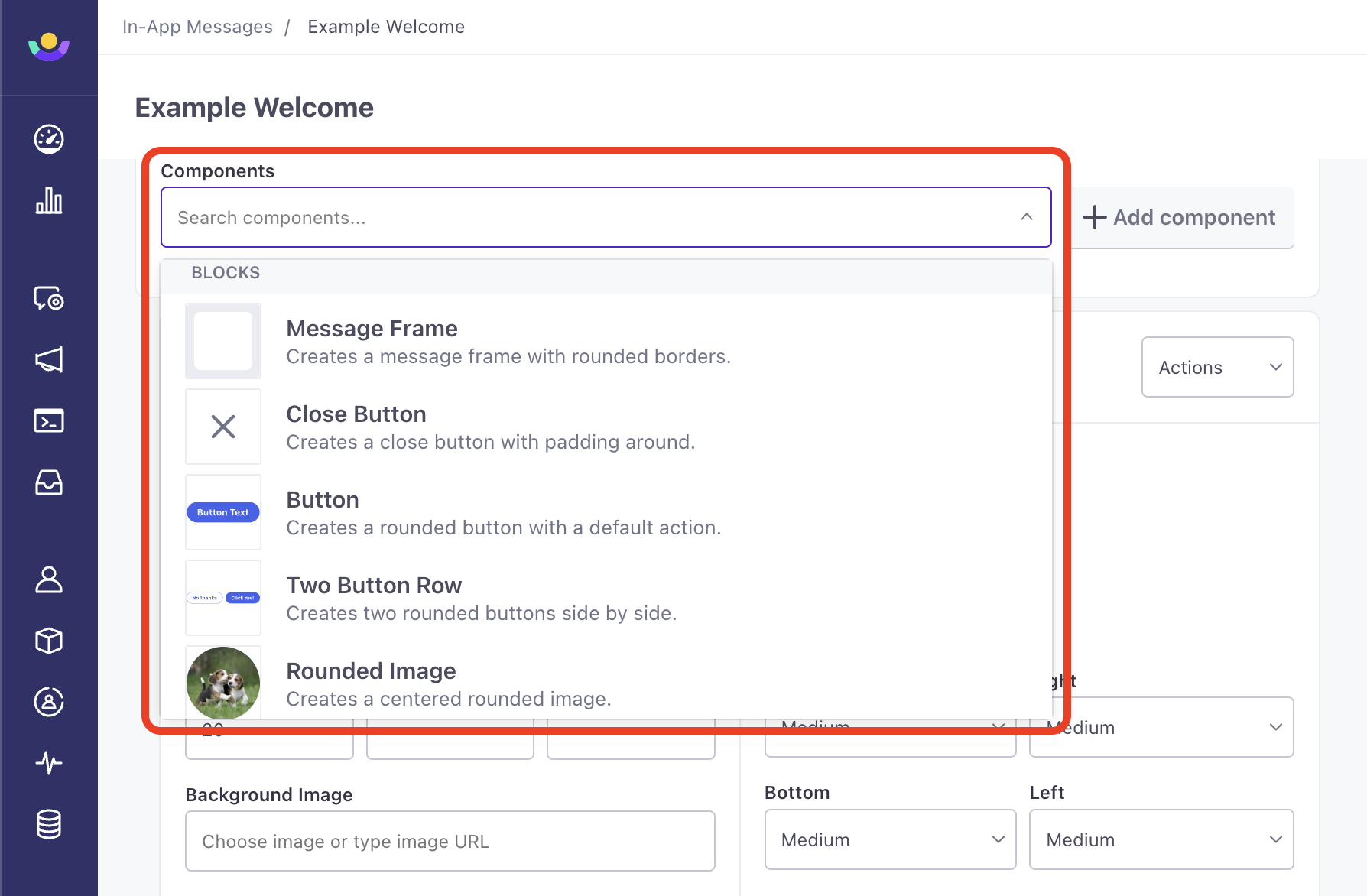
In-App Microsurveys
Messaging Ui improvements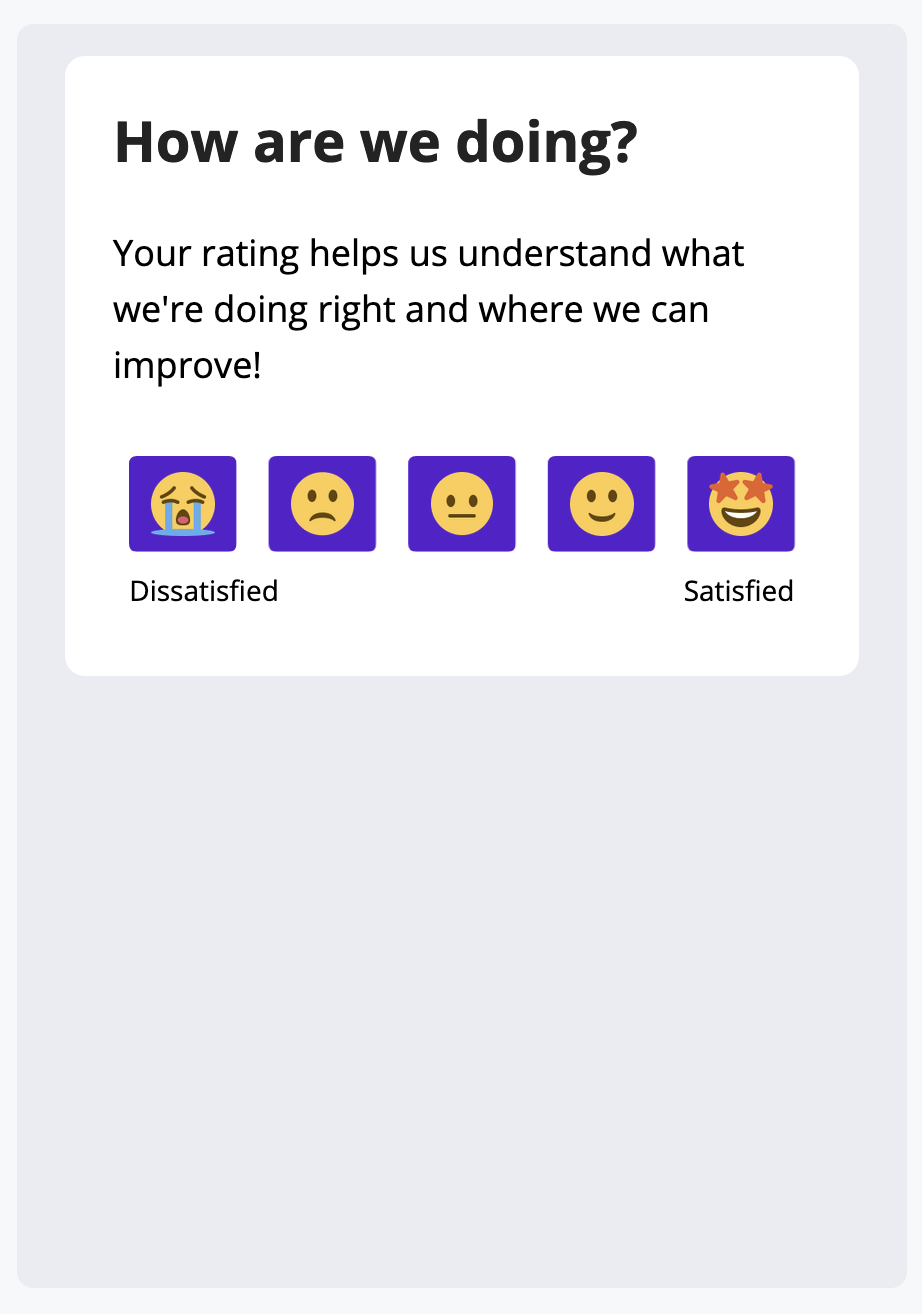
In-app messages are a great way to connect with people who are already engaged with your app, but it hasn’t always been easy in Customer.io to build or track in-app messages with multiple choices. With our new Microsurvey components, we’ve made it easier to send messages with quick, recognizable calls to action. This release also adds the ability to track responses to your in-app messages and surveys.
Read more
Track metrics for subscription center topics
Messaging Ui improvements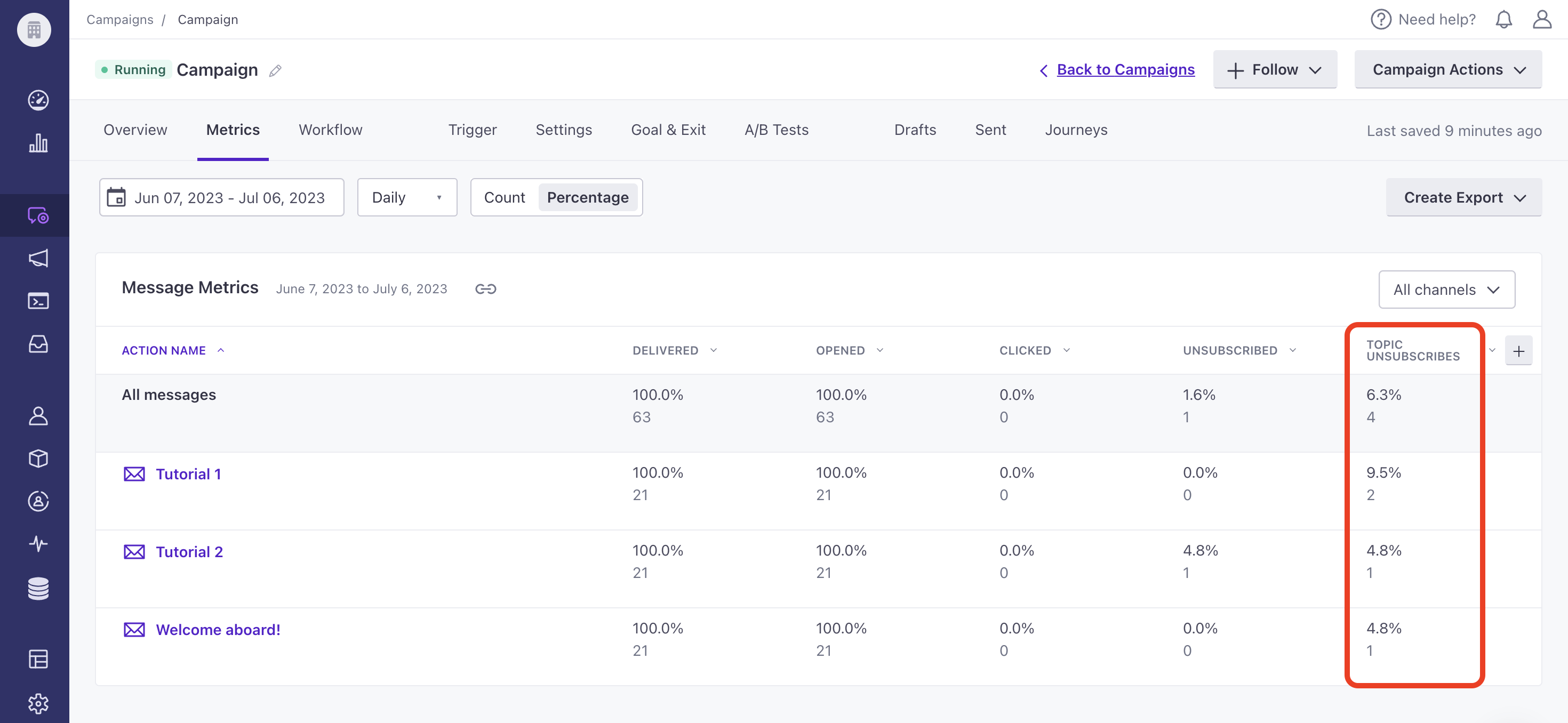
You can now view unsubscribe rates for subscription center topics when viewing Performance & Delivery Metrics or Message Metrics for campaigns and API-triggered broadcasts within the Metrics tab. For newsletters, go to the Overview tab. You can also compare metrics through your Analysis Dashboard. This data can help you determine subscription topic interest by monitoring unsubscribe rates.
Read more
Dismiss in-app messages at the right time
Mobile sdkWe’ve added functions to all of our SDKs to manually dismiss in-app messages. This is especially helpful in handling custom actions, so you can dismiss messages after your audience interacts with a custom button or link. You can listen for message interactions and then perform dismissals based on the actions users take in your messages.
Read more
Securely verify requests for webhook actions
API developers Data integrationsYou can now verify webhook requests sent through our Send and receive data actions using a key that is separate from your reporting webhooks. To find the signing key in your workspace, go to Settings > Workspace Settings > API & webhook credentials and select the Webhook Signing Key tab. Users with the Admin, Manager, and Author roles can view this key. You can continue to find the key for your reporting webhooks in Integrations > Reporting webhooks.
Read more
Brand your global unsubscribe page
Ui improvements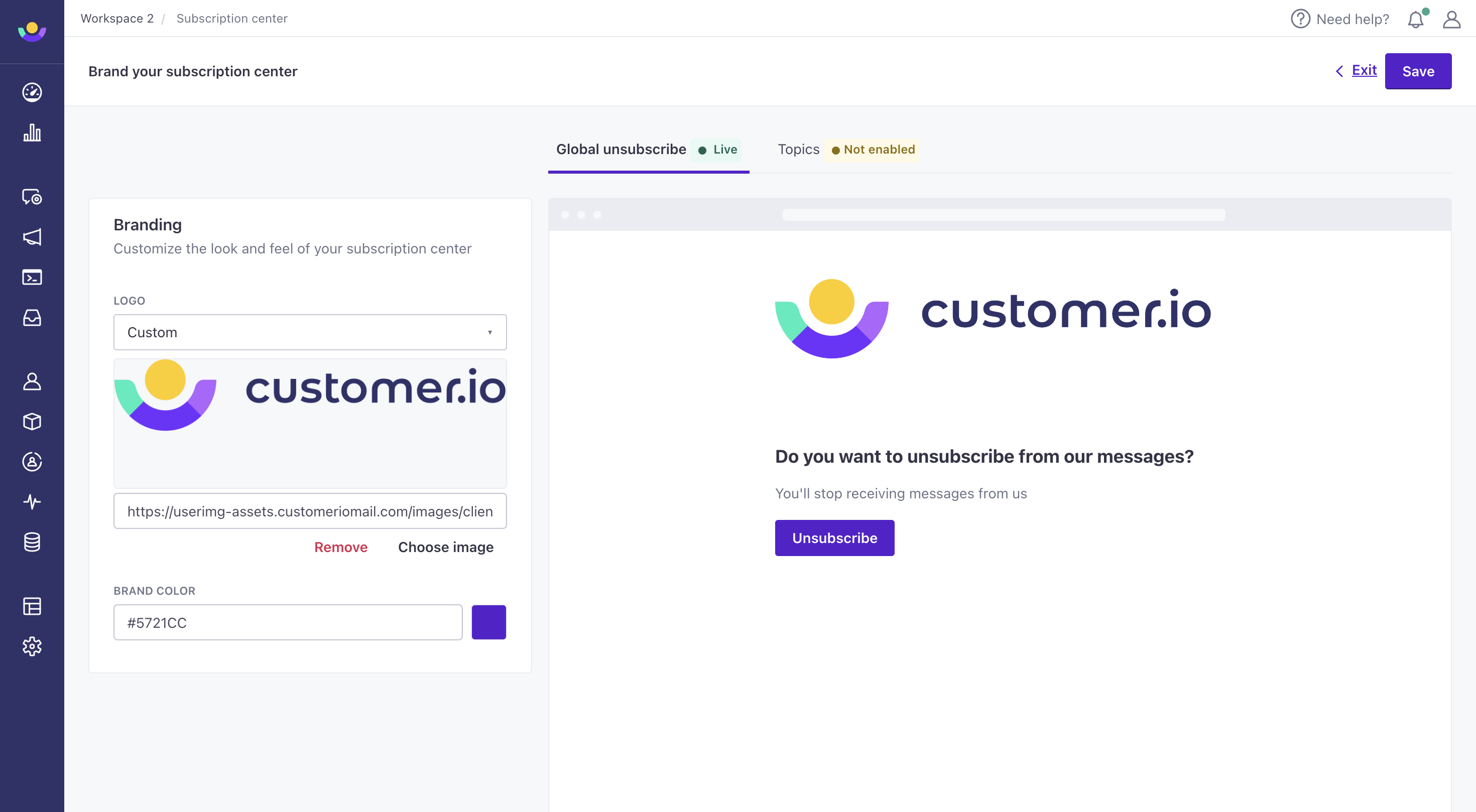
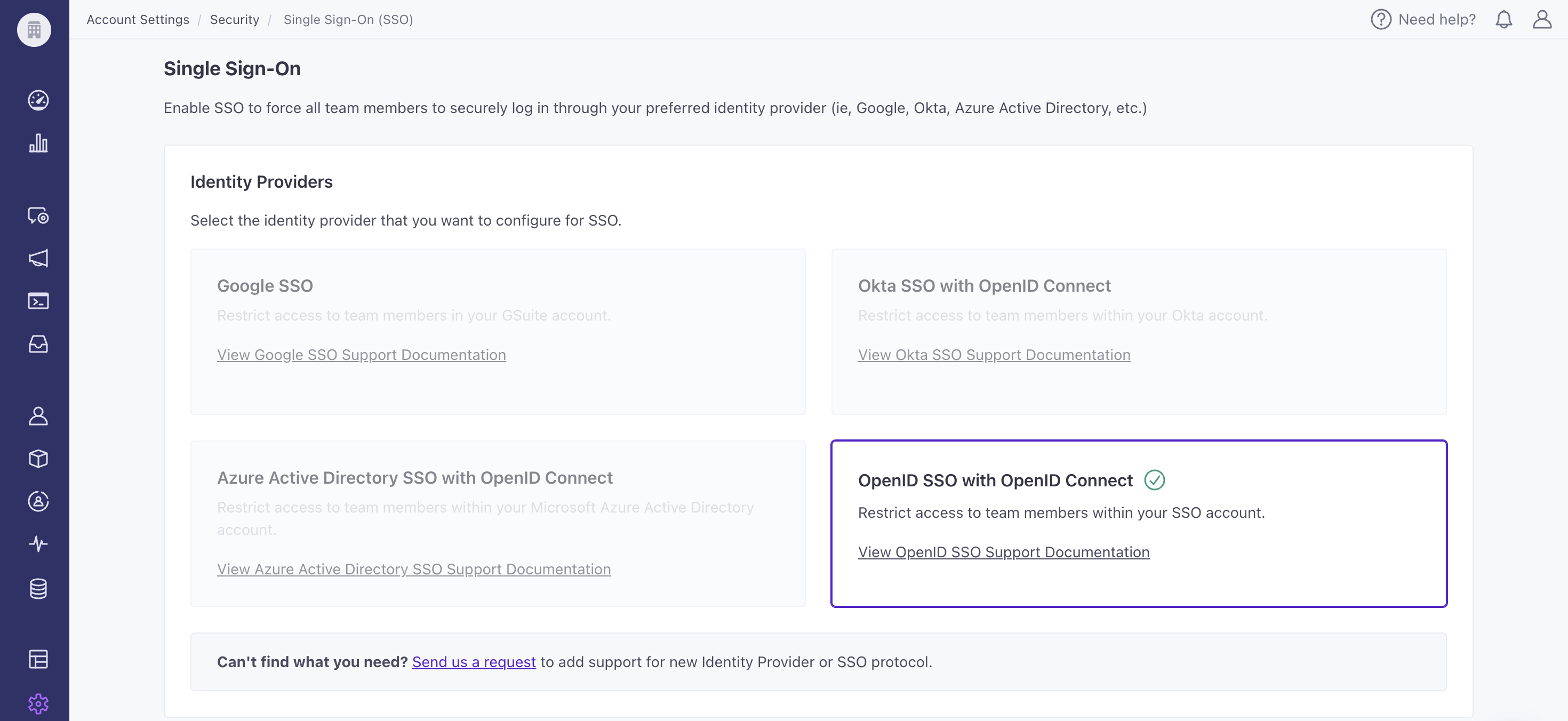
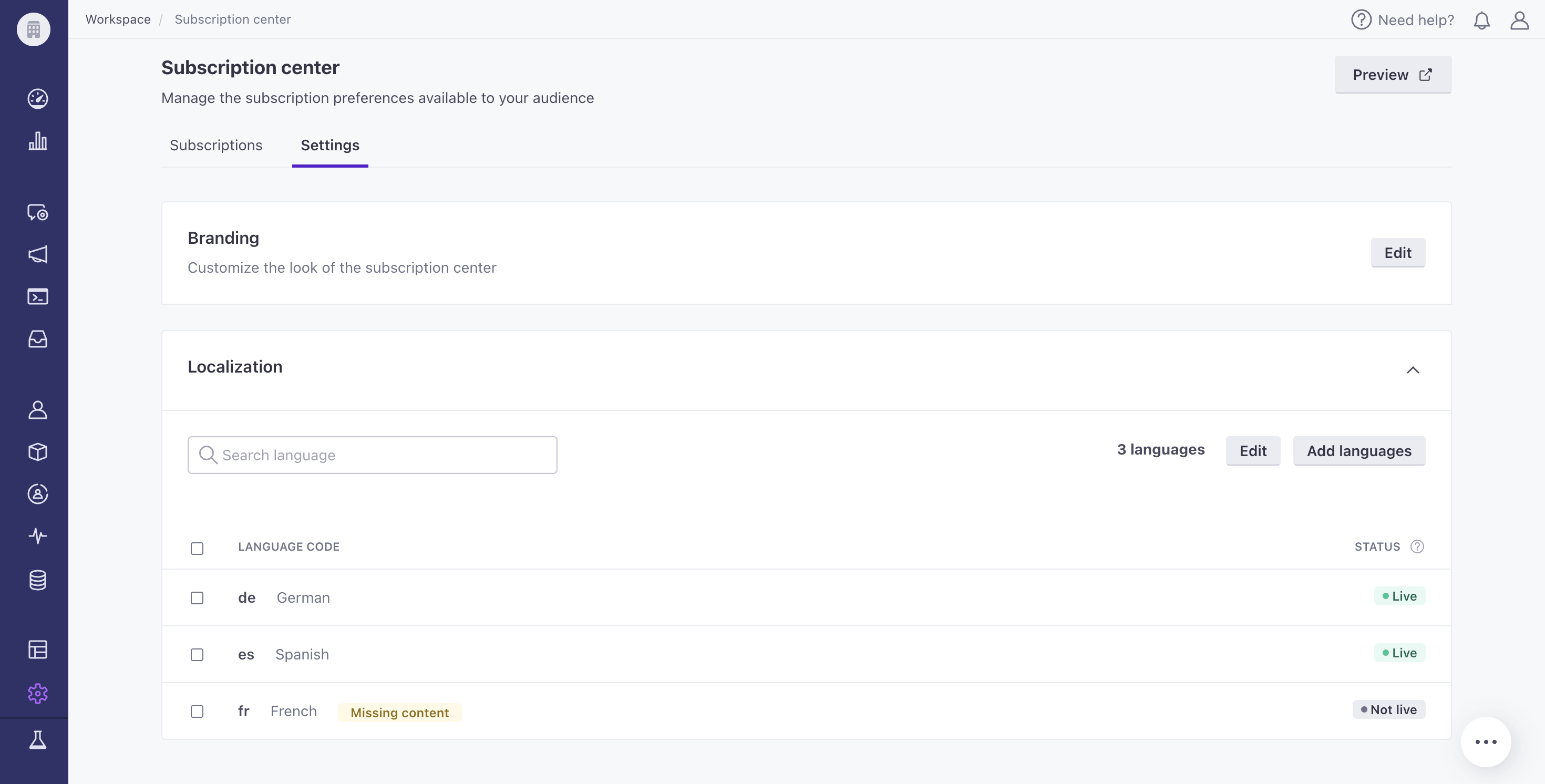
You can now update the branding of your global unsubscribe page! Go to Settings > Workspace Settings > Subscription Center to add a logo and/or update the background color of your Unsubscribe button. If you have not enabled our Subscription Center, your users will see this page after selecting Unsubscribe.
Read more
Protecting your account via 2FA
Admin billingTo protect accounts on our platform, we’ve enabled two-factor authentication (2FA) for all accounts that do not use SSO. If you’ve already enabled 2FA via authenticator app, there will be no change to your sign-in pattern. If you have not enabled 2FA via auth app and do not use SSO, you will now verify your log-in attempt through an email from us here at Customer.io. Just make sure you click the emailed link on the same browser and device on which you attempted to sign-in, and you’ll be good to go!
Read more
Add dynamic expiration dates to in-app messages
Messaging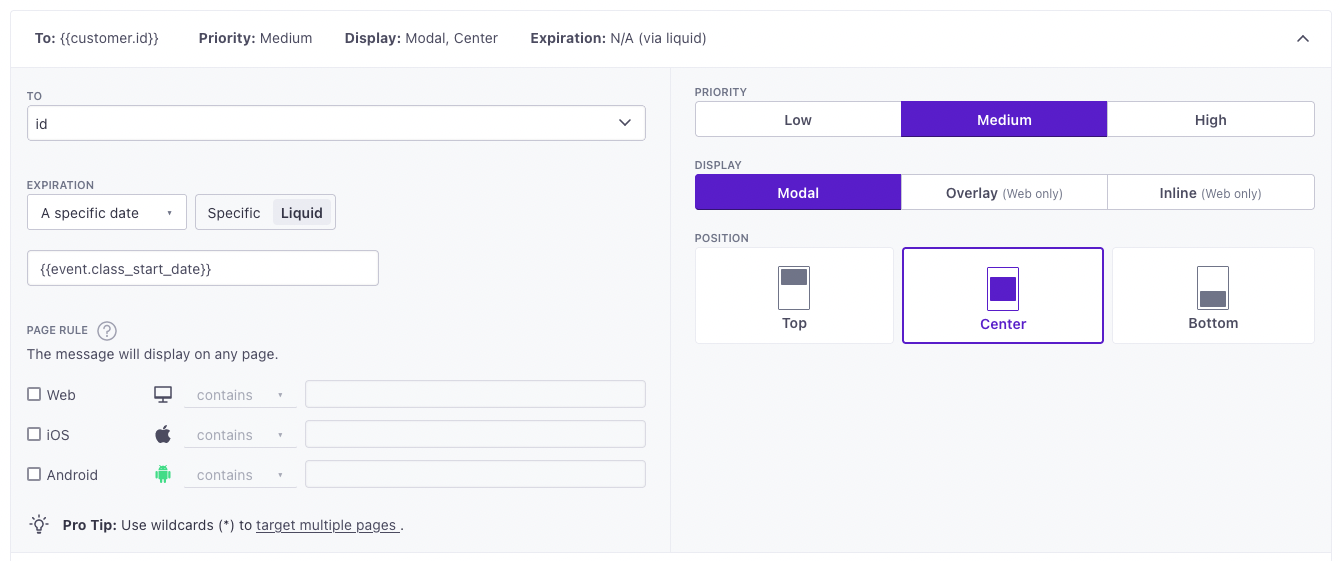
You can now use liquid syntax to set the expiration date for an in-app message. Use event properties, profile attributes, snippets, and more. For example, if you want an in-app message to expire based when an online course is scheduled to start, you can use liquid syntax to set the expiration date to {{event.class_start_date}}.
Import Objects and Relationships in Reverse ETL integrations
Data integrations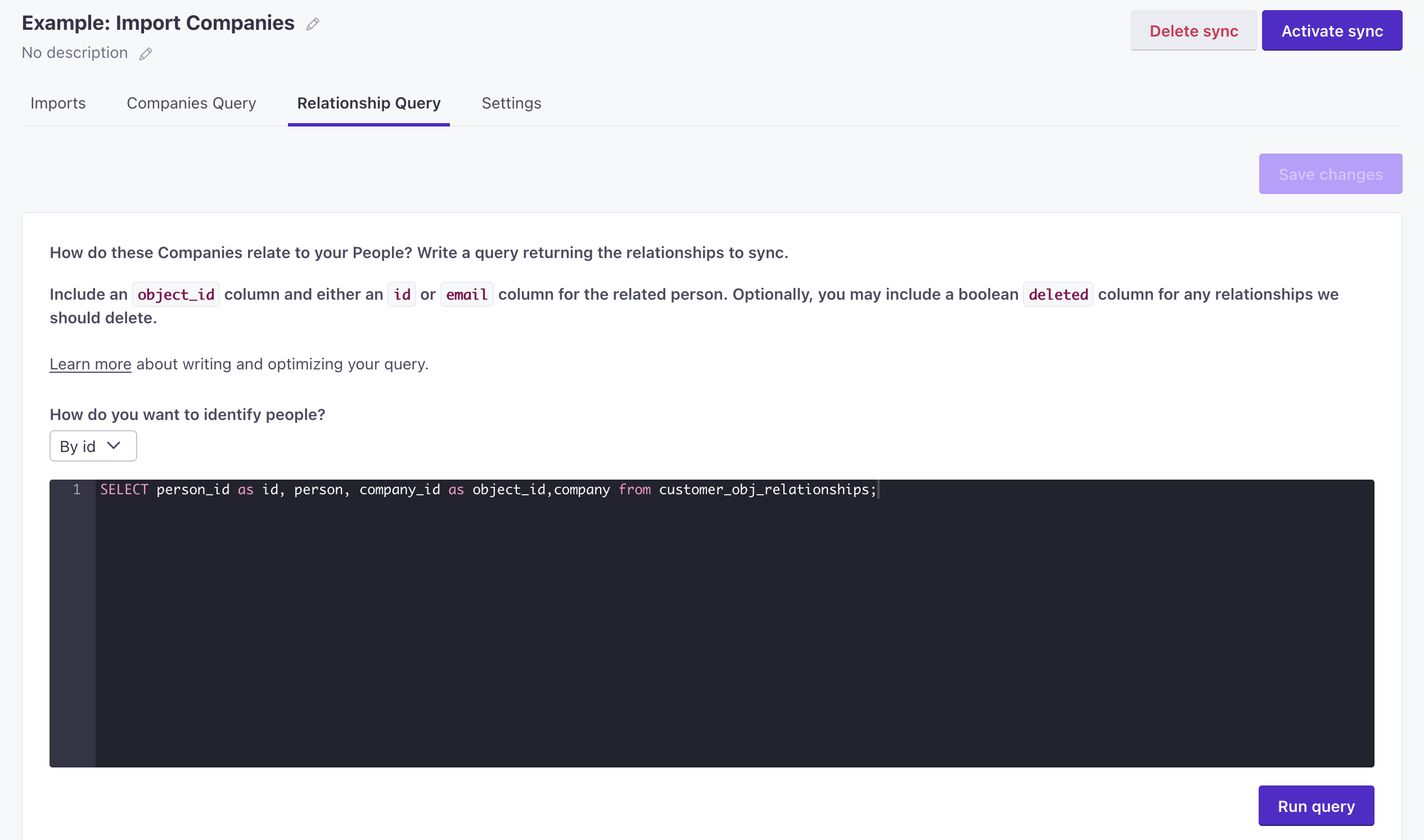
Now you can sync objects (like companies, accounts, or online classes) and relationships as a part of our Reverse ETL database integrations—MySQL, BigQuery, Snowflake, and so on. Now you can easily add objects and relate them to people on a regular interval based on business logic and data that you store outside of Customer.io.
Read more
Support for object-based segments in campaigns
Automation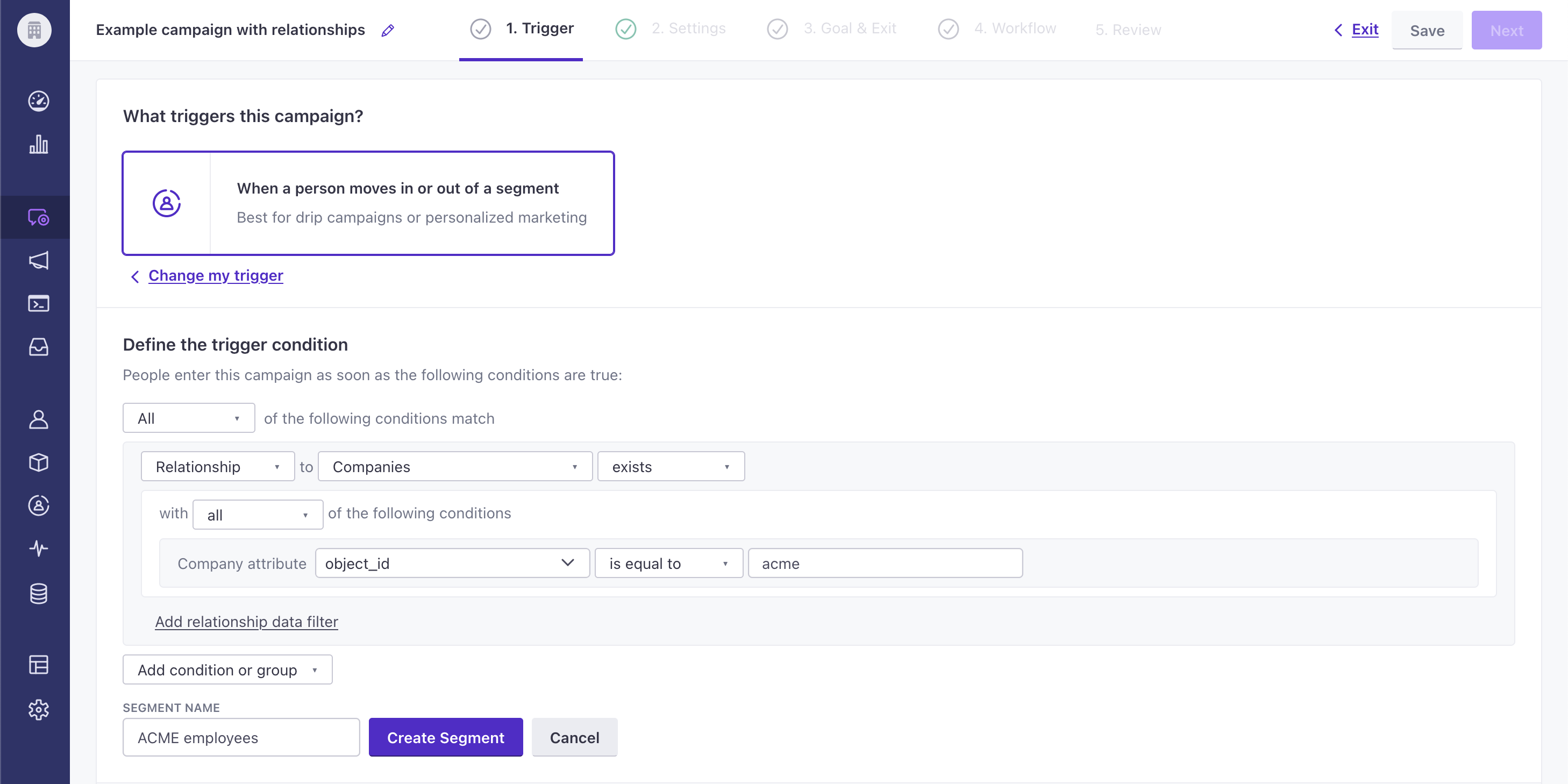
We recently released objects—a feature that lets you set relationships between people and groups like accounts, companies, online courses, and so on. As a part of that release, you could create segments based on relationships between objects and people, but you could only use those segments with newsletters. Now you can use these kinds of segments to trigger campaigns! This makes it easy to onboard new people when they join a company, sign up for a new course, and so on!
Read more
Message limits with automatic retries
Automation Messaging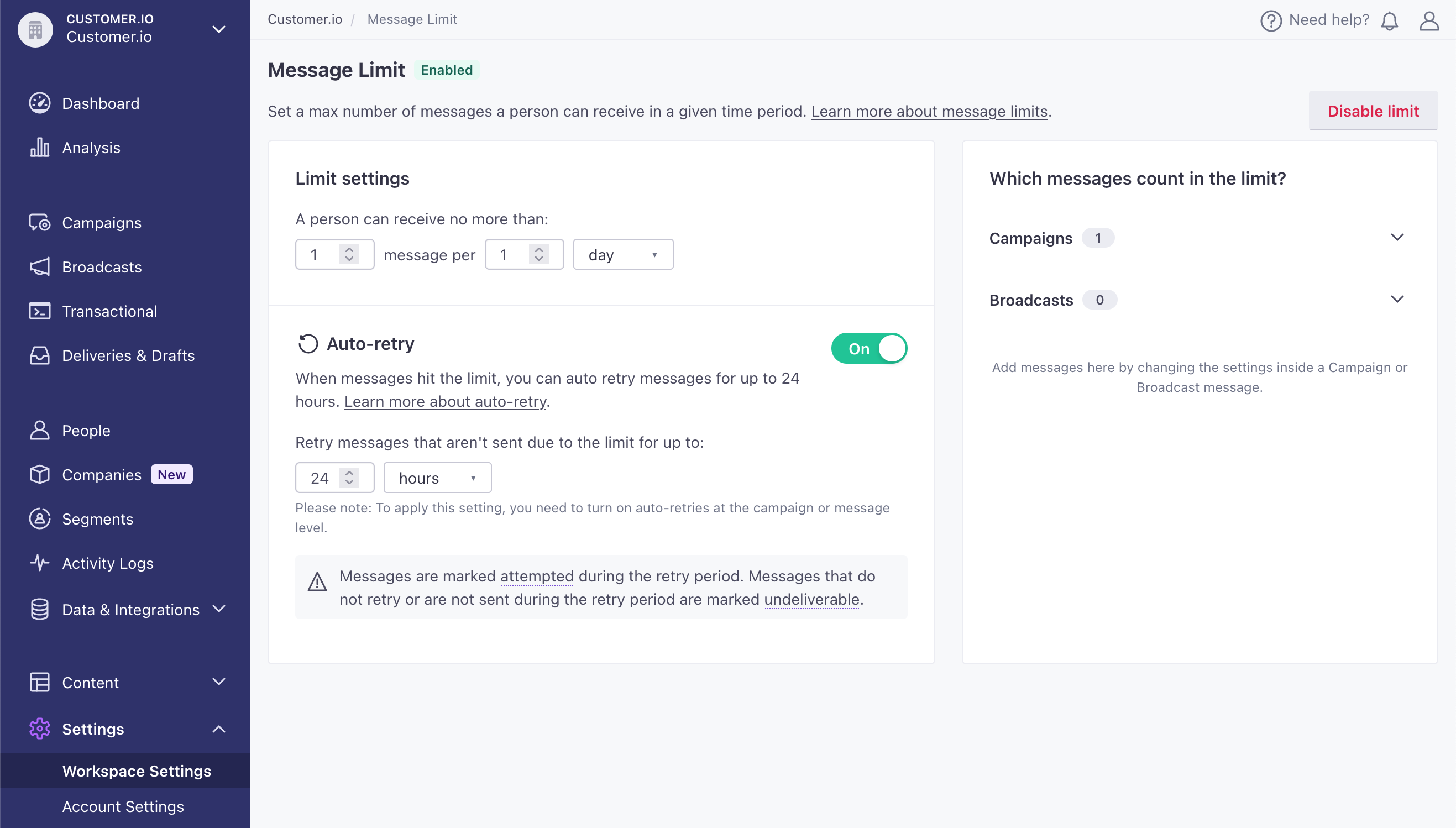
Message limits help you make sure that you don’t over-message and annoy your audience. But, previously, messages that went over the limit—Undeliverable messages—could pile up in your workspace. Now you can set an auto-retry interval for messages that hit the limit, and automatically retry messages up to 24 hours after they hit your message limit. This helps you make sure that time-sensitive messages don’t go undelivered!
Read more
Objects: a new way to group people together
API developers Automation Data integrations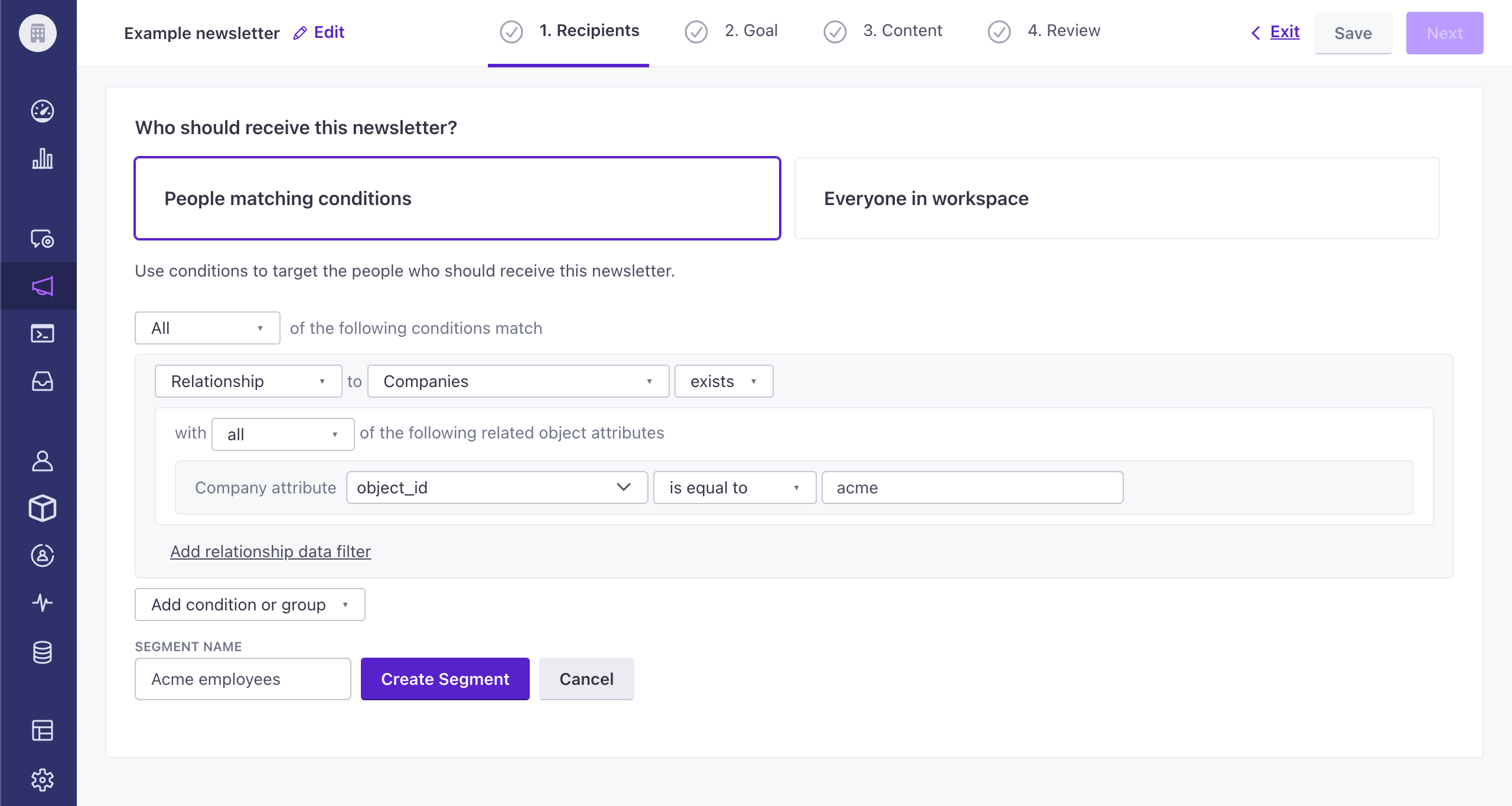
We now support objects—non-people data that you can relate to people, like accounts that people belong to, flights they’ve booked, online courses they’ve enrolled in, and so on. This release is only the beginning. Support in this release is limited to a single object type and they’re limited to Newsletters, but we’re actively working on this feature to add support for more objects, campaigns, and object-to-object relationships.
Read more
Build a subscription center the easy way
Automation Messaging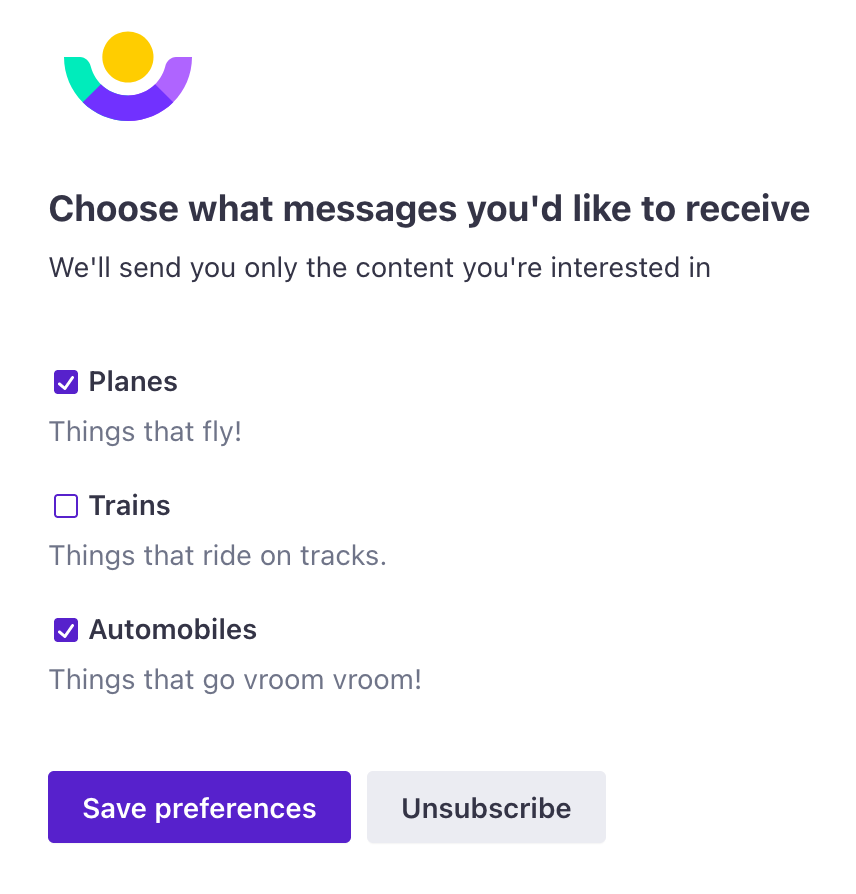
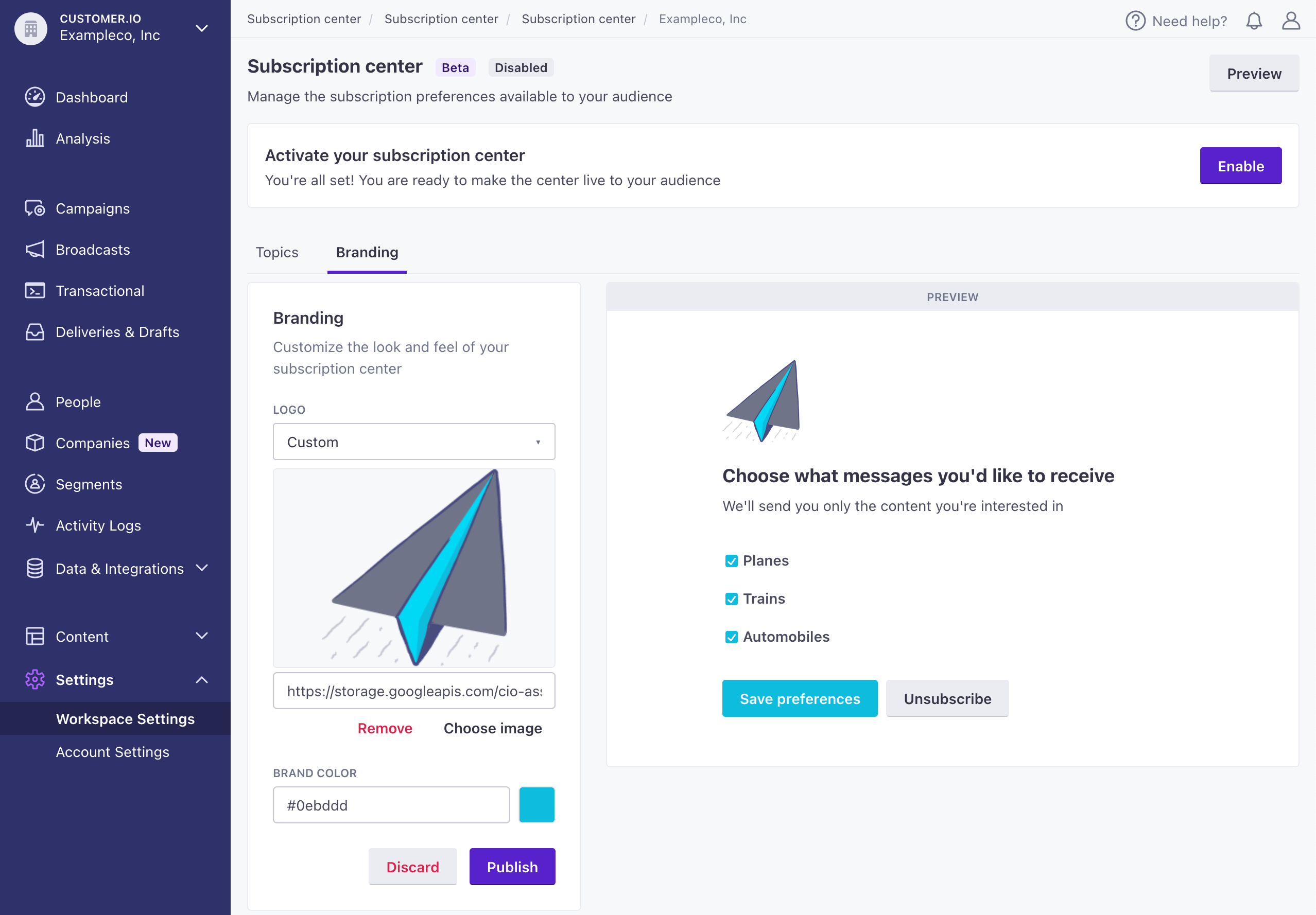
We’ve added a subscription center feature that can help you manage your audience’s subscription preferences without having to manage a complicated set of preferences on your own. This feature makes it easy to set up your subscription topics, apply those topics to campaigns or broadcasts, and let your audience decide what topics they want to subscribe to.
Read more
Automatic device cleanup
AutomationPeople login and out of mobile apps all the time, causing device tokens for mobile push services to change. Rather than letting those tokens stack up in your workspace, we’ve started automatically removing ‘devices’ when they’re no longer able to receive push notifications—beginning January 31, 2023.
Read more
Send batch requests with our v2 API
API developersWith our original Track API, you’re limited to a single request per person, and a host of different endpoints. Today we’re releasing our v2 Track API, which lets you send groups of requests for different people, and different kinds of actions, to our /v2/batch/ endpoint. Now you don’t have to maintain different calls for different actions; you can just modify your payload to fit different request cases and send requests in batches.
Read more