

Set your own exit conditions for automations
People can now exit your automations early when they meet segment or event conditions. This means you no longer have to depend on conversion criteria to end journeys early. You can define segment or event conditions that match or differ from your automation's goal.
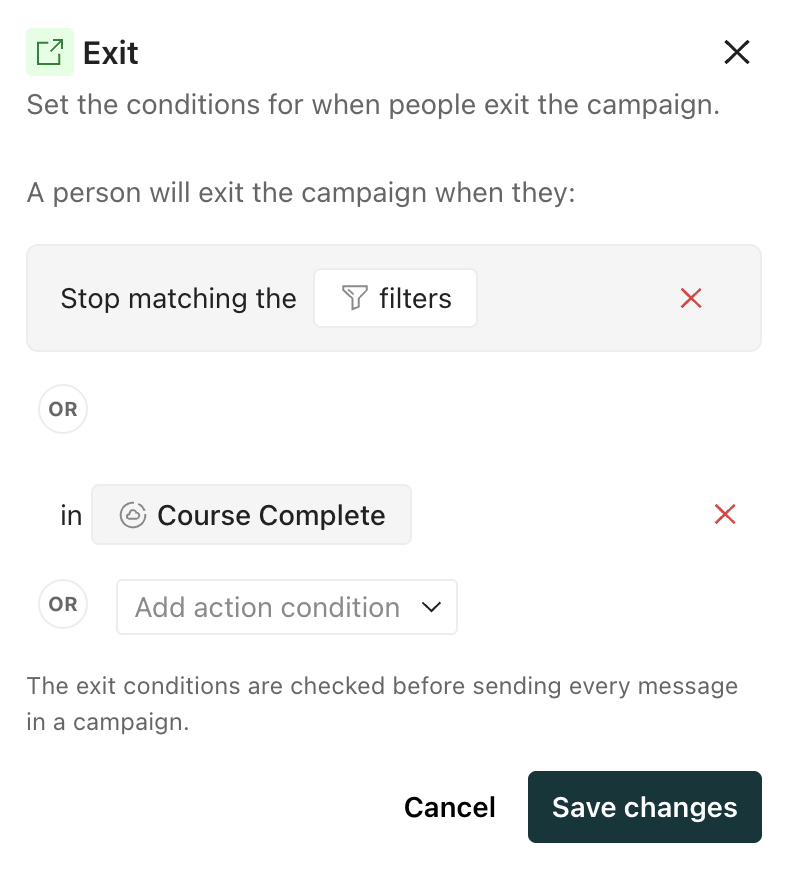
Historically, you could only make people exit when they stopped matching conditions for triggers or filters or matched your automation’s conversion criteria.
With this release, we also changed how exit conditions relate to your automation’s goal: you can no longer explicitly tie exit conditions to conversion criteria. However, you can recreate the conversion criteria in your exit conditions.
Any automations created before this release that tied exiting early to conversion criteria continue to run as before. But note the following changes:
- Your exit conditions now list the actual conversion criteria instead of a reference to “conversion criteria”.
- If the automation is running, your exit conditions are tied to conversion criteria, and you change your conversion criteria, we do not change your exit conditions. If you want people to exit when they meet your new conversion criteria, you must manually change your exit conditions too.