Email content analysis
Email inboxes are noisy these days, and providers have taken steps to filter messages. Our AI-powered content analysis feature helps you understand your email content and improve deliverability so that your messages aren't inadvertently filtered out.
How it works
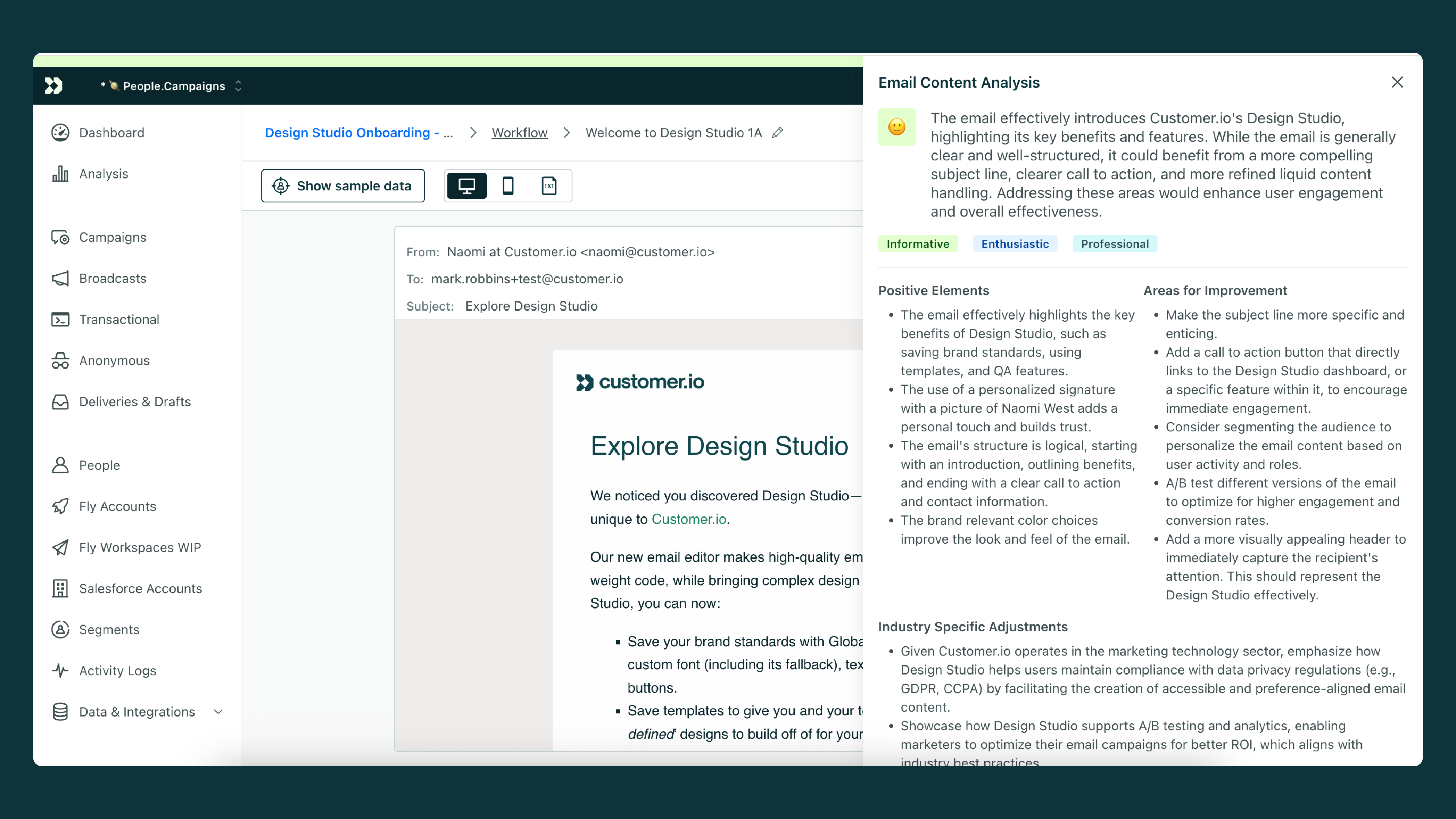
When you work on an email in your automation, broadcast, or one-time send, you can click Analyze Email Content to review your email and highlight ways you can improve deliverability so your message gets to the audience you want to build relationships with.
Analyzing an email
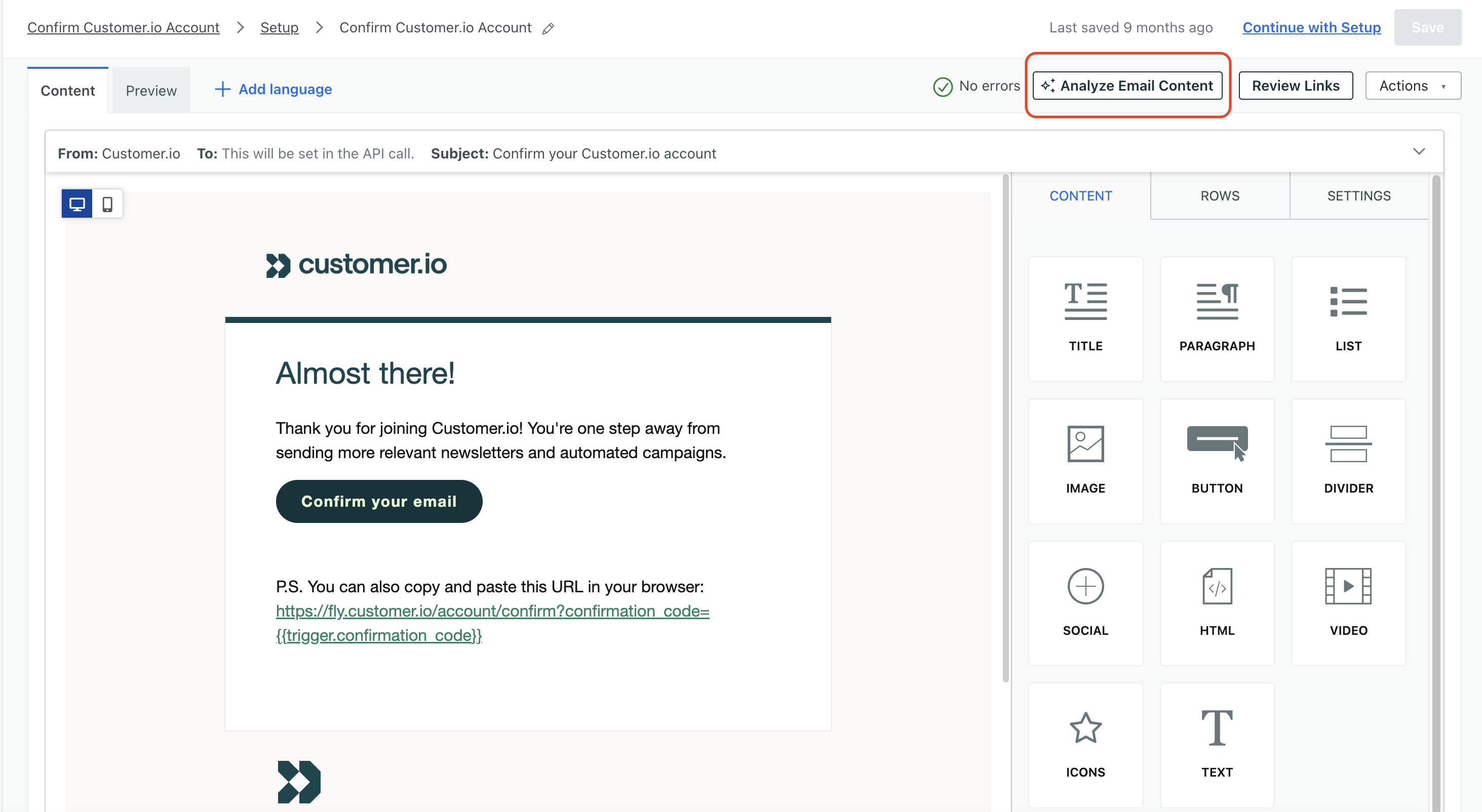
In most email composers, click Analyze Email Content to get started.
In Design Studio, the pathway is slightly different: click and then choose Email analysis.
Analysis report
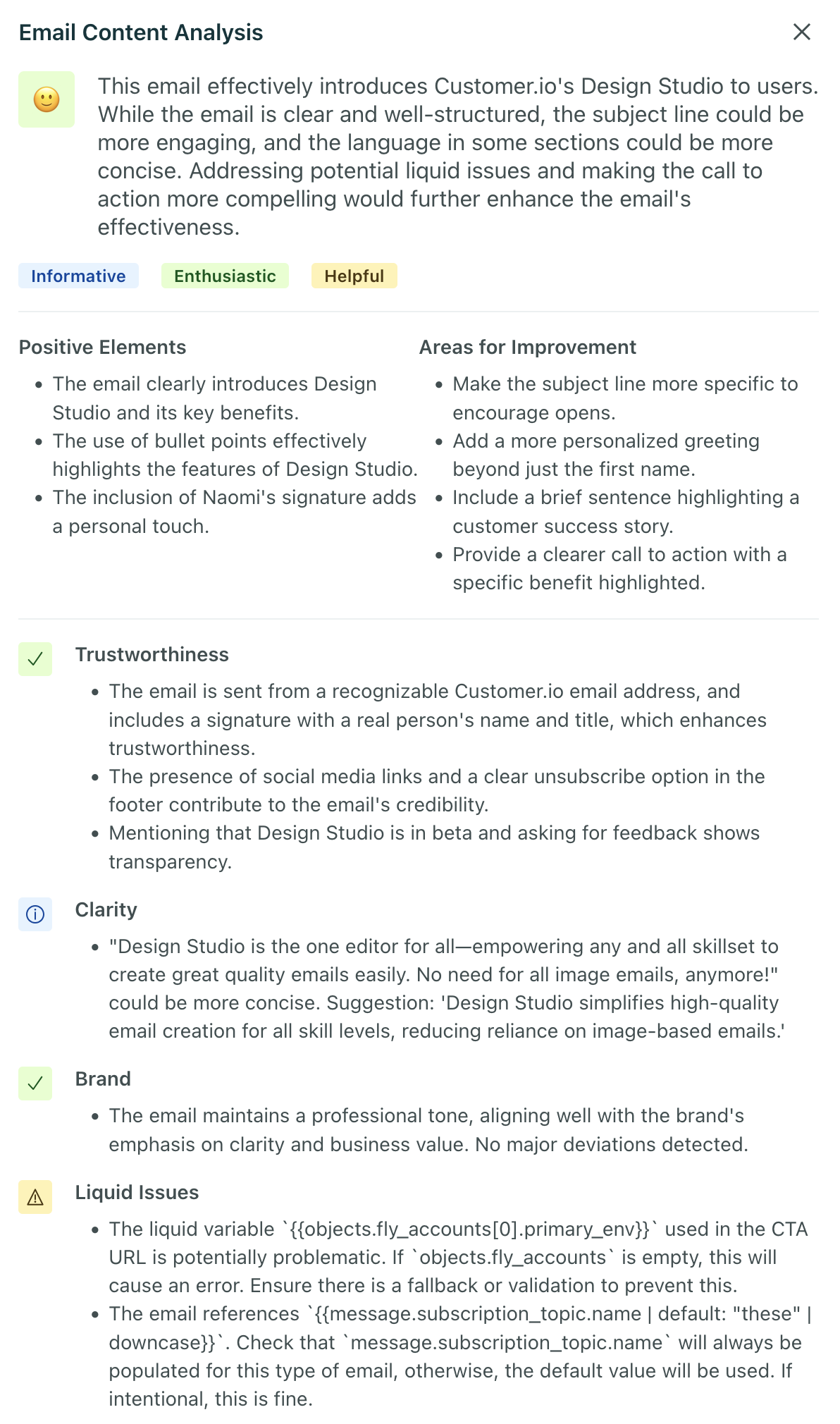
Content analysis checks your message for common deliverability issues, like:
- Trustworthiness: Does your message look credible? Could a user interpret it as spam?
- Clarity: Is your message clear and easy to understand? Does it have a clear call to action?
- Brand: Is your message consistent with your brand’s voice and tone?
- Issues with liquid
A syntax that supports variables, letting you personalize messages for your audience. For example, if you want to reference a person's first name, you might use the variable
: Are there issues with liquid that could prevent your message from being sent? For example, if you specify an attribute like{{customer.first_name}}.{{ customer.first_name }}, but the attribute is not set, your message won’t send. You can fix this kind of issue by adding a fallback value for the attribute!