

ChatGPT setup
You can integrate ChatGPT with Customer.io in your personal settings so you can engage your workspace through ChatGPT conversations.
ChatGPT prerequisites
You must have a ChatGPT Pro, Plus, or Enterprise plan and enable Developer Mode in your ChatGPT account before you can add Customer.io as a connector.
Enable Developer Mode
You must be an admin in your ChatGPT account to enable Developer Mode.
- Go to ChatGPT Settings > Connectors.
- Click Advanced settings > Developer mode. You may have to scroll down to find Advanced settings.
- Turn on Developer mode.
Add the MCP connector to ChatGPT
You’ll need our MCP server URL:
- US region:
https://mcp.customer.io/mcp - EU region:
https://mcp-eu.customer.io/mcp
If your application requires you to set a type or transport method, set it to http. We don’t support the server-sent events (sse) transport type.
-
Go to Connectors on the ChatGPT web app. You can’t complete this process on the mobile app.
-
If your admin limited the connectors you can use, click the custom connector that represents Customer.io. Then click Manage followed by Connect.
-
Otherwise, click Create then fill in the details:
- Name: Customer.io
- Description: Access Customer.io workspace data and tools
- MCP Server URL: the US or EU URL above
- Authentication: OAuth
-
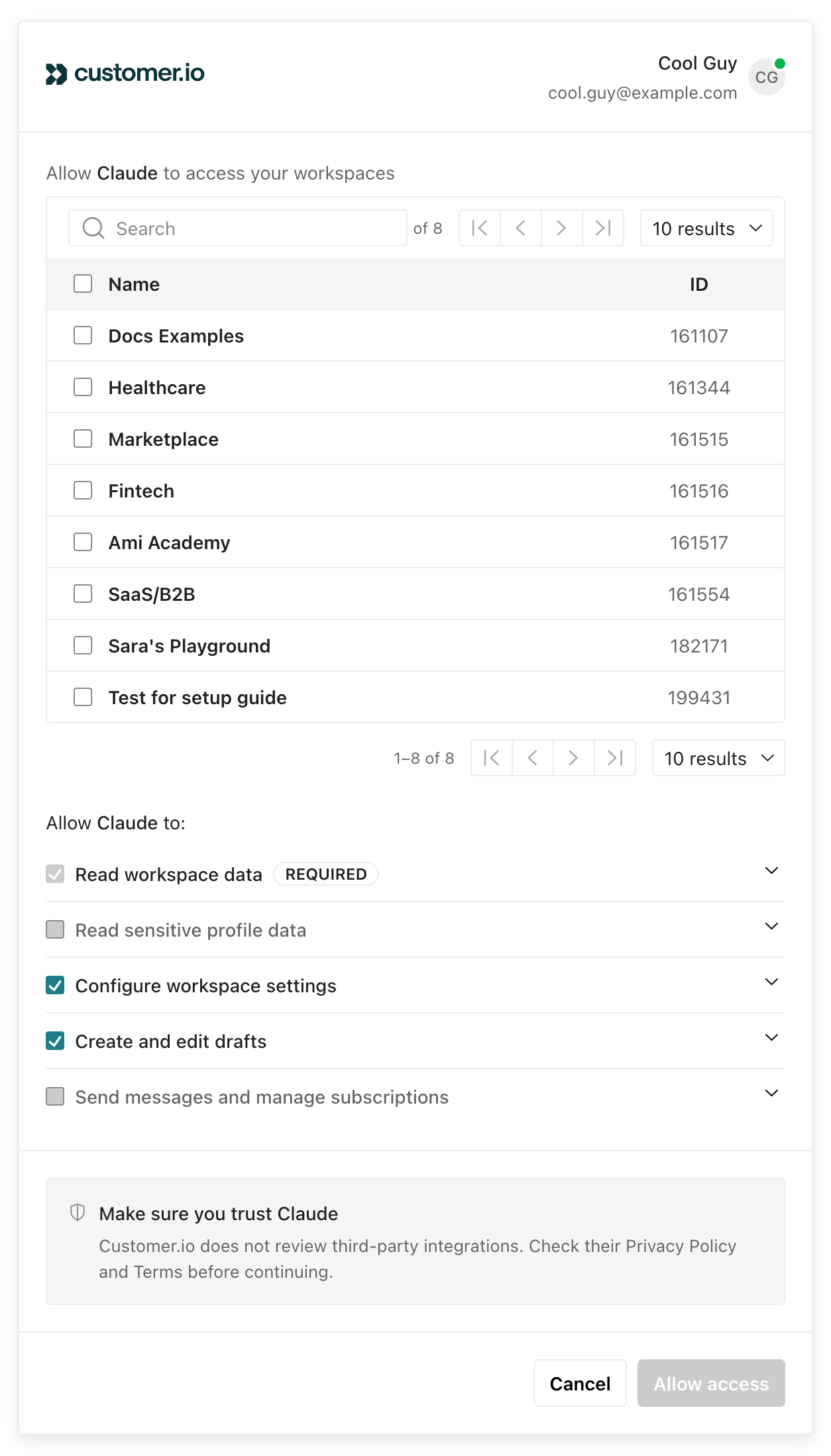
Select the workspaces and permissions you want to grant access to and click Allow access. See permission scopes for details on permissions.
Use the Customer.io connector in conversations
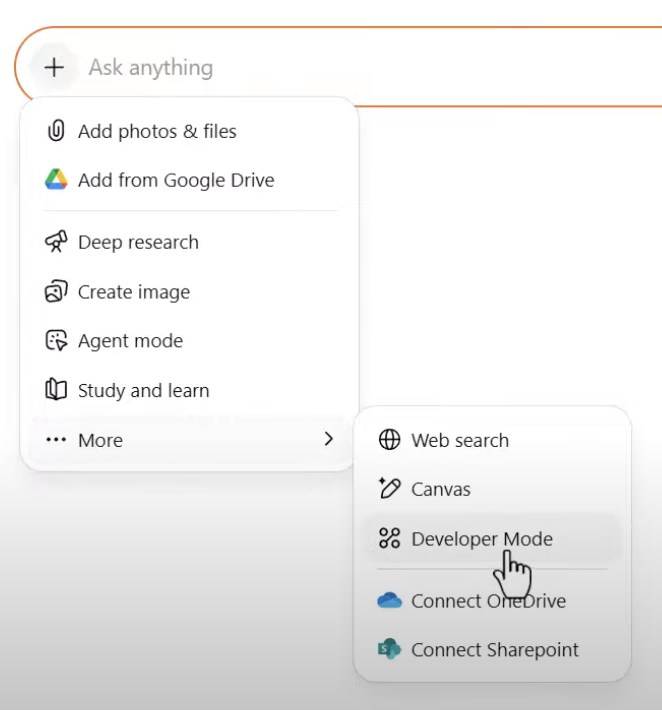
To test it out, open a ChatGPT conversation:
- Click then choose Developer Mode.
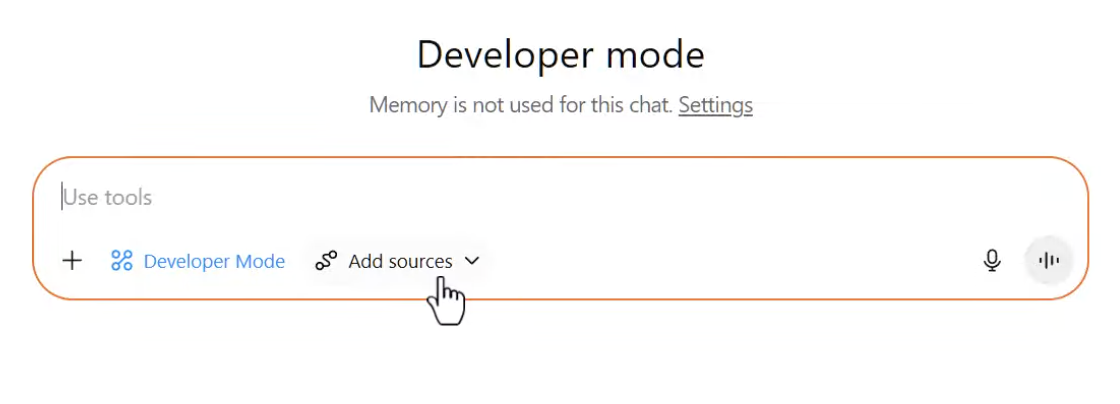
- Click the Customer.io connector to make it a source.
Find your workspace
When you use Customer.io MCP, you’ll need to tell your AI tool which workspace to work in. You can select a workspace by name or by ID.

Manage your MCP sessions
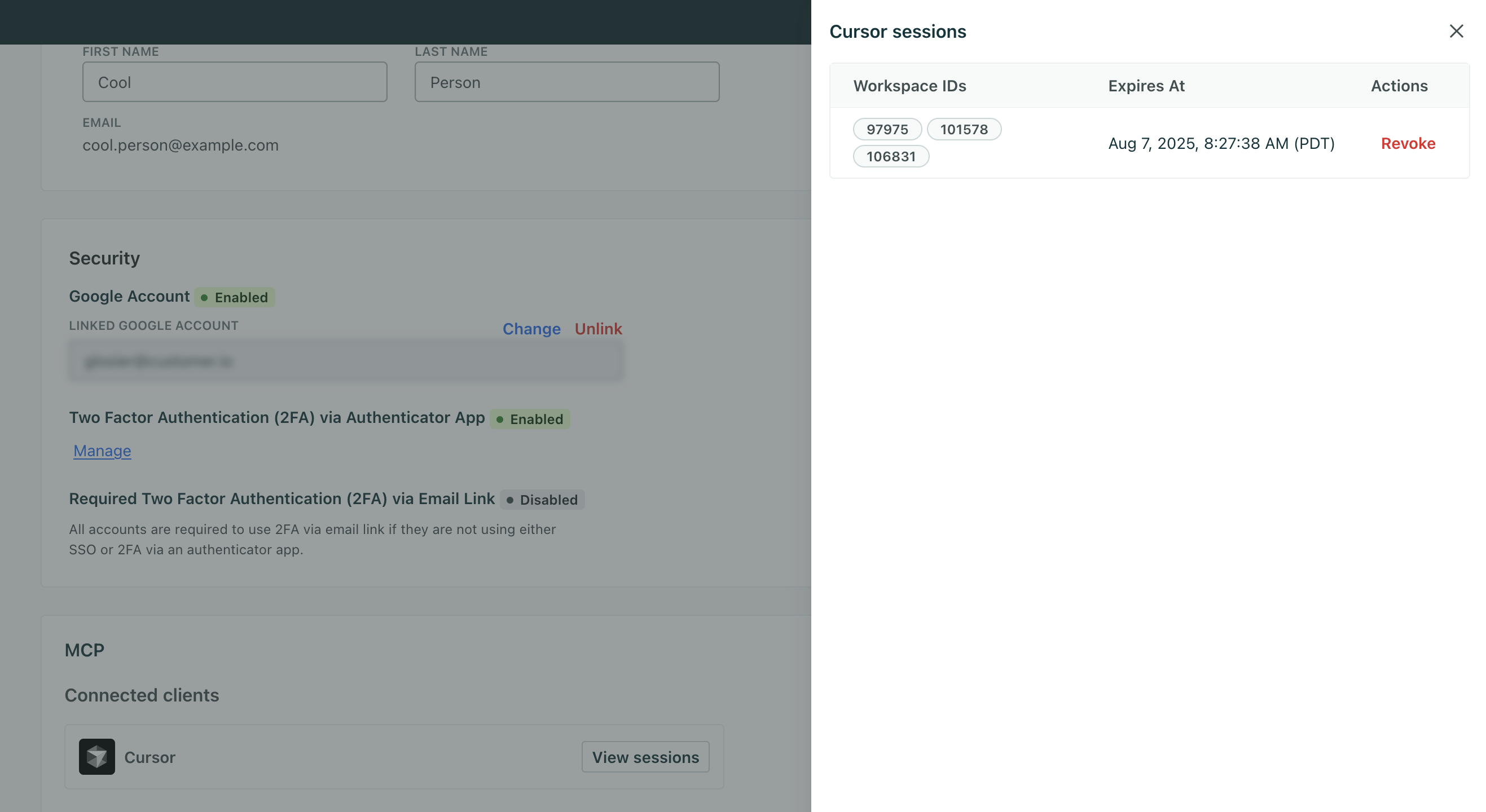
To see active sessions or revoke a connection, go to Settings > Personal Settings and click View sessions under Connected clients. Revoking a session ends it immediately and forces the client to re-authenticate.
Troubleshooting
If you run into the error “This MCP server doesn’t implement our specification,” then the connector is missing a required tool or Developer Mode hasn’t been enabled on your ChatGPT account. Check with your ChatGPT administrator to update the connector.
For more on troubleshooting, check out OpenAI’s info on connectors.