

Query Objects action: store object data to use it in your workflow
The new Query Objects action finds the objects that match your conditions, like courses or accounts, and saves them to a journey or profile attribute. Later steps in the automation can reference the results with liquid.
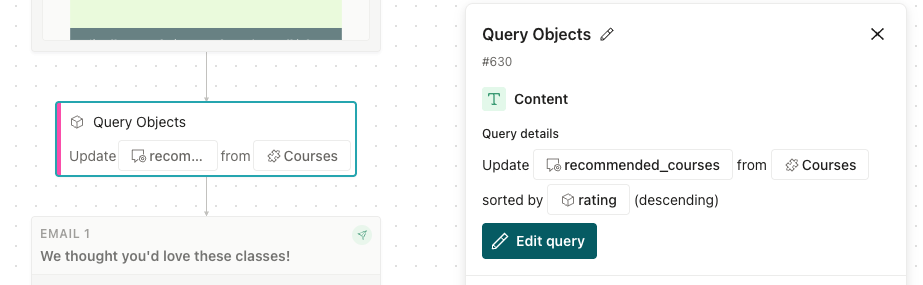
For example, if you store courses as custom objects, you could use the Query Objects action to find courses a person hasn’t taken and recommend one or more based on the person’s interests.
Before this release, it was more complicated and less flexible to reference objects. The results were never more than 10 objects, and they only pulled from existing relationships. You had to remember the order you created objects in to understand how your message surfaced results too.
The new Query Objects action gives you much more control over object data in your workflow. You pick an object type, how or if the person that reaches the action relates to the objects, add conditions, and sort or randomize the results. The action stores up to 50 objects in a journey attribute or a profile attribute. Then you can list those objects in your messages with liquid.