

Support in-app messages for multiple mobile apps in the same workspace
If you have multiple mobile apps with overlapping audiences, you can support both apps in the same workspace. When you send an in-app message, you can choose the apps and platforms you want to show your in-app message on—no more page-rule workarounds or separate workspaces to keep messages out of the wrong app.
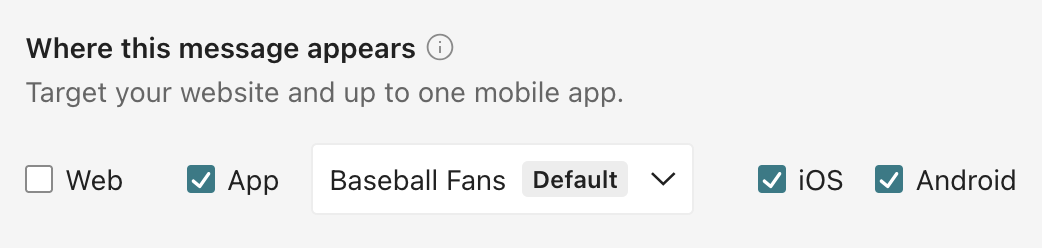
If you have multiple apps in your workspace, in-app messages will show a Where this message appears setting. From here, you’ll choose the app your message belongs to and the platforms where you want to show it.
You’ll need to update your mobile SDK to support this feature. If you have multiple apps that you manage across workspaces today, and you want to consolidate them to a single workspace, you need to wait until a significant number of devices have updated to the new SDK version before you consolidate workspaces.