

New click heatmaps show how people engage with your emails
The new Click heatmap feature shows your emails with each tracked link marked by how many clicks it got, so you can see which links people use. You'll find it on the metrics page for automation, broadcast, one-time send, and transactional emails.
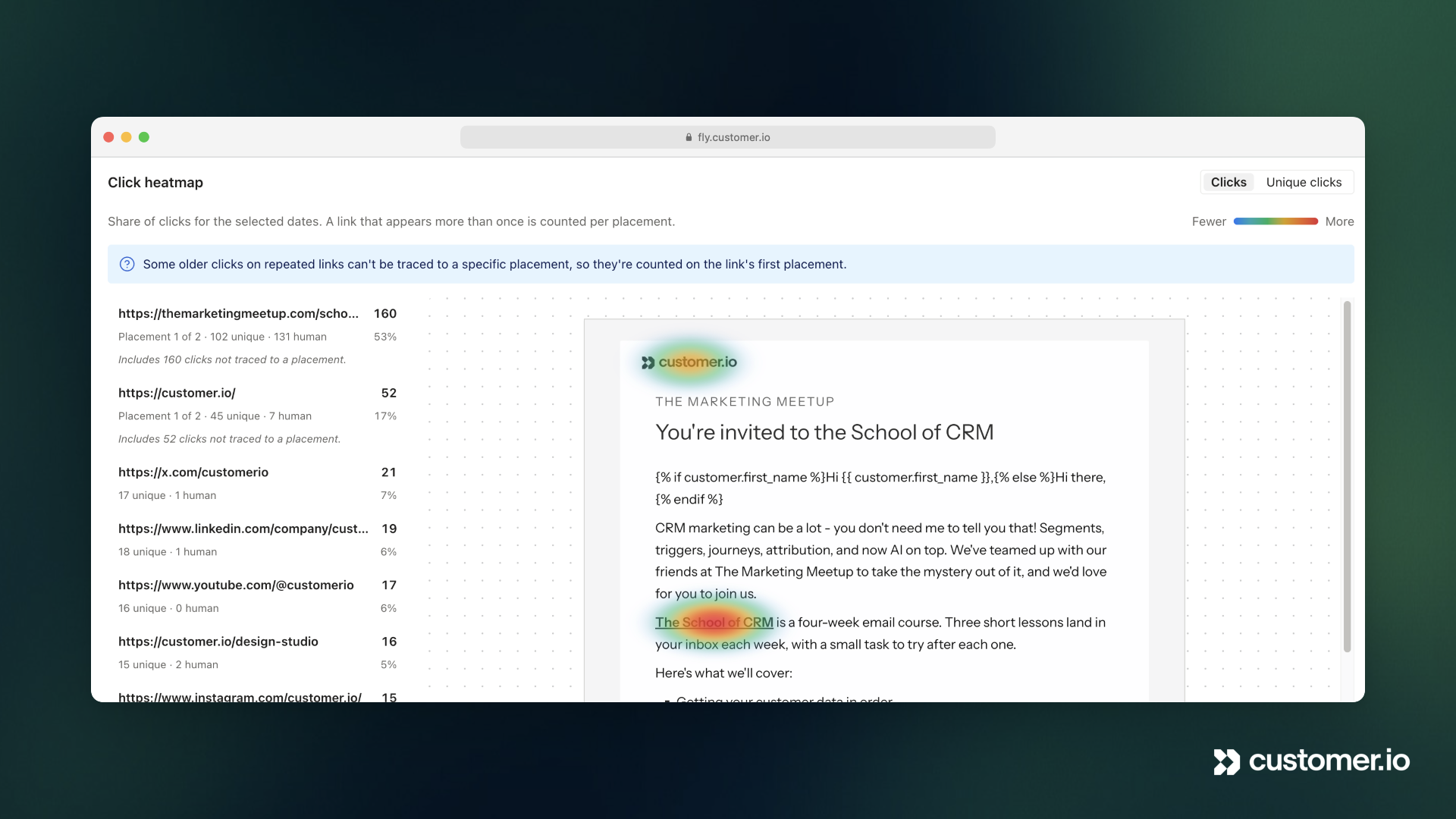
The click heatmap shows your email with a heat spot over each tracked link and a list of links ranked by clicks. You can use it to tell whether people click the button at the top of your email or the one at the bottom. Switch between Clicks and Unique clicks to see total clicks or the number of people who clicked.
If the same link appears more than once in your email, like a logo and a button that both go to your homepage, the heatmap counts each copy separately helping you see how and where people click. We started counting duplicate links separately on November 5, 2026. Messages sent before then counted all of a repeated link’s clicks on its first use.