

Run experiments in your automations
Experiments are the next generation of testing in Customer.io. Test messages or whole multi-step pathways in an automation, then track results and pick a winner without leaving your workflow.
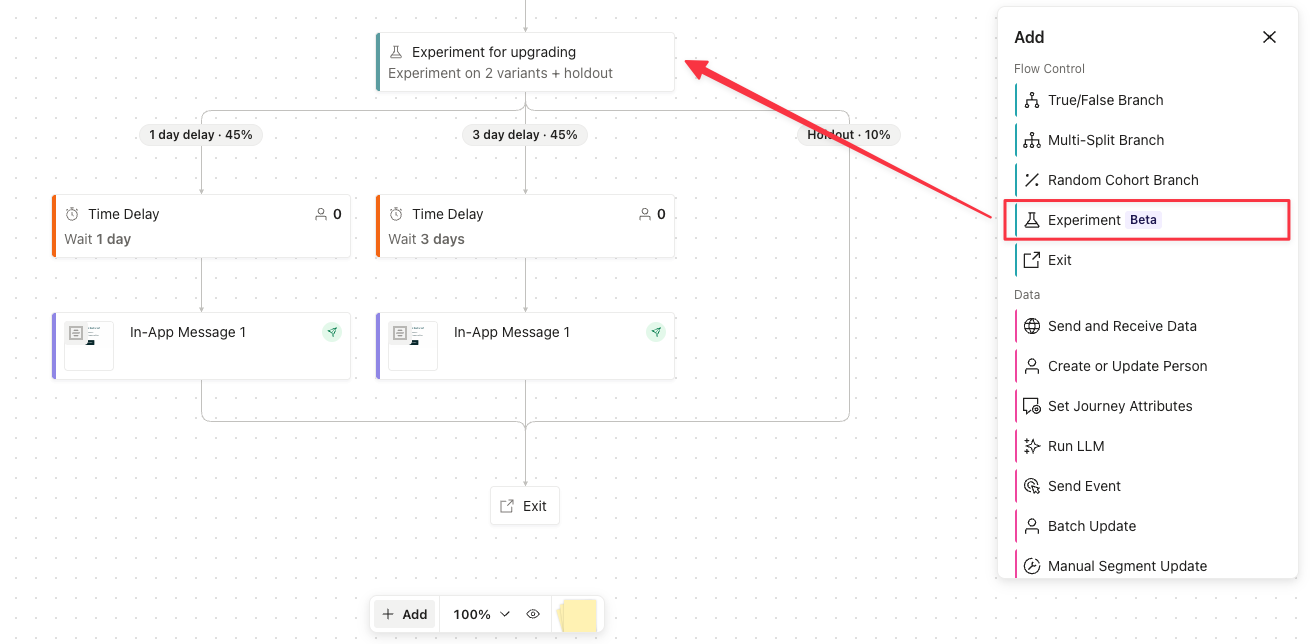
Experiments are controlled tests you run on messages and other workflow actions to improve the performance of your automations. You define a success metric, like a conversion event or a message click, and Customer.io reports how each variant performs against it.
Experiments improve on the testing options you already have:
- Beyond classic A/B tests. A classic A/B test measures the performance of a single message. An experiment can do that too, or it can send each variant down a different sequence of messages and actions, so you can measure which pathway converts more people. You also keep visibility into variant performance after you select a winner.
- Beyond random cohort branches. Random cohorts split people across paths, but you can’t fully track the outcomes in your workspace. Experiments report results in your automation. You can also automatically send people down the winning pathway, or keep a person on the same variant across multiple journeys while the experiment runs.
You create, track, and manage experiments entirely within your automation. You don’t need to set up external tools. To get started, click a message block and select Experiments to compare message variants, or drag an Experiments block from Flow control in the Build menu to test multi-step pathways.
Experiments are available in automations only, not broadcasts.