

Test your push implementation
After you set up push notifications, you should send some test messages. You can send messages through the Customer.io push composer. If your app is set up to send more than the standard title, body, image, and link, you’ll need to send a custom payload.
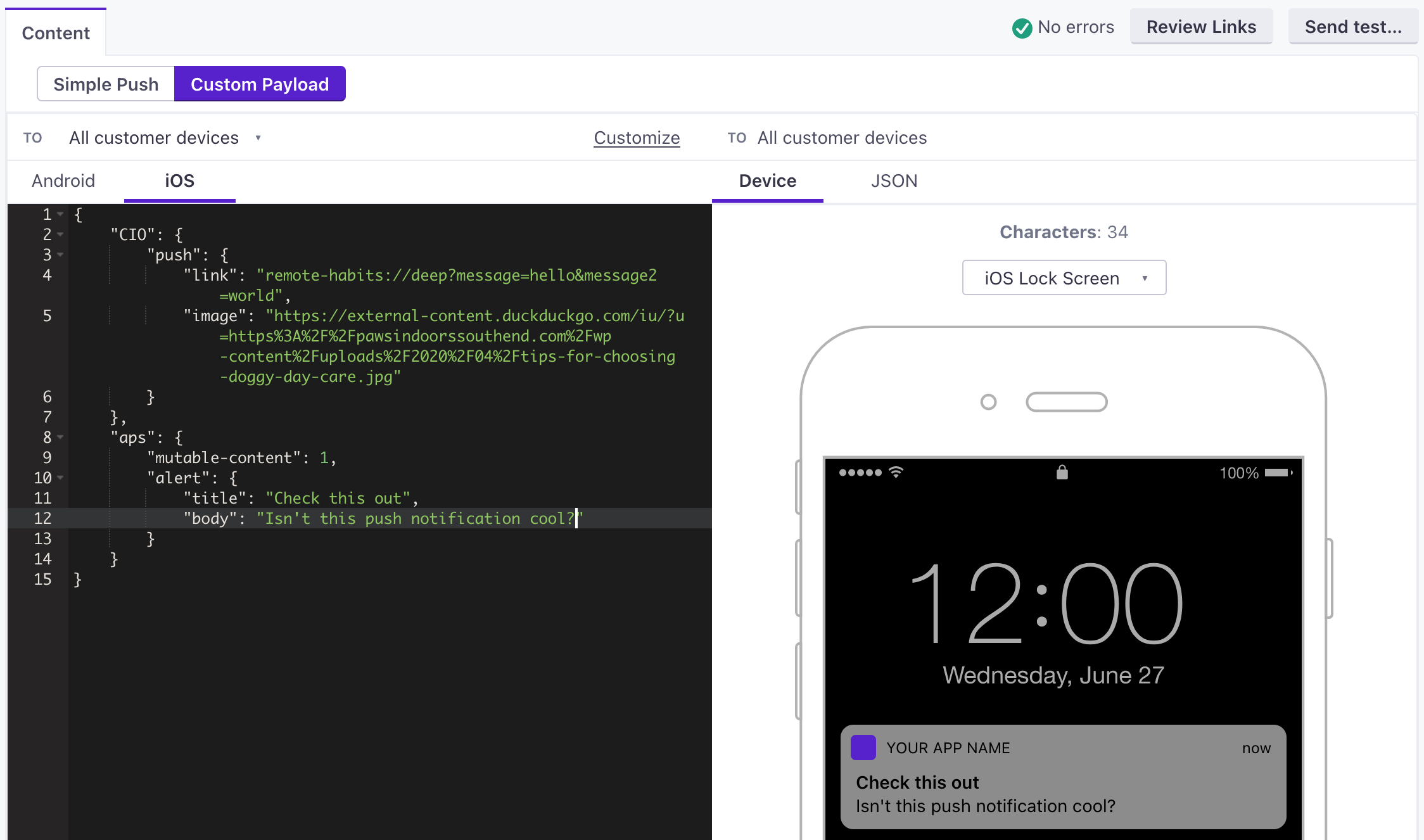
The payloads below represent what your app can expect to receive from Customer.io. If you use a custom payload, you’ll need to use the format(s) below to make sure that the SDK receives your message properly.
When testing, you should:
- Set the
linkto the deep link URL that you want to open when your tester taps your notification. - Set the
imageto the URL of an image you want to show in your notification. It’s important that the image URL starts withhttps://and nothttp://or the image might not show up.
APNS payload
JSON
{
    "aps": {
        // basic iOS message and options go here
        "mutable-content": 1,
        "sound": "default",
        "alert": {
            "title": "string", //(optional) The title of the notification.
            "body": "string" //(optional) The message you want to send.
        }
    },
    "CIO": {
        "push": {
            "link": "string", //generally a deep link, i.e. my-app:://...
            "image": "string" //HTTPS URL of your image, including file extension
        }
    }
}- A push payload intended for an iOS device.
- Contains options supported by the Customer.io SDK.
FCM payload
JSON
{
  "message": {
    "apns": {
      "payload": {
        "aps": {
          // basic iOS message and options go here
          "mutable-content": 1,
          "sound": "default",
          "alert": {
            "title": "string", //(optional) The title of the notification.
            "body": "string" //(optional) The message you want to send.
           }
        },
        "CIO": {
          "push": {
            "link": "string", //generally a deep link, i.e. my-app://... or https://yourwebsite.com/...
            "image": "string" //HTTPS URL of your image, including file extension
          }
        }
      },
      "headers": {
        // (optional) headers to send to the Apple Push Notification Service.
        "apns-priority": 10
      }
    }
  }
}- The base object for all FCM payloads.
- Defines a payload for iOS devices sent through Firebase Cloud Messaging (FCM).
- Contains a push payload.
- headersobjectHeaders defined by Apple's payload reference that you want to pass through FCM.