

Consent records
Consent records help you maintain a history of SMS opt-ins and opt-outs, making it easier to review a person’s messaging preferences and respond to audit or compliance questions.
You are responsible for obtaining valid consent, tracking and honoring opt-outs, and providing evidence of consent when required. Customer.io provides tools to record that history based on the consent information captured in or supplied to the platform. Customer.io does not verify consent, and recording an opt-in does not establish that valid consent was obtained.
How it works
Consent records help you answer questions like “when did this person agree to hear from us, and how?”—questions that regulators, carriers, your legal team, and the people you message might ask.
Consent records log changes to your audience’s subscription status in Customer.io. Each record includes what changed, the subscription topic or channel it applied to, and the collection point or source associated with the change. Customer.io can only log consent records for subscription preferences that you capture in Customer.io.
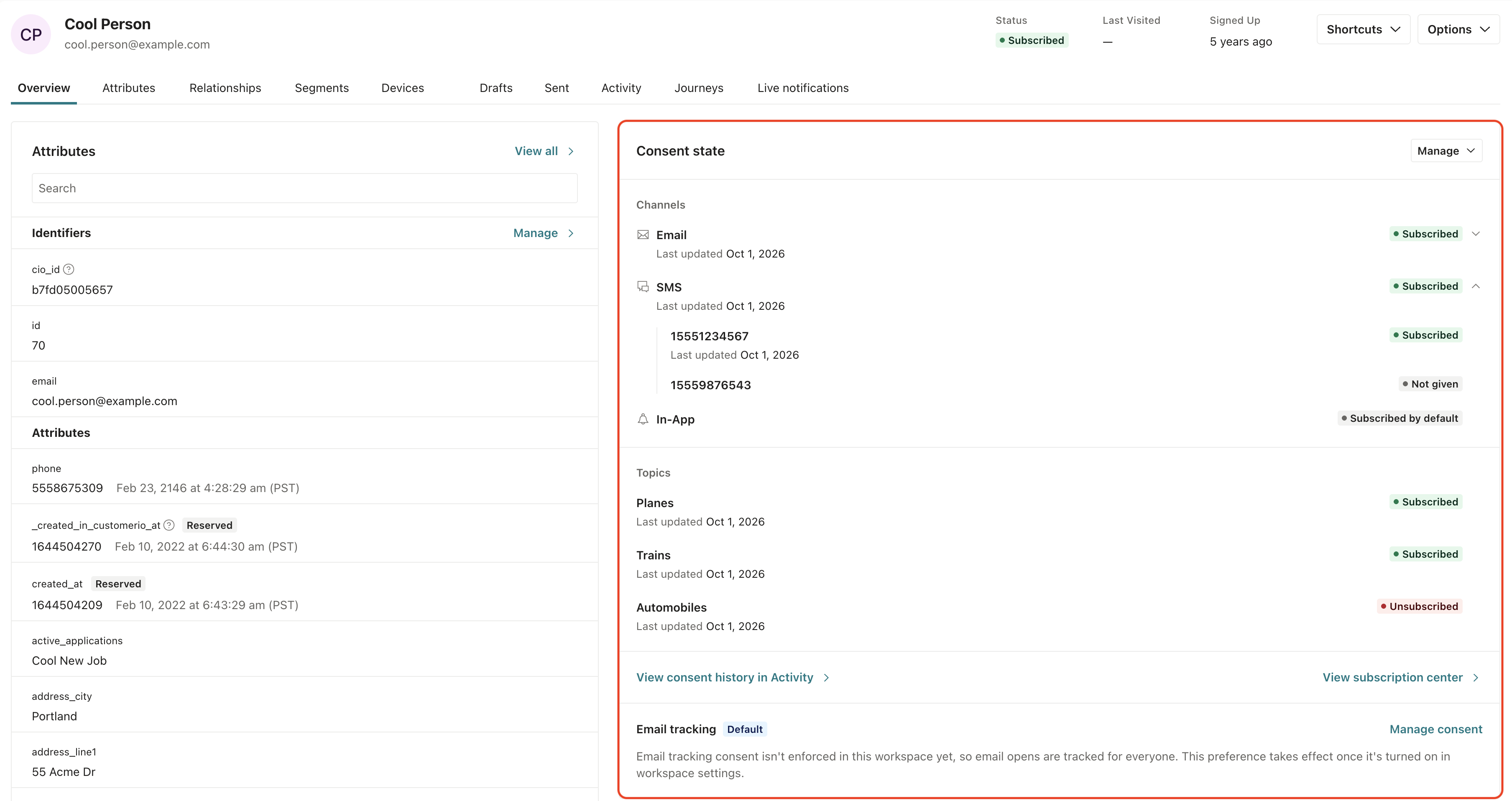
Use consent records to review a person’s recorded choices and support audit and compliance inquiries. You remain responsible for supplying accurate consent information, keeping it up to date, and retaining any additional evidence needed to demonstrate consent.
Customer.io has recorded consent for every account since October 1, 2026. To see and use your records, turn on consent records in your workspace settings.
Consent records are not the same as subscription status
Consent records don’t decide who receives your messages. They record what people have agreed to, like a receipt. Customer.io still decides whether to send a message from a person’s subscription preferences and sender opt-outs.
Ideally, a person’s subscription status and consent history tell the same story. But in practice, they can differ when:
- An automation changes a person’s subscription status. For example, a Create or Update Person action sets
unsubscribedtotrue. The person stops receiving messages, but the change doesn’t appear in their consent history. - Consent (or dissent) occurred before Customer.io started recording consent. If your account was created before October 1, 2026, Customer.io writes starting records from people’s current preferences and opt-outs when you turn on consent records. A starting record shows that the choice exists, but not how the person made it.
When you need to know whether a person can receive a message, check their subscription preferences. When you need a history of what a person agreed to, check their consent records.
Turn on consent records
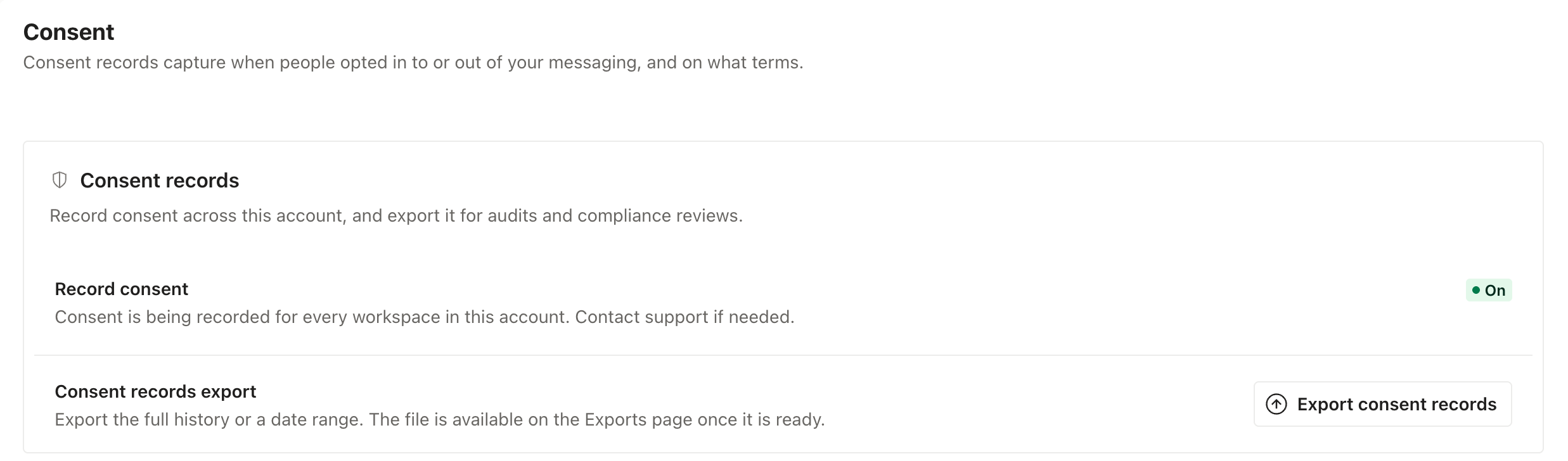
Customer.io records consent for every account. Accounts created on or after October 1, 2026 have consent records turned on already. If your account was created before then, an administrator needs to turn them on before you can see and use your records. Turning them on means:
- The Consent state panel replaces the Subscription Preferences and Opt-outs sections on each person’s Overview tab.
- You can export your consent records.
- You can build segments and filter the People page with the Consent Records and Current Consent State conditions.
- You can filter Activity Logs by the Consent Record type.
- For accounts created before October 1, 2026, Customer.io writes a starting record for each choice your audience made before it started recording, based on each person’s current subscription preferences and sender opt-outs. See Starting records.
Consent records apply to every workspace in your account. You need to be an account administrator to turn them on, and you can’t turn them off again yourself. To turn off consent records, contact support.
- Go to Workspace Settings > Consent.
- Next to Record consent, click Turn on….
- Click Turn on recording to confirm.
What creates a consent record
Customer.io writes a record whenever a person’s consent to receive your messages changes. Some changes come from choices the person makes on pages and channels that Customer.io handles, like your subscription center or a The Customer.io operation that adds or updates a person. When you identify a person, Customer.io either adds a person if they don't exist in your workspace, or updates them if they do. Before you identify someone (by their email address or an ID), you can track them anonymously.STOP reply to an SMS. Others come from changes you report, like when you identify
When a record comes from a change to a person’s subscription attributes, like an identify call, an import, or an edit a team member makes, Customer.io only writes it if the value actually changes. If you record a person’s subscription preferences every time you identify them, Customer.io writes a record the first time and ignores the unchanged values after that. Keyword replies and calls to the opt-outs endpoint work differently: Customer.io writes a record for each one, even if the person was already opted out.
- Subscription center (
subscription_center): A person opens your subscription preferences page and clears the checkbox for your “Product updates” topic. Customer.io records an opt-out for that topic. - Unsubscribe link (
unsubscribe_link): A person clicks the unsubscribe link in one of your emails. If the email belongs to a topic, Customer.io records an opt-out for that topic. Otherwise, it records an opt-out from all of your messages. - One-click unsubscribe (
one_click_unsubscribe): A person clicks the unsubscribe button that their email client shows next to your email, like the one Gmail shows at the top of a message. - List-Unsubscribe header (
list_unsubscribe_header): A person’s email client unsubscribes them by sending an email to the address in your message’sList-Unsubscribeheader.
SMS and WhatsApp
- Keyword replies (
inbound_reply): A person replies to your SMS or WhatsApp number with an opt-out or opt-in keyword, like STOP or START. Customer.io records the consent for the number they replied to, along with the text they sent. - Carrier reports (
carrier_report): Your SMS provider tells Customer.io that a number has opted out. - Opt-outs endpoint (
api): Your integration opts a person in to or out of a sender with the opt-outs endpoint.
Any channel
- Identify calls (
api): Your integration changes a person’sunsubscribedorcio_subscription_preferencesattribute in an identify call. This includes calls you send through Pipelines, the Track API, or one of our SDKs. For example, if your app’s settings screen setscio_subscription_preferences.channels.pushtofalse, Customer.io records an opt-out for push. - Team members (
operator): Someone on your team changes a person’s subscriptions in Customer.io. - Imports (
import): You change people’s subscriptions with a CSV or SQL import. - Forms (
form): A form integration changes a person’s subscriptions.
Starting records
If your account was created before October 1, 2026, people made choices about your messages before Customer.io started recording consent. When you turn on consent records, Customer.io writes a starting record for each choice a person has already made, so their history begins from where they stand today. Accounts created on or after October 1, 2026 record consent from the start, so they don’t need starting records.
Customer.io reads each person’s current subscription status and writes a starting record with one of these collection points:
- Subscription preferences (
subscription_preference_migration): The person is unsubscribed from all messages, or has a topic or channel preference incio_subscription_preferences. - Sender opt-outs (
sender_optout_migration): The person is opted out of one of your SMS or WhatsApp numbers.
Customer.io only writes starting records for choices someone made. A topic or channel that’s still at its default doesn’t get a record. A starting record doesn’t tell you how the person made their choice. For a subscription preference, the record’s timestamp is when the preference last changed, which is the closest Customer.io can get to when the person made the choice. Customer.io doesn’t store when a sender opt-out happened, so a sender opt-out’s starting record is stamped with the time you turned on consent records. If Customer.io has already recorded a newer choice for the same topic, channel, or sender, it keeps that choice and doesn’t write a starting record for it.
Writing starting records can take several days for a large workspace. Until Customer.io reaches a person’s profile, their Consent state panel shows an Importing existing consent notice, and a consent export starts with a notice line.
Changes that don’t create consent records
These changes don’t create records:
- Changes an automation makes to a person’s subscriptions, like a Create or Update Person action.
- Identify requests that don’t change
unsubscribedorcio_subscription_preferences. - Changes to open-tracking consent. That setting controls whether you track opens, not whether a person receives messages.
- Push permission on a person’s device. The person grants that permission to your app, not to Customer.io.
Record consent from your app
To record consent that a person gives in your app or website, set their subscription attributes in an identify call, or use the opt-outs endpoint for SMS and WhatsApp senders. Customer.io sets the collection point to api for these records. See Set preferences outside of the subscription center for requests you can send.
If you follow our double opt-in recipe, the recipe stores each person’s confirmation in a custom attribute that an automation sets, so confirmations don’t appear in consent history. To add them to consent history, set the person’s subscription preferences from your app when they confirm.
Consent records without the subscription center
You can use consent records even if you don’t use the subscription center. Without it, the unsubscribed attribute and SMS and WhatsApp opt-outs decide who receives your messages, and consent records give you a history of those decisions. What that history includes depends on the channel.
You can still set topic and channel preferences in cio_subscription_preferences while the subscription center is off, and Customer.io records changes to them. But those preferences don’t affect who receives your messages until you turn on the subscription center.
SMS and WhatsApp
Customer.io records SMS and WhatsApp consent the same way whether or not you use the subscription center. Keyword replies like STOP and START, opt-outs your SMS provider reports, opt-ins and opt-outs you send to the opt-outs endpoint, and changes a team member makes all create records. Each record names the number the person opted in to or out of, so you get a history of opt-ins and opt-outs for each of your numbers.
Email and push
Without the subscription center, the unsubscribed attribute is the only setting that decides whether a person receives your email and push messages. Customer.io records changes to it:
- Opt-outs: A person clicks an unsubscribe link in one of your messages or their email client’s unsubscribe button, or you set
unsubscribedtotrue. - Re-subscribes: You change
unsubscribedfromtruetofalse.
Customer.io doesn’t record a person’s first opt-in to email or push. People are subscribed by default, so setting unsubscribed to false on a new profile doesn’t change anything, and Customer.io only records attribute changes. If you need a history that includes email opt-ins, turn on the subscription center and record each opt-in as a channel preference.
What a record contains
Every record includes the action, the resulting state, and the collection point. Customer.io fills in the other fields when the path that created the record has that information. For example, when a person replies STOP to your SMS number, the record includes:
- Action:
opted_out consent_state:unsubscribedcollection_point:inbound_replychannel:smsfrom: your SMS number that the person replied toreceived_on: the person’s phone numberresponse:STOP
A subscription center change doesn’t include a response, because the person clicked a checkbox instead of sending text. It includes a topic_id and topic_name instead.
| Field | Description |
|---|---|
| Action | opted_in or opted_out. This is the activity’s name. You might also see voided, which Customer.io uses to mark an earlier record as no longer standing. A voided activity carries only the ID of the record it voids, a reason, and who voided it. |
consent_state | The state the person was left in: subscribed or unsubscribed. |
collection_point | Where the change came from. See What creates a consent record. |
channel | The channel the consent applies to, like email or sms. Empty when the consent applies to all channels. |
topic_id, topic_name | The subscription topic the consent applies to, if any. Customer.io stores the topic’s name at the time of the change, so renaming a topic later doesn’t change the record. |
sender_id, from | The sender the consent applies to, if any. from stores the sender’s address or phone number at the time of the change. |
delivery_id | The message the person responded to, like the email that contained the unsubscribe link. |
received_on | The address or phone number the person’s reply arrived from. |
profile_identifier, profile_identifier_type | The identifier your API request used to find the person, and its type. |
response | What the person sent back, like the body of an SMS reply. |
source_event_id | The activity that produced this record, like the inbound SMS that contained STOP. |
See a person’s consent status
When you’ve turned on consent records, a person’s Overview tab includes a Consent state panel. The panel shows the latest consent for each topic and channel, and when it last changed. It replaces the Subscription Preferences and Opt-outs sections that the Overview tab shows when consent records are off.
The panel summarizes the person’s consent history. To see whether they’ll receive a message, check their subscription preferences and opt-outs:
- Click Manage > Manage subscription preferences… in the panel to see and change their topic and channel preferences. You can also find them in the
cio_subscription_preferencesattribute on the Attributes tab. - Click Manage > Manage opt-outs… to see and change the SMS and WhatsApp senders they’ve opted out of.
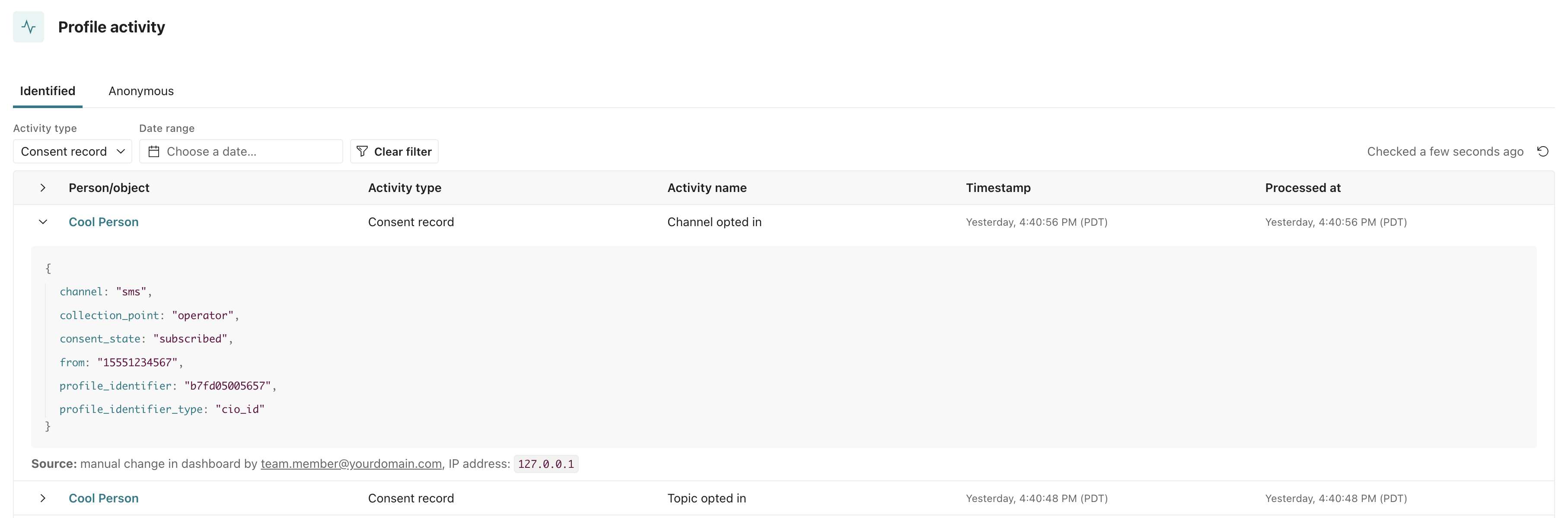
To see the individual records, open the person’s Activity tab. Each record appears as a consent activity. You can also get a person’s records from the API.
Export consent records
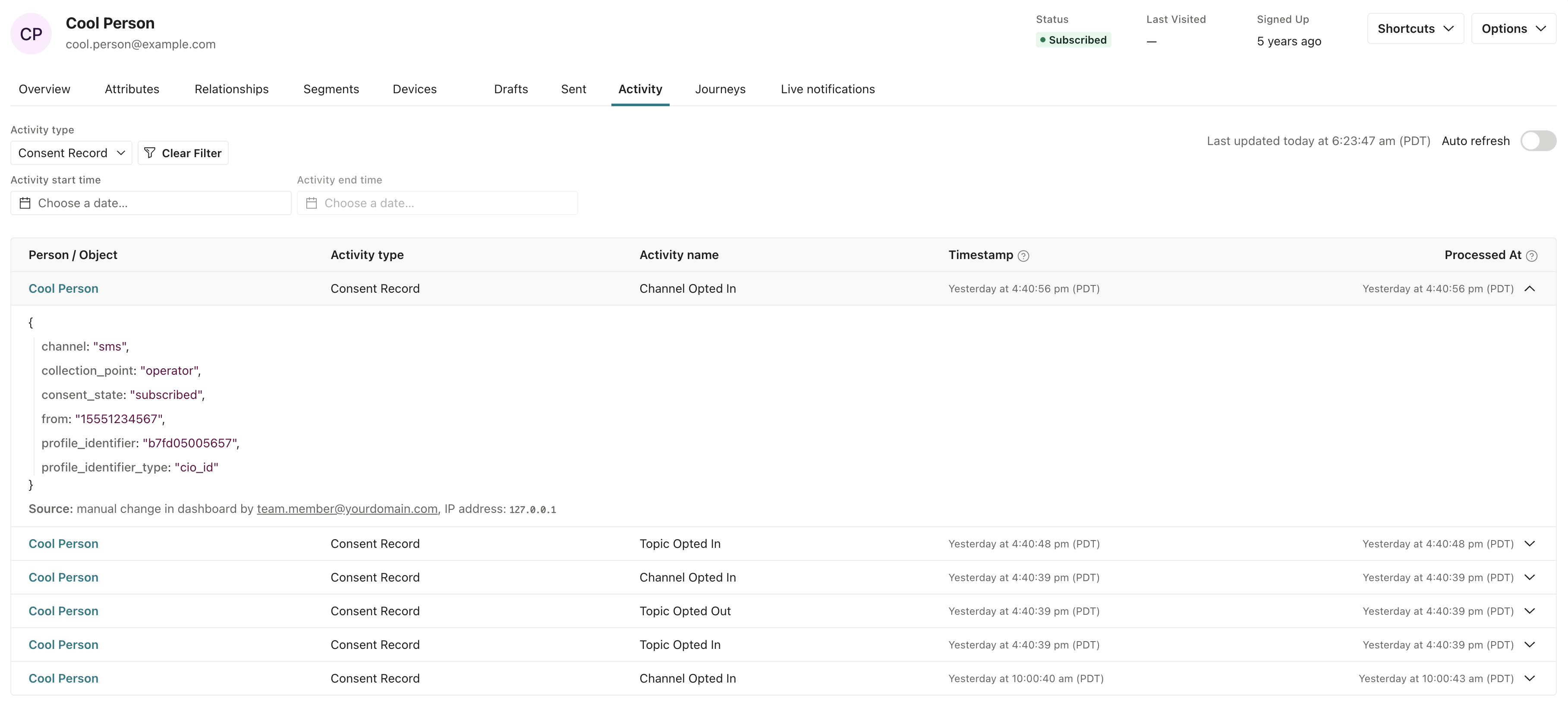
You might export consent records when you need to audit records for compliance reasons, or if you want to load them into another system. You need the Exports: Create and People: View permissions.
- Go to Workspace Settings > Consent.
- Click Export consent records.
- (Optional) Choose a date range of up to one year. Leave the range empty to export the full history.
- Click Export CSV.
When the export is ready, you can download it from the Exports page. The export includes every consent record in the workspace, along with the ID of the person each record belongs to.
The file is a JSON file, even though the button says Export CSV. Each line of the file is one consent record, written as a JSON object. To open it in a spreadsheet, convert it to CSV first. Most data tools can read one-object-per-line JSON directly. While Customer.io is writing starting records, the first line of the file is a notice with "type": "notice" instead of a record, to show that the export might not include every starting record yet.
Consent records persist when you delete people
When you delete a person, Customer.io keeps their consent records, so you keep their consent history after their profile is gone. The records stay attributed to the deleted person’s cio_id, and they still appear when you export consent records.
Customer.io removes the person’s consent state, which is what the Consent state panel shows. If you add the person back later with the same identifier, their new profile starts without any consent state. Customer.io doesn’t rebuild the consent state (or subscription status) from the past records.
Find consent records in your activity logs
In your workspace’s Activity Logs, filter by the Consent Record type to see consent records across all of your profiles.
Get consent records with the API
The App API returns consent records as activities. Set type to consent, and set name to opted_in or opted_out to return only one action.
- Use the activities endpoint to get records across your workspace.
- Use the customer activities endpoint to get one person’s records.
These endpoints only guarantee activity from the last 30 days, so use an export when you need a complete history.