Transactional FAQ
This page contains answers to frequently asked questions about our transactional API.
Does the transactional API cost extra?
No! You can start sending transactional messages immediately alongside your other messages.
When should I use the ‘disable message retention’ setting?
You probably want to disable message retention to concealing sensitive content, like password reset tokens. This setting prevents us from retaining and showing the contents of messages when you view sent deliveries The instance of a message sent to a person. When you set up a message, you determine an audience for your message. Each individual "send"—the version of a message sent to a single member of your audience—is a delivery.
.png)
When should I use the transactional API vs event-triggered automations?
A transactional message is typically a single message that a person has implicitly requests—even if they’ve unsubscribed from your marketing messages. These are things like:
- Receipts
- Password reset requests
- Account alerts
For emails that require multiple messages (like a double-opt in) or branching (e.g. multiple channels or A/B testing), you should using event-triggered automations.
When should I use the transactional API vs API-triggered Broadcasts?
API-triggered broadcasts are optimized for sends that go to many people at a time (ie marketing blasts). These broadcasts can be configured to send to an entire segment(s) at a time, and are thus limited to a rate of 1 request/10 seconds, with dedicated messaging queues to manage the high volume.
The transactional API is optimized to send transactional messages to one recipient at a time (like order confirmations), and should not be used to send marketing blasts. They have a limit of 15 total recipients across To, CC, and BCC fields, and they have dedicated sending lanes to ensure a quick delivery.
How do I send a transactional message supporting multiple languages?
All you have to do is set your language attribute A key-value pair that you associate with a person or an object—like a person's name, the date they were created in your workspace, or a company's billing date etc. Use attributes to target people and personalize messages.
Learn more about localized transactional messages.
How many people can I message within a single transactional API call?
A single API request can contain a maximum of 15 recipients. This includes all recipients across the To, CC, and BCC fields.
How do I use the transactional API with a custom SMTP server?
If you have configured a custom SMTP server and wish to use an unauthenticated sending domain, you’ll need to contact us at win@customer.io. We’ll manually authenticate the record after confirming that you own the sending domain.
Can I CC someone on an email?
Yes. You can add CC recipients in the email composer or by setting the cc key in a transactional API request. CC recipients are visible to everyone who receives the message. CC opens, clicks, and bounces count toward your message’s metrics, but they aren’t broken out per recipient. For example, if a CC recipient opens a message that the original recipient already opened, it counts as a second open on the same send rather than a separate open attributed to the CC recipient.
Can I A/B test transactional messages?
No. If you need to run an A/B test, try sending an event-triggered automation.
Can I use the transactional API to send bulk marketing sends?
No. The transactional API is not optimized for bulk marketing sends, nor should you use our transactional IP pool or your transactional domain to send marketing messages. Use API-triggered broadcasts instead.
What attachment file types are forbidden?
bat, bin, chm, com, cpl, crt, exe, hlp, hta, inf, ins, isp, jse, lnk, mdb, msc, msi, msp, mst, pcd, pif, reg, scr, sct, shs, vbe, vba, vbs, wsf, wsh, wsl
What headers are reserved and cannot be overwritten in the API request?
Authentication-Results, Auto-Submitted, Content-Alias, Content-Base, Content-Disposition, Content-ID, Content-Identifier, Content-Length, Content-Transfer-Encoding, Content-Type, Encoding, Lines, Mail-System-Version, Mailer, Mime-Version, Originating-Client, Received, Received-SPF, Return-Path, VBR-Info, X-Mailer, X-Report-Abuse-To
Can I copy transactional messages across workspaces?
You can copy a transactional email to another workspace to save yourself time creating similar messages.
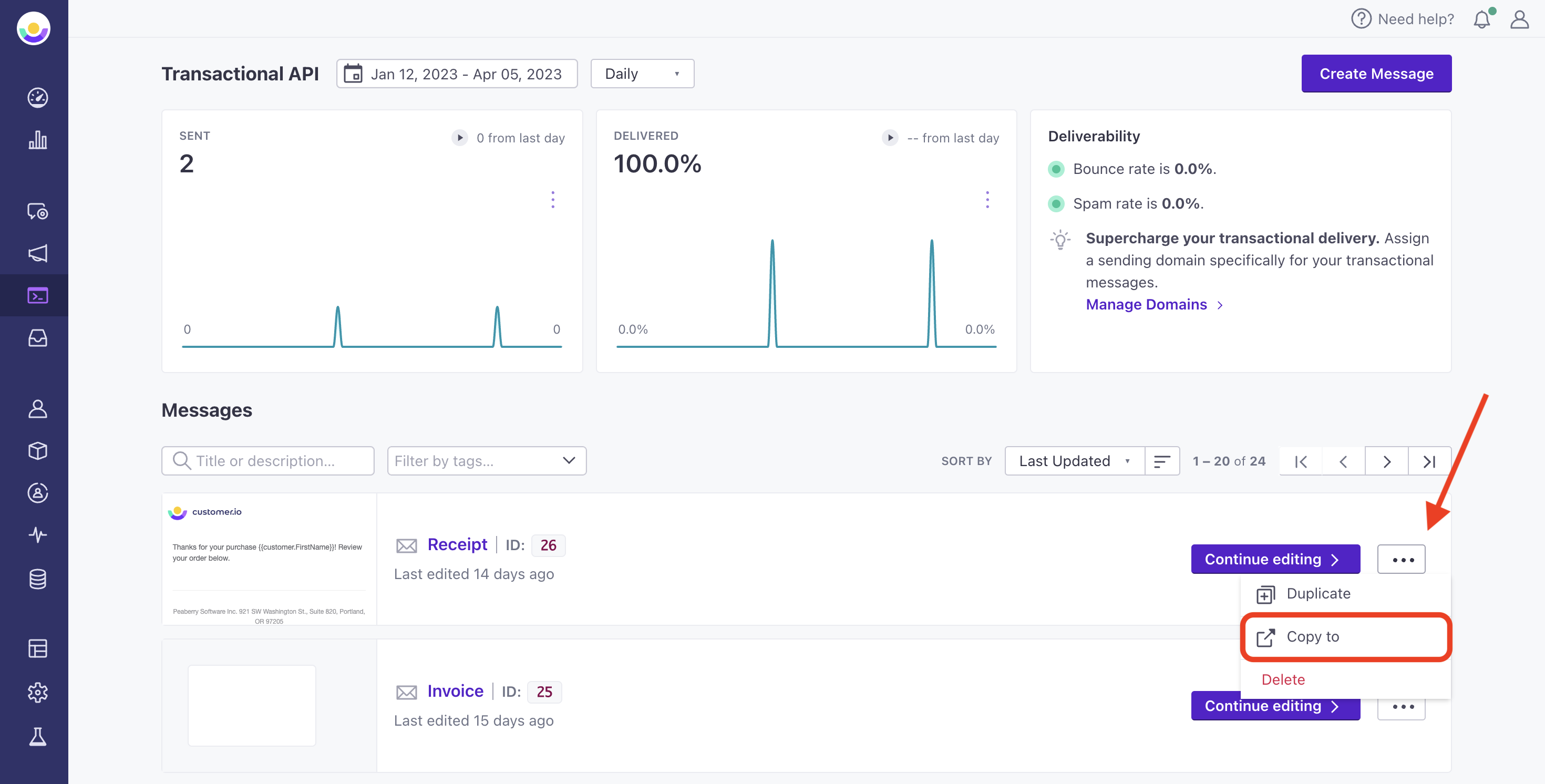
Go to Transactional in the left hand navigation to get started. Filter or scroll to find the transactional message you want to copy. Then select the three dots to the right of the message and click Copy to.
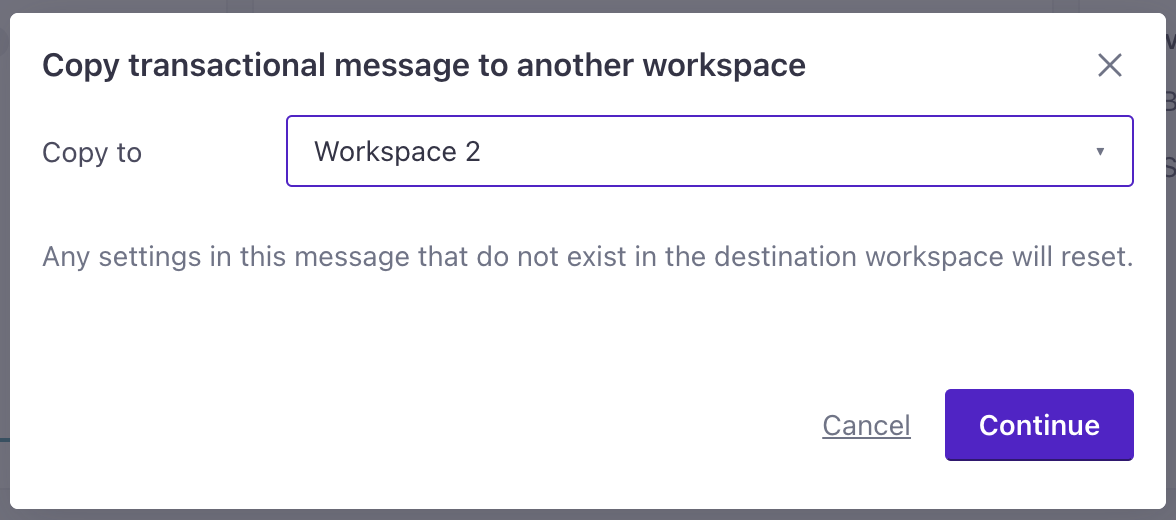
On the modal, select the workspace you want to copy your items to then click Continue.