Track metrics for translations
You can track message performance for each translation from your metric dashboards.
To learn more about metrics, check out Automation and one-time send metrics.
Automation metrics
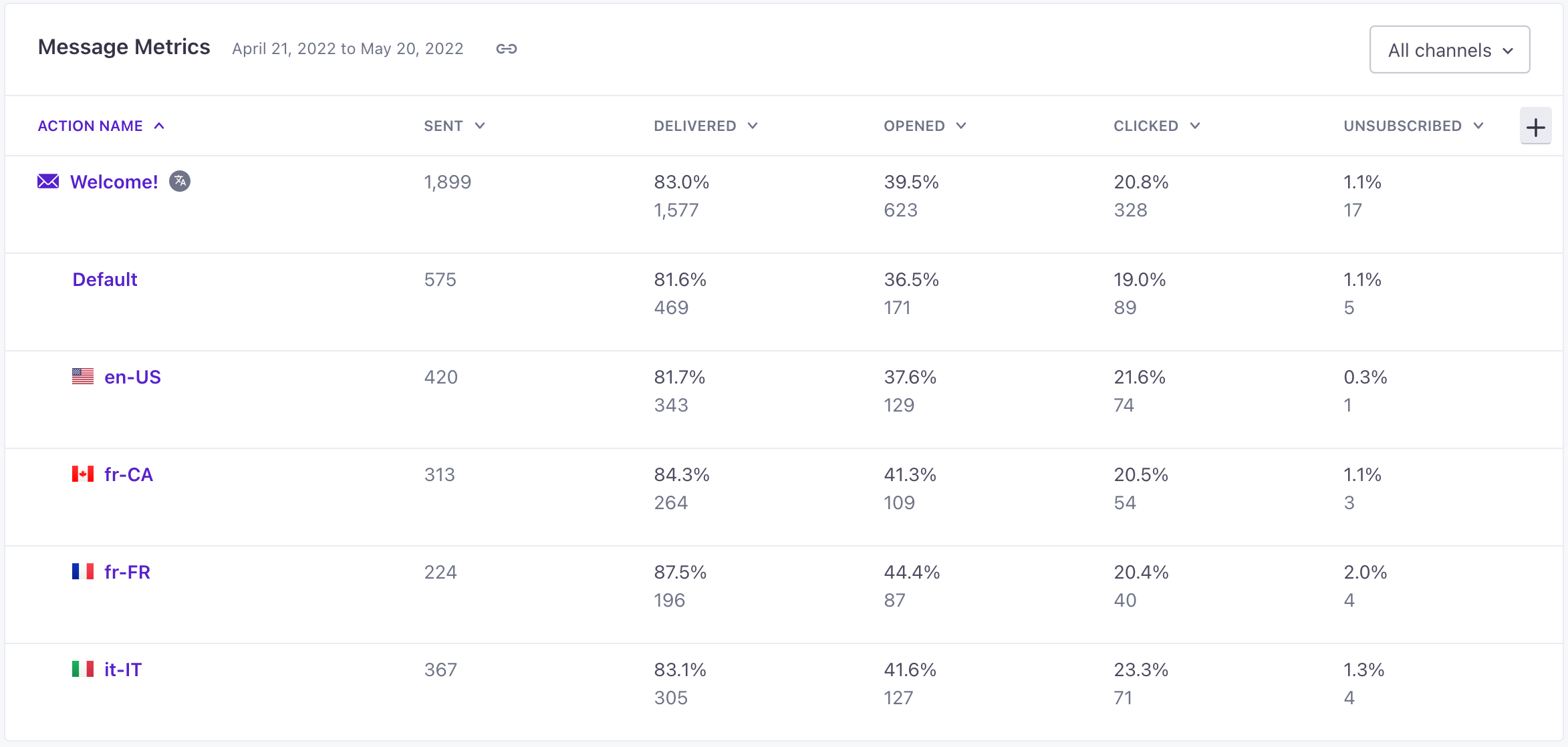
When you look at a running automation, the Overview and Metrics tabs both show aggregated metrics for your messages, including all the languages they contain.
The Metrics tab shows stats for each language under the name of the message block. Beside the message block name, you’ll see metrics aggregated across all languages.
One-time send metrics
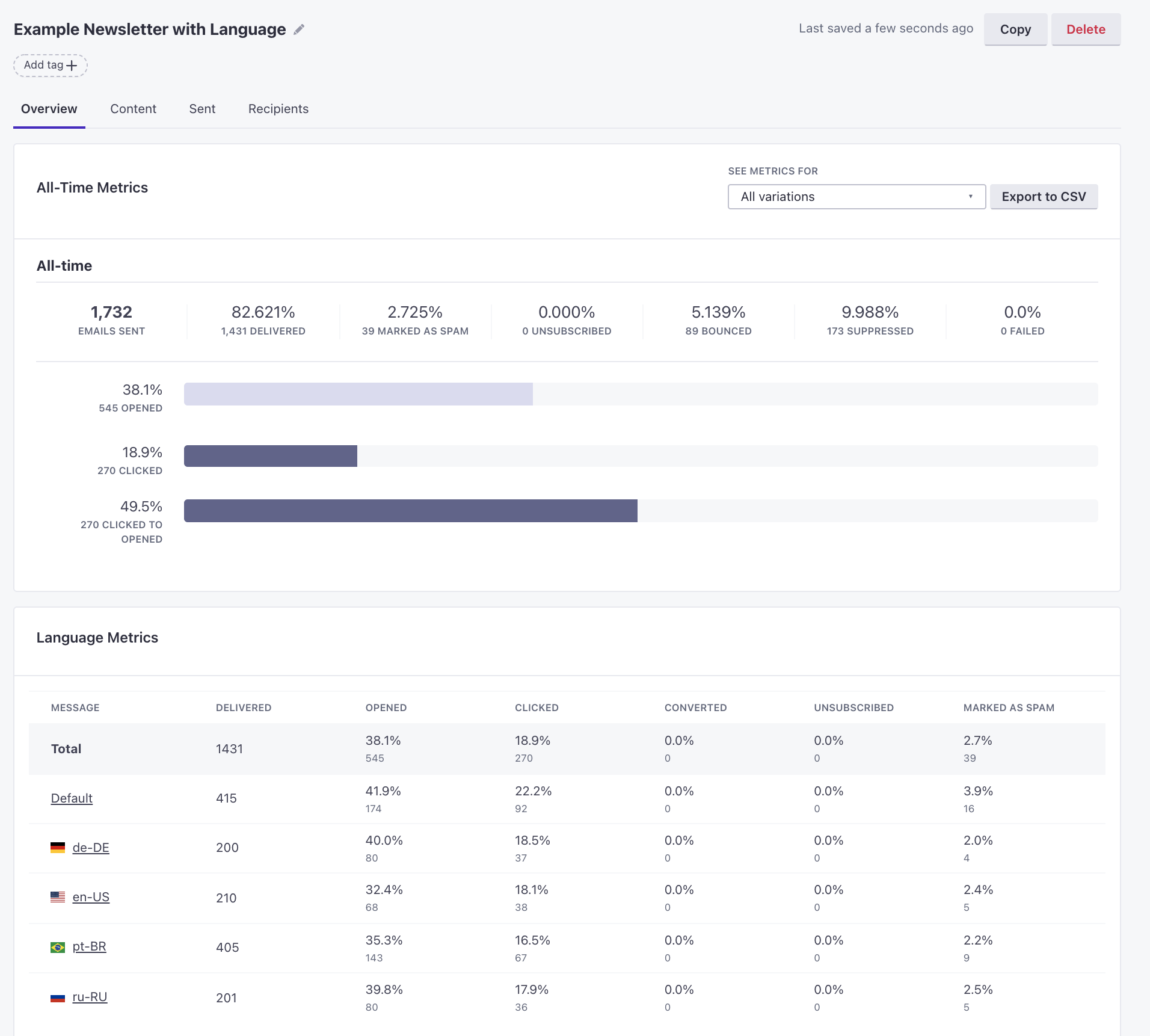
In the Overview tab of a one-time send, you’ll see metrics for each language.