

Push notifications on mobile and web
Customer.io sends push notifications to iOS and Android apps and to web browsers. Learn how mobile push and web push differ, what they have in common, and where to start.
Push notifications reach people on their phones, tablets, and web browsers, even when they aren’t using your app or visiting your website.
We support mobile push notifications (iOS and Android) and web push notifications. The two kinds of push have different setup steps, but they work similarly when you send messages. This page compares them and explains what they have in common.
Mobile and web push at a glance
You don’t have to choose between mobile push and web push. You can set both up and send messages to both platforms from the same automation.
| Mobile push | Web push | |
|---|---|---|
| Who it reaches | People who installed your iOS or Android app | People who visit your website in Chrome, Edge, Firefox, or Safari |
| What your developers set up | Our mobile SDK in your app | Our web push plugin for the JavaScript integration, and a service worker file on your website |
| Credentials | Your Apple (APNs) or Firebase (FCM) credentials, which you add in Workspace Settings > Push | A key pair that Customer.io generates for you in Workspace Settings > Push > Web. You don’t need an account with a push provider. |
| What you can send | Standard push, rich push, and custom payloads | Rich push with an icon, an image, and up to two action buttons |
| How people opt in | A person allows notifications for your app | A signed-in visitor clicks a button on your site and allows notifications in their browser |
Devices
Customer.io registers each app install or browser where a person allows notifications as a device on their profile. Every device has an ID, a platform (ios, android, or web), and the time the person last used it. You can see a person’s devices on the Devices tab of their profile.
For an app, the device ID is the token that Apple or Firebase gives your app. For a browser, the device ID is the subscription endpoint, a URL that the browser’s push service gives your website. See web devices.
Which devices get a message
When you set up a message, you choose which platform it sends to: mobile (iOS and Android) or web. Transactional push can also send to both. Customer.io only sends your notification to devices on the platform you choose:
-
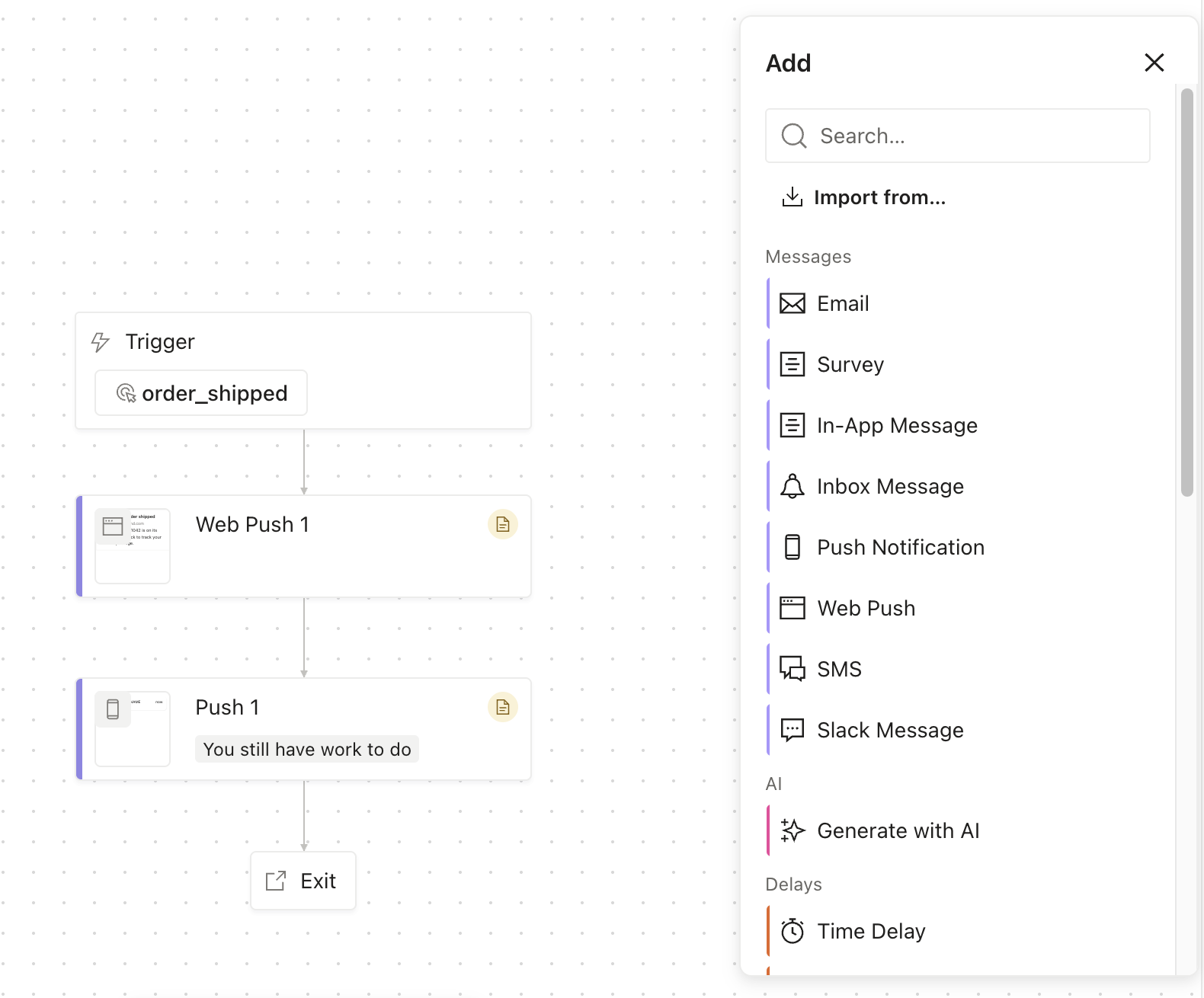
In an automation, mobile push and web push are separate actions:
- A Push Notification action sends to iOS and Android devices.
- A Web Push action sends only to browsers.
People who turn on notifications in a browser don’t start getting your app’s messages there. To reach both a person’s phone and their browser, add both a Push Notification action and a Web Push action.
-
A one-time send lets you pick the platform: mobile or web.
-
Transactional push sends to iOS and Android by default. You can change the message’s platform to Web or iOS, Android & Web to include web browsers. See send transactional web push.
Last used device
When you set a message to go to the last used device, Customer.io picks the most recently used device on the message’s platform. For example, if you send a mobile push notification to a person who has three mobile devices and no registered web devices, they’ll get their notification on the device that was most recently updated with Customer.io.
If you send a web push notification using the last-used device option, that same user wouldn’t get the notification at all because they don’t have a registered web device (browser).
Subscription preferences
Unsubscribe and subscription preferences apply to push-eligible devices. In your subscription center, the Push notifications channel covers both mobile devices and web browsers by default.
If you want people to be able to turn off browser notifications and keep app notifications, or the other way around, add a Web browsers channel to your subscription center.
Metrics and delivery statuses
Mobile and web push notifications report the same delivery statuses and metrics. On mobile devices, our SDK reports them from your app. On the web, the Customer.io service worker on your website reports them from the browser. When an automation has both Push Notification and Web Push actions, its Overview can show push metrics for iOS, Android, and Web separately. Filter the overview to the Push channel to see them. See push metrics and message statuses.
Segments
You can build segments on a person’s devices, and Web is one of the platforms you can filter on. See device segments.
Check your Have a Mobile Device segment before you send web push. In workspaces created before web push, this default segment includes everyone with any device, so it also includes people who only have browsers. See check your Have a Mobile Device segment.