

Automation exit conditions
Exit conditions determine if or when a profile should exit your automation. The options available depend on the type of automation trigger you use—attribute or segment, event, etc.
How it works
By default, a profile continues through an automation until they stop matching the automation’s trigger or filter conditions.
In this example, the automation sends students a form to evaluate their tutors. The automation is triggered by an event course_complete and filters out profiles that were absent from more than five classes.
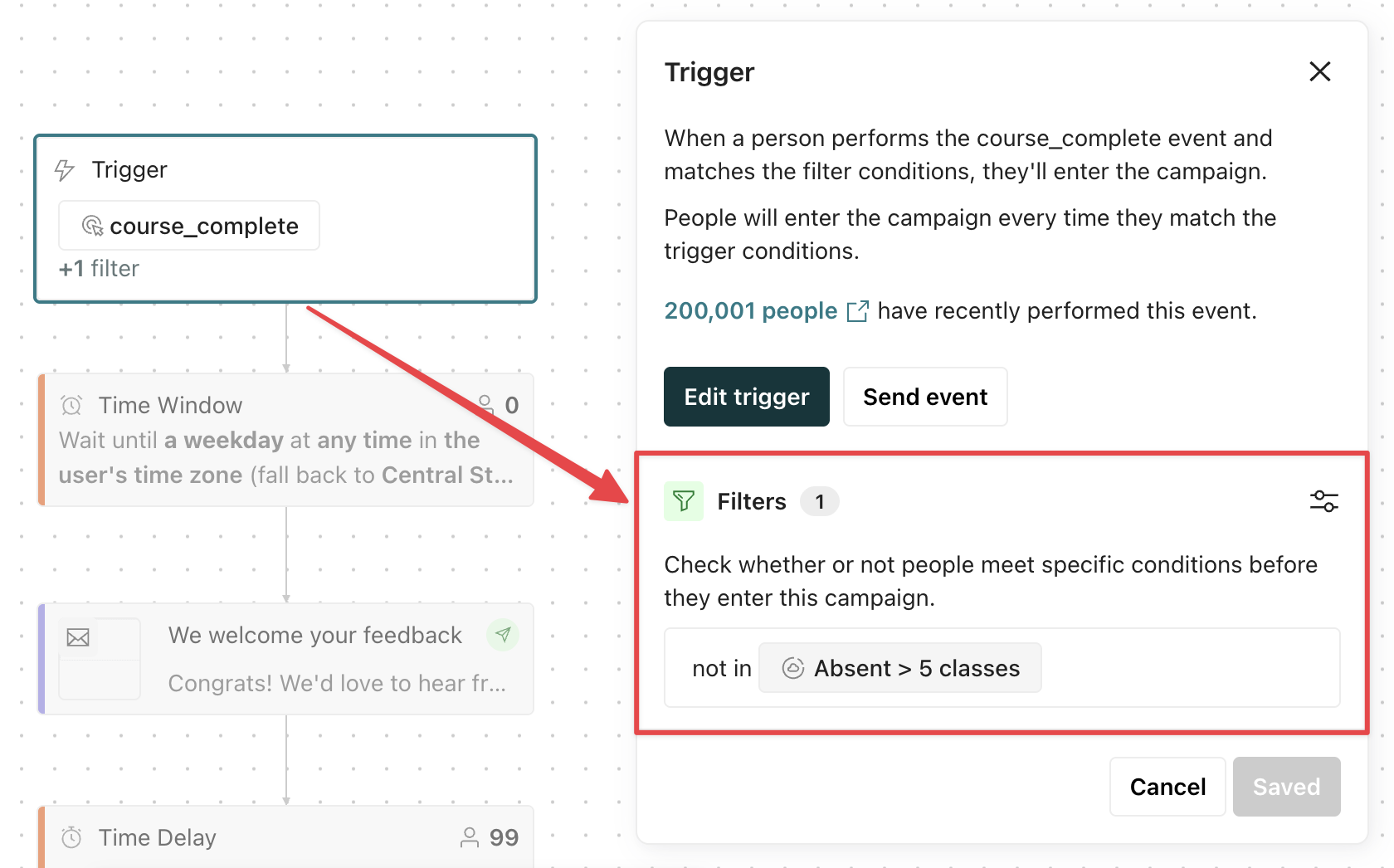
By default, a profile exits when they stop matching the filters.
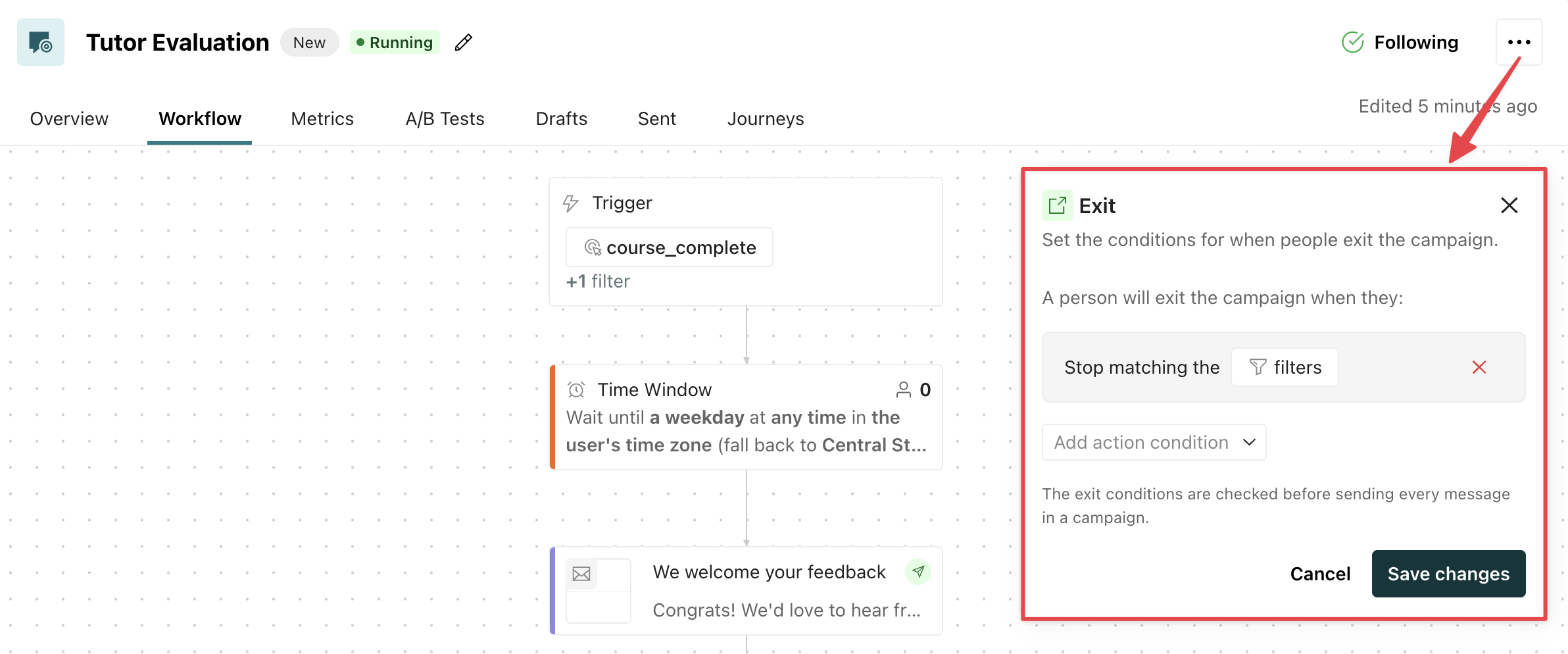
So in this automation, a student would exit if an admin increases the student’s absentee count such that they are now IN the absentee filter segment.
Learn more about the filter conditions available for each automation trigger type.
Manage exit criteria
To view or modify your exit criteria, go to your automation’s workflow, click , and select Exit conditions.
Set your own exit criteria
To set conditions that terminate journeys early, click Add action condition.
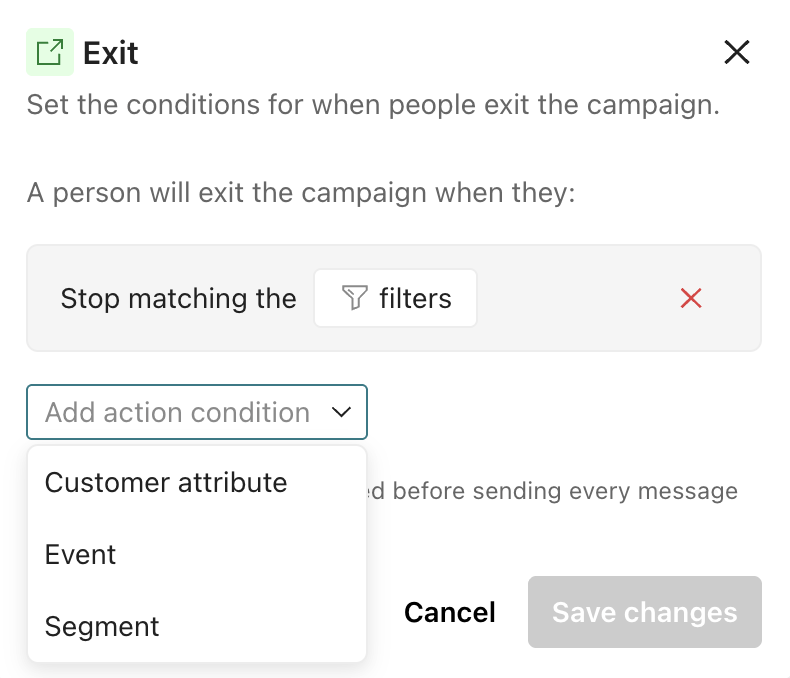
Then choose one or more conditions. Exit criteria are OR statements; profiles exit when they meet any condition in your exit criteria.
- Profile attributes: make profiles exit when their profiles meet certain criteria
- Events: make profiles exit when they have or have not performed certain events
- Segments: make profiles exit when they’re a member or not a member of certain segments
- Geofence set
A named group of geofences that you act on together—for example, trigger a campaign when a person enters any geofence in the set. When a person crosses a geofence, our mobile SDKs send a
: make profiles exit when they enter or exit a certain geofence setGeofence Transitionevent for each geofence set the geofence belongs to.
Remove exit criteria
By default, a profile continues through an automation until they stop matching the automation’s trigger or filter conditions.
To remove this and other criteria, click beside the condition.
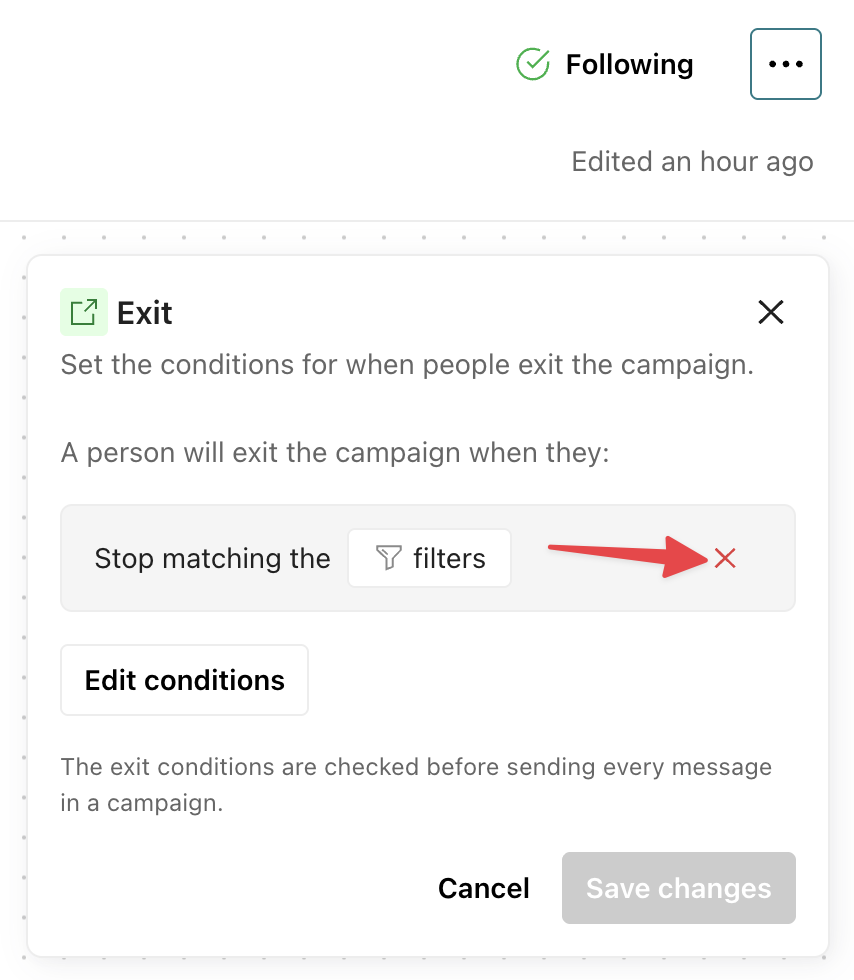
If profiles should always finish the automation, remove all exit conditions.