Manage people's devices
If you want to send push notifications, you can register your users devices with us. Our SDKs automatically associate device tokens with people when you identify a person, but you can also use our API to add devices.
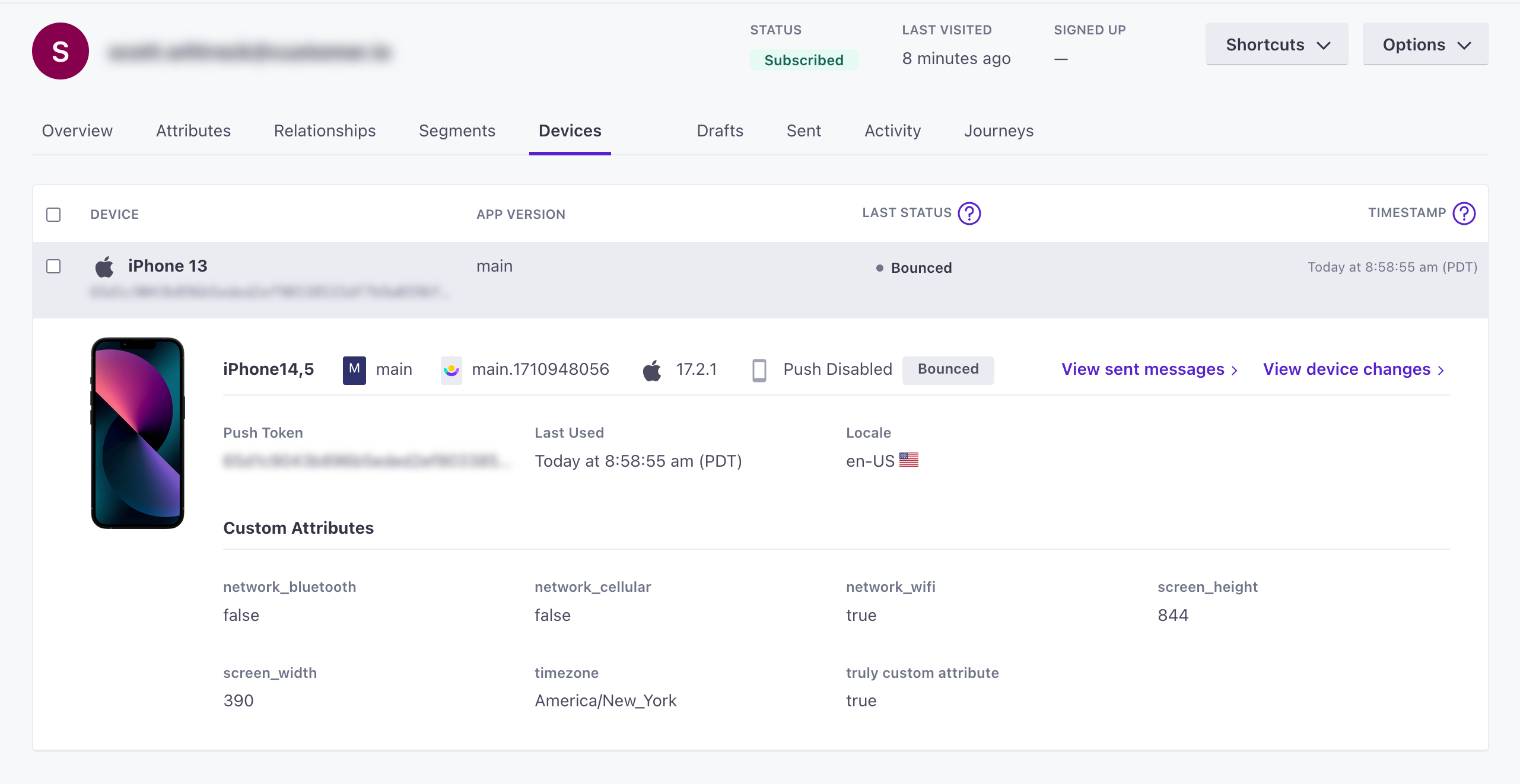
You’ll find a person’s devices by going to the People page, selecting a person, and going to their Devices tab.
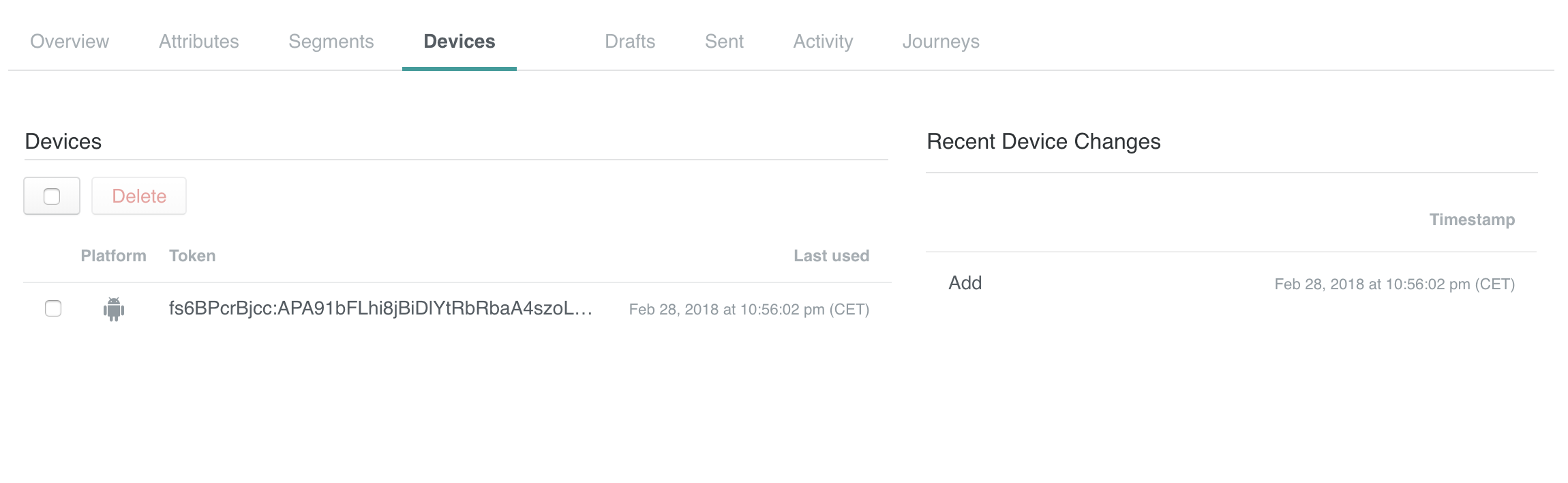
For each device, we show the device platform, token, and when the device was “last used”. Last used indicates the last time you identified a device—something you typically do when someone logs into your app, or opens your app and is already logged in!
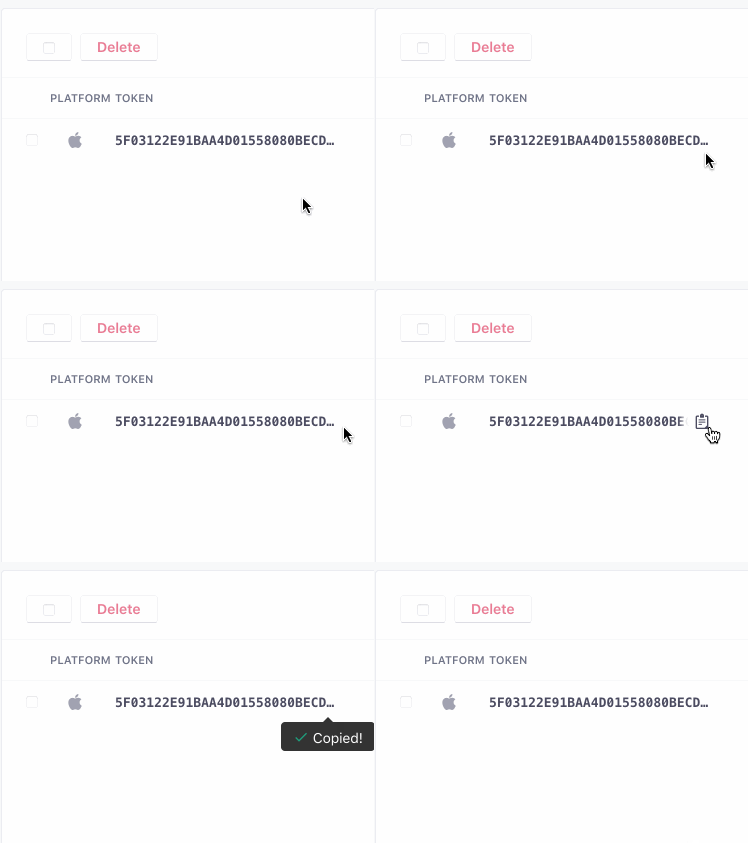
You can hover over the truncated token to see the full string and copy it to your clipboard. This is especially useful when you need a device token for sending a test push notification from the composer.
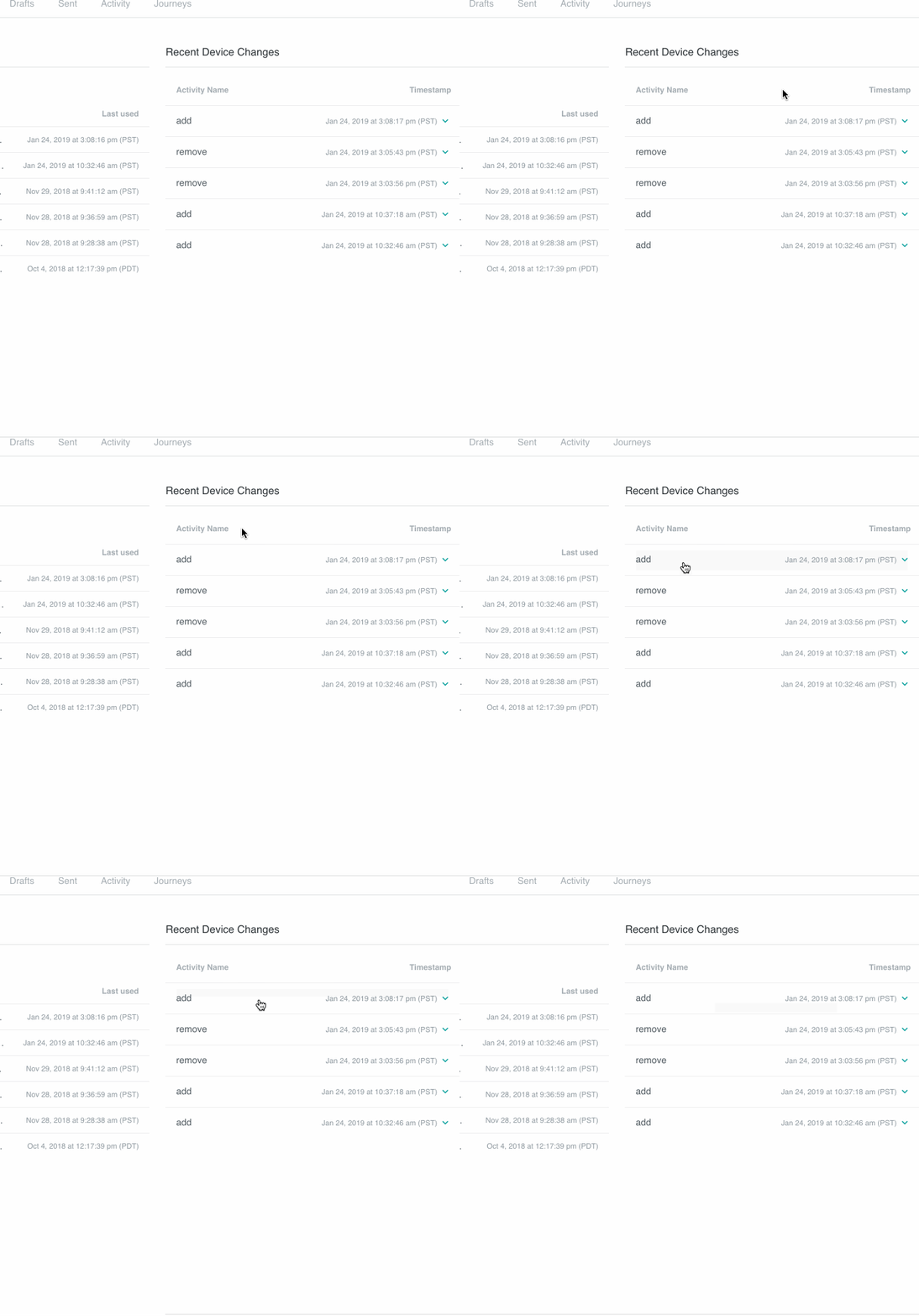
And in the activity stream, you can click on each individual row for more details. Here’s an example with an initial API call to add a device:
Add and Delete devices
In general, we suggest that you integrate with our SDKs to add and delete devices. They can help you associate device tokens with people you identify and remove tokens when you stop identifying them.
Otherwise, you can integrate directly with our API to add and delete devices.
You can’t add devices in the UI, but you can delete as many as you like.
We automatically delete unregistered devices
Device tokens are ephemeral: they become invalid when a person logs out of your app, and a push service can change them at any time. Beginning January 31, 2023, when a device token becomes unregistered, it is invalid and will never become valid again; if a person logs into your app again, they’ll get a new device token.
To prevent invalid tokens from stacking up on people in your workspace, we automatically remove devices when they’re invalidated by your push services. If, when you send a push notification, your push service (FCM or APNs) responds with an unregistered message, we’ll automatically remove the token from your workspace.
Device attributes
Devices have their own attributes A key-value pair that you associate with a person or an object—like a person's name, the date they were created in your workspace, or a company's billing date etc. Use attributes to target people and personalize messages.last_status automatically. We also set a last_used attribute based on either the timestamp in your request to add or update a device, or the time of the request itself. When you add or update a device using our SDKs, we’ll set the platform automatically for you; otherwise, you must send the platform with each request to our API.
If you use our SDKs, you’ll automatically collect additional device attributes by default. Whether or not you use our SDKs, you can also set custom attributes for each device—similar to attributes you set for people, but specific to each mobile device token.
When you go to a person’s Devices tab, you’ll see each device’s PLATFORM, DEVICE LAST USED and LAST RESULT attributes. Click a device to reveal additional information and attributes attached to it.
You can use device attributes anywhere you would otherwise use a person’s other attributes—True/False branches, Action Conditions, or segments A segment is a group of people in your workspace. Use segments to trigger automations, track membership over time, or fine-tune your audience. There are two types of segments: data-driven and manual. Data-driven segments automatically update when people start or stop matching criteria. Manual segments are static.
Custom device attributes
When you identify or update a device, you can pass an attributes object containing additional attributes specific to a device. If you use our SDKs, we capture a number of predefined attributes automatically—unless you disable automatic attribute collection.
You can segment and filter audience members based on these attributes. However, device tokens can change—sometimes based on user behavior, like when a person uninstalls and reinstalls your app, and sometimes based on your messaging service (FCM or APNs). When you set attributes on a device, consider wether you need to retain an attribute past the life of the device token, and if an attribute is truly relevant to the device.
The following attributes are automatically collected by alpha versions of the SDK, set automatically by Customer.io, or available to our APIs. If you disable automatic attribute collection in the SDK, we’ll stop automatically collecting properties other than platform, last_used, and last_status.
- idstringrequiredThe device token.
- platformstringrequiredThe device/messaging platform.Accepted values:
ios,android - Attributes that you can reference to segment your audience—like a person's attributes, but specific to a device. These can be either the attributes defined below or custom key-value attributes.
- _last_statusstringThe delivery status of the last message sent to the device—sent, bounced, or suppressed. An empty string indicates that that the device hasn't received a push yet.Accepted values:
,bounced,sent,suppressed - app_identifierstringThe app that the device belongs to—the Bundle ID / App identifier you entered with that app's push credentials. If you have more than one app, we use this attribute to send push notifications to the right app. A device without an app identifier receives push notifications you send to your default app.
- app_versionstringThe version of your app that a customer uses. You might target app versions to let people know when they need to update, or expose them to new features when they do.
- cio_sdk_versionstringThe version of the Customer.io SDK in the app.
- device_localestring
- device_modelstringThe model of the device a person uses.
- device_osstringThe operating system, including the version, on the device.
- push_enabledstringIf
"true", the device is opted-in and can receive push notifications.Accepted values:true,false - Custom Device Attributes *stringCustom properties that you want to associate with the device.
- last_usedinteger(unix timestamp)The
timestampwhen you last identified this device. If you don't pass a timestamp when you add or update a device, we use the time of the request itself. Our SDKs identify a device when a person launches their app.
Reserved device attributes
Devices have their own attributes, separate from the attributes on a person’s profile. You typically manage these with our mobile SDKs. You can’t use these attribute names or names that start with an underscore (_) as custom device attributes.
| Attribute | Purpose | Editable | Data format |
|---|---|---|---|
token | The token that identifies the device. | Yes | String |
platform | The device’s messaging platform. The SDKs set this for you. | Yes | String: ios, android, or visionos |
last_used | The last time you identified the device. If you don’t send a value, Customer.io uses the time of the request. | Yes | Integer, Unix timestamp |
last_status | The delivery status of the last push sent to the device. | No, system-generated | String: sent, bounced, suppressed, or empty |
See reserved attributes for the full list of reserved attributes in Customer.io.
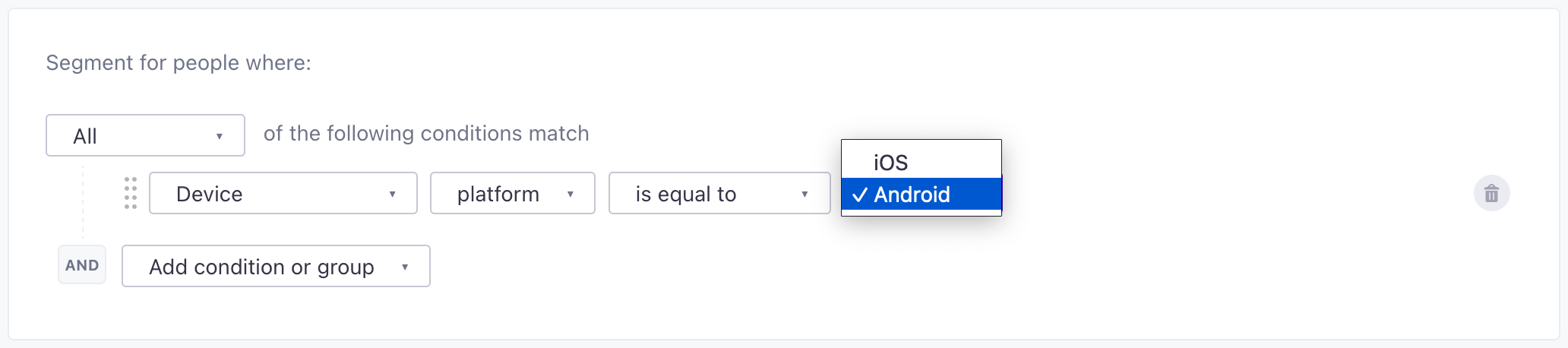
Segment people based on their devices
When you create segments, you can segment people based on their device attributes—their platform, the status of their last message, or when devices were last_used.